
Introduction
This manual provides essential instructions for the safe and efficient use of your Xiaomi Mi Power Bank 3 Ultra Compact (Model PB1022ZM). Please read this manual thoroughly before use and retain it for future reference.
Product Overview
The Xiaomi Mi Power Bank 3 Ultra Compact is a portable charging device designed to provide power to your electronic devices on the go. It features a 10000 mAh capacity and multiple charging ports.
Device Layout

This image displays the front of the power bank, highlighting its compact design and textured finish for improved grip. The Mi logo is centrally located.

This view shows the top edge of the power bank, detailing all available ports and indicators. From left to right, there are two standard USB-A output ports, a versatile USB-C port that functions for both input and output, a Micro USB input port, four small LED lights indicating battery level, and a power button.
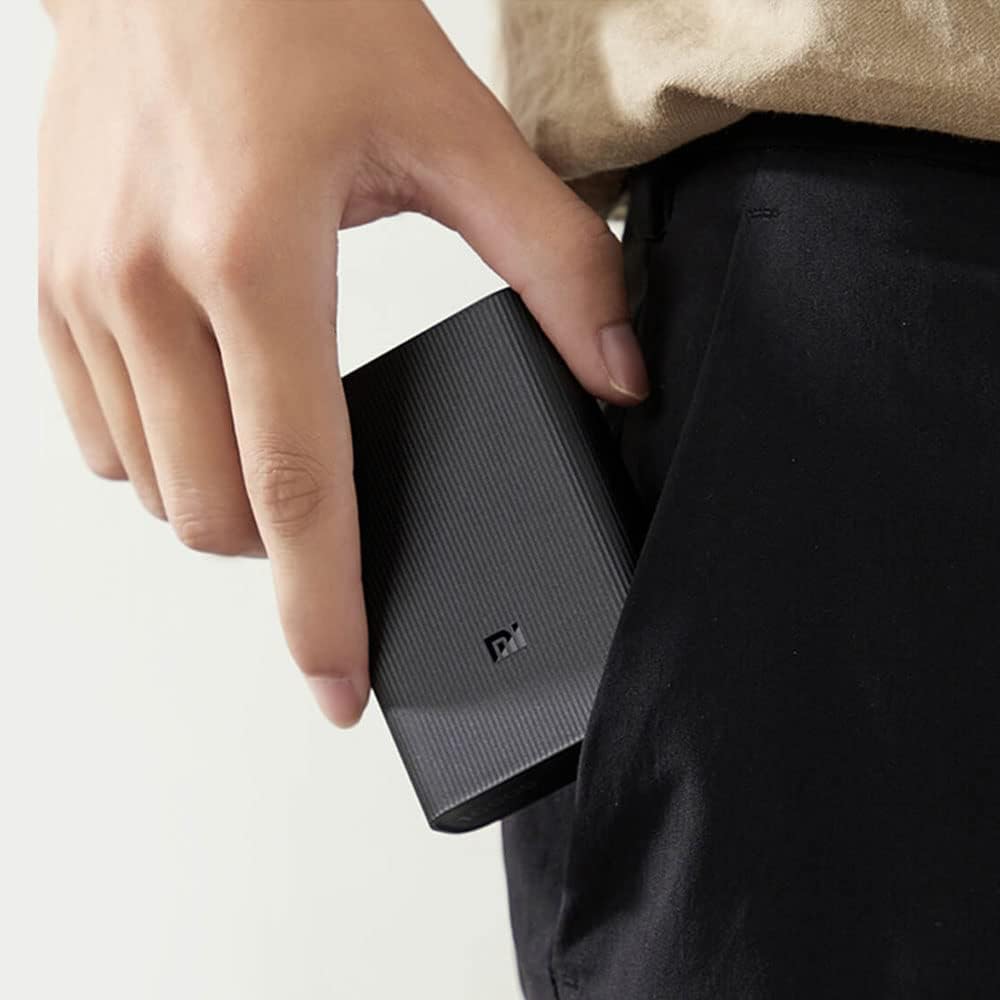
This image illustrates the compact dimensions of the power bank as it is held in a hand, emphasizing its portability and ease of carrying.
Setup
Initial Charging
Before first use, fully charge your power bank.
- Connect the power bank to a power adapter (not included) using either a USB-C cable or a Micro USB cable.
- The LED indicator lights will illuminate to show the charging progress. All four lights will be solid when fully charged.
Operating Instructions
Charging the Power Bank
To recharge the power bank:
- Use a compatible USB-C or Micro USB cable.
- Connect the cable to the corresponding input port on the power bank and to a power source (e.g., wall adapter, computer USB port).
- The LED indicators will flash during charging and remain solid when fully charged. Each light represents approximately 25% of the battery capacity.
Charging External Devices
To charge your mobile devices:
- Connect your device to one of the USB-A output ports or the USB-C port on the power bank using a suitable charging cable.
- The power bank will automatically begin charging your device. If it does not, press the power button once.
- The LED indicators will show the remaining battery level of the power bank during discharge.
Low Current Charging Mode
For charging low-current devices such as Bluetooth headphones or smartwatches:
- Double-press the power button to enter low-current charging mode.
- The LED indicators will flash sequentially to confirm activation.
- Connect your low-current device. The power bank will provide a stable, low-current output for safe charging.
- To exit low-current mode, double-press the power button again, or it will automatically exit after two hours.

The power bank is capable of charging multiple devices at once using its various output ports.
Maintenance
- Keep the power bank dry and away from moisture.
- Do not expose to extreme temperatures (hot or cold).
- Clean the exterior with a soft, dry cloth. Avoid using harsh chemicals.
- Store in a cool, dry place when not in use for extended periods.
- Recharge the power bank at least once every three months to prolong battery life.
Troubleshooting
- Power bank not charging: Ensure the charging cable and adapter are working correctly and securely connected. Try a different cable or adapter.
- Device not charging: Ensure the power bank has sufficient charge. Press the power button once to activate charging. Try a different USB port or cable.
- Slow charging: Verify that your cable and adapter support fast charging if applicable. Some devices may charge slower due to their specifications or the cable used.
- LED indicators not working: If the power bank is completely depleted, the indicators may not light up immediately. Charge for a few minutes and check again.
Specifications
| Feature | Detail |
|---|---|
| Model Number | BHR4412GL |
| Battery Capacity | 10000 mAh |
| Battery Cell Composition | Lithium Polymer |
| Voltage | 3.7 Volts |
| Amperage | 3 Amps |
| Connector Type | Micro USB, USB-C, USB-A |
| Product Dimensions | 2.79 x 24.64 x 16.51 cm |
| Item Weight | 200 Grams |
| Manufacturer | Xiaomi |
| Recommended Uses For Product | Smartphone |
| Power Source | Battery Powered |
| Date First Available | 7 January 2021 |
Safety Information
- Do not disassemble, impact, or puncture the power bank.
- Do not expose to fire, high temperatures, or direct sunlight.
- Keep out of reach of children.
- Dispose of the power bank according to local regulations. Do not dispose of with household waste.
- Avoid using the power bank in environments with extreme humidity or dust.
Warranty and Support
For warranty information and customer support, please refer to the official Xiaomi website or contact your local retailer. Keep your purchase receipt as proof of purchase.