
1. Introduction
This manual provides essential instructions for the safe and effective use of your HIUPN Portable UV Light Sanitizer Wand, Model ips. Please read this manual thoroughly before operating the device and retain it for future reference.
The HIUPN UV Light Sanitizer Wand is designed for surface disinfection, utilizing ultraviolet light to assist in sanitizing various items and environments. Its portable and rechargeable design makes it suitable for use in homes, offices, during travel, and in vehicles.
2. Important Safety Information
WARNING: Ultraviolet (UV) light can be harmful to skin and eyes. Always follow these safety guidelines:
- Do not use this UV light sanitizer on human bodies, pets, or plants. Direct exposure can cause harm.
- Do not direct the UV light towards your eyes or the eyes of others. Always avert your gaze from the light source during operation.
- Keep the device out of reach of children.
- Do not disassemble or modify the device. This may cause damage and void the warranty.
- Avoid exposing the device to water or excessive moisture.
- Use only the provided USB cable for charging.
3. Product Overview
The HIUPN Portable UV Light Sanitizer Wand is a compact and lightweight device designed for convenient surface disinfection. It features a USB rechargeable battery and adjustable light intensity.
3.1 Key Features
- Portable Design: Mini size and lightweight (0.22kg / 6.7 ounces) for easy carrying. Dimensions: 37.5 x 4.3 x 3.5 CM (13.78"W x 1.57"H).
- USB Rechargeable: Charges in approximately one hour, providing 2-6 hours of use.
- Adjustable Light Intensity: Features a 4-gear switch to adjust light intensity from weak to strong.
- Versatile Application: Suitable for various surfaces in home, office, travel, and car environments.
- Integrated Hook and Magnetic Base: For convenient placement and hands-free operation.
3.2 Package Contents
- HIUPN Portable UV Light Sanitizer Wand
- USB Charging Cable
- User Manual (this document)
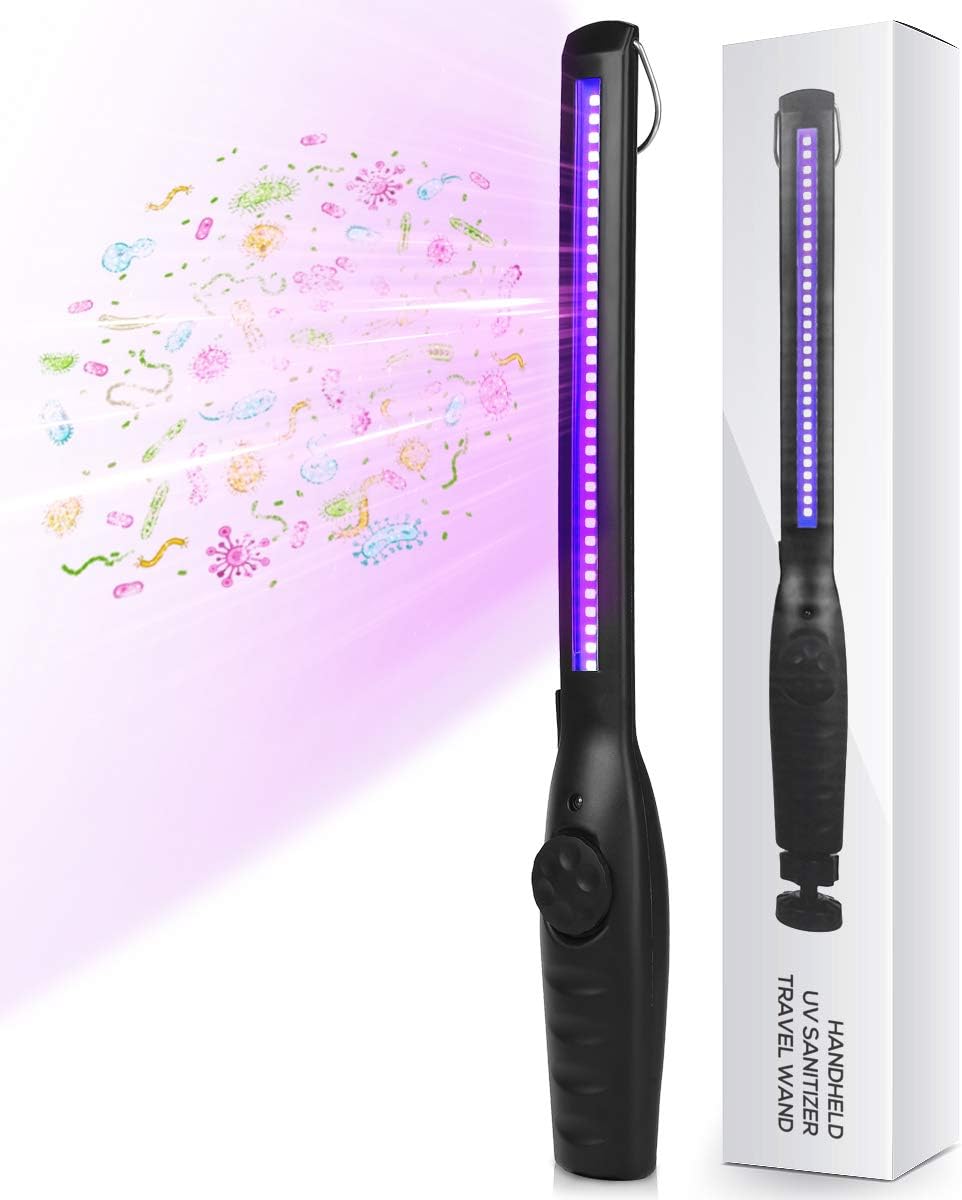
Figure 1: HIUPN Portable UV Light Sanitizer Wand and Retail Packaging. The image shows the black UV wand emitting purple light, alongside its white retail box.
4. Specifications
| Feature | Specification |
|---|---|
| Brand | HIUPN |
| Model Number | ips |
| Light Type | LED deep UV lamp beads |
| Power | 1.8 Watts |
| Wave Length | 270-280nm |
| Lamp Life | > 20,000 hours |
| Power Source | Battery Powered (USB Charging) |
| Charging Time | Approx. 1 hour |
| Operating Time | 2-6 hours (depending on intensity) |
| Material | Acrylonitrile Butadiene Styrene (ABS) |
| Dimensions (L x W x H) | 37.5 x 4.3 x 3.5 CM (13.78" x 1.57" x 1.38") |
| Weight | 0.22 kg (6.7 ounces) |
| Control Method | Rotary Switch |
| Indoor/Outdoor Usage | Indoor |

Figure 2: Detailed Product Parameters. This image illustrates the key specifications of the UV wand, including power, wavelength, lamp type, lamp life, best distance for use, and usage time, along with its physical dimensions.
5. Setup and Charging
5.1 Initial Charge
Before first use, fully charge your UV Light Sanitizer Wand.
- Locate the USB charging port on the device.
- Connect the provided USB charging cable to the wand and to a compatible USB power source (e.g., computer, wall adapter).
- The charging indicator light (if present) will illuminate to show charging status.
- A full charge typically takes approximately one hour.
5.2 Attaching Accessories (Optional)
The wand features a hook and a magnetic base for versatile placement during use.
- Hook: Use the integrated hook to hang the wand for hands-free operation or storage.
- Magnetic Base: The removable magnetic base allows you to attach the wand to metallic surfaces.

Figure 3: Product Features. This diagram highlights the hook, USB charging port, control switch, and magnetic base of the UV sanitizer wand.
6. Operating Instructions
6.1 Powering On and Off
- To turn on the device, rotate the control switch located on the handle.
- Continue rotating the switch to cycle through the 4 intensity gears (from weak to strong light).
- To turn off the device, rotate the switch back to the 'off' position.
6.2 Disinfection Procedure
For effective surface disinfection, follow these steps:
- Ensure the area to be sanitized is clean and dry.
- Turn on the UV wand and select the desired light intensity.
- Hold the wand approximately 1-5 cm (0.4-2 inches) away from the surface.
- Slowly sweep the UV light over the target surface for 5-10 seconds. Ensure the light covers the entire area.
- Important: Always avoid direct exposure to skin and eyes during operation.

Figure 4: Sanitizing a Surface. This image shows a person using the UV wand to sanitize a kitchen countertop, demonstrating a common application.

Figure 5: Pet Bed Disinfection. The UV wand is shown sanitizing a pet bed, illustrating its use for pet accessories.

Figure 6: Diverse Applications. This collage displays the UV wand being used to sanitize a variety of items such as kitchen surfaces, car interiors, face masks, children's toys, baby clothing, and baby bottles.
7. Care and Maintenance
- Cleaning: Wipe the device with a soft, dry cloth. Do not use liquid cleaners or abrasive materials.
- Storage: Store the wand in a cool, dry place away from direct sunlight and extreme temperatures.
- Battery Care: To prolong battery life, avoid fully discharging the battery frequently. Charge the device regularly, even if not in use for extended periods.
8. Troubleshooting
| Problem | Possible Cause | Solution |
|---|---|---|
| Device does not turn on. | Battery is depleted. | Charge the device using the provided USB cable. |
| Light intensity is weak. | Low battery or incorrect setting. | Recharge the device. Rotate the control switch to increase intensity. |
| Device not charging. | Faulty cable or power source. | Try a different USB cable or power adapter. Ensure connections are secure. |
9. Warranty and Support
For warranty information or technical support, please contact HIUPN customer service. Refer to your purchase documentation for specific warranty terms and contact details.
Manufacturer: IPS IP SMART