
Hot Wheels 98156
Hot Wheels Color Crashers Hi-Tech Missile Motorized Toy Car Instruction Manual
Model: 98156
Introduction
This manual provides essential information for the safe and proper use of your Hot Wheels Color Crashers Hi-Tech Missile motorized toy car. Please read these instructions carefully before operating the product and retain them for future reference.
Safety Information
Warning: May contain small pieces. Not suitable for children under 3 years due to potential choking hazards. Adult supervision is recommended during play.
- Keep away from water and moisture to prevent damage to electronic components.
- Do not attempt to modify or disassemble the toy, as this may cause damage or injury.
- Ensure batteries are inserted correctly according to polarity markings.
- Remove batteries if the toy will not be used for an extended period.
Setup
1. Unboxing and Inspection
Carefully remove the Hot Wheels Color Crashers Hi-Tech Missile from its packaging. Inspect the vehicle for any visible damage. Ensure all components are present.

Figure 1: Hot Wheels Color Crashers Hi-Tech Missile in its retail packaging, ready for unboxing.
2. Battery Installation
The Hot Wheels Color Crashers Hi-Tech Missile requires 3 AA batteries (included). To install or replace batteries:
- Locate the battery compartment on the underside of the vehicle.
- Using a Phillips head screwdriver (not included), unscrew the battery compartment cover.
- Insert 3 new AA batteries, ensuring correct polarity (+/-) as indicated inside the compartment.
- Replace the cover and secure it with the screw.
Note: Always use fresh batteries for optimal performance. Do not mix old and new batteries, or different types of batteries.
Operating Instructions
1. Powering On and Basic Movement
To activate the vehicle, press the button located on the roof of the car. This will initiate the motorized drive, flashing lights, and realistic racing sounds, including engine-revving and peeling-out sounds.

Figure 2: A child interacting with the Hot Wheels Color Crashers Hi-Tech Missile, demonstrating typical play.
2. Crash Activation Feature
The Hi-Tech Missile is designed to react to impacts. When the vehicle makes contact with a wall or another object, it triggers a special sequence:
- Light Change: The vehicle's lights will change color, displaying a two-color light effect.
- Crashing Sounds: Epic crashing sounds will be emitted, enhancing the play experience.

Figure 3: The Hi-Tech Missile showing its lights changing color upon impact, indicating the crash feature.
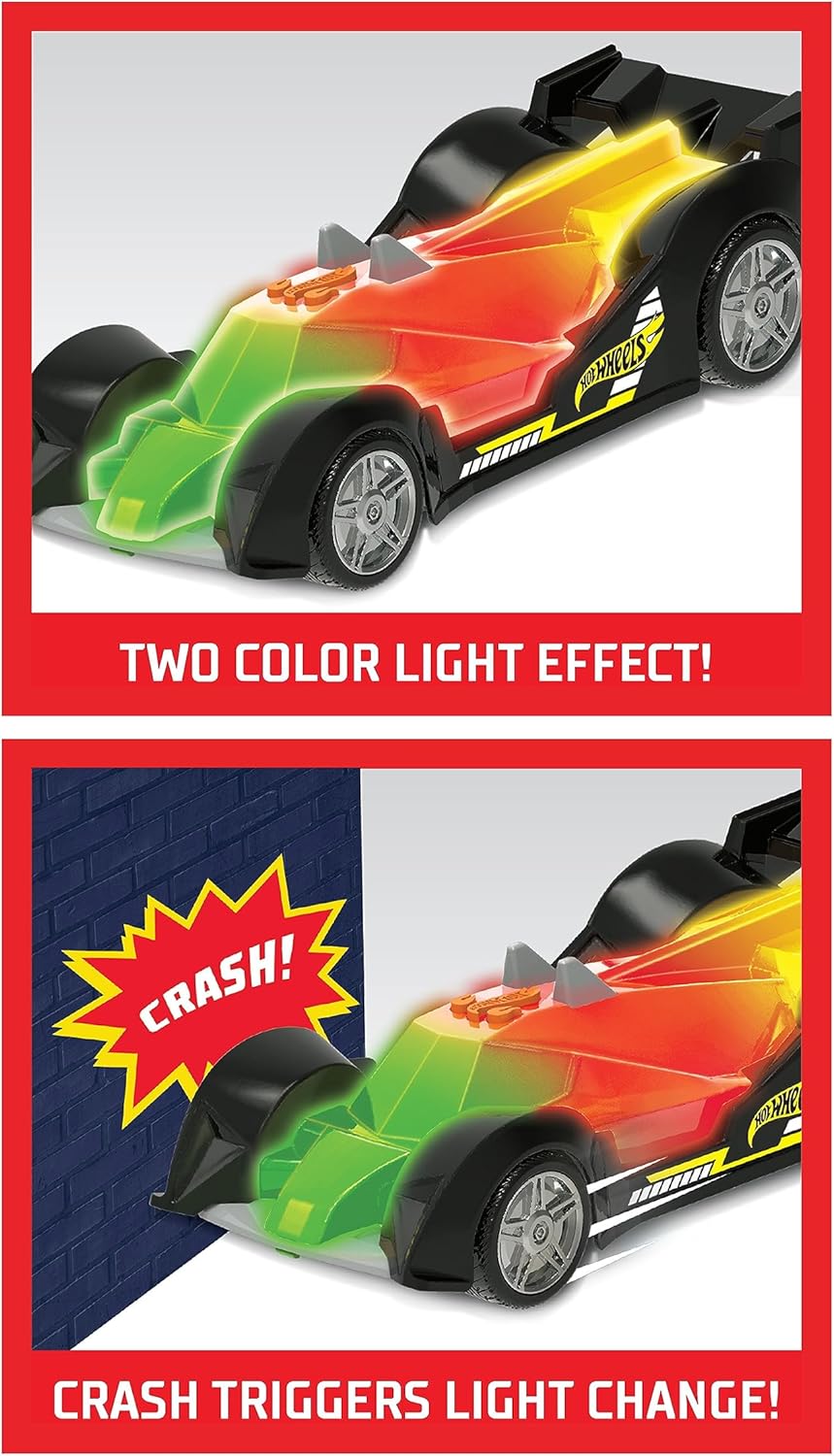
Figure 4: Close-up view of the Hi-Tech Missile displaying its distinctive two-color light effect during operation.
Maintenance
Cleaning
To clean the vehicle, wipe it gently with a dry or slightly damp cloth. Do not use harsh chemicals or abrasive cleaners. Ensure no water enters the battery compartment or other electronic areas.
Storage
Store the toy in a cool, dry place away from direct sunlight. If storing for an extended period, remove the batteries to prevent leakage and corrosion.
Troubleshooting
| Problem | Possible Cause | Solution |
|---|---|---|
| Vehicle does not move or lights/sounds do not activate. |
|
|
| Crash effects (light change, sounds) do not activate. |
|
|
Specifications
- Model: 98156
- Product Dimensions: 12 x 5 x 5 inches
- Item Weight: 1.2 pounds
- Batteries: 3 AA batteries (included)
- Recommended Age: 36 months - 8 years
- Manufacturer: Just Play

Figure 5: A comparison of three Hot Wheels Color Crashers vehicles, illustrating the size of the Hi-Tech Missile.
Warranty and Support
This product is manufactured by Just Play under license from Hot Wheels. For warranty information or technical support, please refer to the contact details provided on the product packaging or visit the official Hot Wheels brand store.
Hot Wheels Brand Store: Visit Store
Ask a question about this manual
Ask about setup, troubleshooting, compatibility, parts, safety, or missing instructions. Manuals+ will review the question and use this page’s manual context to help answer it.