
Product Overview
The omthing True Wireless Earbuds are designed to provide a high-quality audio experience with convenience and portability. Featuring Bluetooth 5.0, a 13mm dynamic driver, and cVc 8.0 noise cancellation, these earbuds are suitable for various activities including exercise, driving, and home office use.

Figure 1: The omthing True Wireless Earbuds come with a compact charging case and a convenient strap for portability.
Setup
1. Initial Charging
Before first use, fully charge the earbuds and the charging case. Connect the provided Type-C charging cable to the charging port on the case and a power source. The indicator lights on the case will show the charging status. The case also supports Qi wireless charging.

Figure 2: The charging case supports both USB-C and Qi wireless charging, providing up to 25 hours of total playtime.
2. Pairing with Your Device
- Ensure the earbuds are charged.
- Open the charging case. The earbuds will automatically enter pairing mode.
- On your device (smartphone, tablet, etc.), enable Bluetooth.
- Search for "omthing AirFree Pods" in the list of available Bluetooth devices and select it to connect.
- Once connected, you will hear an audible confirmation.
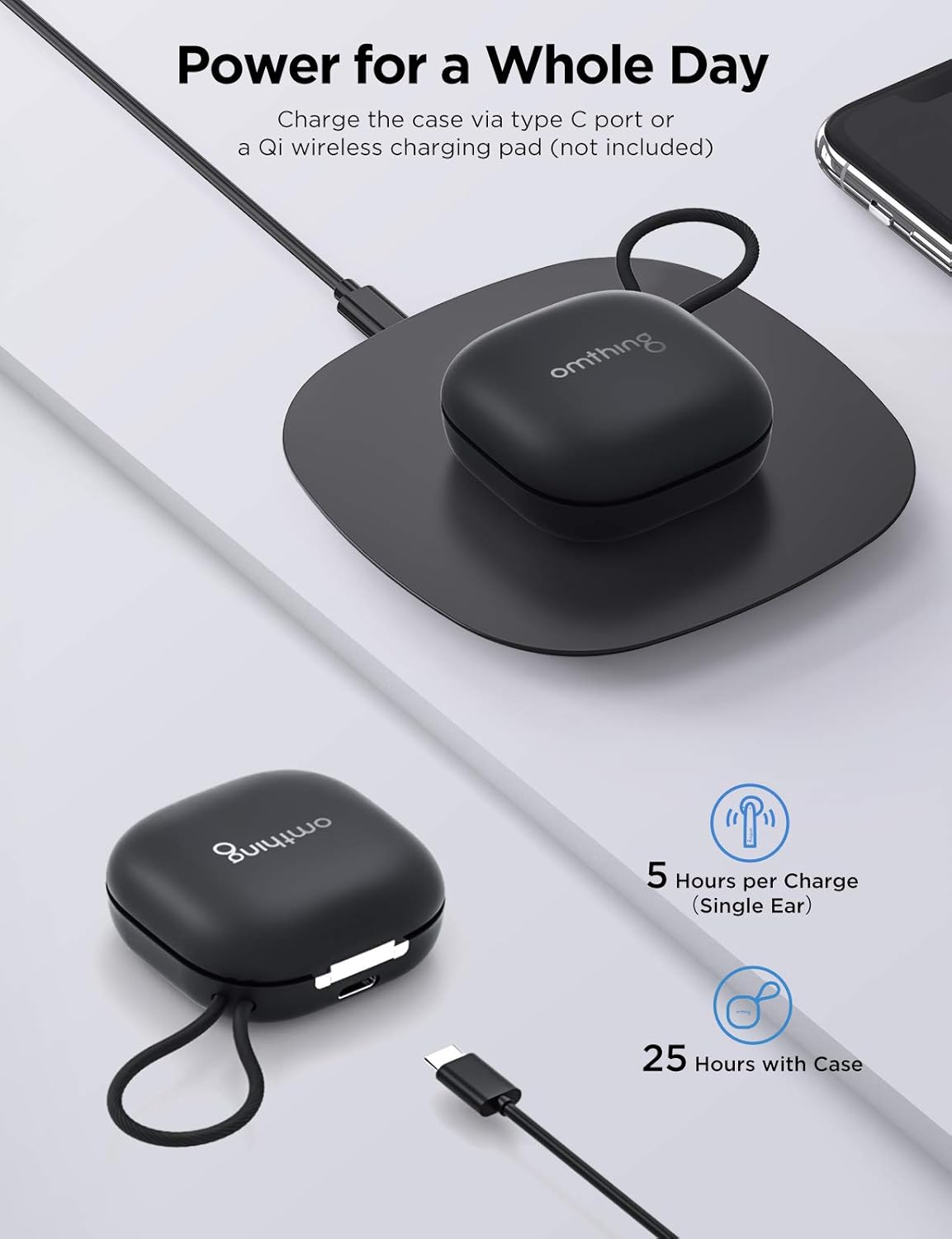
Figure 3: Easily power on and connect your earbuds to your device via Bluetooth.
Video 1: Official product video showcasing the features and design of the omthing AirFree Pods.
Operating Instructions
Touch Controls
The omthing True Wireless Earbuds feature intuitive touch controls on each earbud for easy management of audio and calls.

Figure 4: The earbuds feature intuitive touch controls for managing calls, music, and voice assistant.
- Answer Phone Call / Pause Music: Tap either earbud once.
- Hang up / Decline Phone Call: Tap either earbud twice.
- Volume +: Tap the left earbud twice.
- Volume -: Tap the right earbud twice.
- Previous Track: Tap and hold the left earbud for 1 second.
- Next Track: Tap and hold the right earbud for 1 second.
- Activate Voice Assistant: Tap either earbud three times.
- Turn On / Off: Tap and hold the touch control for 5 seconds.
Note: Custom operations may be modified in the "omthing" APP.
Call Management
The earbuds are equipped with 4 ENC microphones (2 per earbud) and Qualcomm cVc 8.0 noise cancelling technology to ensure clear phone calls by suppressing environmental noise.

Figure 5: The built-in microphones with cVc 8.0 noise cancellation ensure clear phone calls by suppressing environmental noise.
Audio Quality
A 13mm dynamic driver reproduces authentic sound with fine details. aptX and AAC compatibility ensures optimal Bluetooth sound for both Android and iOS devices.

Figure 6: Equipped with a 13mm dynamic driver, these earbuds deliver clear sound with rich details.
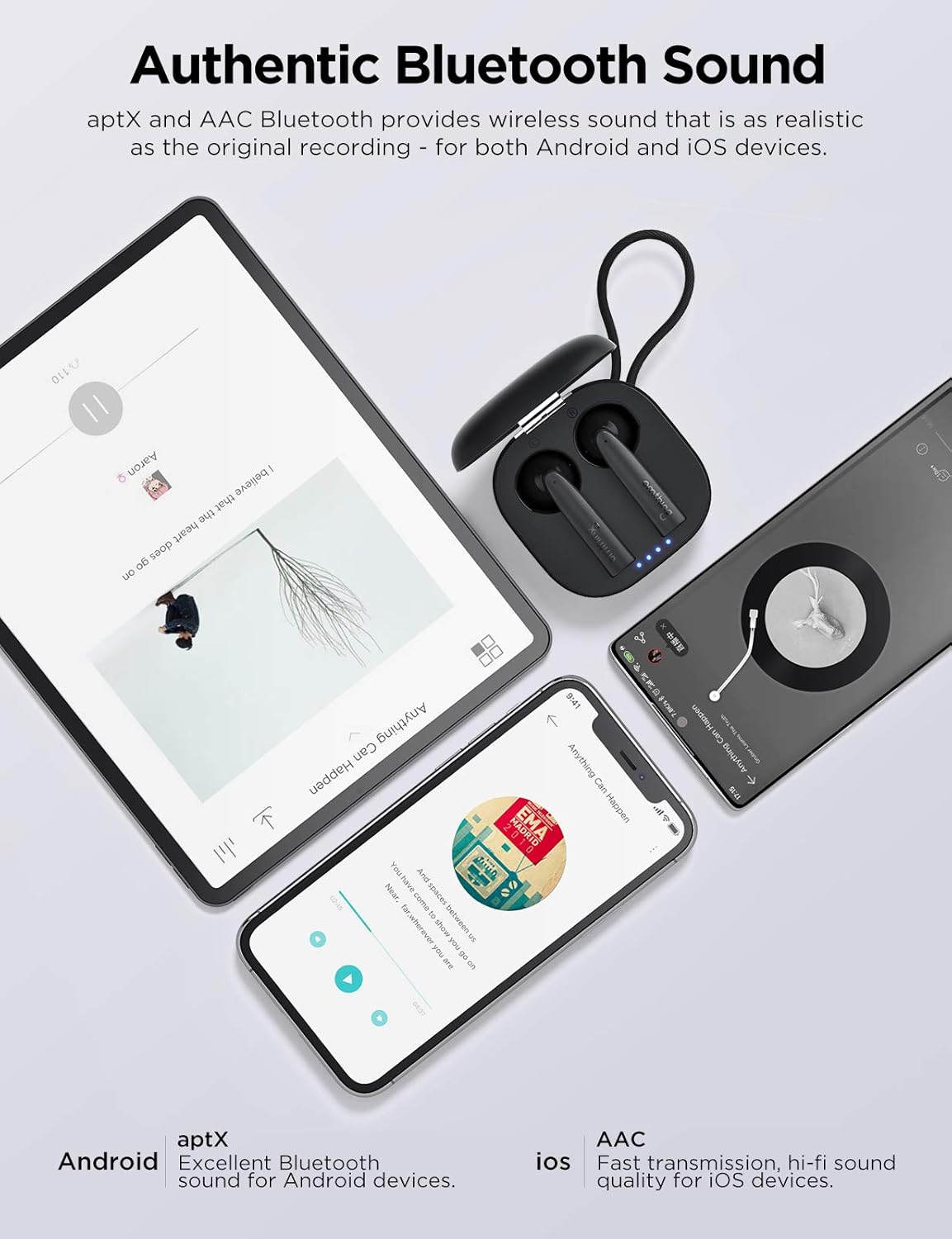
Figure 7: Enjoy authentic Bluetooth sound with aptX and AAC compatibility for both Android and iOS devices.
Comfort and Fit
The ergonomically crafted semi in-ear design ensures a snug and secure fit, providing comfort during extended listening sessions and physical activities.

Figure 8: The semi in-ear design ensures a comfortable and secure fit for extended wear.
Maintenance
Cleaning Your Earbuds
- Regularly clean the earbuds, especially the ear tips and charging contacts, with a soft, dry, lint-free cloth.
- Do not use abrasive cleaners, alcohol, or chemical solvents.
- Ensure no moisture enters the openings.
Storage
- When not in use, store the earbuds in their charging case to protect them and keep them charged.
- Store in a cool, dry place away from extreme temperatures and direct sunlight.
Battery Care
- To prolong battery life, avoid fully discharging the earbuds and charging case frequently.
- Charge the device regularly, even if not in frequent use.
Troubleshooting
| Problem | Possible Cause | Solution |
|---|---|---|
| Earbuds do not turn on. | Low battery. | Place earbuds in the charging case and charge fully. |
| Cannot pair with device. | Earbuds not in pairing mode; Bluetooth off on device; previously paired device interfering. |
|
| No sound from one earbud. | Low battery; connection issue; earbud not properly seated in ear. |
|
| Poor call quality. | Environmental noise; microphone obstruction. |
|
Resetting the Earbuds
If you experience persistent issues, a factory reset may resolve them. Refer to the official omthing app or website for specific reset instructions, as procedures can vary.
Specifications
| Feature | Detail |
|---|---|
| Model Name | EO005-Black |
| Connectivity Technology | Wireless (Bluetooth 5.0) |
| Audio Driver Type | 13mm Dynamic Driver |
| Microphones | 4 ENC Microphones (with Qualcomm cVc 8.0 Noise Cancellation) |
| Playtime (Earbuds) | Up to 5 hours per charge |
| Total Playtime (with Case) | Up to 25 hours |
| Charging Case | Type-C and Qi Wireless Charging compatible |
| Control Type | Touch Control (Media Control) |
| Water Resistance Level | Water Resistant |
| Item Weight | 0.15 Kilograms (earbuds + case) / 5.3 ounces |
| Product Dimensions | 3.98 x 4.72 x 1.54 inches |
| UPC | 190280000040 |
Warranty and Support
This product is covered by a manufacturer's warranty. For detailed warranty information, including terms, conditions, and duration, please refer to the warranty card included in your product packaging or visit the official 1MORE website.
Customer Support
For technical assistance, troubleshooting, or warranty claims, please contact 1MORE customer support through their official website or the contact information provided in your product documentation.
Website: www.1more.com (Note: This is a general placeholder. Please refer to your product's specific support contact.)


