
Introduction
Thank you for purchasing the Nitecore T4K Flashlight. This compact and powerful EDC (Everyday Carry) flashlight features a maximum output of 4000 lumens, making it suitable for various outdoor activities and emergency situations. This manual provides detailed instructions for the proper use, maintenance, and troubleshooting of your device. Please read this manual thoroughly before use to ensure optimal performance and safety.
Safety Information
- Eye Safety: Do not shine the flashlight directly into eyes. The intense light output can cause temporary vision impairment or permanent eye damage.
- Heat: The flashlight may generate heat during prolonged use, especially at higher brightness levels. Handle with care to avoid burns.
- Children: Keep out of reach of children.
- Battery Care: Use only the integrated rechargeable Lithium-Ion battery. Do not attempt to replace the battery. Avoid exposing the device to extreme temperatures or direct sunlight.
- Water Exposure: This product is not water resistant. Avoid direct contact with water or high humidity environments to prevent damage.
Package Contents
- Nitecore T4K CREE XP-L2 V6 LEDs Ultra Bright EDC Flashlight
- USB-C Charging Cable
- Key Clasp

Image: The Nitecore T4K flashlight shown alongside its included USB-C charging cable and a metal key clasp.
Setup
Initial Charging
- Locate the USB-C charging port on the flashlight.
- Connect the provided USB-C charging cable to the flashlight's port.
- Connect the other end of the USB-C cable to a USB power source (e.g., wall adapter, computer USB port).
- The display will indicate charging status. Charge the flashlight fully before first use.
Attaching the Key Clasp
The included key clasp can be attached to the designated loop at the base of the flashlight for convenient carrying on a keychain or lanyard.
Operating Instructions
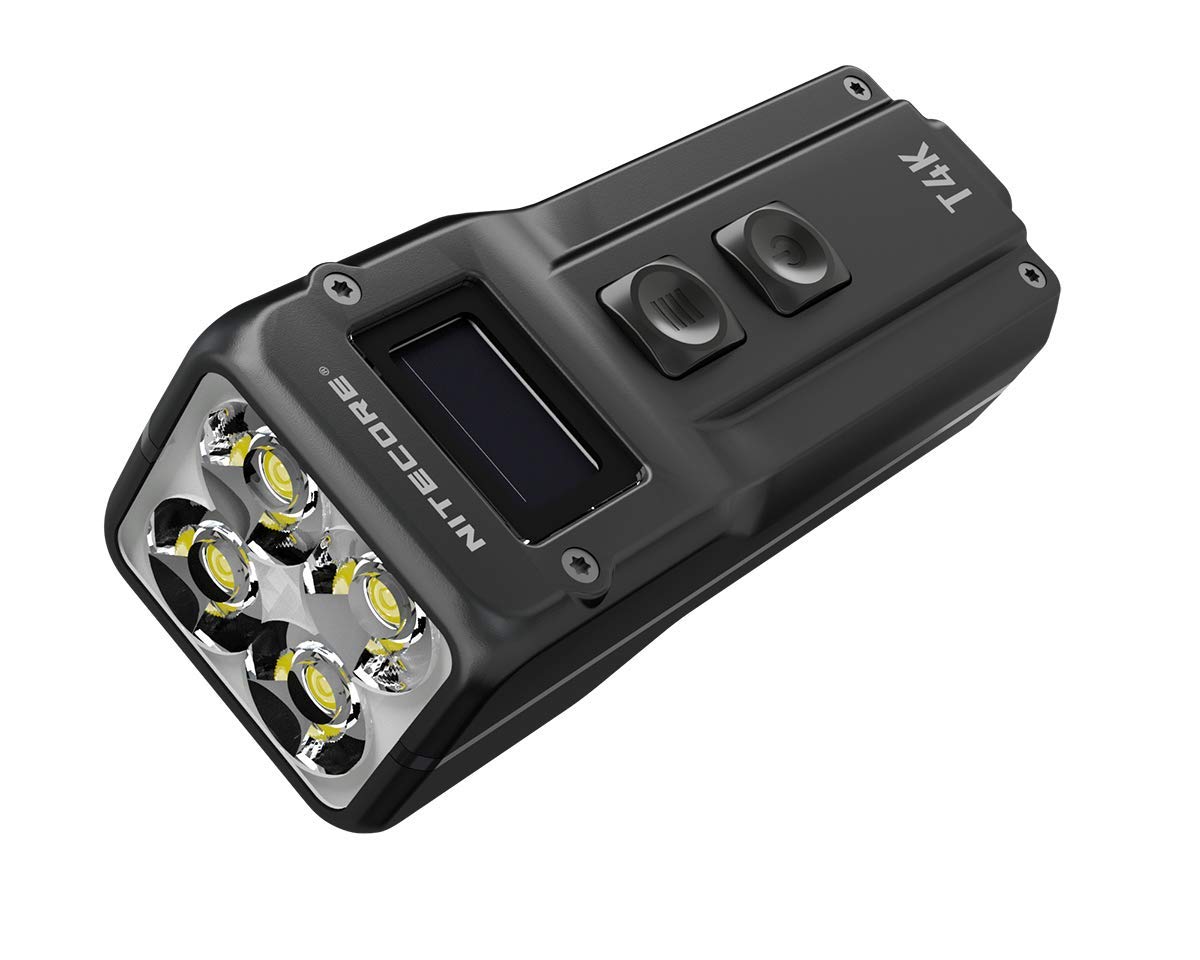
Image: Front view of the Nitecore T4K flashlight, highlighting the OLED display and the two control buttons (Power and Mode/Turbo).
Power On/Off
- To Turn On: Press and hold the Power button (lower button) for approximately 1 second.
- To Turn Off: Press and hold the Power button for approximately 1 second.
Brightness Modes
The T4K features multiple brightness levels. While the exact number of modes and their lumen outputs (besides Turbo) are not specified in the provided data, typical Nitecore flashlights offer Ultra-low, Low, Mid, High, and Turbo modes.
- Changing Modes: With the flashlight on, short press the Mode button (upper button) to cycle through available brightness levels.
- Turbo Mode (4000 Lumens): From any state (on or off), press and hold the Mode button to instantly activate Turbo mode. Release the button to return to the previous state or turn off. Note that Turbo mode is designed for short bursts due to heat generation.
Display Information
The integrated OLED display provides real-time information such as brightness level, battery voltage, and remaining runtime.
Maintenance
- Cleaning: Use a soft, clean cloth to wipe the flashlight body. For the lens, use a lens cleaning cloth. Avoid abrasive materials or harsh chemicals.
- Storage: Store the flashlight in a cool, dry place away from direct sunlight and extreme temperatures.
- Battery: Recharge the battery regularly, even if not in use, to maintain its lifespan. Avoid fully discharging the battery for extended periods.
Troubleshooting
- Flashlight not turning on:
- Ensure the battery is charged. Connect to a USB power source to charge.
- Check if the power button is being pressed correctly (long press for 1 second).
- Dim light or short runtime:
- The battery may be low. Recharge the flashlight fully.
- Ensure the lens is clean.
- Flashlight gets hot:
- This is normal for high-output flashlights, especially in Turbo mode. Reduce brightness if it becomes too hot to handle comfortably.
Specifications
| Feature | Detail |
|---|---|
| Model | T4K (D207531) |
| Brand | Nitecore |
| Special Feature | Rechargeable |
| Color | Black |
| Power Source | Battery Powered (Integrated Lithium Ion) |
| Light Source Type | LED (CREE XP-L2 V6 LEDs) |
| Material | Aluminum |
| White Brightness | 4000 Lumens (Max) |
| Light Path Distance | 209 Meters |
| Battery Type | Lithium Ion (Integrated) |
| Runtime | Up to 67 hours (Lowest mode) |
| Water Resistance Level | Not Water Resistant |
| Item Weight | 100 Grams |
| Item Dimensions (Length) | 3.4 inches / 8 cm |
| Included Components | Flashlight, USB-C Charging Cable, Key Clasp |
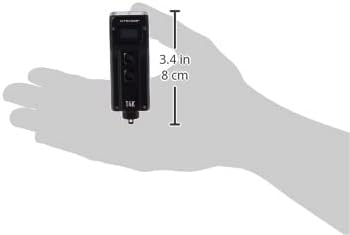
Image: The Nitecore T4K flashlight shown in a hand for size comparison, indicating its compact form factor.
Warranty
This Nitecore T4K Flashlight comes with a limited warranty. Please refer to the warranty card included in your package or visit the official Nitecore website for detailed warranty terms and conditions. Keep your proof of purchase for warranty claims.
Support
For technical assistance, troubleshooting not covered in this manual, or general inquiries, please contact Nitecore customer support. Contact information can typically be found on the official Nitecore website or on the product packaging.


