1. Introduction
This manual provides essential information for the RDSJ C42N1630 Li-ion laptop battery. Please read these instructions carefully before installation and use to ensure optimal performance and safety.
1.1 Product Overview
The C42N1630 is a high-capacity Li-ion battery designed as a replacement for specific ASUS Zenbook Pro models. It features a voltage of 15.4V and a capacity of 73Wh.
1.2 Compatibility
This battery is compatible with the following ASUS Zenbook Pro series and part numbers:
- ASUS ZenBook Pro UX550 Series
- ASUS Zenbook Pro UX550V Series
- ASUS Zenbook Pro UX550VD Series: UX550VD-1A, UX550VD-1B, UX550VD-7300, UX550VD-7700, UX550VD-BN005T, UX550VD-BN007R, UX550VD-BN008R, UX550VD-BN009T, UX550VD-BN010T, UX550VD-BN011T, UX550VD-BN014R, UX550VD-BN020T, UX550VD-BN021T, UX550VD-BN022R, UX550VD-BN032T, UX550VD-BN045T, UX550VD-BN062T, UX550VD-BN067T, UX550VD-BN068T, UX550VD-BN078R, UX550VD-BN079R, UX550VD-BN079T, UX550VD-BN080R, UX550VD-BN081R, UX550VD-BN081T, UX550VD-BN082R, UX550VD-BN082T, UX550VD-BN084R, UX550VD-BN094T, UX550VD-BN102T, UX550VD-BN120T, UX550VD-BN152T, UX550VD-BN157T, UX550VD-BN169R, UX550VD-BN194T, UX550VD-BN205T, UX550VD-BN246T, UX550VD-BN247T, UX550VD-BO005R, UX550VD-BO023T, UX550VD-BO039T, UX550VD-BO098R, UX550VD-BO098RB, UX550VD-BO098T, UX550VD-BO116T, UX550VD-BO165T, UX550VD-BO701T, UX550VD-BP7701T, UX550VD-E2115T, UX550VD-E2147T, UX550VD-E2167T, UX550VD-E3109T, UX550VD-E3153T, UX550VD-E3156T, UX550VD-E3180T, UX550VD-E3208T, UX550VD-E3244T, UX550VD-E3248T
- ASUS Zenbook Pro UX550VE Series: UX550VE-1A, UX550VE-1B, UX550VE-BN007R, UX550VE-BN013T, UX550VE-BN014T, UX550VE-BN016R, UX550VE-BN016T, UX550VE-BN020T, UX550VE-BN022T, UX550VE-BN050T, UX550VE-BN070T, UX550VE-BN073T, UX550VE-BN105R, UX550VE-BN106T, UX550VE-BN109R, UX550VE-BN114T, UX550VE-BN121T, UX550VE-BN142T, UX550VE-BN148R, UX550VE-BO006T, UX550VE-BO026T, UX550VE-BO030T, UX550VE-BO031T, UX550VE-BO060T, UX550VE-BO099T, UX550VE-BO101R, UX550VE-BO104T, UX550VE-BO149R, UX550VE-BO150R, UX550VE-DB71T, UX550VE-E2064T, UX550VE-E3061T, UX550VE-E3079T
Compatible Part Numbers: C42N1630, C42PHCH, 0B200-02520000, 4ICP5/41/75-2

Image: RDSJ C42N1630 Laptop Battery showing compatible ASUS Zenbook Pro models and replacement part numbers.
2. Setup and Installation
Replacing a laptop battery requires careful handling. If you are unsure about the process, it is recommended to seek professional assistance.
2.1 Before Installation
- Ensure your laptop is powered off and disconnected from the AC adapter.
- Discharge any residual power by holding the power button for 10-15 seconds.
- Gather necessary tools, typically small Phillips head screwdrivers and a non-conductive pry tool.
2.2 Installation Steps
- Carefully open the laptop's bottom cover. Refer to your laptop's specific service manual for precise instructions on opening the casing.
- Locate the old battery. It is usually secured by screws and connected via a cable to the motherboard.
- Gently disconnect the battery cable from the motherboard. Avoid pulling on the wires; instead, use a pry tool to carefully lift the connector.
- Remove the screws securing the old battery and carefully lift it out.
- Place the new RDSJ C42N1630 battery into the compartment, ensuring it aligns correctly.
- Secure the new battery with the screws.
- Connect the battery cable to the motherboard, ensuring a firm and proper connection.
- Replace the laptop's bottom cover and secure it with screws.

Image: Detailed view of the battery's gold-plated connector points and screw clip for secure installation.
3. Operating Instructions
3.1 Initial Use and Calibration
For the first use, it is recommended to calibrate the battery to optimize its performance and lifespan:
- Discharge the battery to approximately 5% (do not let it drain to 0%).
- Charge the battery fully to 95%.
- Repeat this discharge and charge cycle 3-4 times.
3.2 General Usage
- The actual operating time of the battery will vary depending on the device's power requirements and your usage patterns.
- Avoid frequently discharging the battery completely to 0% as this can reduce its overall lifespan.
- For prolonged storage, charge the battery to about 50-60% and store it in a cool, dry place.

Image: Illustrates the versatility of the laptop battery for various daily activities such as business, office work, studying, and entertainment.
4. Maintenance and Care
Proper maintenance can extend the life and performance of your laptop battery.
- Temperature: Avoid exposing the battery to extreme temperatures (very hot or very cold), as this can degrade its performance and lifespan.
- Storage: If storing the laptop or battery for an extended period, ensure the battery is charged to approximately 50-60% and stored in a cool, dry environment.
- Cleaning: Keep the battery and laptop's ventilation clean to prevent overheating.
- Charging Cycles: The battery is designed for up to 500 recharge cycles. Adhering to proper charging practices can help maximize these cycles.
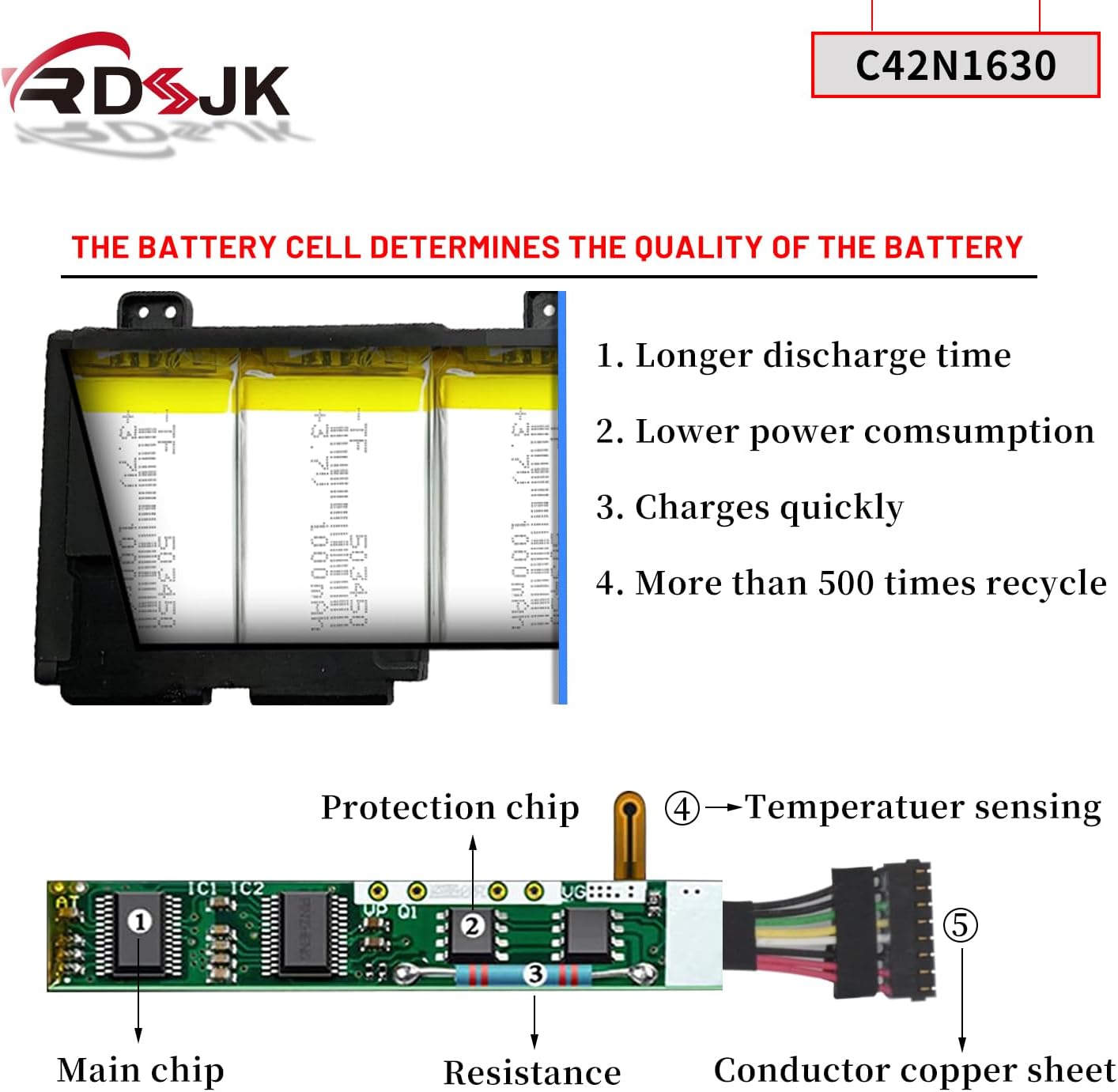
Image: Shows the internal battery cells and the protection chip, highlighting features like longer discharge time, lower power consumption, quick charging, and over 500 recycle times.

Image: Diagram illustrating the battery's built-in protection mechanisms, including over-temperature, over-current, over-discharge, over-voltage, and over-charge protection.
5. Troubleshooting
If you encounter issues with your battery, consider the following common solutions:
- Battery Not Charging:
- Ensure the AC adapter is properly connected and functioning.
- Check the battery connector for any loose connections or debris.
- Try recalibrating the battery as described in the Operating Instructions.
- Short Battery Life:
- Adjust power settings on your laptop to optimize for battery life.
- Close unnecessary applications running in the background.
- Reduce screen brightness.
- Ensure the battery has been properly calibrated.
- Laptop Not Recognizing Battery:
- Power off the laptop, remove the battery, and then reinstall it, ensuring all connections are secure.
- Update your laptop's BIOS and battery drivers.
- Physical Swelling or Damage:
- If the battery shows any signs of swelling, leakage, or physical damage, immediately discontinue use and remove it from the laptop. Dispose of it safely according to local regulations for Li-ion batteries. Do not attempt to charge or use a damaged battery.
6. Specifications
| Feature | Detail |
|---|---|
| Battery Type | Li-ion |
| Voltage | 15.4V |
| Capacity | 73Wh (4790mAh) |
| Cells | 4-cell |
| Color | Black |
| Model Number | C42N1630 (also compatible with C42N1728) |
| Replace Part Numbers | C42N1630, C42PHCH, 0B200-02520000, 4ICP5/41/75-2 |
| Manufacturer | Foshan Eurasia Energy Technology Co., Ltd. |
| Item Weight | 15.2 ounces |
| Package Dimensions | 15.74 x 4.72 x 1.18 inches |
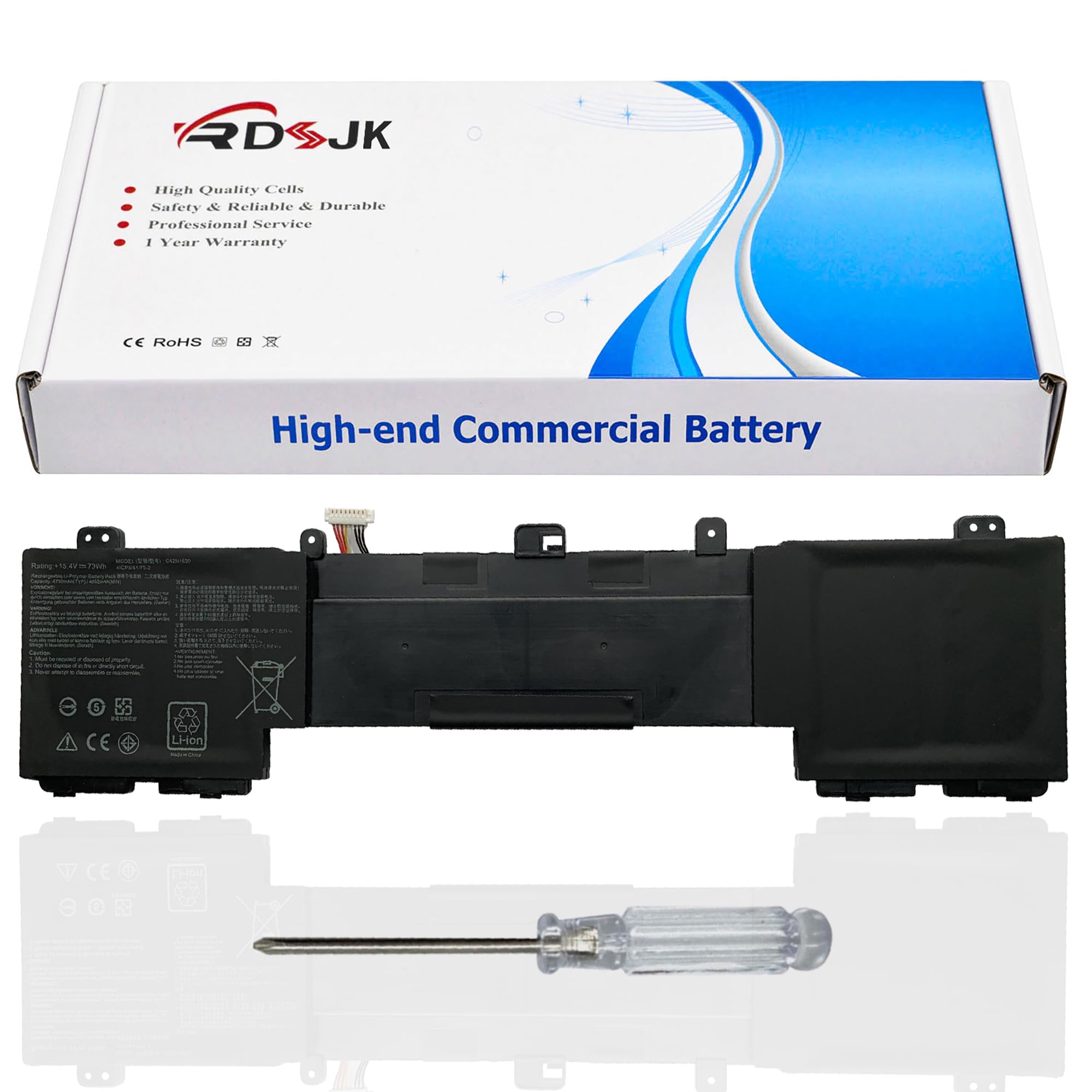
Image: RDSJ C42N1630 Laptop Battery displaying key specifications such as model, rating, voltage, and capacity.
7. Warranty Information
The RDSJ C42N1630 laptop battery comes with a 365-day warranty from the date of purchase. This warranty covers manufacturing defects and ensures the product is free from defects in material and workmanship under normal use.
The battery is designed to provide up to 500 recharge cycles over its life. The actual operational time and lifespan are dependent on device usage and charging habits.

Image: Warranty details for the RDSJ C42N1630 battery, indicating 365 days of warranty coverage.
8. Customer Support
For any questions, technical assistance, or warranty claims, please contact our customer support team. We offer 7x24 hours online customer service to assist you.
Please have your product model number (C42N1630) and purchase details ready when contacting support.