
Introduction
The Parts Express True Wireless Bluetooth 5.0 Earbuds offer complete wireless freedom for audio playback and communication. These earbuds feature multi-touch controls for various functions and come with a rechargeable USB-C charging case, making them suitable for portable use.
Package Contents
Please verify that all items listed below are present in your package:
- True Wireless Earbuds (Left and Right)
- Charging Case
- 3 Sets of Silicone Ear Tips (Sizes: Small, Medium, Large)
- USB-C Charging Cable (Power adapter not included)
Product Overview
Familiarize yourself with the components of your True Wireless Earbuds.
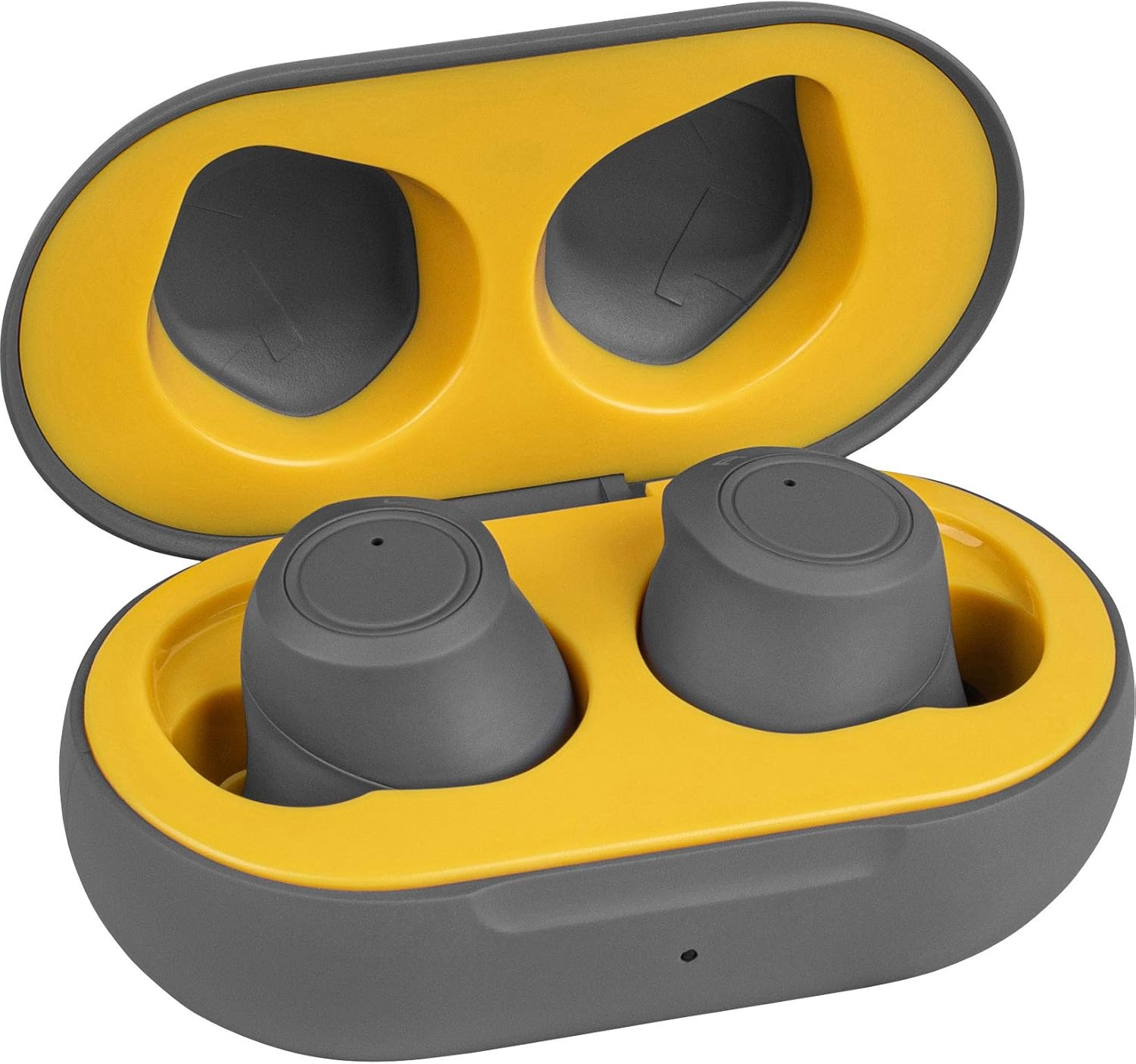
Image 1: Earbuds placed inside the open charging case. The earbuds are gray, and the case interior is yellow, indicating proper placement for charging or storage.

Image 2: The closed charging case. This compact gray case protects the earbuds and provides portable charging.

Image 3: Side view of the charging case, highlighting the USB-C charging port. This port is used to recharge the case's internal battery.
Setup
1. Charging the Earbuds and Case
Before first use, fully charge both the earbuds and the charging case. Place the earbuds into the charging case. Connect the provided USB-C charging cable to the charging port on the case and plug the other end into a USB power source (e.g., computer, wall adapter). The charging case can provide two full charge cycles for the earbuds, offering approximately four hours of playtime per charge.
2. Pairing with a Bluetooth Device
- Ensure the charging case is charged and the earbuds are inside.
- Open the charging case and remove both earbuds. They will automatically power on and enter pairing mode.
- On your device (smartphone, tablet, laptop), navigate to the Bluetooth settings.
- Search for new devices and select "Parts Express Earbuds" (or similar name) from the list of available devices.
- Once connected, you will hear an audible confirmation, and the earbuds will be ready for use. The earbuds will automatically connect to the last paired device when removed from the charging case.
Operating Instructions
Multi-Touch Controls
The earbuds feature multi-touch controls on their outer surface. Specific tap patterns control various functions:
- Play/Pause: Single tap on either earbud.
- Track Skip (Next/Previous): Specific tap patterns (refer to quick start guide for exact patterns, typically double or triple tap on left/right earbud).
- Volume Control: Specific tap patterns (refer to quick start guide for exact patterns, typically tap and hold or multiple taps on left/right earbud).
- Answer/End Call: Single tap on either earbud during an incoming call.
- Reject Call: Tap and hold on either earbud during an incoming call.
- Activate Voice Assistant: Specific tap pattern (e.g., triple tap) on either earbud to activate Siri, Google Assistant, or other voice assistants.
Note: Exact multi-touch patterns may vary. Consult the included quick start guide for detailed instructions on specific tap functions.
Power On/Off
- Power On: Remove earbuds from the charging case.
- Power Off: Place earbuds back into the charging case. They will automatically disconnect and begin charging.
Maintenance
Proper maintenance ensures the longevity and optimal performance of your earbuds.
- Cleaning: Regularly clean the earbuds and charging case with a soft, dry, lint-free cloth. Do not use abrasive cleaners or solvents. Gently remove any earwax buildup from the ear tips and speaker mesh using a small, soft brush or cotton swab.
- Storage: When not in use, store the earbuds in their charging case to protect them from dust, dirt, and physical damage.
- Water Resistance: The earbuds are water-resistant. Avoid submerging them in water or exposing them to heavy rain. Dry them thoroughly if they get wet.
- Battery Care: To preserve battery life, avoid fully discharging the earbuds and charging case frequently. Charge them regularly, even if not in constant use.
Troubleshooting
| Problem | Solution |
|---|---|
| Earbuds do not power on. | Ensure the earbuds are charged. Place them in the charging case and connect the case to a power source. |
| Earbuds do not pair with my device. |
|
| Only one earbud is working. |
|
| Poor sound quality or intermittent connection. |
|
Specifications
| Feature | Detail |
|---|---|
| Model Number | 848864065120 |
| Connectivity Technology | Wireless |
| Wireless Communication Technology | Bluetooth 5.0 |
| Control Type | Touch Control, Voice |
| Ear Placement | In Ear |
| Form Factor | In Ear |
| Battery Life (Earbuds) | Up to 4 Hours |
| Charging Time (Earbuds) | Not specified (typically 1-2 hours) |
| Charging Case Capacity | Provides 2 full earbud charges |
| Charging Port | USB-C |
| Water Resistance Level | Water Resistant |
| Material | Plastic |
| Item Weight | 0.3 Pounds (total product) |
| Compatible Devices | Smartphones, Laptops, Tablets, Smart Speakers |
| Recommended Uses | Exercising, Music, Running, Travel |
Warranty and Support
For warranty information or technical support, please refer to the documentation included with your purchase or visit the official Parts Express website. Keep your proof of purchase for warranty claims.