
1. Introduction
This manual provides essential instructions for the safe and effective use of your FITE ON UL Listed AC/DC Adapter, designed for compatibility with RadioShack MD-1121 (Cat. No. 42-4058) Musical Power devices. Please read this manual thoroughly before using the product and retain it for future reference.
2. Safety Information
Your FITE ON AC/DC adapter is UL Listed, ensuring it meets recognized safety standards for electrical products. It incorporates multiple protection features to safeguard both the adapter and your connected device.
- Over Voltage Protection (OVP): Prevents damage from excessive input voltage.
- Over Current Protection (OCP): Protects against damage from excessive current draw.
- Over Temperature Protection (OTP): Shuts down the adapter if it overheats.
- Short Circuit Protection (SCP): Automatically cuts power in case of a short circuit.
- Overload Protection: Prevents damage when the connected device draws too much power.

Figure 1: Internal components illustrating built-in safety protections.

Figure 2: Adapter displaying UL certification and safety feature icons.

Figure 3: Compliance certificates and safety feature overview.
3. Product Overview
The FITE ON AC/DC Adapter provides reliable power for your compatible RadioShack device. It features a durable design and a 5-foot (1.5-meter) DC power cable for convenient placement.

Figure 4: FITE ON AC/DC Adapter.

Figure 5: Adapter details, including cable length.
The adapter is designed for efficient power delivery, ensuring your device receives stable power without generating excessive noise.
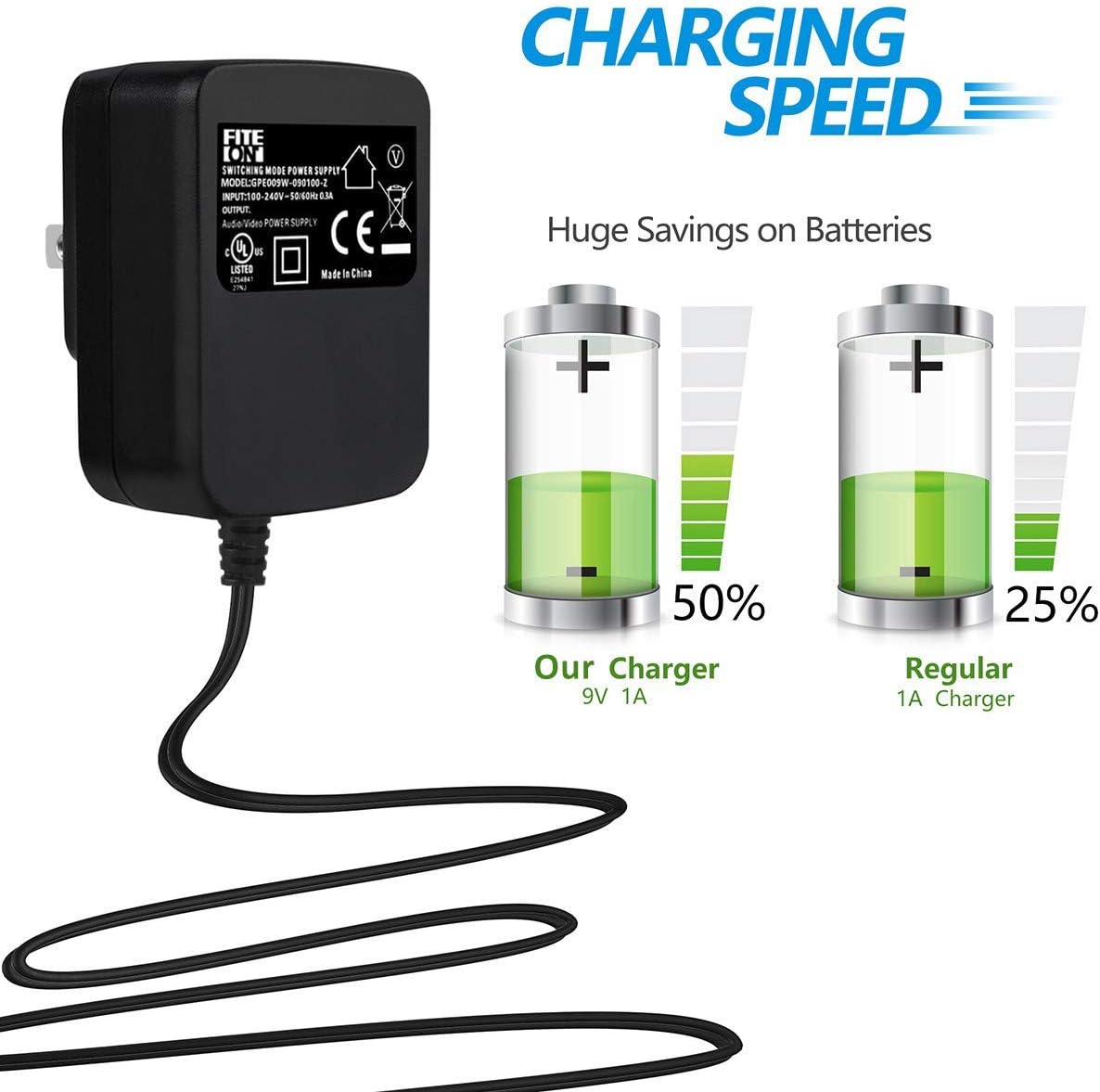
Figure 6: Illustration of charging efficiency.
4. Setup
- Unpack the FITE ON AC/DC adapter from its packaging.
- Locate the power input port on your RadioShack MD-1121 device.
- Carefully insert the barrel connector of the adapter's DC cable into the device's power input port. Ensure a snug fit.
- Plug the AC prongs of the adapter into a standard 100-240V AC wall outlet.
5. Operating Instructions
Once the adapter is properly connected to your device and a power outlet, your RadioShack MD-1121 device should receive power. Refer to your device's own manual for specific power-on procedures.
6. Maintenance
To ensure the longevity and proper functioning of your FITE ON AC/DC adapter, follow these maintenance guidelines:
- Keep the adapter dry. Avoid exposure to water or high humidity.
- Do not store or use the adapter in extremely hot or cold environments.
- When in use for extended periods, ensure the adapter has adequate ventilation to prevent overheating.
- Clean the adapter with a dry, soft cloth. Do not use liquid cleaners or solvents.
- Avoid bending or stressing the power cable excessively, especially near the connectors.
7. Troubleshooting
If you encounter issues with your FITE ON AC/DC adapter, consider the following:
Device Not Receiving Power:
- Check Connections: Ensure the adapter's barrel connector is fully inserted into your device's power port and the AC prongs are securely plugged into the wall outlet.
- Verify Outlet: Test the wall outlet with another known working appliance to confirm it is supplying power.
- Inspect Cable: Check the adapter's cable for any visible damage, cuts, or frayed wires. If damaged, discontinue use.
- Device Compatibility: Confirm that the adapter is indeed the correct power supply for your RadioShack MD-1121 (Cat. No. 42-4058) device.
Adapter Feels Hot:
- It is normal for power adapters to feel warm during operation. However, if it becomes excessively hot to the touch, disconnect it immediately.
- Ensure adequate ventilation around the adapter. Do not cover it or place it in an enclosed space.
- If overheating persists, discontinue use and contact support.
8. Specifications
| Brand | FITE ON |
| Input Voltage | 100-240V AC, 50-60 Hz |
| DC Line Length | 5 ft (1.5 m) |
| Special Features | Short Circuit Protection, Over-current Protection, Over-voltage Protection, Overload Protection, Over Temperature Protection |
| Specification Met | UL Listed |
| Power Source | Corded Electric |
| Item Weight | 4 ounces |
| Manufacturer | FITE ON |
9. Warranty and Support
For warranty information or technical support, please contact FITE ON directly through their official channels or the retailer from whom the product was purchased. Keep your purchase receipt as proof of purchase.