
Introduction
Thank you for choosing the Timex Harborside Multifunction Quartz Watch TW2U13100. This manual provides essential information for the proper setup, operation, and maintenance of your timepiece. This watch features a black dial, silver-tone stainless steel case and band, quartz movement, and is water-resistant to 50 meters (165 feet). It includes a uni-directional rotating bezel and a scratch-resistant mineral crystal.
Setup
Setting the Time and Date
To set the time and date on your Timex Harborside watch, follow these steps:
- Pull the Crown: Gently pull the crown (the knob on the side of the watch case) out to the first or second position. The crown has multiple positions for different adjustments.
- Adjust the Date/Day: If your watch has a date or day display, pull the crown out to the first position. Turn the crown clockwise or counter-clockwise to adjust the date or day. Avoid setting the date between 9 PM and 3 AM, as this can interfere with the automatic date change mechanism.
- Set the Time: Pull the crown out to the second position. Turn the crown to move the hour and minute hands. Continue turning until the correct time is displayed. Ensure you set the correct AM/PM for the date change to occur at midnight.
- Push the Crown Back: Once the time and date are set, push the crown back in completely to the normal operating position. This will start the watch movement.

Image: Side view of the watch, highlighting the crown for time and date adjustments.
Adjusting the Bracelet
The stainless steel bracelet can be adjusted by adding or removing links. This procedure typically requires specialized tools and is best performed by a qualified jeweler or watch technician to prevent damage to the bracelet or clasp.
Operating the Watch
Multifunction Dials
Your Timex Harborside watch features multifunction sub-dials. These typically display information such as the day of the week, date, or a 24-hour indicator. Refer to the specific markings on your watch's dial for their exact functions. Adjustments for these sub-dials are usually made via the crown in its first pulled-out position, or sometimes via small pushers on the side of the case (if present).
Uni-directional Rotating Bezel
The watch is equipped with a uni-directional rotating bezel. This bezel can be rotated counter-clockwise and is commonly used for timing events up to 60 minutes. To use, align the triangle marker on the bezel with the minute hand at the start of an event. The minute hand's position against the bezel's scale will then indicate the elapsed time.
Water Resistance
This watch is water-resistant to 50 meters (165 feet). This rating means the watch is suitable for short periods of recreational swimming, but it is not suitable for diving or snorkeling. Always ensure the crown is fully pushed in before any contact with water. Avoid operating the crown or pushers while the watch is wet or submerged.
Maintenance
Cleaning Your Watch
To maintain the appearance of your watch, wipe the case and bracelet regularly with a soft, dry cloth. For stainless steel, a slightly damp cloth can be used, followed by a dry cloth. Avoid using harsh chemicals, solvents, or abrasive cleaners, as these can damage the watch's finish or seals.
Battery Replacement
The watch is powered by a quartz movement, which requires a battery. When the watch stops or the second hand begins to skip (if applicable), it indicates that the battery needs replacement. Battery replacement should be performed by a qualified watch technician to ensure the watch's water resistance is maintained and to prevent damage to the internal components.

Image: Rear view of the watch, displaying the stainless steel caseback.
Crystal Care
The watch features a scratch-resistant mineral crystal. While durable, it is not entirely impervious to scratches. Avoid contact with abrasive surfaces or sharp objects to preserve its clarity.
Troubleshooting
- Watch Not Running: Ensure the crown is fully pushed in. If the watch still does not run, the battery may need replacement.
- Time Inaccuracy: If the watch is consistently fast or slow, it may indicate a need for battery replacement or servicing of the movement.
- Condensation Under Crystal: If condensation appears under the crystal, it may indicate a breach in the watch's water resistance. Have the watch inspected by a professional immediately to prevent internal damage.
Specifications
| Feature | Specification |
|---|---|
| Model Number | TW2U13100 |
| Movement Type | Quartz |
| Case Material | Stainless Steel |
| Case Diameter | 43 mm |
| Case Thickness | 11 mm |
| Band Material | Stainless Steel |
| Band Width | 20 mm |
| Dial Color | Black |
| Crystal Type | Scratch Resistant Mineral |
| Water Resistance | 50 meters (165 feet) |
| Clasp Type | Fold Over with Safety Release |
| Bezel | Uni-directional Rotating |

Image: Front view of the Timex Harborside watch, showcasing the black dial and silver-tone hands.
Warranty and Support
Your Timex watch is covered by a manufacturer's warranty. Please refer to the warranty card included with your purchase for specific terms, conditions, and duration. For technical support, service, or warranty claims, please contact Timex customer service through their official website or the contact information provided in your warranty documentation. Do not attempt to open or repair the watch yourself, as this may void the warranty and compromise its water resistance.
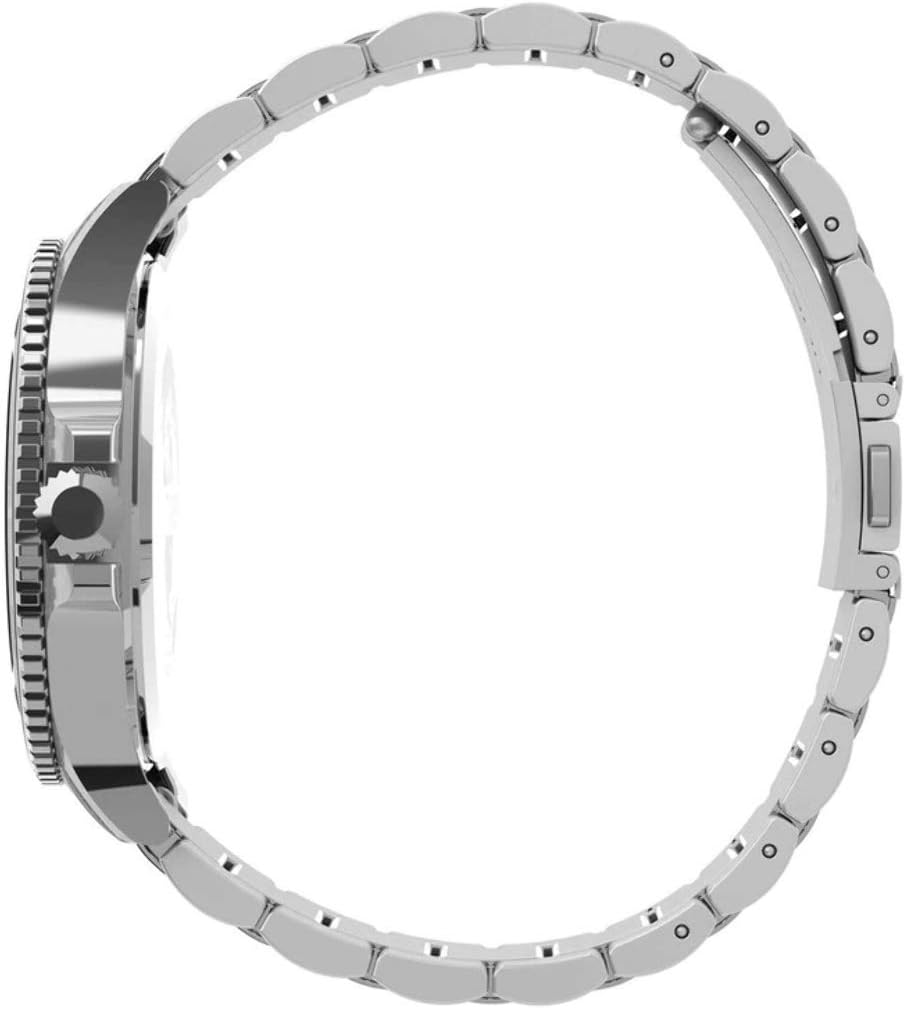
Image: Close-up of the watch caseback, showing brand details and water resistance rating.

