
1. Introduction
The Chefman 5-Tray Food Dehydrator is designed to help you preserve a variety of foods, including vegetables, fruits, meats, jerky, and herbs. This appliance allows you to create healthy and delicious dried snacks, savory sides, and main dishes. Its user-friendly design and adjustable temperature control ensure optimal dehydration results.
2. Key Features
- Dehydrate Your Favorite Ingredients: Preserve fruits, vegetables, meats, and herbs for healthy and unique dishes.
- Adjustable Temperature Control: Set temperatures up to 185°F (85°C) for precise dehydration.
- Versatile Trays: Five spacious 11.4-inch transparent trays offer variable stacking heights for easy positioning and viewing of ingredients.
- Easy-to-Clean: Trays and the appliance's black and stainless steel display are designed for convenient cleaning.
- Safety and Durability: cETL approved with advanced safety technology and a 1-year assurance provided by Chefman.
3. Setup
- Unpack: Carefully remove all components from the packaging.
- Clean Trays: Before first use, wash all trays and the base with warm, soapy water. Rinse thoroughly and dry.
- Assemble: Place the base unit on a stable, heat-resistant surface. Stack the desired number of transparent trays onto the base.
- Connect Power: Plug the power cord into a standard 120V electrical outlet.
4. Operation
The Chefman Food Dehydrator features an intuitive control panel for easy operation.
- Prepare Food: Slice or prepare your food items according to desired thickness. For best results, ensure uniform thickness for even drying.
- Load Trays: Arrange food in a single layer on the dehydrator trays, ensuring adequate space between pieces for air circulation.
- Set Temperature: Use the adjustable temperature dial to select the appropriate temperature for your food type (up to 185°F).
- Set Time: Utilize the digital controls to set the desired dehydration time. The unit will automatically shut off once the timer completes.
- Monitor Progress: The transparent trays allow you to easily monitor the dehydration process without opening the unit.
5. Product Media
5.1 Product Images

The Chefman 5-Tray Food Dehydrator, showcasing its transparent trays filled with orange slices, ready for dehydration.

Examples of dried fruits, including orange slices and berries, prepared using the dehydrator, suitable for snacks or garnishes.

A platter featuring homemade beef jerky and various cheeses, demonstrating the dehydrator's capability to prepare savory items.

Dried ingredients, possibly granola or fruit, served with yogurt and honey, highlighting versatile snack options.

A detailed view of the dehydrator's adjustable temperature dial, set to 158°F, with trays full of strawberries.

The dehydrator in operation with strawberries, emphasizing the integrated timer feature for automatic shut-off.
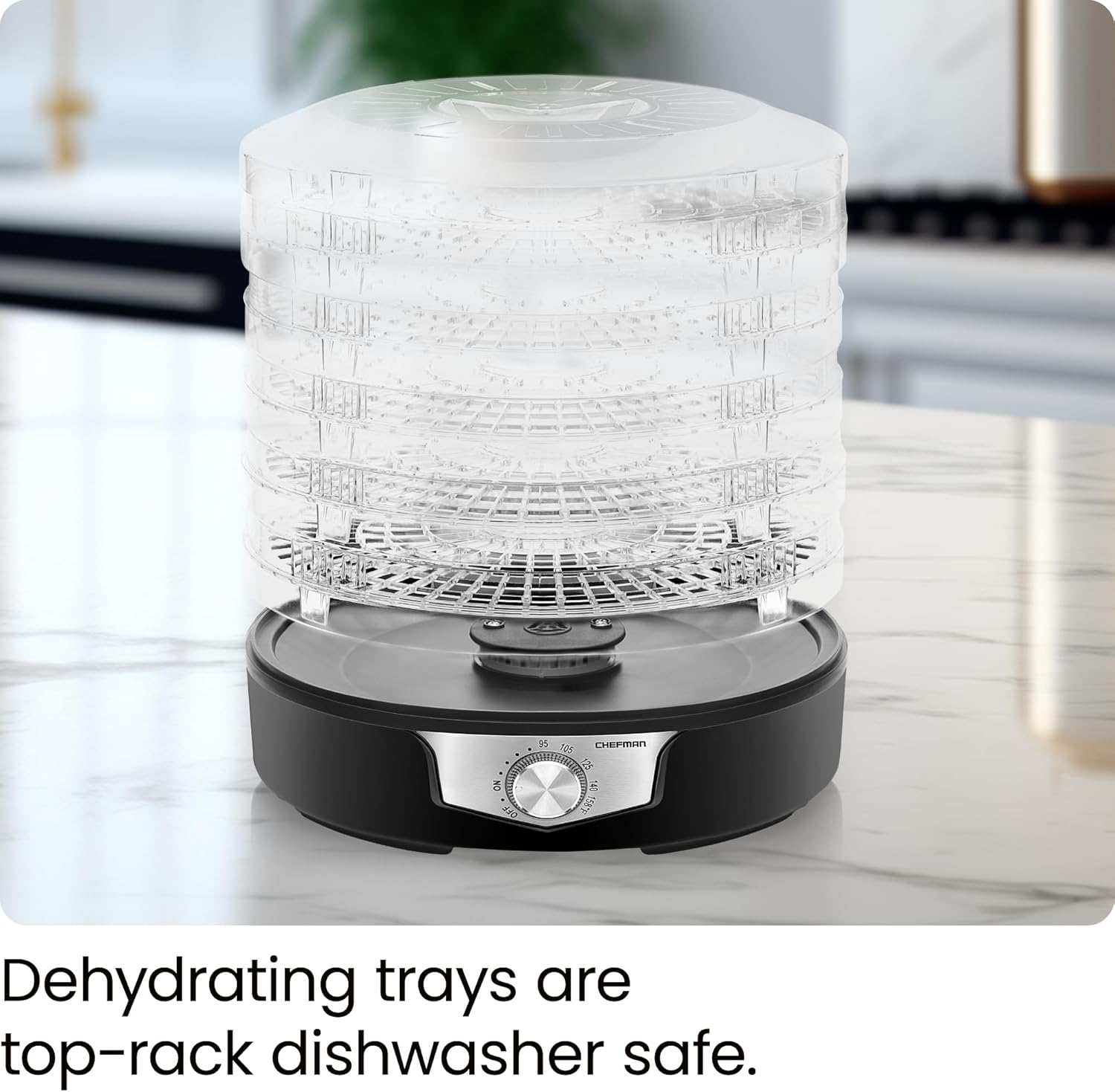
The transparent dehydrating trays, shown empty, to illustrate their design and ease of cleaning as they are top-rack dishwasher safe.

A diagram illustrating the compact dimensions of the dehydrator (11.6"W x 9.3"H x 11.6"D), ideal for countertop use.
5.2 Official Product Videos
This video provides a comprehensive overview of the Chefman Food Dehydrator, demonstrating its multi-tier design and touch screen controls. It highlights the ease of use for dehydrating various foods.
6. Maintenance
Proper maintenance ensures the longevity and optimal performance of your Chefman Food Dehydrator.
- Cleaning Trays: The dehydrating trays are top-rack dishwasher safe for easy cleaning. For best results, hand wash with warm, soapy water.
- Cleaning Base Unit: After use, simply wipe down the base unit with a damp cloth. Do not immerse the base unit in water.
- Storage: Ensure the appliance is completely dry before storing. Store in a cool, dry place.
7. Troubleshooting
If you encounter any issues with your Chefman Food Dehydrator, please refer to the following common solutions:
- Unit Not Turning On: Ensure the power cord is securely plugged into a working electrical outlet. Check your household's circuit breaker.
- Uneven Drying: Ensure food is sliced uniformly. Rotate trays periodically during the dehydration process to promote even drying. Avoid overloading trays.
- Excessive Noise: While the unit operates with a fan, unusual or excessive noise may indicate an obstruction. Ensure the fan area is clear.
- Food Not Drying: Verify that the temperature setting is appropriate for the food type and that the door is securely closed.
For more complex issues, please consult the full User Guide or contact customer support.
8. Specifications
| Attribute | Value |
|---|---|
| Brand | Chefman |
| Model Number | 5-Tray Food Dehydrator, |
| Material | Stainless Steel |
| Color | Black |
| Wattage | 350 watts |
| Voltage | 120 |
| Product Dimensions | 11.6"D x 11.6"W x 9.3"H |
| Number of Trays | 5 |
| Temperature Range | 185 Degrees Fahrenheit |
| Is Dishwasher Safe | Yes |
| Item Weight | 5.24 pounds |
| UPC | 816458024297 |
| Included Components | User Guide |
9. Warranty & Support
The Chefman 5-Tray Food Dehydrator comes with a 1-year Limited Warranty.
For detailed instructions, safety information, and further support, please refer to the official User Guide (PDF).
You can also visit the Chefman Store on Amazon for additional product information and customer service.


