
Introduction
This manual provides comprehensive instructions for the setup, operation, maintenance, and troubleshooting of your Radiant RAS20402 Smartwatch. Please read this manual carefully to ensure proper use and to maximize the performance of your device. Keep this manual for future reference.
1. Getting Started
1.1 Package Contents
Verify that all items are present in your product package:
- Radiant RAS20402 Smartwatch
- Charging Cable
- Additional Strap (may vary by package)
- User Manual (this document)
1.2 Initial Charging
Before first use, fully charge your smartwatch. Connect the charging cable to the charging port on the back of the watch and to a standard USB power adapter (not included). The watch display will indicate charging status.
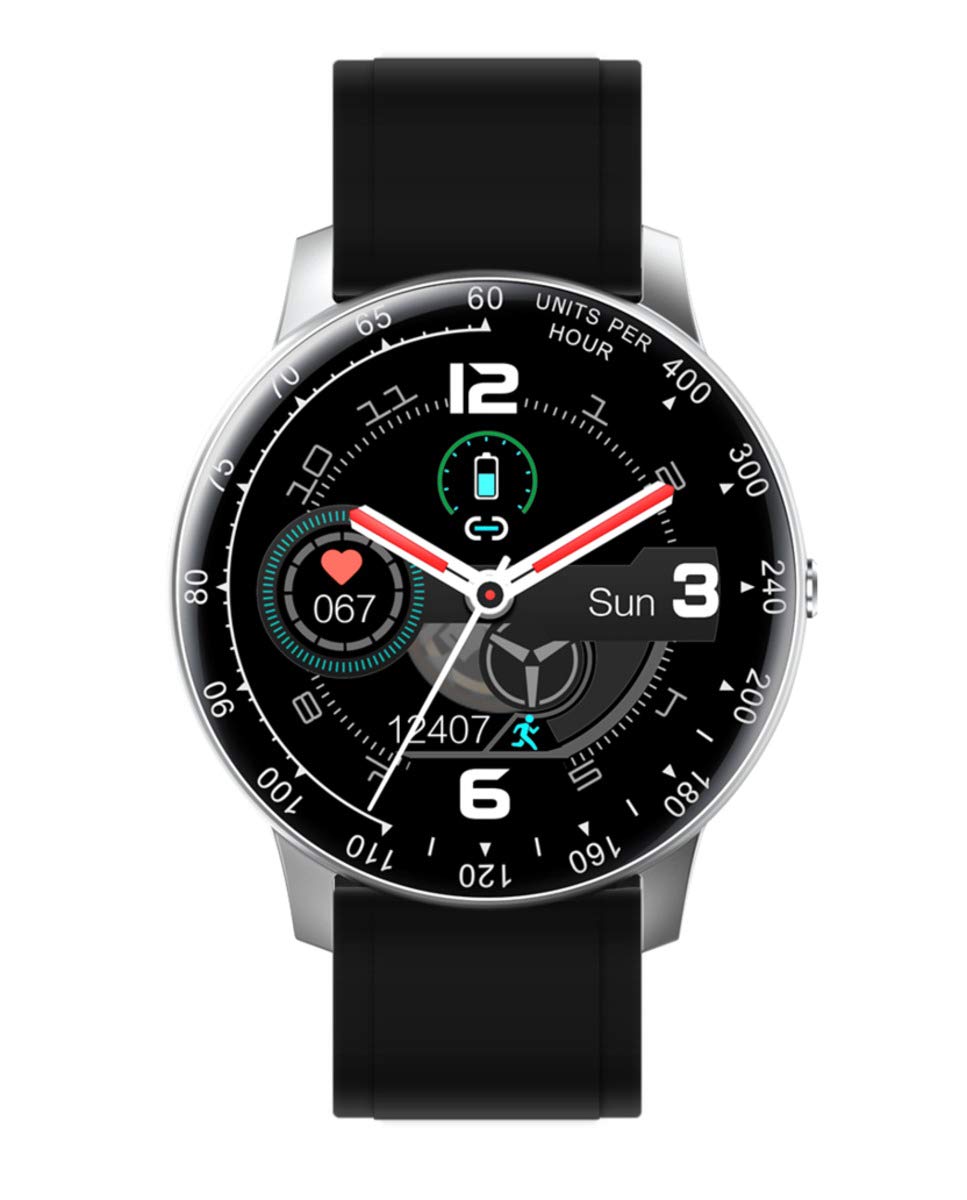
A close-up view of the Radiant RAS20402 Smartwatch, featuring a circular black digital display. The screen shows the time, date, heart rate, and step count. The watch is fitted with a silver metal link strap.
1.3 App Installation (AdorHealth)
To unlock the full functionality of your smartwatch, download and install the AdorHealth application on your smartphone. The app is compatible with iOS 10.1 or higher and Android 5.0 or higher, and requires Bluetooth 4.0 or higher.
- Scan the QR code provided in the quick start guide (if available) or search for "AdorHealth" in your smartphone's app store (Apple App Store for iOS, Google Play Store for Android).
- Download and install the application.
- Open the AdorHealth app and follow the on-screen instructions to create an account or log in.

A composite image featuring screenshots of the AdorHealth smartphone application, demonstrating its interface for tracking health and fitness data. It also shows a person doing yoga and the smartwatch, highlighting the integrated health tracking features.
1.4 Device Pairing
To connect your smartwatch to the AdorHealth app:
- Ensure Bluetooth is enabled on your smartphone.
- Open the AdorHealth app and navigate to the device management section (usually indicated by a watch icon or "Add Device").
- The app will search for nearby devices. Select "Radiant19.AS20" from the list of available devices to pair.
- Confirm the pairing request on both your smartphone and smartwatch if prompted.
1.5 Initial Configuration
After successful pairing, you can customize your smartwatch settings through the AdorHealth app:
- Watch Faces: Choose from a variety of pre-installed watch faces or create your own custom designs.
- Language: Set your preferred language for the watch interface.
- Time Format: Select 12-hour or 24-hour time display.
- Unit System: Choose between metric or imperial units for distance and weight.

A collage of six different customizable watch faces for the Radiant RAS20402 Smartwatch, showcasing various digital and analog styles, color schemes, and information layouts available through the companion app.
2. Operating Your Smartwatch
2.1 Basic Navigation
The Radiant RAS20402 Smartwatch features a full touchscreen display for intuitive navigation:
- Swipe Up/Down: Scroll through menus and notifications.
- Swipe Left/Right: Access quick-view widgets or different feature screens.
- Tap: Select an item or confirm an action.
- Press Side Button: Return to the home screen or power on/off the device.

The Radiant RAS20402 Smartwatch on a person's wrist, featuring a black strap. The watch display shows various app icons, indicating its multi-functional capabilities.
2.2 Key Features
Your smartwatch offers a range of features to support your daily activities and health monitoring:
- Heart Rate Monitoring: Continuously track your heart rate throughout the day.
- Sleep Monitoring: Analyze your sleep patterns, including deep and light sleep stages.
- Message Notifications: Receive alerts for incoming calls, SMS, and app notifications directly on your wrist.
- Exercise Tracking: Monitor steps, distance, and calories burned for various activities like running, walking, cycling, and swimming.
- Music Control: Control music playback on your connected smartphone.
- Alarms: Set vibration alarms for reminders.
- Remote Camera Control: Use your watch as a remote shutter for your smartphone camera.
- Find My Phone/Watch: Locate your paired smartphone or smartwatch.
- Blood Pressure Monitor: (Requires compatible app functionality) Monitor blood pressure readings.
- Integrated GPS: Track your routes and location during outdoor activities.

An image displaying the Radiant RAS20402 Smartwatch's digital time interface and a selection of function icons. It also illustrates the watch with both a silver metal strap and a blue strap, highlighting its versatility.
2.3 Exercise Tracking
The smartwatch automatically tracks your daily activity and provides detailed reports through the AdorHealth app:
- Steps: Get a quick overview of all the steps you've taken throughout the day, month, or year.
- Distance: Receive an estimate of the distance you cover each day.
- Calories: Calculate how many calories you burn daily based on your activity.

The Radiant RAS20402 Smartwatch screen showing exercise tracking features, including step count, distance, and calorie estimation. The background depicts people running on a beach, illustrating the watch's fitness capabilities.
2.4 Sleep Monitoring
Wear your smartwatch to bed to automatically track your sleep. The AdorHealth app will provide a detailed history of your sleep, distinguishing between deep and light sleep stages.

The Radiant RAS20402 Smartwatch screen showing the sleep tracking interface, indicating deep and light sleep stages. A person stretching in bed is visible in the background, emphasizing the watch's sleep monitoring function.
2.5 Notifications
Once paired with your smartphone, the smartwatch will display notifications for calls, messages, and other app alerts. Ensure notification permissions are enabled in both your phone's settings and the AdorHealth app.
3. Care and Maintenance
3.1 Cleaning
To maintain the appearance and functionality of your smartwatch:
- Wipe the watch screen and body with a soft, damp, lint-free cloth.
- For the stainless steel case and metal strap, a mild soap solution can be used, followed by thorough rinsing and drying.
- For the leather strap, avoid excessive moisture and harsh chemicals. Clean with a dry or slightly damp cloth and allow to air dry.
- Do not use abrasive cleaners or solvents.
3.2 Water Resistance
The Radiant RAS20402 Smartwatch is waterproof up to 3 meters. This means it is suitable for daily use and can withstand splashes, rain, and brief immersion in shallow water. However, it is not recommended for diving, high-pressure water activities, or prolonged submersion.
3.3 Strap Care
The watch comes with interchangeable straps (leather and metal). Ensure straps are securely attached before wearing. Regularly inspect straps for wear and tear. Replace damaged straps to prevent accidental loss of the device.
4. Troubleshooting
If you encounter issues with your Radiant RAS20402 Smartwatch, refer to the following common solutions:
4.1 Common Issues
- Watch not turning on: Ensure the watch is fully charged. Connect it to the charging cable and a power source for at least 30 minutes.
- Cannot pair with smartphone:
- Ensure Bluetooth is enabled on your phone and the watch.
- Make sure the watch is within Bluetooth range of your phone.
- Restart both your phone and the smartwatch.
- Clear the Bluetooth cache on your phone (if applicable).
- Try unpairing and re-pairing the device through the AdorHealth app.
- Inaccurate health data:
- Ensure the watch is worn snugly on your wrist, not too tight or too loose.
- Clean the sensors on the back of the watch.
- Update the AdorHealth app to the latest version.
- Notifications not appearing:
- Check notification permissions in your phone's settings for the AdorHealth app.
- Ensure notifications are enabled within the AdorHealth app settings for specific applications.
- Verify that the watch is connected to your phone via Bluetooth.
4.2 Factory Reset
If issues persist, a factory reset may resolve them. This will erase all data on your smartwatch and restore it to its original factory settings. Consult the AdorHealth app or the watch's settings menu for the factory reset option.
5. Specifications
| Feature | Specification |
|---|---|
| Model Number | RAS20402 |
| Dimensions | 14.7 x 2.4 x 5.5 cm |
| Weight | 270 g |
| Display Type | Digital |
| Screen Size | 44 Millimeters |
| Connectivity | Bluetooth |
| Water Resistance | 3 meters (Waterproof) |
| Sensors | Accelerometer, Integrated GPS |
| Case Material | Stainless Steel |
| Strap Material | Leather (and Metal, depending on variant) |
| Compatible OS | iOS 10.1+, Android 5.0+ |
| Compatible Applications | AdorHealth, Messages, Sleep Monitor, Blood Pressure Monitor |
| Battery | 1 product-specific battery required |
6. Warranty and Support
6.1 Warranty Information
Specific warranty details for the Radiant RAS20402 Smartwatch are not provided in the product information. Please refer to your purchase receipt or contact the retailer where you purchased the device for warranty terms and conditions. Alternatively, visit the official Radiant website for general warranty policies.
6.2 Customer Support
For further assistance, technical support, or inquiries regarding your Radiant RAS20402 Smartwatch, please:
- Refer to the help section within the AdorHealth application.
- Visit the official Radiant brand website for FAQs and support contact information.


