
Setup Guide
1. Initial Charging
Before first use, fully charge your Radiant Smart Watch. Connect the charging cable to the watch's charging port and a compatible USB power source. The watch display will indicate charging status.

Image: The Radiant Smart Watch with its black silicone strap, displaying its digital watch face.
2. App Installation
To unlock the full functionality of your smartwatch, download the official Radiant companion application on your smartphone. Search for "Radiant Smart Watch" in your device's app store (iOS App Store or Google Play Store).
3. Device Pairing
- Ensure Bluetooth is enabled on your smartphone.
- Open the Radiant companion app and follow the on-screen instructions to add a new device.
- Select "RAS20401" from the list of available devices.
- Confirm the pairing request on both your watch and smartphone.
Operating Your Smart Watch
Basic Navigation
The Radiant Smart Watch features a 1.54-inch touchscreen display for intuitive navigation. Swipe left, right, up, or down to access different functions and menus. Press the side button to return to the home screen or activate specific features.

Image: The Radiant Smart Watch worn on a wrist, displaying its primary watch face.
Key Features
- Chronograph: Use the stopwatch function for timing activities.
- Date Display: View the current date directly on your watch face.
- Light: Activate the display backlight for visibility in low-light conditions.
- Alarm: Set multiple alarms to help manage your schedule.
- Tachymeter: Utilize the tachymeter scale for measuring speed based on travel time over a known distance.
- Activity Tracking: Monitor steps, distance, and calories burned.
- Heart Rate Monitoring: Track your heart rate throughout the day.

Image: The Radiant Smart Watch displaying its application menu with various icons.
Connectivity
The watch supports both Bluetooth and GPS connectivity. Bluetooth allows for seamless pairing with your smartphone for notifications and data synchronization, while GPS enables accurate tracking of outdoor activities without needing your phone.
Maintenance and Care
Cleaning Your Smart Watch
Regular cleaning helps maintain the appearance and functionality of your watch. Use a soft, lint-free cloth to wipe the screen and watch body. For stubborn dirt, slightly dampen the cloth with water. Avoid using harsh chemicals or abrasive materials.
Water Resistance (IP67)
The Radiant Smart Watch is rated IP67, meaning it is protected from dust ingress and can withstand immersion in water up to 1 meter for up to 30 minutes. It is suitable for daily use and light splashes, but not recommended for swimming, showering, or diving.
Battery Care
To prolong battery life, avoid extreme temperatures. Charge the watch regularly and do not let the battery completely drain for extended periods. The battery composition is Aluminum Oxide.
Strap Care
The watch comes with both a black silicone strap and a black steel strap. Clean silicone straps with mild soap and water. For steel straps, use a soft brush to remove dirt from links and wipe with a dry cloth.
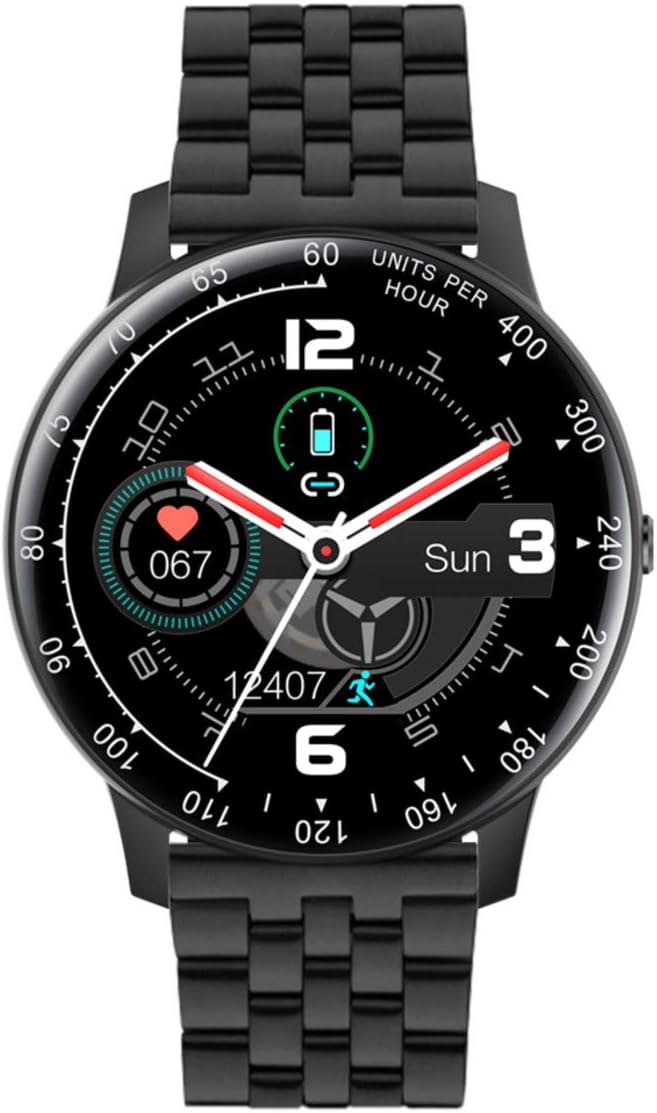
Image: The Radiant Smart Watch featuring its black steel strap.
Troubleshooting
If you encounter issues with your Radiant Smart Watch, refer to the following common solutions:
| Problem | Solution |
|---|---|
| Watch not turning on | Ensure the watch is fully charged. Connect it to the charger for at least 30 minutes. |
| Cannot pair with smartphone | Check if Bluetooth is enabled on both devices. Restart both the watch and the smartphone. Ensure the Radiant app is updated. |
| Inaccurate activity tracking | Ensure the watch is worn snugly on your wrist. Calibrate the watch through the companion app if available. |
| Display unresponsive | Perform a soft reset by holding down the side button for 10-15 seconds until the watch restarts. |
If the issue persists, please contact Radiant customer support.
Technical Specifications
- Brand:
- Radiant
- Model Name:
- Montre RAS20401
- Model Number:
- RAS20401
- ASIN:
- B08RDWDHFF
- Color:
- Black
- Style:
- Band (includes silicone and steel straps)
- Screen Size:
- 1.54 Inches
- Shape:
- Round
- Connectivity Technology:
- Bluetooth, GPS
- Wireless Communication Standard:
- Bluetooth
- Special Features:
- Chronograph, Date, Light, Alarm, Tachymeter
- Compatible Devices:
- Smartphone
- Battery Composition:
- Aluminum Oxide
- Water Resistance:
- IP67 (Dust protected, immersion up to 1m for 30 min)
- Manufacturer:
- RADIANT
- Date First Available on Amazon.com.be:
- 26 April 2022
Warranty and Support
For detailed warranty information, please refer to the documentation included with your purchase or visit the official Radiant website. Information regarding software updates and spare parts availability is not explicitly provided.
For technical support or further assistance, please contact Radiant customer service through their official channels.


