
Introduction
This manual provides comprehensive instructions for the operation and maintenance of your SF Quartz Analog Digital Watch, model NR77027PP05. Please read this manual thoroughly to ensure proper use and to maximize the lifespan of your timepiece. This watch features both analog and digital displays, offering versatile timekeeping functions.

Image: Front view of the SF Quartz Analog Digital Watch NR77027PP05, showcasing its black dial, green accents, and both analog hands and digital display. The watch features multiple buttons on its sides for various functions.
Initial Setup
Setting Analog Time
- Pull the crown (located on the right side of the watch) out to the first position.
- Rotate the crown to adjust the hour and minute hands to the correct time.
- Push the crown back into its normal position to start the analog movement.
Setting Digital Time and Date
The digital display typically has buttons labeled 'MODE', 'SET', 'ADJ', and 'LIGHT'. Refer to the image below for button identification.
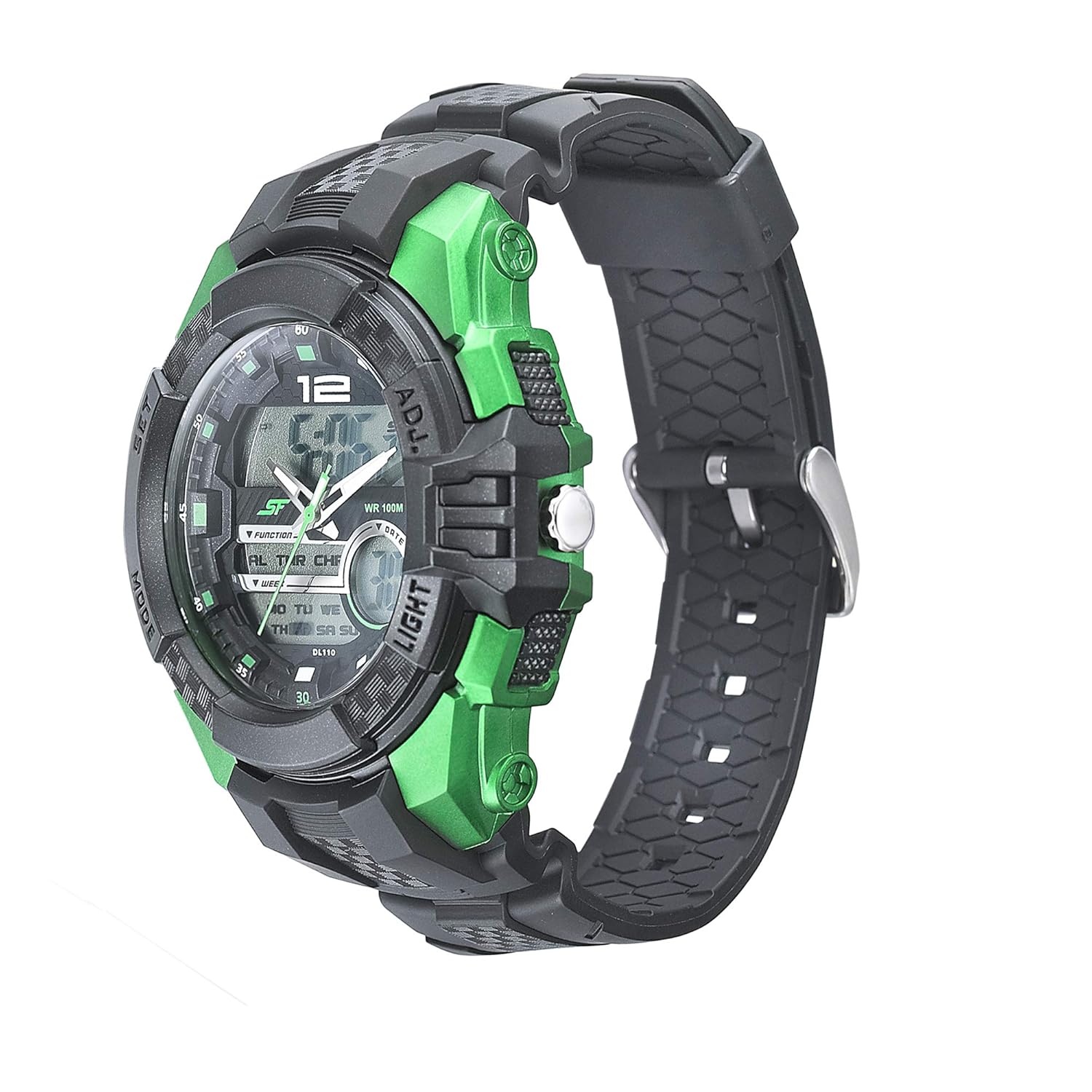
Image: Side view of the SF Quartz Analog Digital Watch NR77027PP05, highlighting the 'SET' and 'ADJ' buttons on the right side, and 'MODE' and 'LIGHT' buttons on the left side.
- Press the MODE button repeatedly until you reach the Time Setting mode (usually indicated by flashing digits).
- Press the SET or ADJ button to select the digit you wish to change (e.g., hours, minutes, year, month, day).
- Use the LIGHT button (or another designated button) to increase the value of the flashing digit.
- Repeat steps 2 and 3 until all desired settings (time, date, day of week) are correct.
- Press the MODE button to exit the setting mode.
Operating Instructions
Digital Display Modes
Press the MODE button to cycle through the following functions:
- Time Display: Shows current digital time (hours, minutes, seconds) and day of the week.
- Alarm Mode: Allows setting and activating an alarm.
- Stopwatch Mode: For measuring elapsed time.
- Timer Mode: For countdown timing.
- Dual Time Mode: Displays a second time zone.
Using the Backlight
Press the LIGHT button (typically on the upper left or lower left side) to illuminate the digital display for a few seconds in low-light conditions.

Image: Another side view of the SF Quartz Analog Digital Watch NR77027PP05, emphasizing the 'LIGHT' button on the left side, used for illuminating the digital display.
Care and Maintenance
- Cleaning: Wipe the watch regularly with a soft, dry cloth. For stubborn dirt, a slightly damp cloth can be used, followed by immediate drying. Avoid harsh chemicals or abrasive materials.
- Water Resistance: This watch is rated for 100 meters (10 ATM) water resistance. This means it is suitable for swimming and snorkeling, but not for scuba diving. Do not operate buttons or the crown while the watch is wet or submerged.
- Temperature: Avoid exposing the watch to extreme temperatures (hot or cold) or sudden temperature changes, as this can affect its accuracy and seals.
- Impact: Protect the watch from strong impacts or drops.
- Battery Replacement: When the digital display dims or the analog movement stops, the battery may need replacement. It is recommended to have battery replacement performed by a qualified watch technician to ensure water resistance is maintained.

Image: Back view of the SF Quartz Analog Digital Watch NR77027PP05, showing the stainless steel back case with "WR 100M" (Water Resistant 100 Meters) engraving, confirming its water resistance capabilities.
Troubleshooting
| Problem | Possible Cause | Solution |
|---|---|---|
| Analog hands not moving. | Battery depleted or crown pulled out. | Push crown in. If still not moving, replace battery. |
| Digital display is blank or dim. | Battery depleted. | Replace battery. |
| Time is inaccurate. | Incorrect setting or exposure to strong magnetic fields. | Reset time. Keep watch away from strong magnets. |
| Water inside the watch. | Crown or buttons operated underwater, or seals compromised. | Immediately take to a service center. Do not attempt to dry it yourself. |
Specifications
- Model: NR77027PP05
- Movement: Quartz (Analog & Digital)
- Case Diameter: 53 Millimeters
- Band Material: Polyurethane
- Band Color: Black
- Item Weight: 180 Grams
- Water Resistance: 100 Meters (10 ATM)
- Battery: 1 Lithium Polymer battery (included)
- Manufacturer: Titan Company Ltd
- Country of Origin: India
Warranty Information
This SF watch comes with a 1-year warranty covering manufacturing defects. The warranty period begins from the date of purchase. Please retain your purchase receipt as proof of purchase for any warranty claims.
The warranty does not cover:
- Damage resulting from improper handling, lack of care, accidents, or normal wear and tear.
- Damage caused by unauthorized repairs or modifications.
- Battery replacement.
- Damage to the strap or crystal.
For warranty service, please contact an authorized SF service center.
Support
For further assistance, questions, or service inquiries regarding your SF watch, please refer to the official SF website or contact their customer support. Contact details can typically be found on the manufacturer's website or on the warranty card included with your product.
Manufacturer: Titan Company Ltd
Address: 3 Sipcot Industrial Complex, Hosur - 635126, India
Telephone: +91-(0)4344-664199
