
1. Introduction
This manual provides detailed instructions for the installation, operation, and maintenance of your CUSP 12.1" T-Style Android Radio Head Unit. Please read this manual thoroughly before installation and use to ensure proper functionality and to maximize your driving experience.
The CUSP head unit is designed to integrate seamlessly into specific Ford truck dashboards, offering an upgraded multimedia experience with a large vertical touchscreen, advanced connectivity, and enhanced audio features.
2. Compatibility
This head unit is specifically designed for the following vehicle models and years:
- Ford F-150/Raptor: 2015-2021
- Ford F250/F350/F450 Super Duty: 2017-2021
Important:
- Verify your vehicle's year, trim, factory radio, dashboard style, and AC panel before installation.
- This unit is not a universal double DIN radio.
- Compatibility with factory functions may vary by trim level.
- If your vehicle has an AUTO A/C with a digital amplifier B/O, this unit may not fit. Contact CUSP for alternative models.

Image: The CUSP 12.1 inch head unit seamlessly integrated into a Ford F-150 dashboard. The image displays the 'After' view with the modern touchscreen, and 'Before' views of both manual and auto AC panels, highlighting the visual upgrade and fitment considerations.
3. Features
- 12.1" T-Style Touchscreen: Large vertical display for enhanced visibility and control.
- Wireless & Wired CarPlay/Android Auto: Seamless smartphone integration for navigation, music, calls, and messages.
- PX6 Android System: Powered by a PX6 processor with 4GB RAM and 64GB ROM for smooth operation.
- GPS Navigation: Supports online and offline maps for reliable guidance.
- DSP Sound Tuning: Built-in Digital Sound Processor for customizable audio adjustments (EQ, bass/treble control).
- Bluetooth: Hands-free calling and audio streaming.
- Wi-Fi Connectivity: For internet access and app downloads.
- Steering Wheel Control (SWC) Support: Retains factory steering wheel button functionality.
- Backup Camera Input: Supports rear camera for improved reversing visibility.
- Plug & Play Wiring: Designed for easier installation with vehicle-specific harnesses.
- AC Display & Control: Integrated climate control interface.

Image: The CUSP 12.1 inch head unit showcasing its large screen and smart app capabilities, including video streaming, music, and navigation applications.
4. What's in the Box
The package includes the following components:
- Radio Head Unit (1)
- Power Cable (1)
- A/V Cable (1)
- Rear Camera Cable (1)
- USB Cable (2)
- GPS Antenna (1)
- Extra Microphone (1)
- Rear Camera (1)
- Crowbar (1) - for trim removal
- AUX Line (1)
- Video Cable (1)
- Radio Antenna (1)

Image: A visual representation of all essential accessories included with the CUSP head unit, designed to facilitate a smooth installation process.
5. Installation
The CUSP head unit is designed for plug-and-play installation on compatible dashboards. However, professional installation is recommended if you are unfamiliar with car audio system wiring or dashboard disassembly.
5.1 Pre-Installation Checks
- Confirm vehicle compatibility (Section 2).
- Ensure all components listed in Section 4 are present.
- Disconnect the vehicle's battery before starting any electrical work.
5.2 Wiring Connection
Utilize the provided vehicle-specific wiring harness. Connect all cables securely to their corresponding ports on the head unit and the vehicle's wiring system. Refer to the wiring diagram if provided with your unit.

Image: A close-up view of hands connecting the plug-and-play wiring harness to the rear of the CUSP head unit, demonstrating the ease of installation.
Video: This video demonstrates the cable connection process for the CUSP Car Radio Stereo Screen for Ford F150, showing how to correctly plug in the wires according to the operation.
5.3 Post-Installation
- Reconnect the vehicle's battery.
- Power on the unit and perform initial setup.
- Test all functions, including audio, touchscreen response, steering wheel controls, and AC functionality.
6. Setup
6.1 Initial Power-On
Upon first power-on, the unit will boot to the Android home screen. Follow any on-screen prompts for initial language and time settings.
6.2 Wi-Fi and Bluetooth Connection
- Wi-Fi: Go to Settings > Network & Internet > Wi-Fi. Select your network and enter the password.
- Bluetooth: Go to Settings > Connected devices > Bluetooth. Enable Bluetooth and pair with your smartphone for hands-free calling and audio streaming.
6.3 CarPlay & Android Auto Setup
The unit supports both wireless and wired CarPlay and Android Auto. Connect your smartphone via USB or pair wirelessly via Bluetooth/Wi-Fi as prompted by the unit or your phone.

Image: The CUSP 12.1 inch head unit displaying the CarPlay interface, showing seamless integration with smartphone applications for navigation, communication, and entertainment.
6.4 GPS Navigation
The unit comes with pre-installed GPS navigation capabilities. You can use online maps (requires Wi-Fi/data connection) or pre-loaded offline maps. Ensure the GPS antenna is properly connected for optimal signal reception.
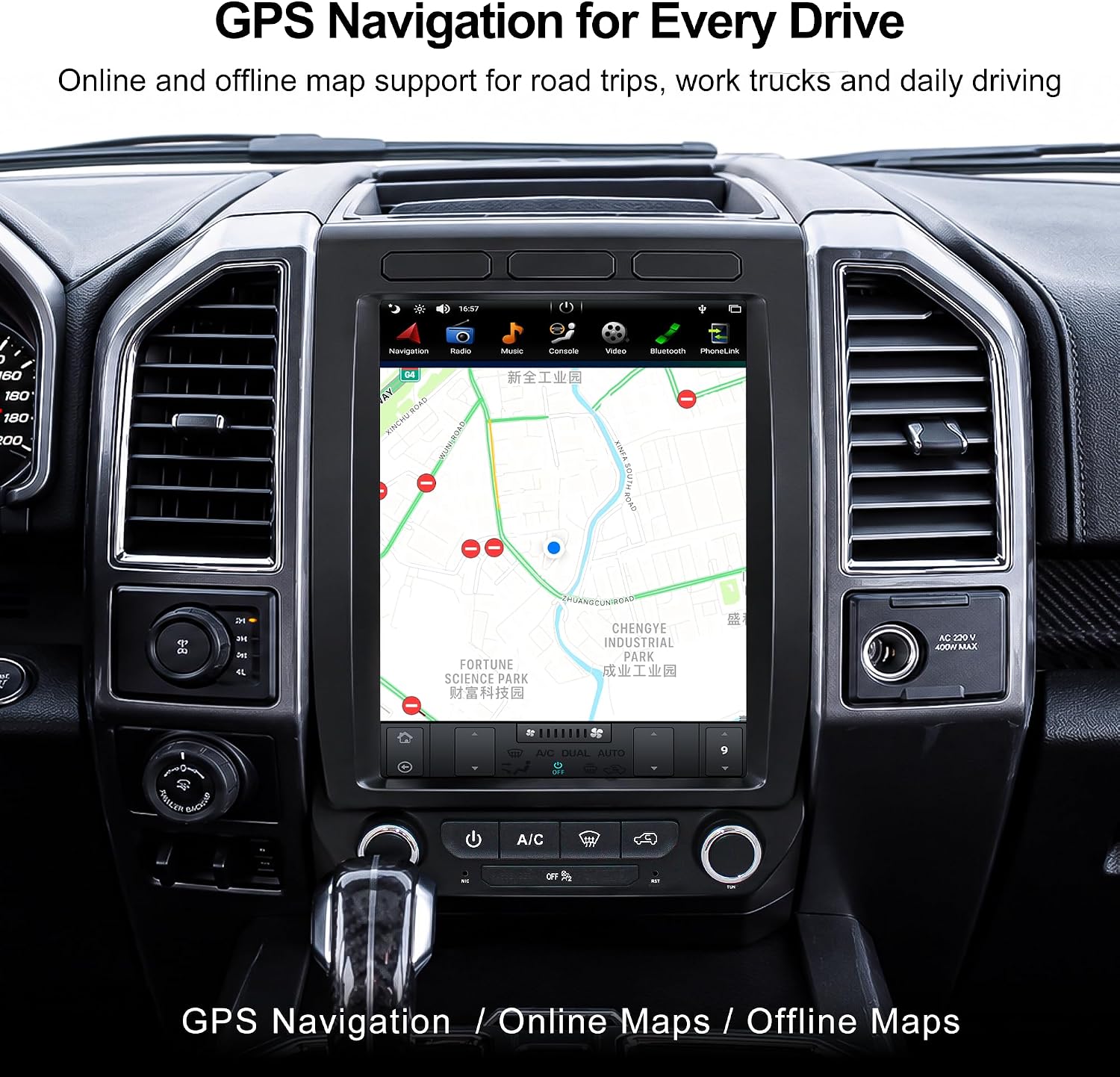
Image: The CUSP 12.1 inch head unit displaying a detailed map for GPS navigation, suitable for various driving needs.
Video: This video demonstrates the GPS and general radio functions of the CUSP Car Stereo Radio for Ford F150 Raptor F250 F350 F450, showing map usage and media playback.
6.5 DSP Sound Tuning
Access the DSP settings through the unit's audio menu to customize your sound experience. Adjust equalizer settings, bass, treble, and sound balance to your preference.

Image: The CUSP 12.1 inch head unit showing the built-in DSP sound tuning interface, allowing users to adjust audio settings for clearer bass, vocals, and overall sound balance.
Video: This video demonstrates the DSP sound tuning features of the CUSP head unit, showing how to adjust equalizer settings and sound balance.
7. Operating Instructions
7.1 Touchscreen Operation
The 12.1" capacitive touchscreen responds to touch gestures similar to a smartphone or tablet. Tap to select, swipe to scroll, and pinch to zoom (where applicable, e.g., maps).
7.2 Using CarPlay / Android Auto
Once connected, your phone's interface will appear on the head unit. Use the touchscreen to access navigation, make calls, send messages, and play music through your phone's apps.
7.3 Media Playback
- USB: Connect a USB flash drive to the provided USB ports for media playback.
- Bluetooth Audio: Stream music from your paired smartphone.
- Radio: Access FM/AM radio stations.
7.4 Steering Wheel Controls (SWC)
The unit is designed to retain your vehicle's factory steering wheel controls. These controls allow you to manage audio volume, track selection, and answer/end calls without taking your hands off the wheel.
7.5 Backup Camera Functionality
When the vehicle is shifted into reverse, the display will automatically switch to the rear camera view, providing visual assistance for parking and maneuvering. Ensure the included rear camera is properly installed and connected.
7.6 AC Control Interface
The head unit integrates with your vehicle's AC system, allowing you to control climate settings directly from the touchscreen interface. The display will show current temperature, fan speed, and mode settings.

Image: The CUSP 12.1 inch head unit demonstrating key factory feature retention, including steering wheel control, backup camera input, and the integrated AC control interface.
Video: This video demonstrates how to access and adjust manual A/C settings on the CUSP Car Stereo Screen for Ford Raptor F150, showing the interface and control options.
Video: This video demonstrates how to access and adjust auto A/C settings on the CUSP 12.1 Car Stereo Radio for Ford Raptor F150, showing the interface and control options.
8. Maintenance
- Screen Cleaning: Use a soft, lint-free cloth to clean the touchscreen. Avoid abrasive cleaners or harsh chemicals.
- Software Updates: Periodically check for software updates to ensure optimal performance and access to new features. Updates can typically be found via the unit's settings menu or the manufacturer's website.
- General Care: Avoid exposing the unit to extreme temperatures, direct sunlight for prolonged periods, or excessive moisture.
9. Troubleshooting
If you encounter issues with your CUSP head unit, refer to the following common problems and solutions:
| Problem | Possible Cause / Solution |
|---|---|
| No Power / Unit Not Turning On |
|
| AC Function Issues (No Control, Incorrect Readings) |
|
| Time Keeps Resetting / Incorrect Time |
|
| CarPlay / Android Auto Not Working |
|
| Poor Sound Quality |
|
| Factory Rear View Camera Not Displaying |
|
If issues persist, please contact CUSP customer support with your vehicle details and a description of the problem.
10. Specifications
| Feature | Detail |
|---|---|
| Brand | CUSP |
| Model Name | F150 Car Stereo |
| Model Number | CV-F666 |
| Screen Size | 12.1 inches |
| Resolution | 1024*768 |
| Operating System | Android |
| Processor | PX6 |
| Memory (RAM) | 4GB |
| Storage (ROM) | 64GB |
| Connectivity Technology | Bluetooth, GPS, USB, Wi-Fi, Wireless Android Auto, Wireless CarPlay |
| Map Type | GPS Navigation, Offline Map, Online Map, Road Map, Vehicle Navigation Map |
| Audio Output Mode | Stereo |
| Human-Interface Input | Touchscreen |
| Control Method | App, Push Button, Touch, Voice |
| Item Weight | 5.44 kg |
11. Warranty and Support
This CUSP head unit comes with a 1-year warranty from the date of purchase. The warranty covers manufacturing defects and malfunctions under normal use.
For technical support, installation guidance, or warranty claims, please contact CUSP Manufacturer Direct. You may need to provide your vehicle year, trim, dashboard photo, and factory radio photo for fitment confirmation and specific troubleshooting.
Contact information can typically be found on the product packaging or the official CUSP website.