
Introduction
This user manual provides detailed instructions for the safe operation, setup, and maintenance of your GoolRC CSJ S189 PRO GPS Drone. Please read this manual thoroughly before operating the drone to ensure proper function and to prevent damage or injury. The CSJ S189 PRO is a high-performance GPS drone featuring a 4K UHD camera, brushless motors, and advanced flight modes designed for an enhanced aerial photography experience.

Figure 1: GoolRC CSJ S189 PRO GPS Drone with accessories.
Package Contents
Verify that all items listed below are present in your package. If any items are missing or damaged, please contact customer support.
- 1 x Drone (CSJ S189 PRO)
- 1 x Remote Controller
- 2 x Drone Battery (7.4V 3500mAh Lithium battery)
- 1 x USB Charging Cable (for drone battery)
- 1 x Remote Control Charging Line (for remote controller battery)
- 4 x Propeller (spare)
- 1 x Bolt Driver
- 1 x Storage Bag
- 1 x Instructions Manual (this document)

Figure 2: Contents of the GoolRC CSJ S189 PRO package.
Setup
1. Drone Battery Installation and Charging
- Ensure the drone battery is fully charged before first use. Connect the drone battery to the USB Charging Cable.
- Plug the USB Charging Cable into a standard USB power adapter (not included). The charging time is approximately 5-6 hours.
- Once charged, slide the battery into the designated compartment on the drone until it clicks securely into place.
2. Remote Controller Setup
- Charge the Remote Controller Battery using the Remote Control Charging Line.
- Attach your smartphone to the phone holder on the remote controller.
3. Propeller Installation
The propellers are typically pre-installed. If replacement is necessary, ensure correct propeller (A or B) is matched to the corresponding motor arm as indicated on the drone.
- Use the provided bolt driver to remove or tighten the propeller screws.
- Ensure propellers are securely fastened but not overtightened.
4. App Installation
Download the official GoolRC drone application from your smartphone's app store (compatible with IOS 8.0/Android 7.0 and above). Search for "CSJ GPS" or refer to the QR code in the included quick start guide.
Operating Instructions
1. Power On and Pairing
- Place the drone on a flat, open surface.
- Press and hold the power button on the drone until the indicator lights turn on.
- Turn on the remote controller. The remote controller will automatically attempt to pair with the drone. A successful connection is indicated by solid lights on both devices.
- Open the GoolRC drone app on your smartphone and connect to the drone's Wi-Fi network (5G WiFi FPV).
2. GPS and Compass Calibration
For stable flight and accurate GPS functions, calibration is essential before each flight.

Figure 3: GPS Satellite Positioning and Return Home features.
- Follow the on-screen prompts in the app to perform compass calibration. This usually involves rotating the drone horizontally and then vertically.
- Wait for the drone to acquire sufficient GPS satellites (indicated by a solid GPS icon in the app).
3. Basic Flight Controls
- One-Key Take-off/Landing: Press the dedicated button on the remote controller or in the app for automatic take-off or landing.
- Throttle Stick (Left Stick): Control altitude (up/down) and yaw (rotate left/right).
- Directional Stick (Right Stick): Control forward/backward and left/right movement.
- Speed Modes: The drone supports slow gear (5m/s) and fast gear (8m/s) for varying flight experiences.
4. Intelligent Flight Modes
- Follow Me: The drone will automatically track your movement and capture video with a particular aerial view. Lock the human figure in the app, and the quadcopter will maintain a certain distance while tracking and shooting.
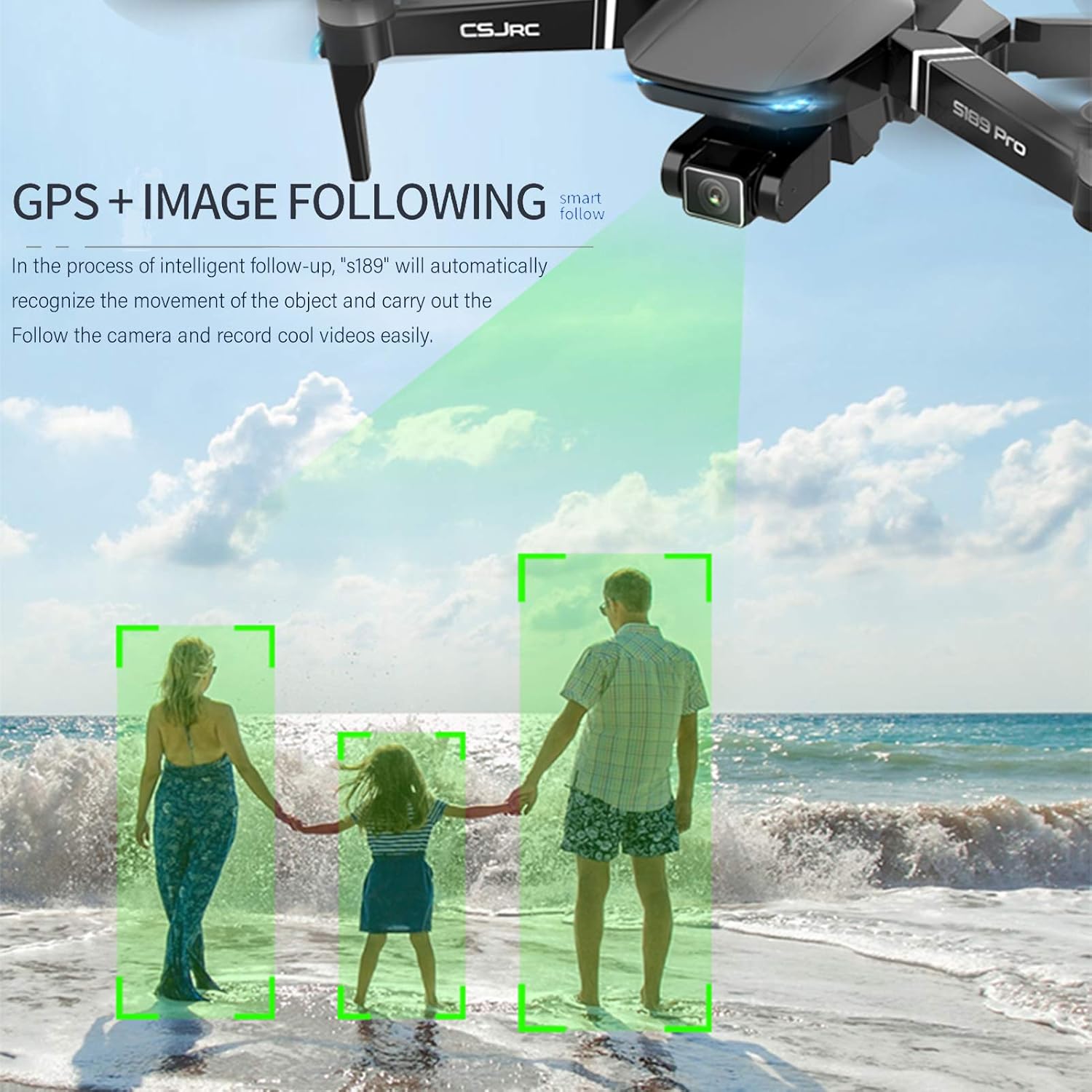
Figure 4: Drone utilizing the Follow Me function.
- Waypoint Flight: Tap points on the map within the app, and the drone will automatically fly along the designated path, allowing the pilot to focus on camera control.
- Point of Interest: Set a specific building or position as your point of interest, and the aircraft will continuously circle around the preset point.

Figure 5: Drone performing a Point of Interest flight.
- Gesture Photography: Perform specific hand gestures in front of the camera to trigger photo or video recording. Refer to the app for specific gestures.
- GPS Return Home: The drone can automatically return to its take-off point in case of low battery, loss of signal, or manual activation.
5. Camera Operation
The S189 PRO features a 4K UHD camera with a 90° adjustable mechanical anti-shake pan tilt.

Figure 6: 4K Mechanical Shaking Proof Pan Tilt Camera.
- Adjust the camera angle remotely via the remote controller or the app.
- Capture photos and record videos directly through the app interface.
- The anti-shake gimbal helps to eliminate jitter for stable footage.
Maintenance
- Battery Care: Store batteries in a cool, dry place. Do not overcharge or over-discharge. If not used for extended periods, charge them to about 50% capacity.
- Cleaning: Use a soft, dry cloth to clean the drone and remote controller. Avoid using liquids or solvents. Ensure the camera lens is clean for optimal image quality.
- Propeller Inspection: Regularly inspect propellers for any cracks, bends, or damage. Replace damaged propellers immediately using the provided spare parts and bolt driver.
- Storage: When not in use, store the drone and its accessories in the provided storage bag to protect them from dust and physical damage.
Troubleshooting
| Problem | Possible Cause | Solution |
|---|---|---|
| Drone does not power on. | Low or uncharged battery. | Ensure drone battery is fully charged and correctly installed. |
| Remote controller does not connect. | Remote controller battery low; not paired correctly. | Charge remote controller. Re-attempt pairing process. Ensure drone is powered on. |
| Unstable flight or drifting. | Improper calibration; strong winds; damaged propellers. | Perform GPS and compass calibration. Fly in calm conditions. Check and replace damaged propellers. |
| Poor image transmission quality. | Weak Wi-Fi signal; interference. | Ensure drone is within image transmission range (600m). Avoid areas with strong Wi-Fi interference. |
| GPS functions not working. | Insufficient GPS satellites; indoor flight. | Fly outdoors in an open area. Wait for sufficient GPS satellite acquisition. |
Specifications
| Feature | Detail |
|---|---|
| Model | CSJ S189 PRO |
| Material | ABS |
| Drone Battery Capacity | 7.4V 3500mAh Lithium battery |
| Drone Charging Time | 5-6 hours |
| Flight Time | Approx. 25 minutes |
| Brushless Motor | 1860 |
| Maximum Forward Speed | Slow gear 5m/s; Fast gear 8m/s |
| Maximum Rise Speed | 1.6m/s |
| Maximum Landing Speed | 1m/s |
| Unfolded Dimensions | 42 x 30 x 8.5 cm (16.54"L x 11.81"W x 3.35"H) |
| Folded Dimensions | 11 x 19 x 8.5 cm |
| Drone Weight | 468g (1.03 lbs) |
| Front Camera Resolution (Photo) | 6144*3456 (4K UHD) |
| Front Camera Resolution (Video) | 3840*2160 25fps (4K UHD) |
| Bottom Camera Resolution (Photo) | 6144*3456 |
| Bottom Camera Resolution (Video) | 3840*2160 20fps |
| Camera Adjustment | 90° Remote Adjustment with Mechanical Anti-shake Pan Tilt |
| Wi-Fi Frequency | 5G |
| Image Transmission Distance | 600m |
| Compatible System | IOS 8.0 / Android 7.0 and above |
| Remote Control Frequency | 2.4G |
| Remote Control Distance | 1000-2000m (depends on situation) |
| Remote Controller Battery | 3.7V 300mAh Lithium battery |
Warranty and Support
For warranty information, technical support, or service inquiries, please refer to the official GoolRC website or contact their customer service directly. Keep your purchase receipt as proof of purchase.
You can visit the GoolRC Store for more information: GoolRC Official Store