
Logitech G 981-001049
Logitech G435 LIGHTSPEED Wireless Bluetooth Gaming Headset User Manual
Model: 981-001049
Introduction
Welcome to the user manual for your Logitech G435 LIGHTSPEED Wireless Bluetooth Gaming Headset. This guide will walk you through the essential steps to get started, understand its features, and maintain optimal performance. The G435 headset offers versatile connectivity, a lightweight design for extended comfort, and high-fidelity audio for an immersive gaming experience.
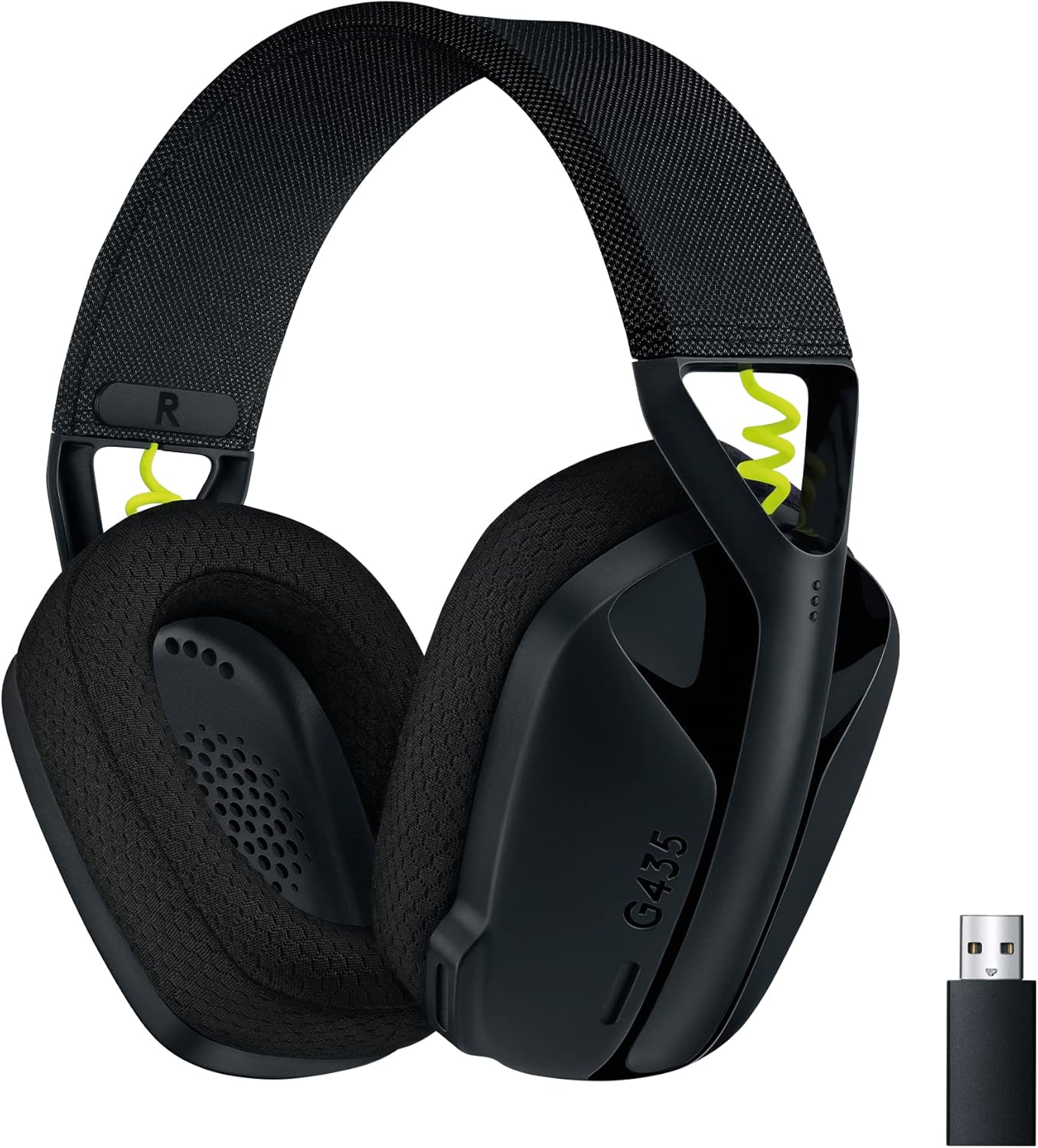
Image: The Logitech G435 headset in black, showcasing its sleek design and the included LIGHTSPEED USB-A receiver.
What's in the Box
Before you begin, please ensure all components are present:
- G435 Headset
- LIGHTSPEED wireless USB-A receiver
- USB-C to USB-A charging cable
- User Documentation (this manual)

Image: A visual representation of the items included in the Logitech G435 product packaging: the headset, LIGHTSPEED USB receiver, and charging cable.
Setup
Connecting via LIGHTSPEED Wireless (PC, Mac, PlayStation)
For a low-latency, gaming-grade connection, use the included LIGHTSPEED USB-A receiver:
- Insert the LIGHTSPEED USB-A receiver into a USB port on your PC, Mac, PlayStation 4, or PlayStation 5.
- Power on your G435 headset by pressing and holding the power button for 3 seconds.
- The headset will automatically connect to the receiver. The status indicator light on the headset will turn cyan when connected via LIGHTSPEED.
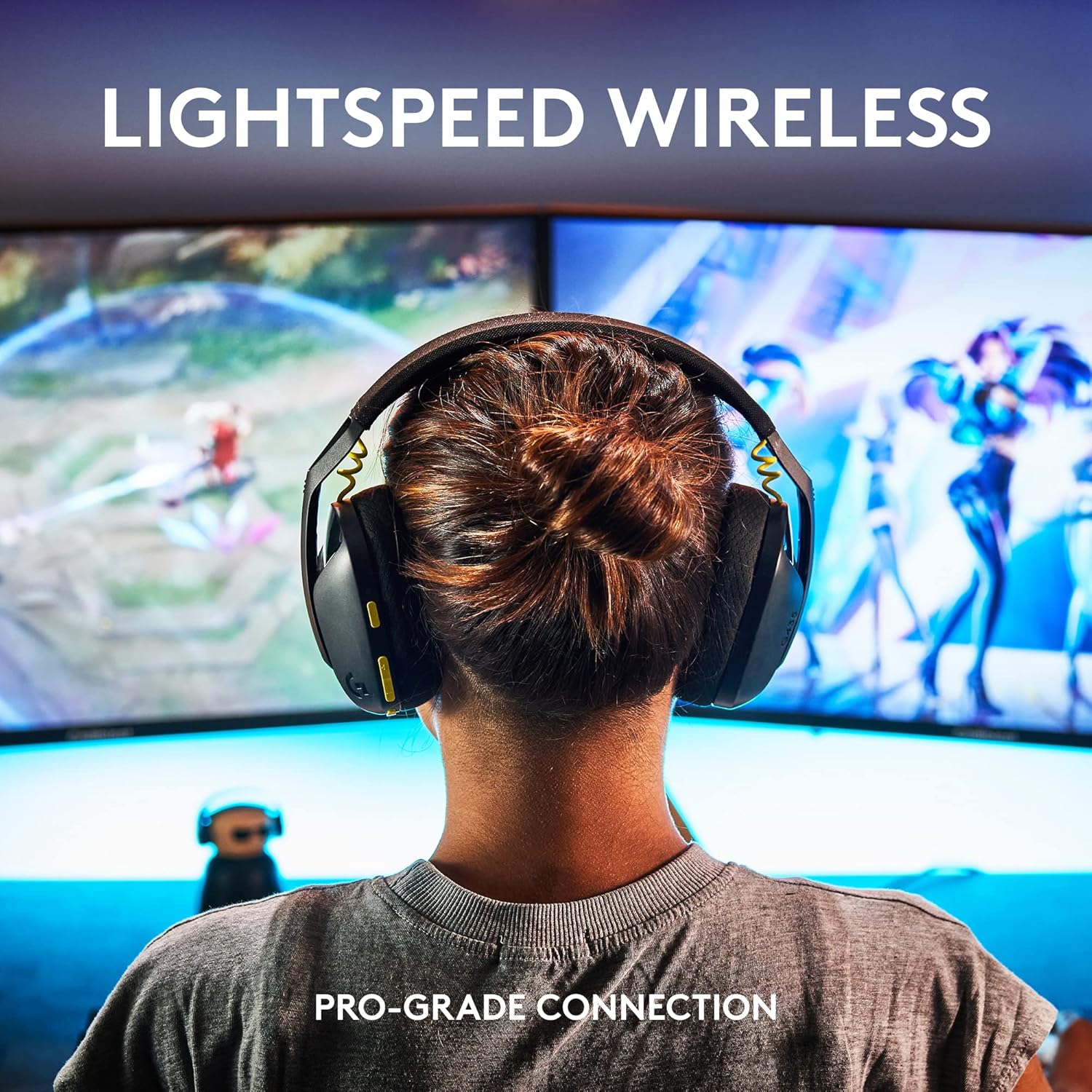
Image: A user wearing the Logitech G435 headset, highlighting the seamless LIGHTSPEED wireless connection for gaming.
Video: A short demonstration on how to connect the Logitech G435 headset to a PC using the LIGHTSPEED USB receiver.
Connecting via Bluetooth (Smartphones, Nintendo Switch, other Bluetooth audio devices)
For mobile devices and other Bluetooth-enabled platforms:
- With the headset powered on, press and hold the Power button and the Mute button simultaneously for 3 seconds. The status indicator light will flash blue, indicating pairing mode.
- On your device (smartphone, Nintendo Switch, etc.), go to Bluetooth settings and select "G435" from the list of available devices.
- Once connected, the status indicator light on the headset will turn solid blue.
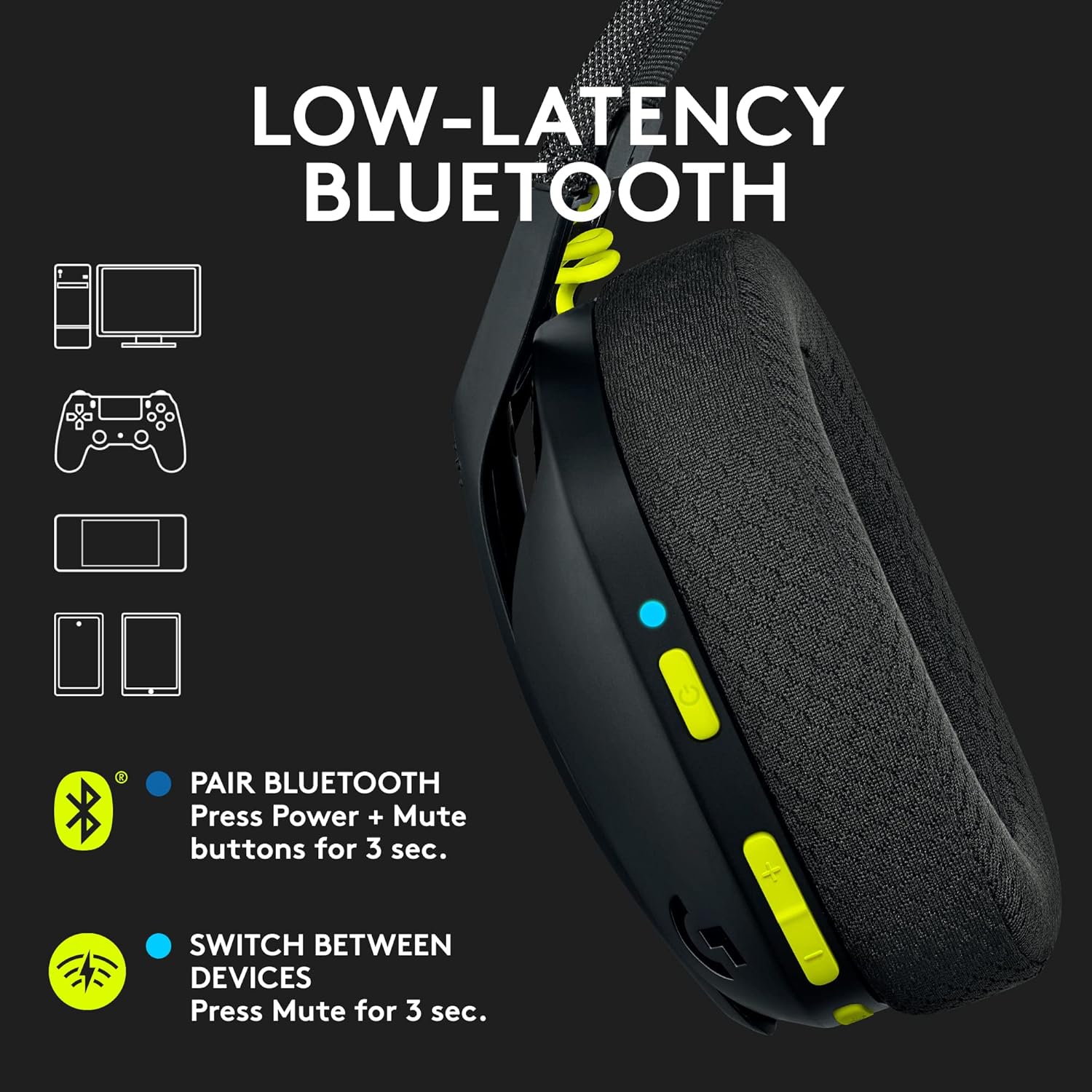
Image: The Logitech G435 headset with visual cues demonstrating its low-latency Bluetooth compatibility across multiple device types.
Video: A brief guide on how to connect the Logitech G435 headset to a Mac using Bluetooth.
Switching Between Devices
To switch between LIGHTSPEED and Bluetooth connections:
- Press and hold the Mute button for 3 seconds. The headset will toggle between the last connected LIGHTSPEED and Bluetooth devices.
- The status indicator light will change to cyan for LIGHTSPEED or blue for Bluetooth to confirm the active connection.
Operating Your Headset
Controls Overview
The Logitech G435 features intuitive controls located on the left earcup:
- Power Button: Press and hold to turn on/off. Short press to check battery status.
- Volume Up/Down Buttons: Adjust audio volume.
- Mute Button: Mute/unmute the microphone. Press and hold for 3 seconds to switch between LIGHTSPEED and Bluetooth modes.
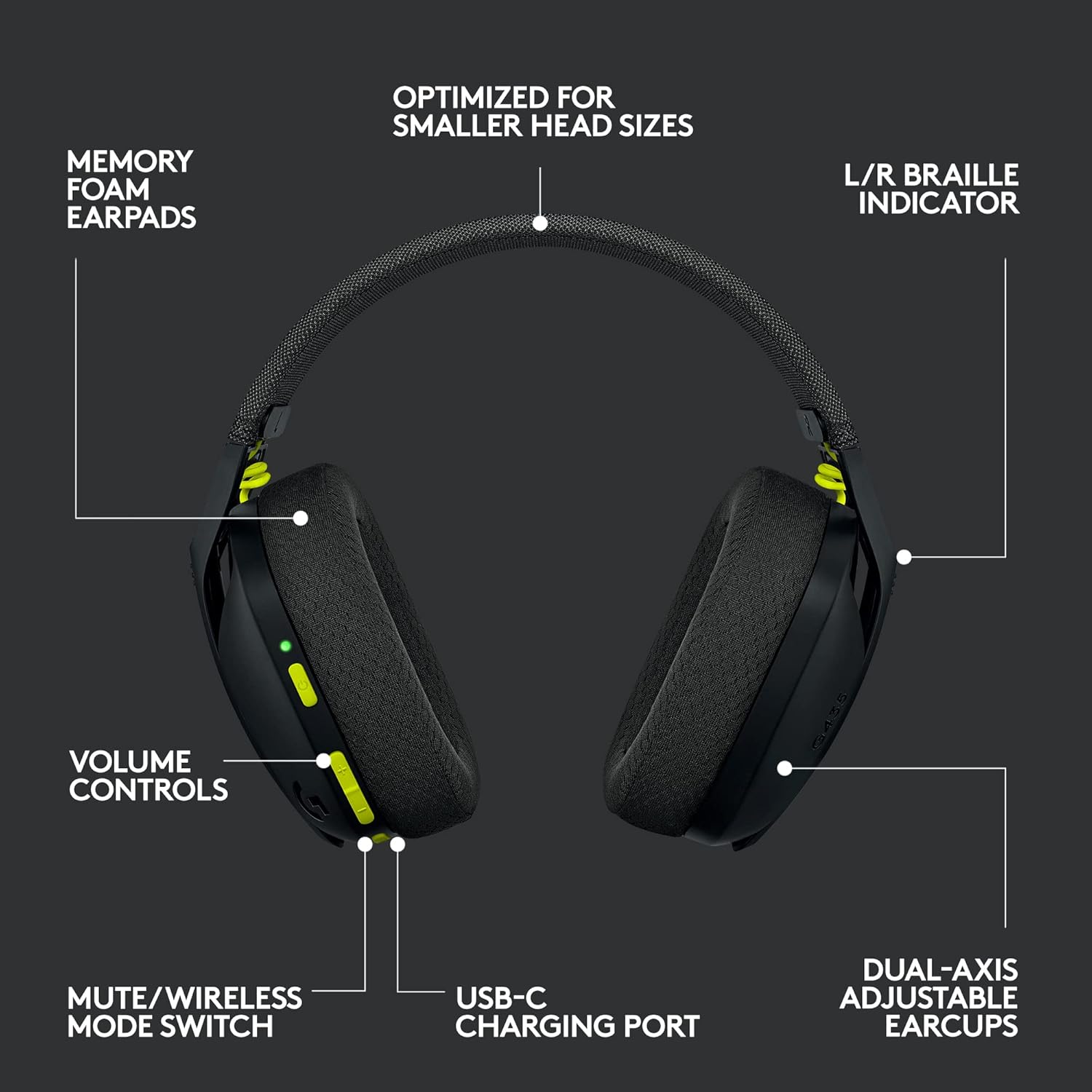
Image: A detailed diagram highlighting the various controls and features of the Logitech G435 headset, including volume controls, mute/wireless mode switch, USB-C charging port, and dual-axis adjustable earcups.
Audio Features
Experience high-fidelity audio with the G435 headset:
- 40 mm Audio Drivers: Deliver clear and balanced sound for gaming and media.
- Dolby Atmos, Tempest 3D AudioTech, and Windows Sonic Compatibility: Provides an immersive surround sound experience on supported platforms.
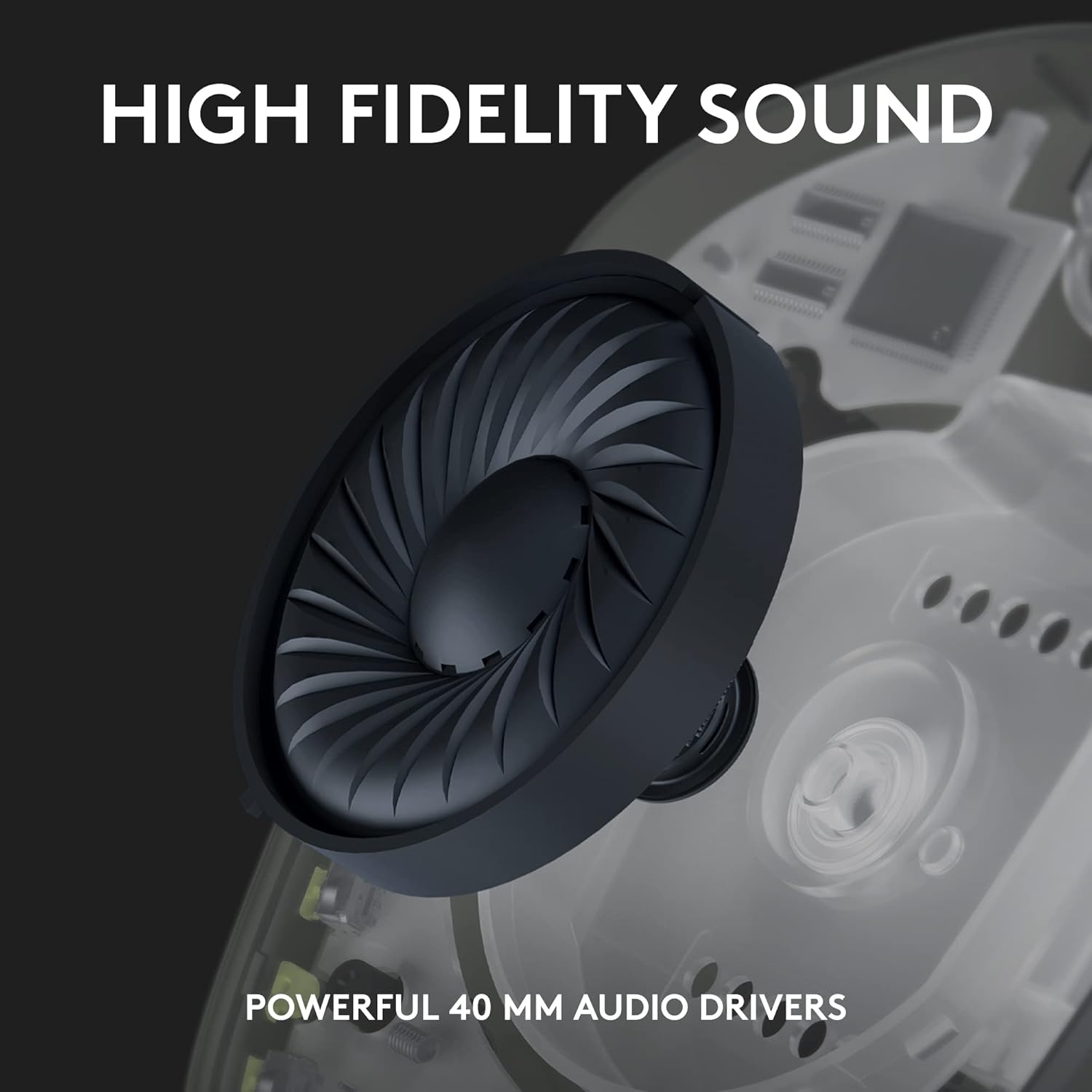
Image: A cutaway view of the Logitech G435 earcup, emphasizing the powerful 40mm audio drivers responsible for high-fidelity sound.
Microphone Usage
The G435 features built-in dual beamforming microphones:
- These microphones eliminate the need for a traditional mic arm, offering a clean aesthetic.
- They are designed to reduce background noise, ensuring your voice is heard clearly during communication.
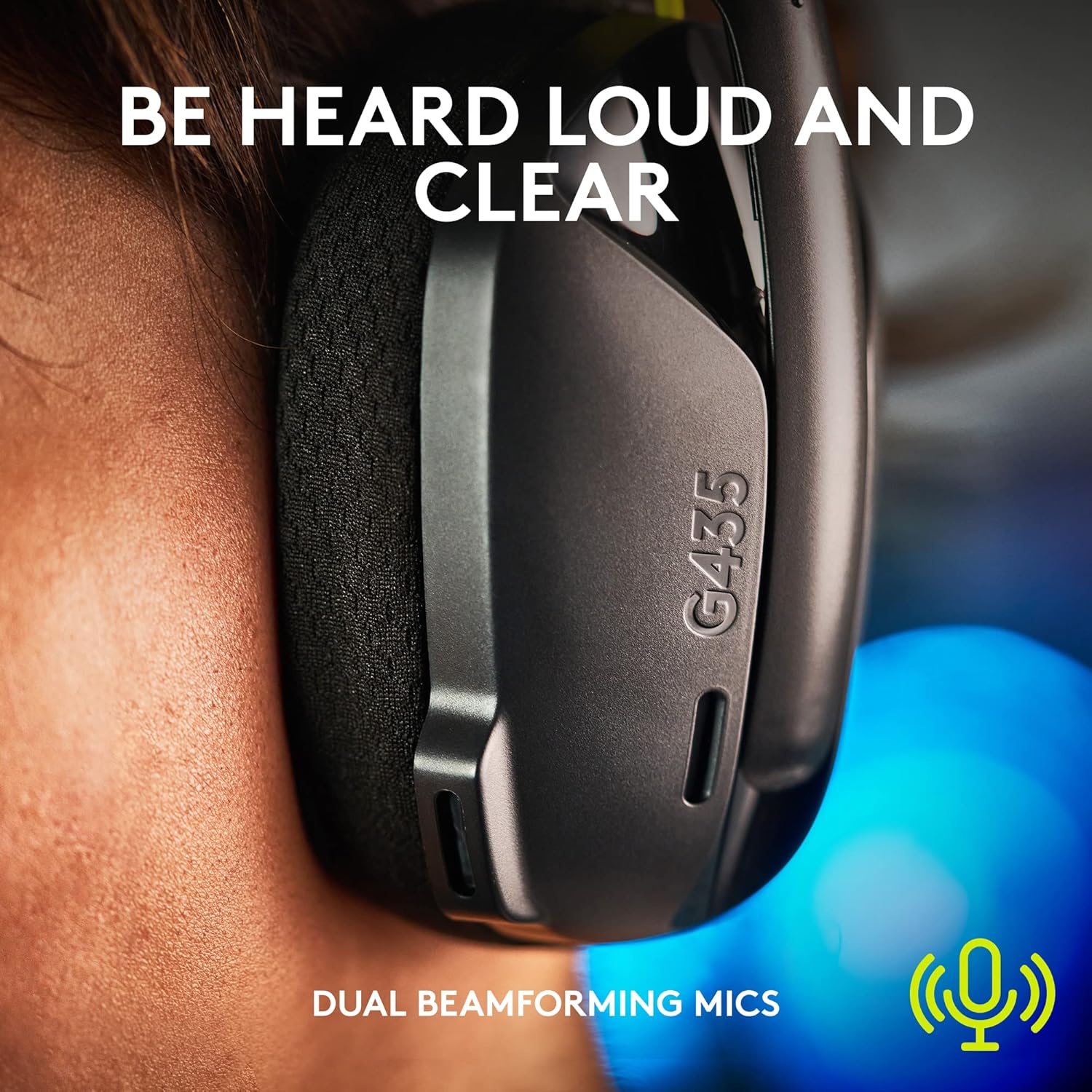
Image: A close-up shot of the Logitech G435 headset being worn, illustrating the discreet placement of the dual beamforming microphones for clear voice capture.
Battery Life
The G435 headset provides up to 18 hours of battery life on a single charge, allowing for extended gaming sessions, conversations, and music listening.

Image: The Logitech G435 headset held by hands, with an overlay indicating its 18 hours of comfortable play time and battery icon.
Volume Limiter
For hearing protection, an optional max volume limiter can be activated to keep audio output below 85 decibels during extended use. Refer to the official Logitech G software or documentation for instructions on enabling this feature.
Maintenance
Charging the Headset
To charge your G435 headset:
- Connect the included USB-C to USB-A charging cable to the USB-C port on the headset (located on the left earcup).
- Plug the USB-A end of the cable into a powered USB port (e.g., computer, wall adapter).
- The status indicator light will glow solid amber while charging and turn green when fully charged. A full charge takes approximately 2 hours.
Cleaning and Care
To ensure the longevity of your headset:
- Wipe the headset surfaces with a soft, dry cloth.
- Avoid using harsh chemicals or abrasive materials.
- Keep the headset away from extreme temperatures and moisture.
Troubleshooting
If you encounter issues with your Logitech G435 headset, try the following solutions:
| Problem | Possible Solution |
|---|---|
| No audio or microphone not working |
|
| Headset not pairing/connecting |
|
| Short battery life |
|
| Audio quality issues (e.g., low bass) |
|
Specifications
| Feature | Detail |
|---|---|
| Model Number | 981-001049 |
| Connectivity | LIGHTSPEED Wireless, Bluetooth 5.2 |
| Compatible Devices | PC (Windows 10 or later), Mac (macOS X 10.14 or later), PlayStation 5, PlayStation 4, Nintendo Switch, Smartphones |
| Audio Drivers | 40 mm Dynamic Drivers |
| Microphone | Dual Beamforming Mics (built-in) |
| Battery Life | Up to 18 hours |
| Charging Time | Approx. 2 hours |
| Weight | 5.8 ounces (165 g) |
| Frequency Response | 20 Hz - 20 kHz |
| Impedance | 45 Ohm |
| Wireless Range | Up to 10 meters (Bluetooth) |
| Material | Memory Foam, Plastic, Fabric |
| Recycled Content | Minimum 22% certified post-consumer recycled plastic in plastic parts |
Warranty and Support
For detailed warranty information and technical support, please refer to the official Logitech G website or the full User Manual PDF provided with your product. You can also find additional resources and FAQs online.
Official User Manual (PDF): Download Here
Related documents981-001049


Ask a question about this manual
Ask about setup, troubleshooting, compatibility, parts, safety, or missing instructions. Manuals+ will review the question and use this page’s manual context to help answer it.