
1. Introduction
The PULITUO 12V Cordless Drill Driver Set is a versatile and powerful tool designed for a wide range of drilling and driving tasks around the home and workshop. Its compact and ergonomic design ensures comfortable handling and precise control. This manual provides essential information for safe and effective use of your new drill.

Image: Overview of the PULITUO 12V Cordless Drill Kit highlighting its main features.
2. Package Contents
Your PULITUO Cordless Drill Driver Set comes with a comprehensive collection of tools and accessories to meet various drilling and driving needs. Please verify all items are present upon unboxing:
- 1x PULITUO 12V Cordless Drill
- 1x 12V 2000mAh Lithium-ion Battery
- 1x Fast Charger Cable
- 1x Flexible Shaft (200mm)
- 30x Screw Bits (various types and sizes)
- 1x Extend Bar (60mm)
- 9x Drill Bits (for wood, metal, and construction materials)
- 2x Drill Brush Attachments
- 1x Tapeline (10ft)
- 1x Storage Bag

Image: All components included in the PULITUO Cordless Drill Driver Set.
3. Product Overview
Familiarize yourself with the key parts of your PULITUO Cordless Drill:

Image: Labeled components of the PULITUO Cordless Drill.
- 3/8" Keyless Chuck: For quick and easy bit changes.
- 21+3 Adjustment Torque Clutch: Allows precise torque control for various applications.
- Variable Speed Switch: Select between high and low-speed modes.
- LED Light: Illuminates the work area for improved visibility.
- Stepless Speed Trigger: Provides variable speed control based on pressure.
- Forward/Reverse Switch: Changes the rotation direction for driving and removing screws.
- Soft Grip Handle: Ergonomically designed for comfortable and secure handling.
- 12V Li-ion Battery: Provides portable power for cordless operation.
4. Setup
4.1 Charging the Battery
Before first use, fully charge the 12V Lithium-ion battery. Connect the charger cable to the battery and plug it into a standard power outlet. The indicator light on the charger will show the charging status. A full charge typically takes a few hours.
4.2 Installing/Changing Drill Bits
- Ensure the drill is turned off and the forward/reverse switch is in the center (locked) position.
- Twist the keyless chuck counter-clockwise to open the jaws.
- Insert the desired drill bit or screwdriver bit into the chuck, ensuring it is seated firmly.
- Twist the chuck clockwise to tighten the jaws securely around the bit.
- To remove, twist the chuck counter-clockwise until the bit can be pulled out.
Video: Demonstrates how to install and change drill bits in the PULITUO Cordless Drill's keyless chuck.
5. Operating Instructions
5.1 Variable Speed and Torque Settings
The drill features a 2-variable speed setting (0-400 RPM for low speed, 0-1300 RPM for high speed) and a 21+1+1 clutch with a maximum torque of 35 N.m (310 In.lbs). This allows for precise control over drilling and driving applications.
- Speed Switch: Use the switch on top of the drill to select between low speed (for higher torque applications like driving screws) and high speed (for faster drilling).
- Torque Collar: Rotate the collar behind the chuck to adjust the torque setting. Lower numbers are for smaller screws and softer materials, while higher numbers provide more torque for larger screws and harder materials. The "Drill" setting bypasses the clutch for maximum power. The "Hammer" setting is for impact drilling into masonry.

Image: Illustration of the 2-speed setting and powerful motor.

Image: Detailed view of the 21+3 torque setting and mode selection.
5.2 Forward/Reverse and LED Light
- Forward/Reverse Switch: Located above the trigger, push it left for forward rotation (driving screws, drilling) and right for reverse rotation (removing screws). Center position locks the trigger for safety.
- Built-in LED Light: The integrated LED light automatically illuminates when the trigger is pressed, providing visibility in dimly lit work areas.
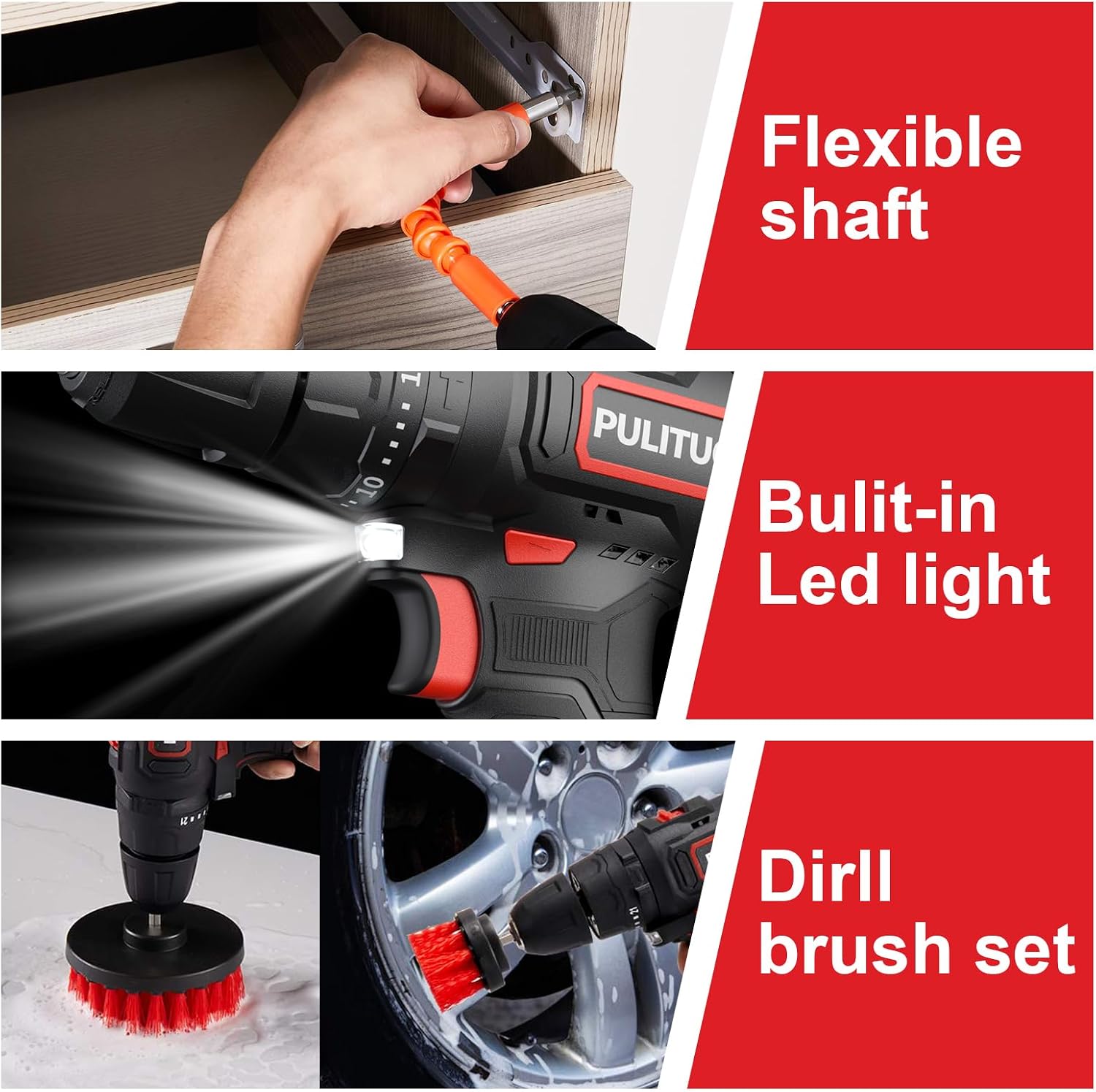
Image: Demonstrates the flexible shaft, LED light, and drill brush set.
5.3 Applications and Accessories
The PULITUO drill is suitable for various materials and tasks:
- Drilling: Use appropriate drill bits for wood, metal, or construction materials. Select the high-speed setting for efficient drilling.
- Screwdriving: Use the included screw bits and adjust the torque setting to prevent over-driving or stripping screws. The flexible shaft and extend bar are ideal for hard-to-reach areas.
- Cleaning: Attach the provided drill brush set for effective cleaning of various surfaces like bathtubs, floors, toilets, or even car wheels.

Image: Different drill bits for wood, metal, and cement applications.
6. Maintenance
Regular maintenance ensures the longevity and optimal performance of your drill:
- Cleaning: After each use, wipe down the drill with a clean, dry cloth to remove dust and debris. Do not use harsh chemicals or abrasive cleaners.
- Battery Care: Store the battery in a cool, dry place away from direct sunlight. Avoid fully discharging the battery before recharging to prolong its lifespan.
- Storage: Store the drill and all accessories in the provided storage bag to protect them from damage and keep them organized.
7. Troubleshooting
If you encounter any issues with your PULITUO Cordless Drill, please refer to the following common solutions:
- Drill not turning on: Ensure the battery is fully charged and properly inserted. Check the forward/reverse switch is not in the center (locked) position.
- Bit slipping in chuck: Ensure the chuck is tightened securely around the bit. The bit shank should be clean and free of oil or debris.
- Reduced power/speed: The battery may be low on charge. Recharge the battery. Ensure the correct speed setting is selected for the task.
- Overheating: Allow the drill to cool down if it becomes excessively hot during prolonged use. Avoid continuous heavy-duty applications without breaks.
IMPORTANT: If you have any problem with the drill or accessory you received that cannot be resolved with the above steps, please kindly contact PULITUO customer support for assistance.
8. Specifications
| Brand | PULITUO |
| Power Source | Battery Powered |
| Voltage | 12 Volts |
| Battery Capacity | 2000 Milliamp Hours (2.0Ah) |
| Battery Cell Type | Lithium Ion |
| Maximum Rotational Speed | 1300 RPM |
| Number of Speeds | 2 (0-400 RPM / 0-1300 RPM) |
| Maximum Torque | 35 Newton Meters (310 In.lbs) |
| Clutch Settings | 21+1+1 (Screwdriver, Drill, Hammer Drill) |
| Maximum Chuck Size | 10 Millimeters (3/8 inch) |
| Drilling Capacity (Wood) | 0.5 Inches |
| Material | Metal (housing components) |
| Item Weight | 4.69 pounds (approx.) |
| Product Dimensions | 11"L x 4"W x 12"H (approx.) |
| Special Features | Variable Speed, Built-in LED Light, Ergonomic Design |
9. Warranty and Support
PULITUO is committed to providing high-quality products and customer satisfaction. If you encounter any issues with your drill or its accessories, please do not hesitate to contact our customer support team. We are here to help you right away.
For support, please refer to the contact information provided with your product packaging or visit the official PULITUO website.