
Introduction
This manual provides essential information for the safe and efficient use of your Indesit BTW L72200 IT/N top-load washing machine. Please read these instructions carefully before installation, operation, or maintenance. Keep this manual for future reference.
Safety Instructions
Always follow basic safety precautions when using electrical appliances to reduce the risk of fire, electric shock, or injury to persons.
- Ensure the appliance is properly grounded.
- Do not allow children to play on or in the appliance.
- Unplug the appliance before performing any maintenance or cleaning.
- Do not operate the appliance if it is damaged or malfunctioning.
- Keep flammable materials away from the appliance.
Setup and Installation
1. Unpacking
Carefully remove all packaging materials. It is crucial to remove the transit bolts located at the rear of the machine before use. Failure to do so can cause significant damage during operation.
2. Placement
Place the washing machine on a firm, level floor. Adjust the feet to ensure stability and prevent vibrations. Ensure there is adequate ventilation around the appliance.

Image: The Indesit BTW L72200 IT/N washing machine positioned in a typical laundry room environment, demonstrating appropriate placement.
3. Water Connection
Connect the water inlet hose to a cold water tap with a 3/4" thread. Ensure the hose is securely fastened to prevent leaks. Position the drain hose into a standpipe or over the edge of a sink, ensuring it is not kinked or obstructed.
4. Electrical Connection
Plug the power cord into a grounded electrical outlet. Ensure the voltage and frequency match the specifications of your appliance. Do not use extension cords or adapters.
5. First Use
Before washing clothes, run an empty wash cycle at 60°C without detergent to clean the drum and remove any manufacturing residues.

Image: An angled view of the Indesit BTW L72200 IT/N top-load washing machine, showcasing its compact design.
Operating Instructions
1. Control Panel Overview
The control panel features a program selector knob, function buttons, and indicator lights. Familiarize yourself with these controls before starting a wash cycle.
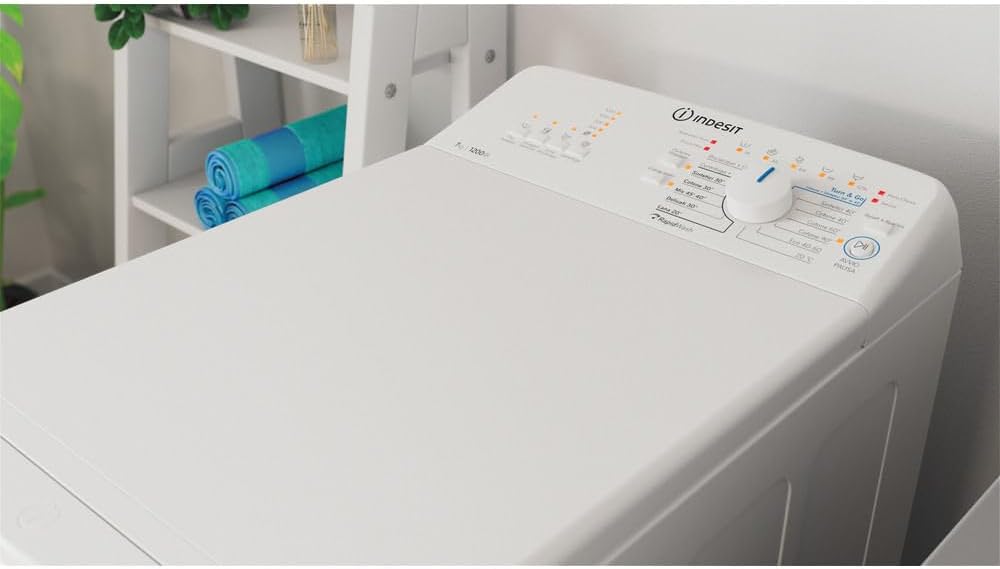
Image: A detailed close-up of the washing machine's control panel, showing the program selector, buttons, and display.
2. Loading Laundry
Open the top lid and the drum flaps. Load laundry evenly into the drum, ensuring not to overload the machine. Leave enough space for clothes to tumble freely.
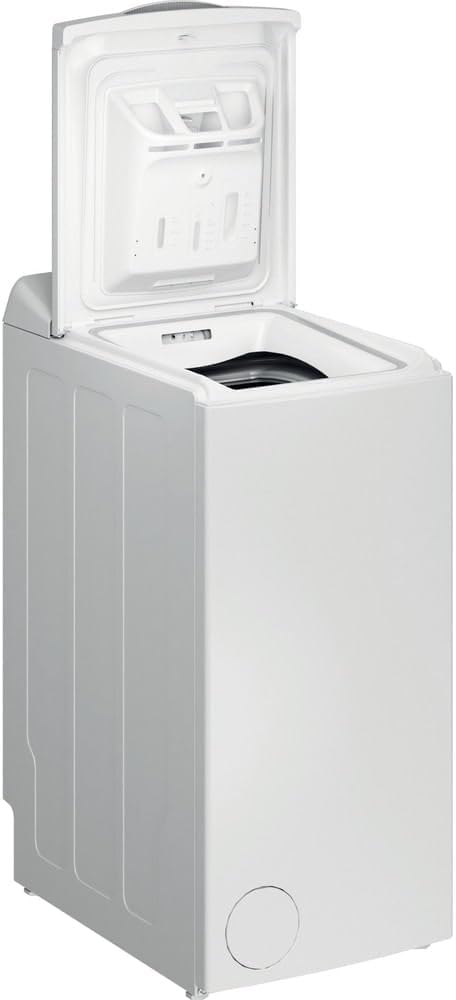
Image: The Indesit BTW L72200 IT/N washing machine with its top lid fully open, providing access to the washing drum.
3. Adding Detergent
Add the appropriate amount of detergent and fabric softener to the dispenser compartments. Refer to your detergent packaging for recommended dosages.
4. Selecting a Program
Turn the program selector knob to choose the desired wash program based on fabric type and soil level. Consult the program chart (usually found inside the detergent drawer or lid) for detailed information on each program.
5. Starting and Pausing a Cycle
Press the 'Start/Pause' button to begin the wash cycle. To pause a running cycle, press the 'Start/Pause' button again. Press it once more to resume.
6. End of Cycle
At the end of the cycle, the machine will signal with an audible alert or indicator light. Open the lid and remove your laundry promptly to prevent wrinkles and odors.
Maintenance and Care
1. Cleaning the Detergent Dispenser
Regularly remove and clean the detergent dispenser drawer to prevent residue buildup. Rinse it under running water and reinsert it.
2. Cleaning the Filter
The filter should be cleaned periodically to ensure proper drainage. Refer to the specific instructions in your full manual for accessing and cleaning the filter, typically located at the bottom front of the machine.
3. Cleaning the Exterior
Wipe the exterior of the washing machine with a soft, damp cloth. Do not use abrasive cleaners or solvents.
4. Drum Care
To prevent odors, leave the top lid slightly ajar after each wash to allow the drum to air dry. Periodically run a maintenance wash with a washing machine cleaner.
Troubleshooting
If you encounter issues with your washing machine, consult the following common problems and solutions:
- Machine does not start: Check if the power cord is plugged in, the door is closed properly, and the 'Start/Pause' button has been pressed.
- No water filling: Ensure the water tap is open and the water inlet hose is not kinked. Check for water supply interruptions.
- Water not draining: Inspect the drain hose for kinks or blockages. Clean the pump filter.
- Excessive vibration/noise: Verify that the transit bolts have been removed. Ensure the machine is level and all four feet are firmly on the floor. Check if the load is balanced inside the drum.
- Detergent residue: Ensure you are using the correct amount of detergent and that the dispenser is clean.
For more complex issues or error codes, refer to the comprehensive troubleshooting section in your full product manual or contact customer support.
Specifications
| Feature | Specification |
|---|---|
| Brand | Indesit |
| Model | BTW L72200 IT/N |
| Capacity | 7 Kilograms |
| Access Location | Top Load |
| Product Dimensions (H x W x D) | 90 x 40 x 60 cm |
| Item Weight | 40 Kilograms |
| Cycle Options | Quick Wash, various others |
| Human Interface Input | Buttons |
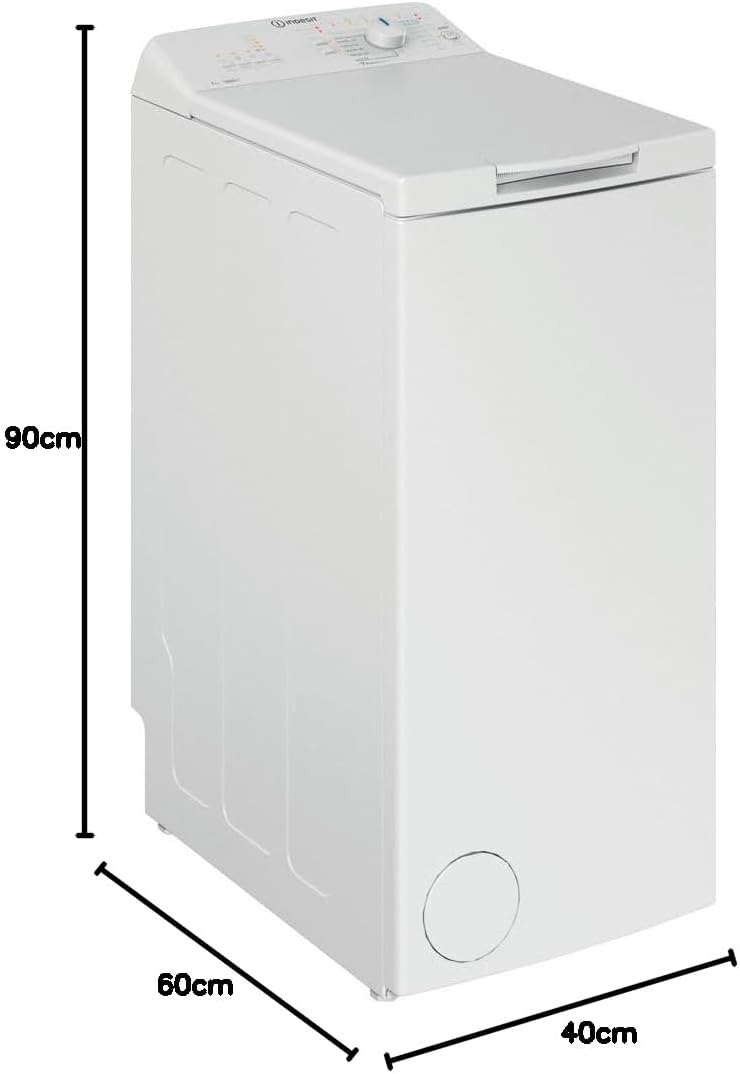
Image: A diagram illustrating the height (90cm), width (40cm), and depth (60cm) of the Indesit BTW L72200 IT/N washing machine.
Warranty and Support
Your Indesit BTW L72200 IT/N washing machine comes with a manufacturer's warranty. Please refer to the warranty card included with your purchase for specific terms and conditions, including the warranty period and coverage details.
For technical assistance, spare parts, or to schedule a service appointment, please contact Indesit customer support. Contact information can typically be found on the manufacturer's official website or in the documentation provided with your appliance.