
1. Introduction
Thank you for purchasing the Wurkkos TS30S PRO High-Power LED Flashlight. This manual provides essential information for the safe and efficient use of your new flashlight. The TS30S PRO is a powerful and versatile flashlight designed for various outdoor activities such as camping, hiking, searching, and patrolling. It features a high-brightness LED, long beam distance, USB-C recharging, and an RGB auxiliary side switch.

Image: Wurkkos TS30S PRO highlighting its powerful features.
2. Safety Information
- Eye Safety: Do not shine the flashlight directly into eyes or at other people. The high intensity light can cause temporary vision impairment or permanent eye damage.
- Heat: The flashlight can become hot during prolonged use, especially at high brightness levels. Handle with care to avoid burns.
- Battery Safety: Use only recommended batteries. Incorrect battery types or improper installation can cause damage or explosion. Keep batteries away from children.
- Water Resistance: The TS30S PRO is IP68 rated for water resistance. Ensure all caps and seals are properly closed before exposing to water. Do not submerge deeper than 2 meters.
- Children: Keep out of reach of children. This is not a toy.
3. Package Contents
Please check the package contents upon receipt:
- Wurkkos TS30S PRO Flashlight
- 21700 Lithium-ion Battery (5000mAh)
- USB-C Charging Cable
- Lanyard
- Spare O-rings
- User Manual
4. Setup
4.1 Battery Installation
- Unscrew the tail cap of the flashlight.
- Insert the included 21700 battery with the positive (+) end facing towards the head of the flashlight.
- Screw the tail cap back on tightly to ensure proper contact and water resistance.
4.2 Initial Charging
Before first use, fully charge the battery.
- Locate the USB-C charging port on the side of the flashlight, usually covered by a rubber flap.
- Open the rubber flap and connect the USB-C cable to the port.
- Connect the other end of the USB-C cable to a USB power source (e.g., adapter, power bank, computer).
- The indicator light on the side switch will show charging status. It typically takes about 3.5 hours for a full charge.
- Once charging is complete, disconnect the cable and securely close the rubber flap to maintain water resistance.

Image: USB-C charging port and charging in progress.
5. Operating Instructions
The TS30S PRO uses the Anduril 2.0 user interface, offering extensive customization. Below are basic operations.
5.1 Basic Operation (Anduril 2.0)
- Turn On/Off: Single click the side switch to turn the flashlight on or off.
- Brightness Adjustment: When on, press and hold the side switch to ramp up or down the brightness. Release to select the desired level.
- Turbo Mode: From ON, double-click to activate Turbo mode (6000 lumens). Double-click again to return to the previous brightness.
- Moonlight Mode (H1): From OFF, press and hold the switch for 1 second to enter Moonlight mode (1 lumen).
- Electronic Lock-out: From OFF, click 4 times to activate electronic lock-out. The main light will flash once to confirm. To unlock, click 4 times again. This prevents accidental activation.
- Battery Check: From OFF, click 3 times to check battery voltage (e.g., 3 flashes, pause, 8 flashes = 3.8V).

Image: Visual representation of different brightness levels (H1-H8).
5.2 RGB Auxiliary Side Switch
The side switch features an RGB auxiliary light with 7 lighting colors. This can help locate the flashlight in the dark and provides additional visual cues.
- Change RGB Color/Mode: From OFF, click 7 times to cycle through different RGB colors and modes (Off/Low/High/Strobe).

Image: RGB auxiliary light on the side switch showing various color options.
6. Charging
The Wurkkos TS30S PRO features a convenient USB-C direct charging port. This allows for quick and easy recharging of the included 21700 battery without needing an external charger.
- Charging Time: Approximately 3.5 hours for a full charge.
- Indicator: The side switch LED indicates charging status. Refer to the specific Anduril 2.0 manual for detailed indicator behavior.
- Power Source: Compatible with standard USB-A to USB-C cables and 5V USB power adapters.
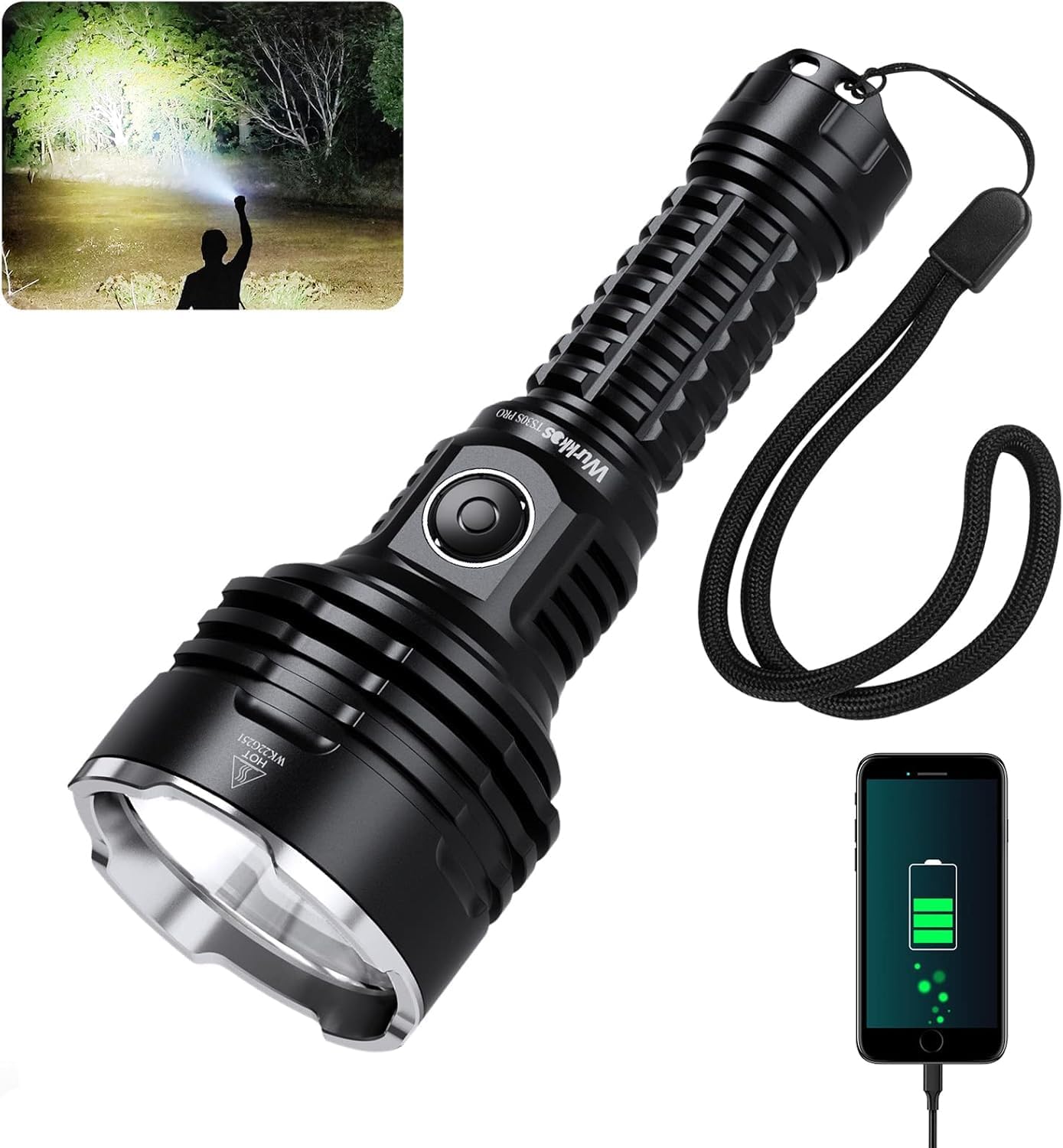
Image: Flashlight being charged via USB-C.
7. Maintenance
- Cleaning: Clean the flashlight body with a soft, damp cloth. Do not use abrasive cleaners or solvents.
- Threads and O-rings: Periodically lubricate the threads and O-rings with silicone grease to maintain water resistance and smooth operation. Replace O-rings if they appear damaged.
- Battery Care: If the flashlight will not be used for an extended period, remove the battery to prevent leakage. Store batteries in a cool, dry place.
- Lens: Keep the lens clean to ensure maximum light output. Use a lens cleaning cloth if necessary.

Image: Structure display of the flashlight components.
8. Troubleshooting
- Flashlight not turning on:
- Ensure the battery is inserted correctly with the positive (+) end towards the head.
- Check if the tail cap is screwed on tightly.
- The battery might be depleted; try charging it.
- The flashlight might be in electronic lock-out mode. Click 4 times from OFF to unlock.
- Light output is weak or flickering:
- The battery level might be low; recharge the battery.
- Clean the battery contacts and threads.
- Flashlight gets hot quickly:
- This is normal when using high brightness modes (e.g., Turbo). The flashlight has thermal regulation to prevent overheating.
- Ensure proper ventilation during use.
- Charging not working:
- Check the USB-C cable and power source. Try a different cable or adapter.
- Ensure the charging port is clean and free of debris.
9. Specifications
The following specifications are based on tests according to international flashlight testing standards (ANSI/NEMA FL1) in our laboratory. Results may vary with different batteries or under different environmental conditions.
| Feature | Value |
|---|---|
| Model | TS30S PRO |
| Light Source Type | LED (LUMINUS SBT-90 GEN2 LED) |
| Max Luminous Flux | 6000 Lumens |
| Max Beam Distance | 1086 meters |
| Power Source | Battery Powered |
| Battery Type | Lithium Ion (1x 21700 included) |
| Charging | USB-C Rechargeable |
| Water Resistance | IP68 (underwater less than 2 meters) |
| Impact Resistance | 1 meter / 3.28 feet |
| Dimensions (D x W x H) | 120mm (Length) x 40mm (Width) x 40mm (Height) |
| Color | Black |
| Special Features | RGB Aux Side Switch, High Power |
| UPC | 791568538165 |

Image: Detailed performance specifications table for various modes.

Image: Flashlight demonstrating IP68 waterproof rating in rainy conditions.
10. Warranty and Support
Wurkkos products are manufactured to high quality standards. For warranty information, technical support, or any questions regarding your TS30S PRO flashlight, please contact Wurkkos customer service through the retailer where you purchased the product or visit the official Wurkkos website.
Please retain your proof of purchase for warranty claims.


