
1. Product Overview
The WAC Lighting Blitzen 54" Smart Ceiling Fan (Model F-060-MB) is designed for both indoor and outdoor applications, featuring a sleek matte black finish and a durable construction. This fan integrates advanced smart technology for convenient control and energy efficiency.
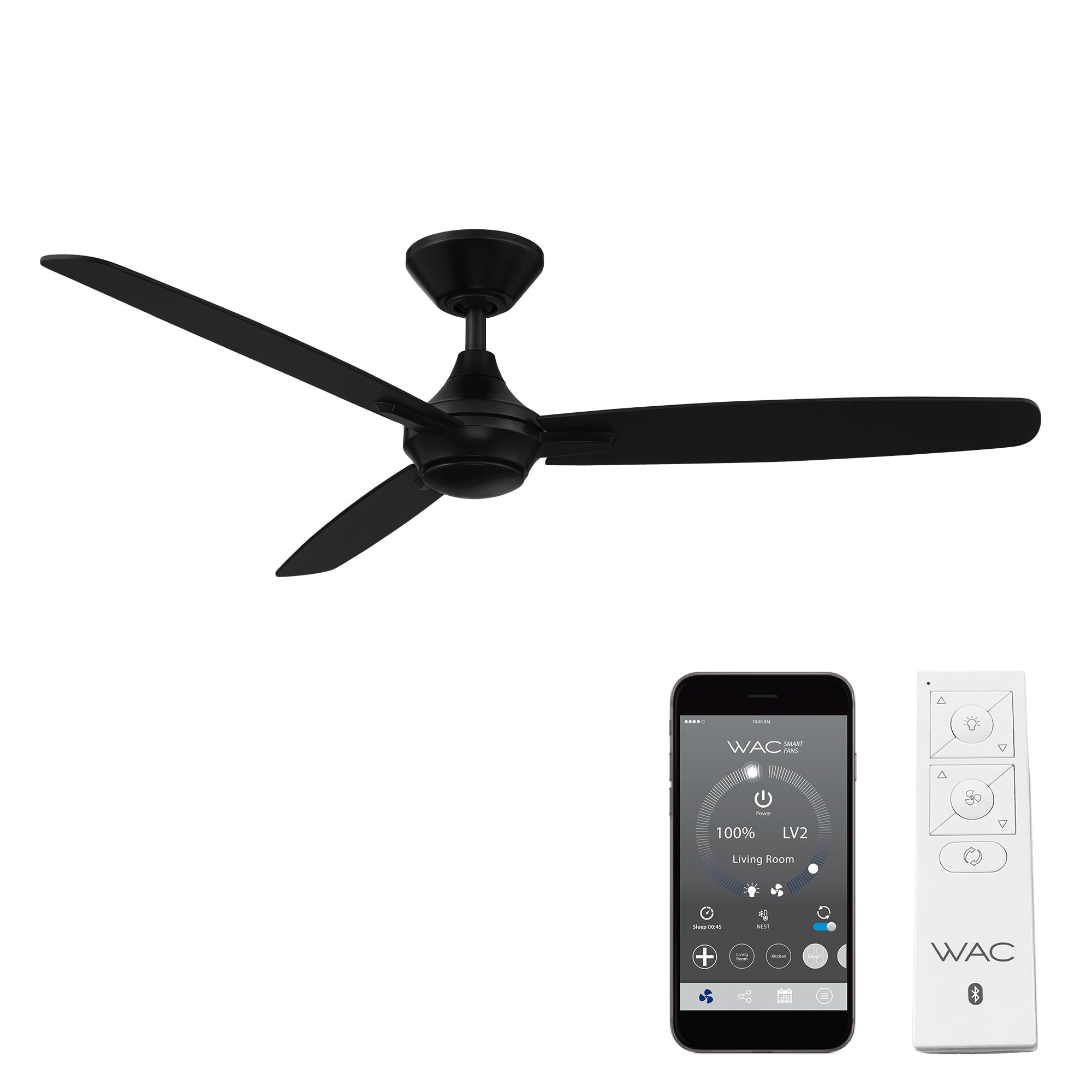
Image: The WAC Lighting Blitzen 54" Smart Ceiling Fan in Matte Black, showcasing its minimalist design.
Key Features:
- Smart Control: Compatible with the WAC Smart Fan app (iOS/Android), Google Assistant, Amazon Alexa, and Samsung SmartThings.
- Energy Efficient: Features a super-quiet DC motor, up to 70% more efficient than traditional AC fans, and is Energy Star rated.
- Durable Construction: Three ABS material blades are weather-resistant, suitable for wet locations (indoor/outdoor).
- Versatile Operation: Includes a battery-operated Bluetooth remote control with a wall cradle. Offers 6 fan speeds and a reverse function for year-round air circulation.
- Sleek Design: Matte black finish with a 54-inch sweep for a modern aesthetic.
2. Setup and Installation
The WAC Lighting Blitzen Smart Ceiling Fan is designed for straightforward installation. It includes a 6-inch downrod and mounting hardware. Ensure you follow all local electrical codes and safety guidelines during installation. Professional installation is recommended if you are unfamiliar with electrical wiring.

Image: The Blitzen fan showing the included 4.5-inch downrod. Longer downrods are sold separately.
Installation Steps (Summary):
- Safety First: Turn off power at the circuit breaker before beginning installation.
- Mounting Bracket: Securely attach the mounting bracket to the ceiling junction box.
- Assemble Fan: Attach the downrod to the motor housing and feed electrical wires through the downrod.
- Hang Fan: Carefully hang the fan assembly onto the mounting bracket.
- Wiring: Connect the electrical wires according to the provided wiring diagram in the full instruction manual.
- Attach Blades: Securely attach the three fan blades to the motor housing.
- Power On: Restore power and test the fan's operation.
For detailed installation instructions, refer to the complete manual included with your product.
3. Operating Instructions
The Blitzen Smart Ceiling Fan offers multiple control options for your convenience.
Remote Control:
The fan comes with a battery-operated Bluetooth remote control (Part # RC20-WT) and a wall cradle for easy storage. The remote allows you to:
- Turn the fan on/off.
- Adjust fan speed (6 settings).
- Control light brightness (if a light kit is installed).
- Switch between summer and winter modes (reverse function).

Image: The included Bluetooth remote control for the WAC Smart Fan.
WAC Smart Fan App:
Download the WAC Smart Fan app from the iOS App Store or Google Play Store to unlock advanced features and control your fan from your smartphone or tablet.
- Full control of fan speed and light brightness.
- Access smart features like Breeze Mode and Adaptive Learning.
- Create groups for controlling multiple fans.
- Schedule fan operation.

Image: The WAC Smart Fan app interface on a smartphone, demonstrating advanced controls and features.
Smart Home Integration:
Integrate your WAC Smart Fan with popular smart home ecosystems for voice control and enhanced automation:
- Amazon Alexa
- Google Assistant
- Samsung SmartThings
- Ecobee

Image: Smart home integration icons, indicating compatibility with various platforms.
Video: An overview of WAC Smart Fans, highlighting their features and smart capabilities.
Video: A detailed look at the WAC Blitzen Smart Ceiling Fan, demonstrating its design and functionality.
4. Maintenance
To ensure optimal performance and longevity of your WAC Lighting Blitzen Smart Ceiling Fan, follow these general maintenance guidelines:
- Cleaning: Regularly wipe down the fan blades and motor housing with a soft, damp cloth. Avoid abrasive cleaners that may damage the finish.
- Blade Inspection: Periodically check that all blade screws are tight and secure.
- Motor: The DC motor is designed for long-term, quiet operation and typically requires no internal maintenance.
- Wet Location Care: For outdoor or wet location installations, ensure the fan is kept clean and free of debris to prevent buildup that could affect performance.
The fan is factory-balanced and sound-tested to prevent wobbling or rattling. If any issues arise, refer to the troubleshooting section or contact customer support.
5. Troubleshooting
If you encounter any issues with your WAC Lighting Blitzen Smart Ceiling Fan, consult the following common troubleshooting tips:
- Fan Does Not Operate:
- Check if the circuit breaker is on.
- Ensure all wiring connections are secure.
- Verify the remote control batteries are functional and correctly inserted.
- Fan Wobbles:
- Confirm all blade screws are tightened.
- Ensure the mounting bracket is securely fastened to the ceiling.
- Check for any bent or damaged blades.
- Remote Control Not Responding:
- Replace remote control batteries.
- Ensure the remote is within range of the fan.
- Re-pair the remote with the fan according to the full manual's instructions.
- Smart App Connectivity Issues:
- Ensure your Wi-Fi network is active and the fan is within range.
- Restart your router and the fan (by turning off/on power at the breaker).
- Check for app updates.
For more complex issues or if troubleshooting steps do not resolve the problem, please contact WAC Lighting customer support.
6. Specifications
| Feature | Detail |
|---|---|
| Brand | WAC Lighting |
| Model Number | F-060-MB |
| Model Name | Blitzen |
| Color | Matte Black |
| Product Dimensions | 54"D x 54"W x 12.3"H |
| Blade Length | 54 Inches |
| Number of Blades | 3 |
| Blade Material | Resin Coated |
| Power Source | AC/DC |
| Voltage | 120 Volts |
| Wattage | 31.5 watts |
| Number of Speeds | 6 |
| Air Flow Capacity | 6034 Cubic Feet Per Minute |
| Noise Level | 15 Decibels |
| Indoor/Outdoor Usage | Indoor, Outdoor (Wet Location Listed) |
| Controller Type | App Control, Button Control, Remote Control, Voice Control |
| Special Features | 6 Speed Brushless Silent and Energy Star Certified Efficient DC Motor, App Operable, Smart Home Enabled (Alexa, Google Assistant, Ecobee, Samsung Smart Things) |
| Certifications | CSA, Energy Star, FCC, UL, cUL |

Image: Dimensional drawing of the WAC Lighting Blitzen 54" Smart Ceiling Fan.
7. Warranty and Support
WAC Lighting provides comprehensive warranty coverage for your Blitzen Smart Ceiling Fan:
- Motor Warranty: Lifetime warranty on the DC motor.
- Parts Warranty: 5-year warranty for all other parts.
For technical support or warranty claims, please contact WAC Lighting customer service. All tech support is provided and fully based in the US.
Contact Information:
- Phone: 1-866-810-6615 (Option 1)
- Hours: Monday-Friday, 8 AM - 8 PM EST
- Website: waclighting.com

Image: WAC Lighting's commitment to American engineering and customer support.


