
Introduction
This manual provides comprehensive instructions for the installation, operation, and maintenance of your WAC Smart Fans Clean Indoor and Outdoor 3-Blade Smart Ceiling Fan. This fan is designed for both indoor and outdoor applications, featuring smart control capabilities and energy-efficient operation.
The WAC Smart Fan offers advanced features including app control, integration with smart home systems like Amazon Alexa and Google Assistant, and a highly efficient DC motor for quiet and powerful air circulation.

Image: The WAC Smart Fan, showcasing its sleek design, included remote control, and the smartphone application interface for smart control.
Setup and Installation
Proper installation is crucial for the safe and optimal performance of your ceiling fan. Please refer to the detailed Installation Manual (PDF) for step-by-step instructions. Ensure all components listed below are present before beginning installation.
Included Components:
- Fan Blades
- Motor
- Smart Receiver
- Light Kit
- Mounting Hardware
- 6-inch Downrod
- Remote Control
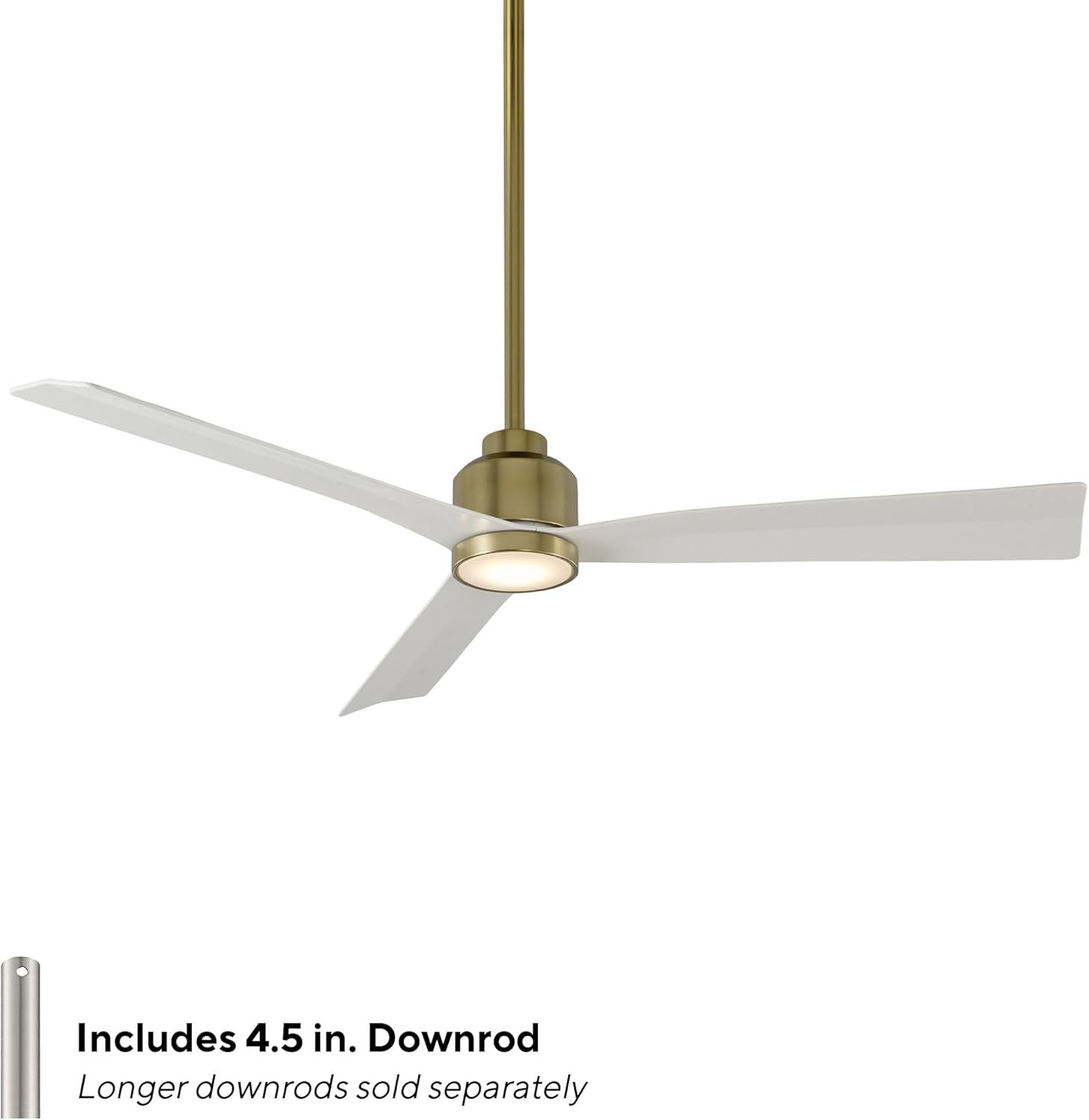
Image: The WAC Smart Fan illustrating the included 6-inch downrod. Longer downrods are sold separately for higher ceilings.
Important: The smart receiver, often referred to as the "brain box," needs to be securely tucked into the fan's mounting bracket during installation. Ensure proper wire connections as per the installation manual to avoid operational issues.
Operating Instructions
Your WAC Smart Fan can be controlled via the included Bluetooth remote control or the WAC Smart Fan mobile application.
Remote Control Operation:
The battery-operated Bluetooth remote control (Part # RC20-WT) allows for convenient control of fan speed and light functions. It has an improved range and can control multiple fans within range. An optional Bluetooth hardwired wall control (Part# WC20-WT) is sold separately.


Image: The WAC Smart Fan remote control and an optional wall control for traditional operation.
Note: When using a wall switch to power the fan, allow a few seconds for the fan to boot up. The fan will revert to its previous settings upon power restoration.
WAC Smart Fan App Control:
Download the free WAC Smart Fan app from the Google Play Store or Apple App Store to unlock full smart features and control your fan from your iOS or Android device.


Image: The WAC Smart Fan mobile application interface, providing advanced control options.
The app allows you to:
- Control fan speed (6 levels)
- Adjust light brightness (if equipped)
- Utilize smart features like Breeze Mode (simulates natural breeze)
- Set 7/365 day scheduling
- Enable Adaptive Learning
- Create fan groups
- Monitor and reduce energy costs
Smart Home Integration:
The WAC Smart Fan seamlessly integrates with popular smart home ecosystems, allowing for voice control and advanced automation.
- Amazon Alexa
- Google Assistant
- Samsung SmartThings
- Ecobee
- Control4
- JOSH.ai

Image: A smart home speaker, representing the fan's compatibility with various smart home systems.
The fan also features a reversible motor for year-round use, providing a cooling downdraft in summer and an updraft to circulate warm air in winter.

Image: Diagram illustrating the fan's reversible airflow for optimal comfort in both summer and winter seasons.
Maintenance
To ensure the longevity and optimal performance of your WAC Smart Fan, follow these general maintenance guidelines:
- Cleaning: The fan blades and motor housing can be cleaned with a soft, damp cloth. Avoid using harsh chemicals or abrasive cleaners. Refer to the care instructions for specific details, which recommend "Hand Wash" for cleaning.
- Blade Durability: The high-quality ABS blades are designed to resist drooping or sagging over time.
- Motor: The incredibly efficient and silent DC motor is designed for long-term reliability.
Troubleshooting
For common issues and solutions, please consult the comprehensive Troubleshooting Guide (PDF). Below are some general tips for common concerns:
- Fan Not Responding: Ensure the fan has power and the remote control batteries are functional. If using a wall switch, allow a few seconds for the fan's smart receiver to boot up.
- App Connectivity Issues: Ensure your mobile device is connected to Wi-Fi and the fan is within range. Restarting the app or the fan's power may resolve connectivity problems.
- Wobbling or Noise: Each fan is factory-balanced and sound-tested to prevent wobbling, rattling, or clicking. If you experience these issues, re-check the mounting and ensure all screws are tightened according to the installation manual.
- Wiring Discrepancies: If wire colors do not align with instructions, refer to the detailed wiring diagrams in the Installation Manual. If unsure, consult a qualified electrician.
Specifications
| Feature | Detail |
|---|---|
| Brand | WAC Lighting |
| Model Name | Clean |
| Model Number | F-003L-SB/MW |
| Color | Satin Brass Matte White |
| Style | 3000K Warm White LED |
| Product Dimensions | 52"D x 52"W x 11.5"H |
| Blade Span | 52 inches |
| Number of Blades | 3 |
| Power Source | AC/DC |
| Voltage | 120 Volts |
| Wattage | 50 watts |
| Air Flow Capacity | 6027 Cubic Feet Per Minute (CFM) |
| Speed | 144 RPM (Max) |
| Noise Level | 15 dB |
| Indoor/Outdoor Usage | Indoor, Outdoor (Wet Location Listed) |
| Control Method | App, Remote, Touch, Voice |
| Special Features | 6 Speed Brushless Silent and Energy Star Certified Efficient DC Motor, App Operable, Smart Home Enabled (Alexa, Google Assistant, etc.) |
| Item Weight | 10.59 Pounds |
| Certifications | EPA, Energy Star, FCC, UL, cUL |

Image: Technical drawing providing detailed dimensions of the WAC Smart Fan.
Warranty and Support
WAC Lighting stands behind the quality of its products. Your WAC Smart Fan comes with a comprehensive warranty:
- LED Module: 5 years
- Motor: Lifetime
- All Other Parts: 1 year
For full warranty terms and conditions, please refer to the Warranty Document (PDF).
For technical assistance or support, please contact WAC Lighting Tech Support:
Phone: 1-866-810-6615 (Option 1)
Hours: Monday - Friday, 8 AM - 8 PM EST

Image: Information on WAC Smart Fans being engineered in America and providing dedicated tech support.


