
1. Introduction
This manual provides detailed instructions for the installation, operation, and maintenance of the Televes 1-Input TForce Mast Amplifier, model 560383. This device is designed to optimize TV signal reception by ensuring an appropriate signal level is delivered to your television system. It is compatible with any TV antenna and covers the entire TV band, while also filtering out 5G cellphone interference and supporting ATSC 3.0 broadcasting (NextGenTV).
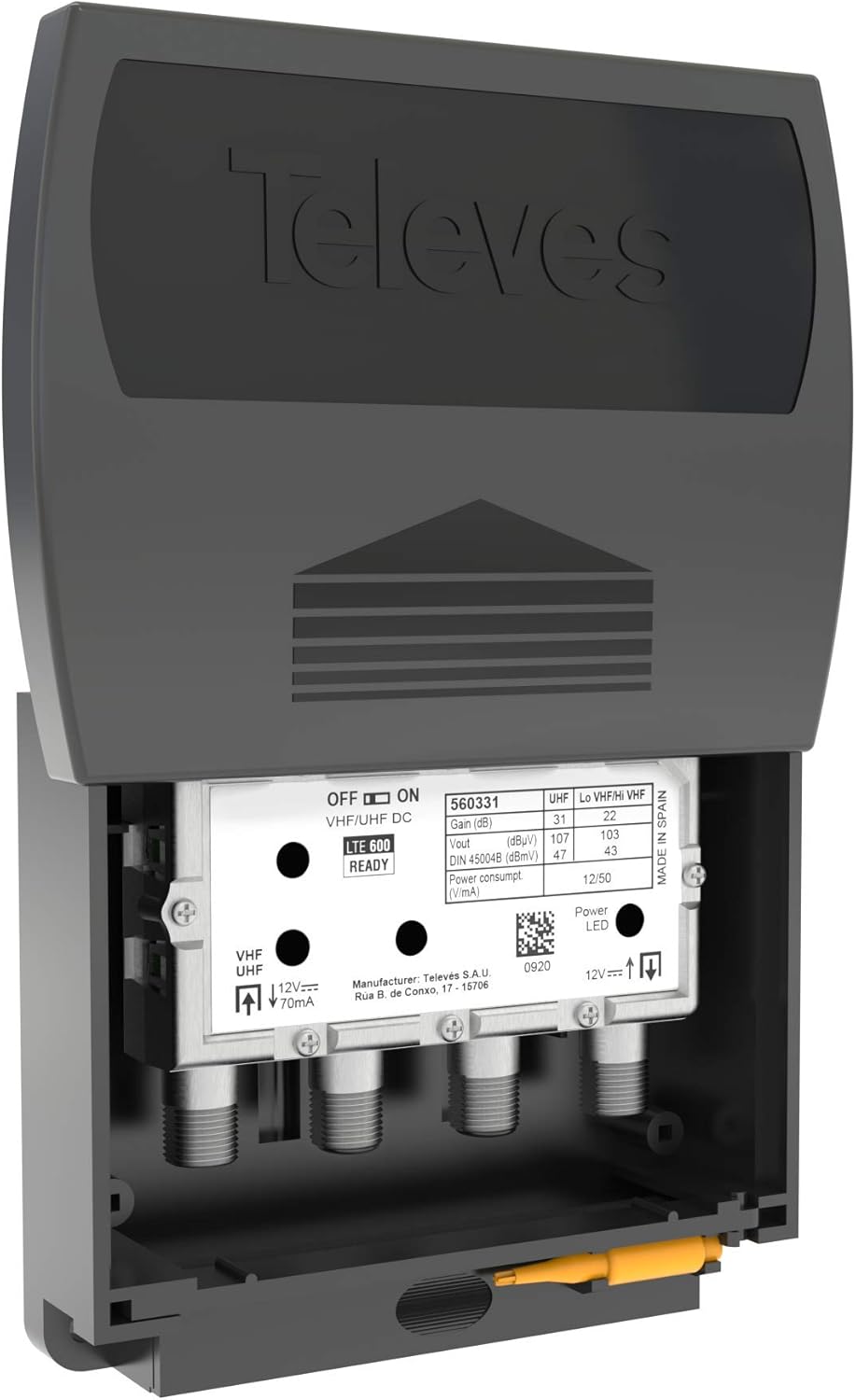
Image 1.1: Televes 1-Input TForce Mast Amplifier, showing the main unit and its protective casing.
2. Key Features
The Televes 1-Input TForce Mast Amplifier incorporates advanced technology to enhance your TV signal:
- Dual-band amplification: Independent automatic gain regulation for VHF and UHF bands.
- Automatic Gain Control (AGC): Compensates for fluctuations in the received signal to maintain optimal output levels, preventing over- or under-amplification.
- High performance: Features very low noise and a high output level (47 dBmV UHF, 43 dBmV VHF).
- Maximum gain: 31 dB (UHF, channels 14-36), 22 dB (high VHF, channels 7-13), 22 dB (low VHF, channels 2-6).
- 5G Filtering: Fine-tuned filtering to avoid interference from 5G cellular signals.
- ATSC 3.0 Compatibility: Supports NextGenTV broadcasting standards.
- Robust Construction: High screening cast metal chassis provides excellent electromagnetic shielding.
- Power Supply Unit: Includes a low-consumption, UL-listed power supply with two outputs for signal distribution.
- BOSS-Tech: Capable of passing power to an active antenna when required.
- Connections: Utilizes ‘F’ connectors for reliable signal transmission.
3. Package Contents
Please verify that all components are present before proceeding with installation:
- Televes 1-Input TForce Mast Amplifier (Model 560383)
- Protective weather-resistant casing
- UL-listed Power Supply Unit
- Instruction Manual (this document)
Note: Coaxial cables for connecting the antenna to the amplifier and the amplifier to the power supply/TV are not included and must be purchased separately. Ensure you use high-quality, shielded coaxial cables for optimal performance.
4. Setup and Installation
Proper installation is crucial for the amplifier's performance. Follow these steps carefully.
4.1. Safety Guidelines
- Always disconnect power before making any connections.
- Exercise caution when working on roofs or near power lines.
- Ensure all outdoor connections are weatherproofed to prevent moisture ingress.
4.2. Mounting the Amplifier
The amplifier is designed for mast-mounted installation. It should be placed as close as possible to the antenna to minimize signal loss from the antenna to the amplifier.
- Securely attach the amplifier's protective casing to the antenna mast using appropriate mounting hardware (not included).
- Ensure the unit is oriented to allow proper drainage and protection from elements.
4.3. Connecting Coaxial Cables
The amplifier uses ‘F’ connectors. Ensure all connections are tight to prevent signal degradation and moisture entry.

Image 4.1: Internal view of the amplifier showing the VHF/UHF input and output connections, and the BOSS-Tech switch.
- Connect the coaxial cable from your antenna to the VHF/UHF IN port on the amplifier.
- Connect a coaxial cable from the VHF/UHF DC OUT port on the amplifier to the INPUT port on the power supply unit.
- From the power supply unit, connect coaxial cables from the OUTPUT 1 and/or OUTPUT 2 ports to your TV(s) or distribution splitter.
Important: Ensure all ‘F’ connectors are properly aligned before tightening to avoid cross-threading. Hand-tighten first, then use a wrench for a snug fit.
4.4. Powering the Unit
The amplifier receives power through the coaxial cable from the included power supply unit.
- Plug the UL-listed power supply unit into a standard electrical outlet.
- The power supply unit will send 12V DC power up the coaxial cable to the amplifier. A power LED on the amplifier (visible when the cover is open) indicates it is receiving power.
4.5. BOSS-Tech Configuration
The amplifier features a BOSS-Tech switch (labeled OFF/ON for VHF/UHF DC) which controls DC power pass-through to the antenna.
- If you are using a passive antenna (one that does not require power), set the switch to OFF. This is the default and recommended setting for most standard antennas.
- If you are using an active antenna (e.g., a Televes BOSS-Tech antenna) that requires DC power from the amplifier, set the switch to ON.
5. Operation
Once properly installed and powered, the Televes 1-Input TForce Mast Amplifier operates automatically. The integrated Automatic Gain Control (AGC) continuously monitors the incoming signal levels for both VHF and UHF bands independently. It adjusts the amplification to ensure a consistent and optimal output level, preventing signal overload or insufficient amplification. No manual adjustments are typically required for daily operation.
6. Troubleshooting
If you experience issues with your TV signal, consider the following troubleshooting steps:
6.1. No Signal or Poor Picture Quality
- Check Power: Ensure the power supply unit is plugged in and the amplifier's power LED is illuminated.
- Verify Connections: Inspect all coaxial cable connections for tightness and proper seating. Loose or corroded connections can significantly degrade signal quality.
- Cable Integrity: Check coaxial cables for damage, kinks, or cuts. Damaged cables should be replaced.
- Antenna Alignment: Confirm your antenna is correctly aimed towards broadcast towers.
- BOSS-Tech Switch: Ensure the BOSS-Tech switch is in the correct position (ON for active antennas, OFF for passive antennas). An incorrect setting can prevent signal or power.
- Rescan Channels: After making any changes, perform a channel rescan on your TV or tuner.
6.2. Interference Issues
- The amplifier includes 5G filtering. If interference persists, ensure all connections are shielded and properly grounded.
- Check for nearby electronic devices that might be causing interference.
6.3. Weather-Related Problems
- While the unit is designed for outdoor use, extreme weather can affect performance. Regularly inspect the protective casing and connections for signs of wear or moisture ingress.
- Consider adding additional weatherproofing measures, such as silicone sealant around outdoor connections, especially in harsh climates.
7. Technical Specifications
| Feature | Specification |
|---|---|
| Model Number | 560383 |
| Input Type | 1-Input (VHF/UHF) |
| Output Level (UHF) | 47 dBmV |
| Output Level (VHF) | 43 dBmV |
| Max Gain (UHF, Ch 14-36) | 31 dB |
| Max Gain (High VHF, Ch 7-13) | 22 dB |
| Max Gain (Low VHF, Ch 2-6) | 22 dB |
| Impedance | 75 Ohm |
| Power Supply | 12V DC (via coaxial cable from included PSU) |
| Power Supply Outputs | 2 |
| Dimensions | 6 x 6 x 3 inches (approximate) |
| Item Weight | 1.25 pounds (approximate) |
| Color | Black |
| Manufacturer | TELEVES USA LLC |
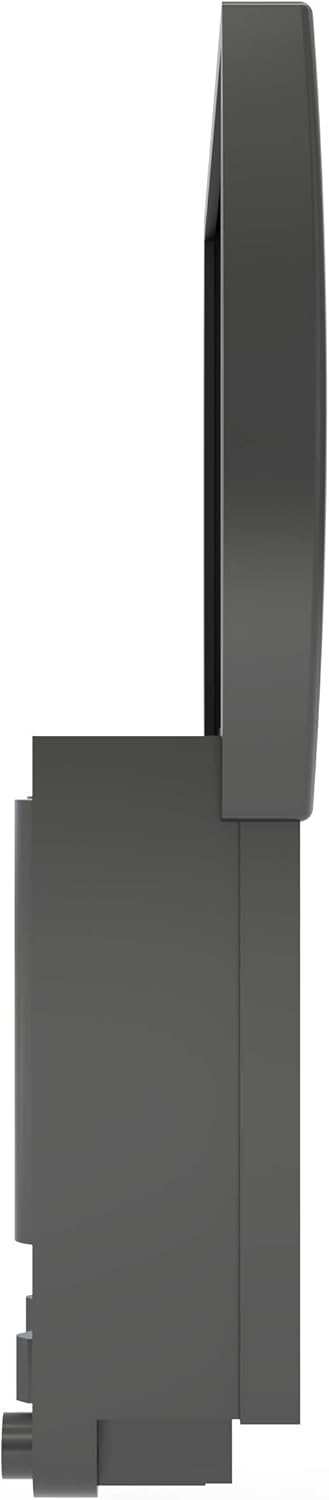
Image 7.1: Side view of the amplifier, illustrating its compact dimensions.
8. Care and Maintenance
The Televes 1-Input TForce Mast Amplifier is designed for durability and minimal maintenance. However, following these guidelines can extend its lifespan and ensure continued performance:
- Regular Inspection: Periodically check the amplifier and its connections, especially after severe weather, for any signs of physical damage, corrosion, or loose cables.
- Cleanliness: Keep the unit free from excessive dirt, dust, and debris. Use a soft, dry cloth for cleaning. Do not use harsh chemicals or abrasive cleaners.
- Weather Protection: While the casing is weather-resistant, ensure it remains securely closed and that all cable entry points are sealed to prevent moisture from reaching the internal electronics.
9. Warranty and Customer Support
For specific warranty information, please refer to the documentation included with your purchase or visit the official Televes website. If you encounter issues that cannot be resolved using the troubleshooting steps provided, or require further assistance, please contact Televes customer support.
You can find additional resources and contact information by visiting the Televes Store on Amazon or their official corporate website.


