
1. Introduction
1.1 Welcome
This manual provides detailed instructions for the installation, operation, and maintenance of your BTF-LIGHTING FCOB CCT 24V LED Strip Kit. Please read this manual thoroughly before use to ensure proper function and safety.
1.2 Package Contents
Verify that all items listed below are included in your package:
- 1x 16.4FT FCOB CCT LED Strip
- 1x RF Controller
- 1x DC24V Power Supply
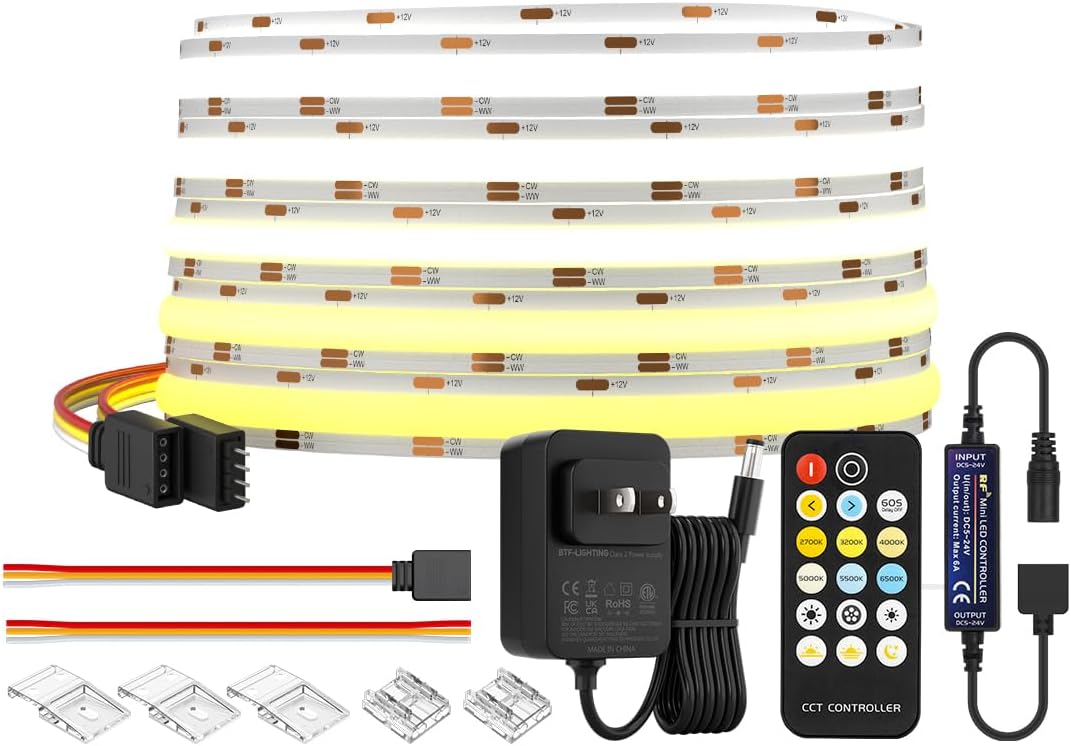
Image 1.1: Included components of the BTF-LIGHTING FCOB CCT 24V LED Strip Kit, featuring the LED strip, RF controller, and DC24V power supply.
2. Safety Information
Please observe the following safety precautions to prevent damage to the product or personal injury:
- This product is designed for indoor use only (IP30 rating). Do not expose to water or high humidity.
- Ensure the power supply voltage matches the product requirements (DC24V).
- Do not connect the LED strip directly to AC power.
- Avoid bending the LED strip sharply or applying excessive force, which may damage the circuit.
- Disconnect power before any installation, maintenance, or troubleshooting.
- Keep out of reach of children.
- Do not cover the LED strip with flammable materials.
3. Technical Specifications
| Feature | Specification |
|---|---|
| Model Number | FCOBCCT5M640L24VRF3A-US |
| LED Type | FCOB CCT (Flexible Chip On Board Correlated Color Temperature) |
| Voltage | DC24V |
| Power Consumption | 36 Watts (Max 72 Watts) |
| LED Density | 640 chips/meter (320 Warm White + 320 Cool White) |
| Length | 16.4 FT (5 meters) |
| Color Temperature | Tunable 2700K (Warm White) - 6500K (Cool White) |
| Color Rendering Index (CRI) | >90 |
| Beam Angle | 180 degrees |
| Control Method | RF Remote Control (17 Keys) |
| Lifespan | >50,000 hours |
| Waterproof Rating | IP30 (Non-waterproof, Indoor Use Only) |
| Strip Width | 10mm |
4. Setup and Installation
4.1 Preparation
- Unroll the LED strip and inspect it for any damage.
- Ensure the installation surface is clean, dry, and smooth for optimal adhesive performance.
- Plan the layout of your LED strip before peeling off the adhesive backing.
- If cutting is required, cut only along the designated cut marks (usually indicated by copper pads) on the LED strip.

Image 4.1: The flexible LED strip being installed using mounting clips, demonstrating its adaptability to various surfaces.
4.2 Mounting the LED Strip
- Carefully peel off the blue protective film from the adhesive backing on the LED strip.
- Press the LED strip firmly onto the desired clean surface, ensuring good contact along its entire length.
- For additional security, especially on textured surfaces or corners, use the provided mounting clips (if included).
4.3 Connecting the Components
- Connect the 4-pin connector of the LED strip to the output of the RF controller. Ensure the arrows on the connectors align.
- Connect the DC24V power supply to the input of the RF controller.
- Plug the DC24V power supply into a standard electrical outlet.

Image 4.2: A clear wiring diagram illustrating how to connect the FCOB CCT LED strip, RF controller, and DC24V power supply.

Image 4.3: The RF controller connected to the LED strip, ready for operation in a kitchen setting.
4.4 Powering On
Once all connections are secure, plug in the power supply. The LED strip should illuminate. If not, refer to the Troubleshooting section.
5. Operating Instructions
5.1 Using the RF Remote Control
The kit includes a 17-key RF remote control for convenient operation. Ensure the plastic tab is removed from the remote's battery compartment before first use.
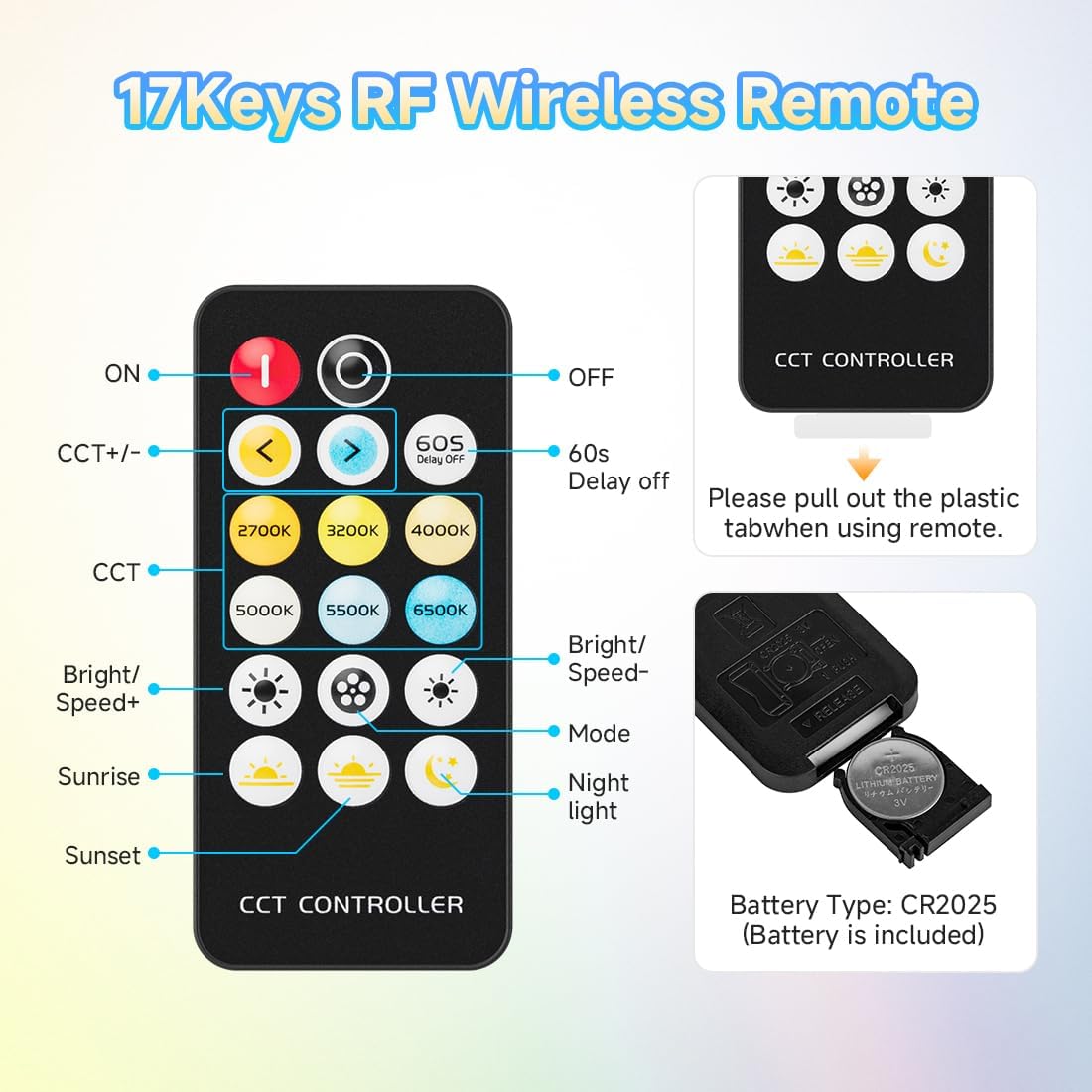
Image 5.1: Detailed view of the 17-key RF wireless remote control, highlighting its various buttons for light adjustment.
5.2 Basic Functions
- ON/OFF: Press the red button to turn the lights on, and the black button to turn them off.
- 60s Delay Off: Press the "60S DELAY OFF" button to set a 60-second timer before the lights turn off.
5.3 Color Temperature Adjustment
The FCOB CCT LED strip allows for tunable white light from 2700K (Warm White) to 6500K (Cool White).
- CCT +/-: Use the left arrow to decrease color temperature (warmer) and the right arrow to increase color temperature (cooler).
- Preset CCT: Directly select desired color temperatures using the dedicated buttons: 2700K, 3200K, 4000K, 5000K, 5500K, 6500K.

Image 5.2: Visual representation of color temperature adjustment, ranging from warm 2700K to cool 6500K, suitable for various environments.
5.4 Brightness Control
- Bright/Speed+: Increase brightness.
- Bright/Speed-: Decrease brightness.

Image 5.3: Illustration of multiple brightness levels, from 0% to 100%, demonstrating the dimming capability of the LED strip.
5.5 Dynamic Modes and Scenes
The remote offers various dynamic modes and preset scenes:
- Mode: Cycle through different dynamic lighting effects.
- Sunrise/Sunset: Activate preset lighting scenes simulating sunrise or sunset.
- Night Light: Activate a low-brightness night light mode.
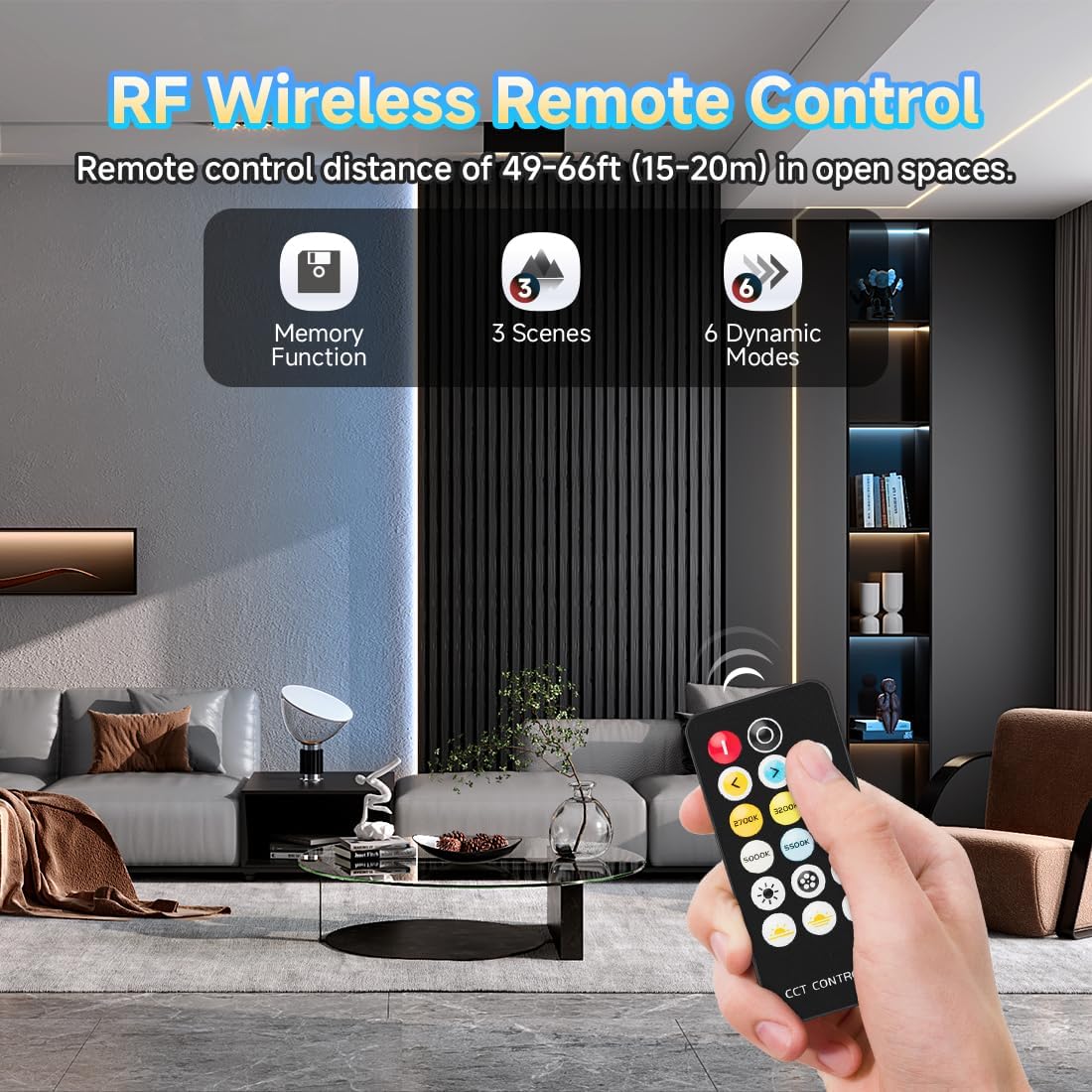
Image 5.4: The RF wireless remote control offers memory function, 3 scenes, and 6 dynamic modes for versatile lighting options.
5.6 Memory Function
The controller features a memory function. After the controller is powered off and then restarted, the last used lighting effect (color temperature and brightness) will be maintained, eliminating the need to reset it.

Image 5.5: The memory function ensures that the LED strip retains its last lighting settings after being powered off and on.
6. Maintenance
6.1 Care and Cleaning
- To clean the LED strip, gently wipe it with a soft, dry cloth.
- Do not use abrasive cleaners, solvents, or harsh chemicals, as these can damage the strip.
- Ensure the power is disconnected before cleaning.
6.2 Storage
- If storing the LED strip for an extended period, ensure it is clean and dry.
- Store in a cool, dry place away from direct sunlight and extreme temperatures.
7. Troubleshooting
If you encounter issues with your LED strip, refer to the table below for common problems and solutions.
| Problem | Possible Cause | Solution |
|---|---|---|
| LED strip does not light up. | No power, incorrect connection, faulty power supply/controller. | Check power outlet. Ensure all connections are secure and correctly aligned (arrow to arrow). Test power supply with another device if possible. |
| Remote control not working. | Battery depleted, plastic tab not removed, remote out of range, interference. | Remove plastic tab from battery. Replace battery (CR2025). Ensure remote is within 49-66ft (15-20m) range and pointed towards the controller. Reduce potential interference. |
| Lights flicker or dim unexpectedly. | Loose connection, insufficient power, damaged strip. | Check all connections. Ensure power supply meets wattage requirements. Inspect the strip for physical damage. |
| Inconsistent color temperature. | Controller issue, partial strip damage. | Ensure the controller is functioning correctly. If only a section is affected, that part of the strip may be damaged. |
8. Warranty and Customer Support
8.1 Warranty Information
BTF-LIGHTING provides a 12-month worry-free warranty for this product. This warranty covers manufacturing defects and issues arising from normal use. It does not cover damage caused by misuse, improper installation, or unauthorized modifications.
8.2 Customer Support
For technical assistance, warranty claims, or any questions regarding your BTF-LIGHTING product, please contact our customer service team. We offer 24/7 customer service.
Visit the official BTF-LIGHTING store for more information: BTF-LIGHTING Store
9. Product Videos
9.1 BTF-LIGHTING FCOB CCT LED Strip Overview
Video 9.1: An official overview of the BTF-LIGHTING FCOB CCT LED strip, showcasing its features and applications.
9.2 FCOB CCT LED Strip Features
Video 9.2: A detailed look at the FCOB CCT LED Strip, demonstrating its tunable white capabilities and seamless illumination.
10. Key Features
10.1 Ultra Bright and Uniform Illumination
The FCOB (Flip Chip On Board) technology provides a dense light-emitting surface, resulting in a brighter, softer, and more uniform light output without visible light spots, unlike traditional SMD LED strips.

Image 10.1: Comparison of beam angles, showing the FCOB LED strip's 180-degree illumination versus traditional SMD strips' 120-degree, highlighting uniform light distribution.
10.2 High Color Rendering Index (CRI 90+)
With a CRI of over 90, the LED strip accurately renders colors, making objects appear more vibrant and true to their original hues.
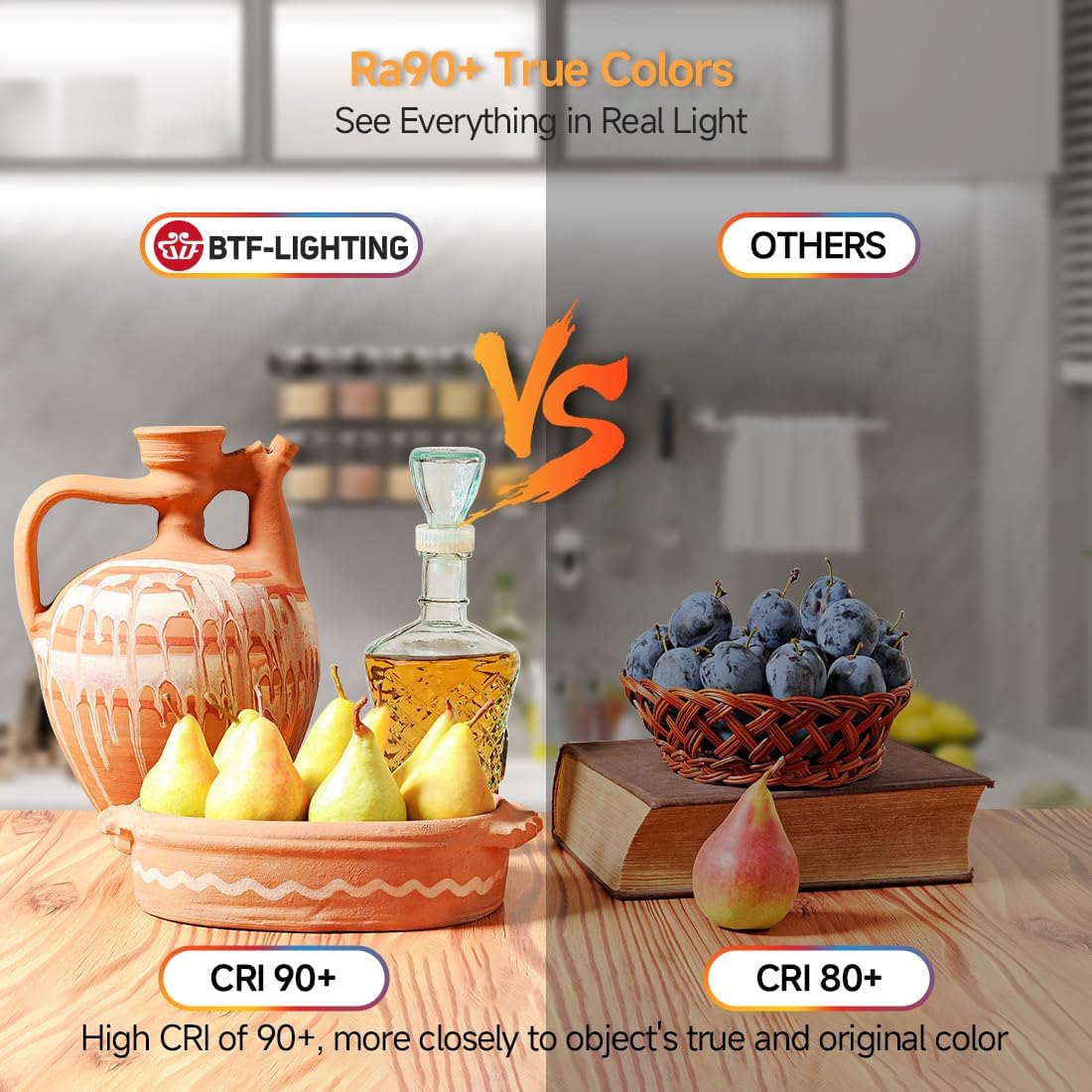
Image 10.2: A visual comparison demonstrating the superior color rendering of CRI 90+ lighting compared to CRI 80+, showing more natural and vibrant colors.
10.3 Durable and Energy Efficient Design
Constructed with a double-layer PCB board and high-quality materials, this LED strip is designed for durability and a long lifespan of over 50,000 hours. The FCOB technology also contributes to higher energy efficiency.

Image 10.3: Infographic highlighting key features such as better conductivity, ultra-bright efficiency, seamless glow, tunable color temperature, and a long lifespan of 65,000+ hours.
11. Applications
The BTF-LIGHTING FCOB CCT LED Strip Kit is suitable for a wide range of indoor lighting applications, including:
- Kitchen under-cabinet lighting
- Bedroom accent lighting
- Stairway illumination
- Mirror backlighting
- Corridor lighting
- DIY lighting projects
- Shelf and display lighting

Image 11.1: Collage showcasing diverse indoor applications, such as kitchen, office, and living room lighting, demonstrating the strip's versatility.


