
NANAMI M220+XY30UPD-01
NANAMI 2-in-1 Wireless Charging Stand User Manual
Model: M220+XY30UPD-01
1. Introduction
Thank you for purchasing the NANAMI 2-in-1 Wireless Charging Stand. This device is designed to provide convenient and fast charging for your Qi-compatible smartphones and other USB-chargeable devices simultaneously. Please read this manual carefully before use to ensure proper operation and to maximize the product's lifespan.
2. Package Contents
Please check the package for the following items:
- Wireless Charging Stand Main Unit x 1
- 30W PD Charger x 1
- USB Type-C to C Cable (approx. 1m, for power supply) x 1
- USB Type-A to C Cable (approx. 1m, for wired charging) x 1
- Customer Support Guide x 1

Image: All items included in the NANAMI 2-in-1 Wireless Charging Stand package.
3. Product Features
- 2-in-1 Charging Capability: Equipped with two advanced coils for a wider sensing range, enabling efficient wireless charging for Qi-enabled smartphones. An additional USB-A port (15W Max output) on the back allows simultaneous wired charging for non-wireless devices like tablets or earphones, using the included cable or your device's original cable.
- Fast Charging: Comes with a 30W high-output Power Delivery (PD) adapter. Delivers up to 7.5W for iPhone 14/13/12 series and up to 10W for Samsung Galaxy S22/S21/Note20 and other fast-charge compatible devices. This significantly reduces charging time compared to standard 5W adapters.
- Ergonomic Design & Stability: Features a 60-degree ergonomic incline, ideal for both horizontal video viewing and vertical use (e.g., Face ID). Anti-slip rubber pads on the base and charging surface ensure your device remains stable and protected during charging, preventing accidental displacement.
- Case Compatibility: Supports wireless charging through non-metallic cases up to 5mm thick (3mm for iPhone 12/13/14 series). For optimal performance and safety, remove any metallic cases, magnetic attachments, or credit cards before charging. The product includes Foreign Object Detection (FOD) for safety.
4. Setup Guide
- Connect the provided 30W PD charger to a power outlet.
- Connect the USB Type-C to C cable from the PD charger to the Type-C input port on the back of the wireless charging stand. Ensure the cable is fully inserted until it clicks into place.
- The charging stand is now ready for use.
5. Operating Instructions
5.1 Wireless Charging
Place your Qi-compatible smartphone directly onto the charging surface of the stand. The LED indicator on the stand will illuminate to confirm that charging has begun. You can place your phone vertically for Face ID or horizontally for media consumption.

Image: Simultaneous charging of a smartphone on the stand and a tablet via the wired port.
5.2 Wired Charging
For devices that do not support wireless charging (e.g., iPads, Nintendo Switch, certain earphones), connect them to the USB-A output port located on the back of the charging stand using the provided Type-A to C cable or your device's original charging cable. This allows for simultaneous charging of two devices.
5.3 Usage Scenarios
The ergonomic design allows for versatile use while charging:
- Video Viewing: Place your phone horizontally to watch videos comfortably.
- FaceTime/Video Calls: Place your phone vertically for hands-free video calls.
- Music Playback: Keep your device charged while enjoying audio.
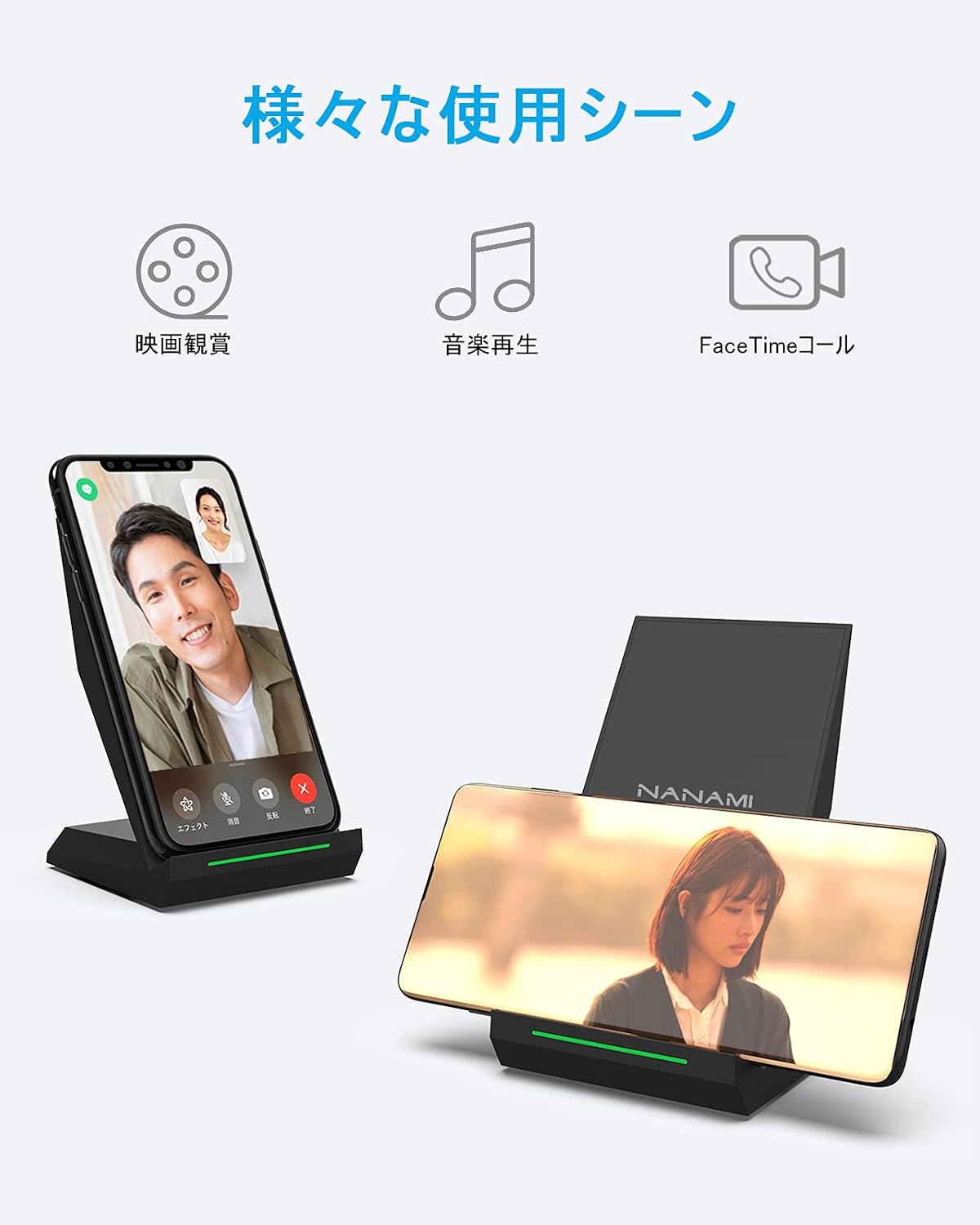
Image: Examples of using the charging stand for video calls and media playback.
6. Compatibility
This charging stand is compatible with a wide range of devices:
6.1 Wireless Charging Compatibility
- 10W Fast Charge: Samsung Galaxy S22(Ultra)/S21(Ultra)/S21+/S20/S10/S10+/S9/S9 Plus/Note10/10+/Note9/Note8/S8/S8 Plus/S7/S7 Edge/Note 5/S6 Edge Plus.
- 7.5W Fast Charge: iPhone 14/14 ProMax/14 Pro/14 Mini/14 Plus/13/13 Pro/13 ProMax/13 Mini/12/12 Pro/12 Pro Max/12 Mini/SE(2nd Gen)/11/11 Pro/X/XS/XR/XS Max/8/8 Plus.
- Standard Charge: Sony Xperia 1 IV/III/II/XZ3/XZ2 Premium/XZ2, LG G7/V30+/V30/V35, and other Qi-enabled devices.
6.2 Wired Charging Compatibility (via USB-A port)
- iPad (all models)
- Nintendo Switch
- AirPods Pro (2nd Gen), AirPods (3rd Gen)
- Sony WF-1000XM4/WF-1000XM3
- Any other device that charges via a standard USB-A port.

Image: Visual representation of compatible devices for wireless charging.
6.3 Case Compatibility
The charger supports cases up to 5mm thick (3mm for iPhone 12/13/14 series) as long as they are non-metallic. Please refer to the image below for examples of incompatible materials.

Image: Guidelines for case thickness and materials for wireless charging.
7. Safety Information
The NANAMI Wireless Charging Stand incorporates multiple safety features to protect your devices and ensure safe operation:
- Foreign Object Detection (FOD): Automatically detects foreign metal objects on the charging surface to prevent overheating and damage.
- Overcurrent Protection: Safeguards against excessive current flow.
- Overcharge Protection: Prevents battery damage from overcharging.
- Temperature Control: Regulates the device's temperature during charging to prevent overheating.
For optimal safety, always ensure no metal objects, magnetic attachments, or credit cards are placed between your device and the charging stand.

Image: Overview of the internal structure and safety features of the charging stand.
8. Troubleshooting
If you encounter any issues with your charging stand, please refer to the following common solutions:
- Device Not Charging Wirelessly:
- Ensure your device is Qi-compatible.
- Check if your phone case is non-metallic and within the thickness limit (5mm generally, 3mm for iPhone 12/13/14 series). Remove any metal cases, magnetic attachments, or credit cards.
- Ensure your device is properly centered on the charging stand.
- Try restarting your device.
- Slow Charging:
- Ensure you are using the provided 30W PD charger and USB Type-C to C cable for power input.
- Verify your device supports fast wireless charging.
- Avoid placing foreign objects between your device and the charger.
- Wired Charging Not Working:
- Ensure the USB cable is fully inserted into both the charging stand's USB-A port and your device.
- Try a different USB cable if available.
- LED Indicator Behavior: Refer to the product's specific LED indicator guide (if available in the physical manual) for detailed status meanings. Generally, a solid light indicates charging, while a blinking light may indicate a foreign object or an error.
9. Specifications
| Parameter | Value |
|---|---|
| Model Number | M220+XY30UPD-01 |
| Input Voltage | 9V |
| Wireless Output | 7.5W / 10W / 15W |
| Wired Output (USB-A) | 15W Max |
| Total USB Ports | 2 (1 Wireless, 1 Wired USB-A) |
| Product Dimensions | 8.5 x 7.3 x 11.5 cm |
| Product Weight | 282 g |
| Color | Black |
| Connection Method | Wireless |
| Features | 2-device simultaneous fast charging, LED indicator, plug-and-play |
10. Warranty and Support
NANAMI provides an 18-month warranty for this product. Your order number serves as your warranty certificate. In the unlikely event of any issues occurring within 18 months of your purchase, please contact our customer support team.
You can reach us via:
- The 'Contact Seller' link in your order history on Amazon.
- Email: support@nanami.cc
We aim to respond to all inquiries within 24 hours.
Related documentsM220+XY30UPD-01


Ask a question about this manual
Ask about setup, troubleshooting, compatibility, parts, safety, or missing instructions. Manuals+ will review the question and use this page’s manual context to help answer it.