
1. Product Overview
The Shark HZ602 UltraLight Pet Pro Corded Stick Vacuum is engineered for powerful and versatile cleaning. Featuring a PowerFins brushroll, it provides continuous contact with surfaces, digging deep into carpets and directly engaging bare floors to pick up more hair without hair wrap. Its ultra-lightweight design, weighing less than 3 lbs as a hand vac, allows for easy maneuverability and above-floor cleaning. LED headlights on the floor nozzle illuminate hidden debris, ensuring a thorough clean.

Image: The Shark HZ602 Ultralight Pet Pro Corded Stick Vacuum, showcasing its sleek design and Comet Red finish.
2. Key Features
- PowerFins Technology: Provides continuous cleaning contact, digging deep into carpets and directly engaging floors for superior debris pickup.
- No Hair Wrap: Engineered to pick up more hair with no hair wrap, a significant improvement over traditional bristle brushrolls.
- Ultra-Lightweight Hand Vacuum: The detachable hand vac weighs less than 3 lbs, offering powerful suction for above-floor cleaning, hard-to-reach areas, and car interiors.
- Self-Cleaning Brushroll: Designed for powerful pet hair pickup without hair wrap, reducing maintenance.
- Removable Dust Cup: An easy-to-empty dust cup simplifies debris disposal.
- LED Headlights: Integrated headlights on the floor nozzle illuminate hidden debris and pet hair.
- Low-Profile Design: Allows the vacuum to easily reach under furniture for comprehensive cleaning.
- Advanced Swivel Steering: Ensures excellent maneuverability around furniture and obstacles.
- Included Accessories: Comes with a Crevice Tool, Upholstery Tool, Pet Power Brush, and Onboard Storage Clip for versatile cleaning tasks.
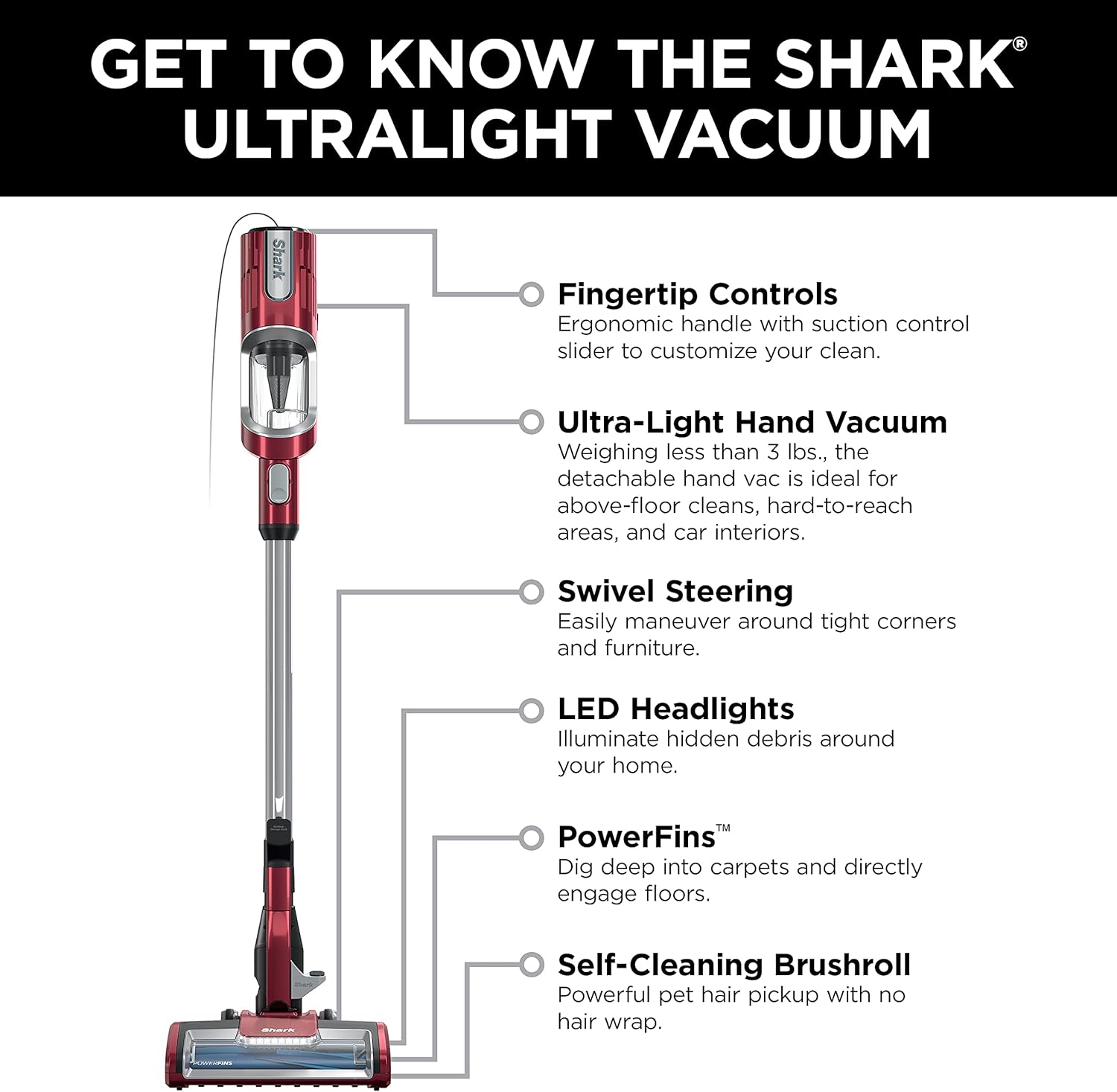
Image: A detailed diagram highlighting the key components and features of the Shark HZ602 Ultralight Vacuum, including fingertip controls, ultra-light hand vacuum, swivel steering, LED headlights, PowerFins, and self-cleaning brushroll.
3. Setup and Assembly
The Shark HZ602 Ultralight Pet Pro Corded Stick Vacuum is designed for quick and easy assembly. Follow these steps to get started:
- Unpack all components from the box.
- Connect the hand vacuum to the wand until it clicks securely into place.
- Attach the floor nozzle to the bottom of the wand, ensuring it clicks firmly.
- Attach desired accessories (Crevice Tool, Upholstery Tool, Pet Power Brush) to the hand vacuum or the end of the wand as needed.
- Wrap the power cord around the cord clips for organized storage when not in use.

Image: All components of the Shark HZ602 Ultralight Pet Pro Corded Stick Vacuum are displayed, including the main unit, wand, floor nozzle, and various attachments, illustrating what is included in the box.
Video: An instructional video demonstrating the assembly and basic operation of the Shark Rocket Vacuum, including how to attach the self-cleaning brushroll and other components.
4. Operating Instructions
The Shark HZ602 offers versatile cleaning modes for different surfaces:
- Power On/Off: Plug the power cord into an electrical outlet. Press the power button located on the hand vacuum to turn the unit on or off.
- Surface Selection: Use the surface selector switch (if available on your model) to toggle between 'Bare Floor' and 'Carpet' settings. The PowerFins brushroll adapts to provide optimal cleaning for each surface.
- Using as a Stick Vacuum: For floor cleaning, ensure the floor nozzle is attached. Gently push the vacuum forward and pull it back over the desired area. The advanced swivel steering allows for easy navigation around furniture.
- Using as a Hand Vacuum: Detach the hand vacuum from the wand. Attach the Crevice Tool for tight spaces, the Upholstery Tool for fabrics, or the Pet Power Brush for stubborn pet hair on upholstery and stairs.
- Extended Reach: For high-up areas or under low furniture, use the wand with an attached accessory. The low-profile design of the nozzle also facilitates cleaning under furniture.
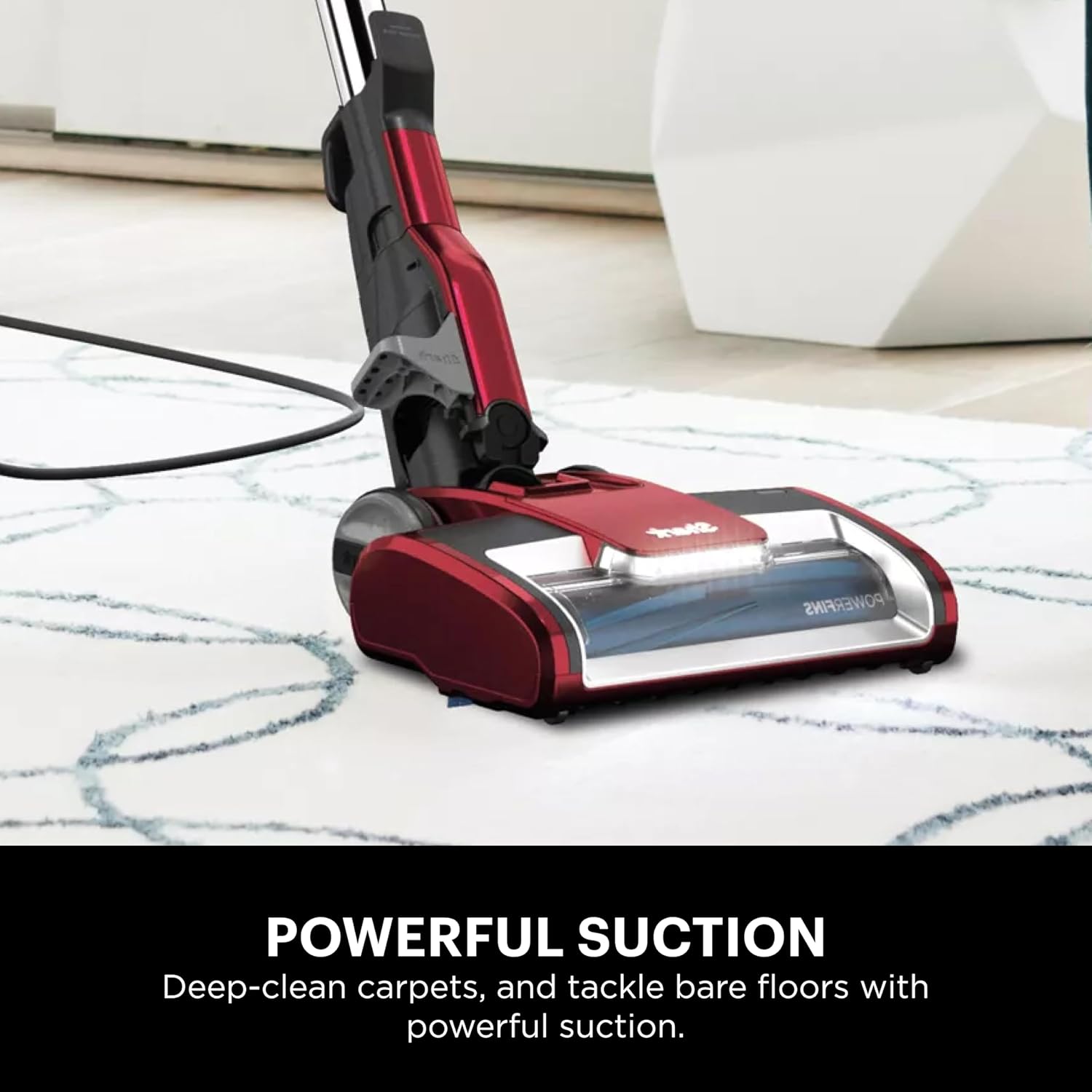
Image: The Shark HZ602 Ultralight Pet Pro Corded Stick Vacuum is shown actively cleaning a carpeted floor, with its LED headlights illuminating the path.
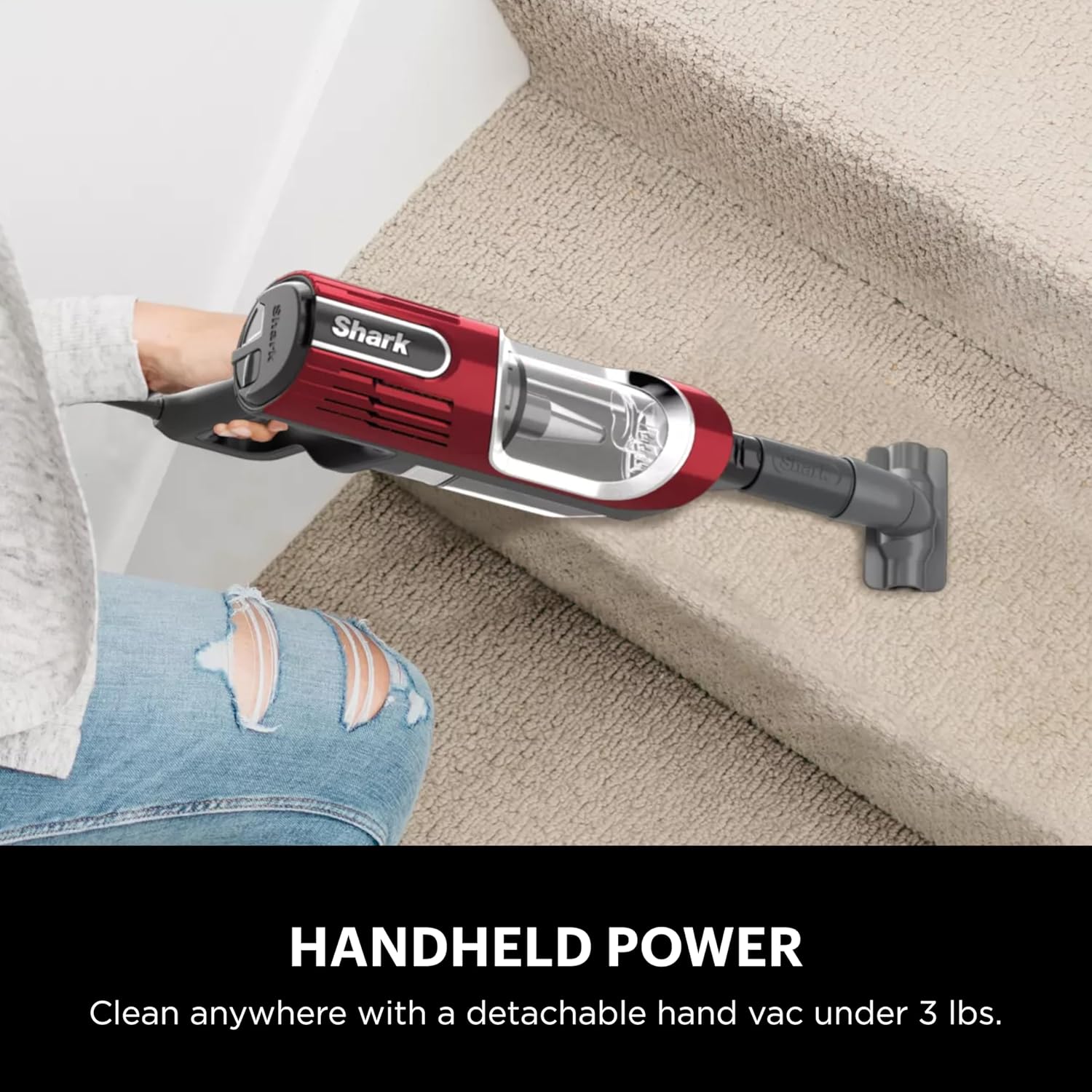
Image: The main unit of the Shark HZ602 is detached and used as a handheld vacuum, cleaning carpeted stairs with an attached accessory.
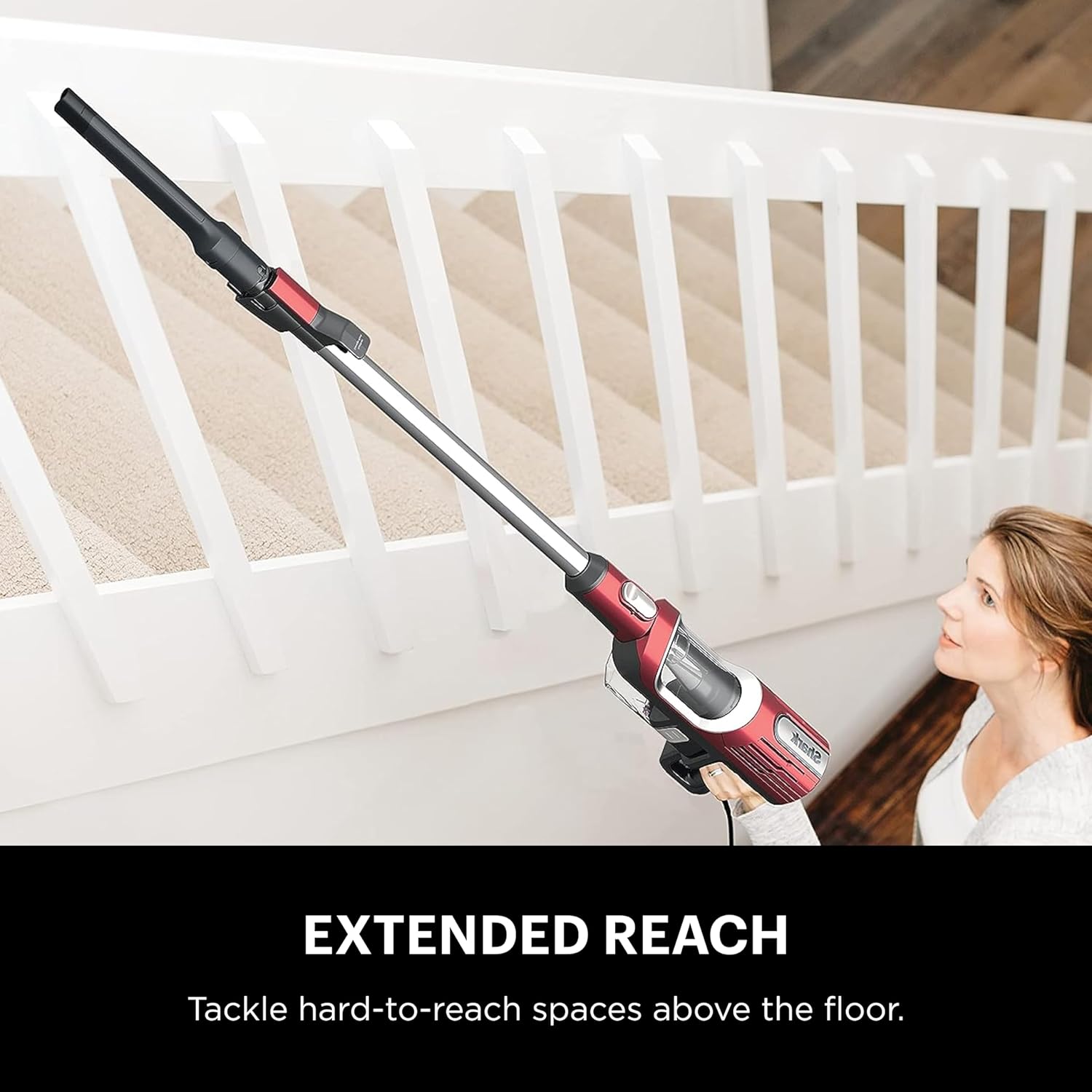
Image: The Shark HZ602 is configured for extended reach, with the wand and a crevice tool attached, allowing a user to clean high-up areas like stair railings.
Video: An official product video from SharkNinja showcasing the Shark UltraLight Pet Pro Corded Stick Vacuum in action, demonstrating its features and versatility across different surfaces.
5. Maintenance
Regular maintenance ensures optimal performance of your Shark HZ602 vacuum.
Emptying the Dust Cup
Empty the dust cup after each use or when debris reaches the MAX FILL line.
- Press the dust cup release button to detach it from the hand vacuum.
- Hold the dust cup over a trash bin and press the empty release latch to open the bottom flap.
- Close the flap until it clicks securely.
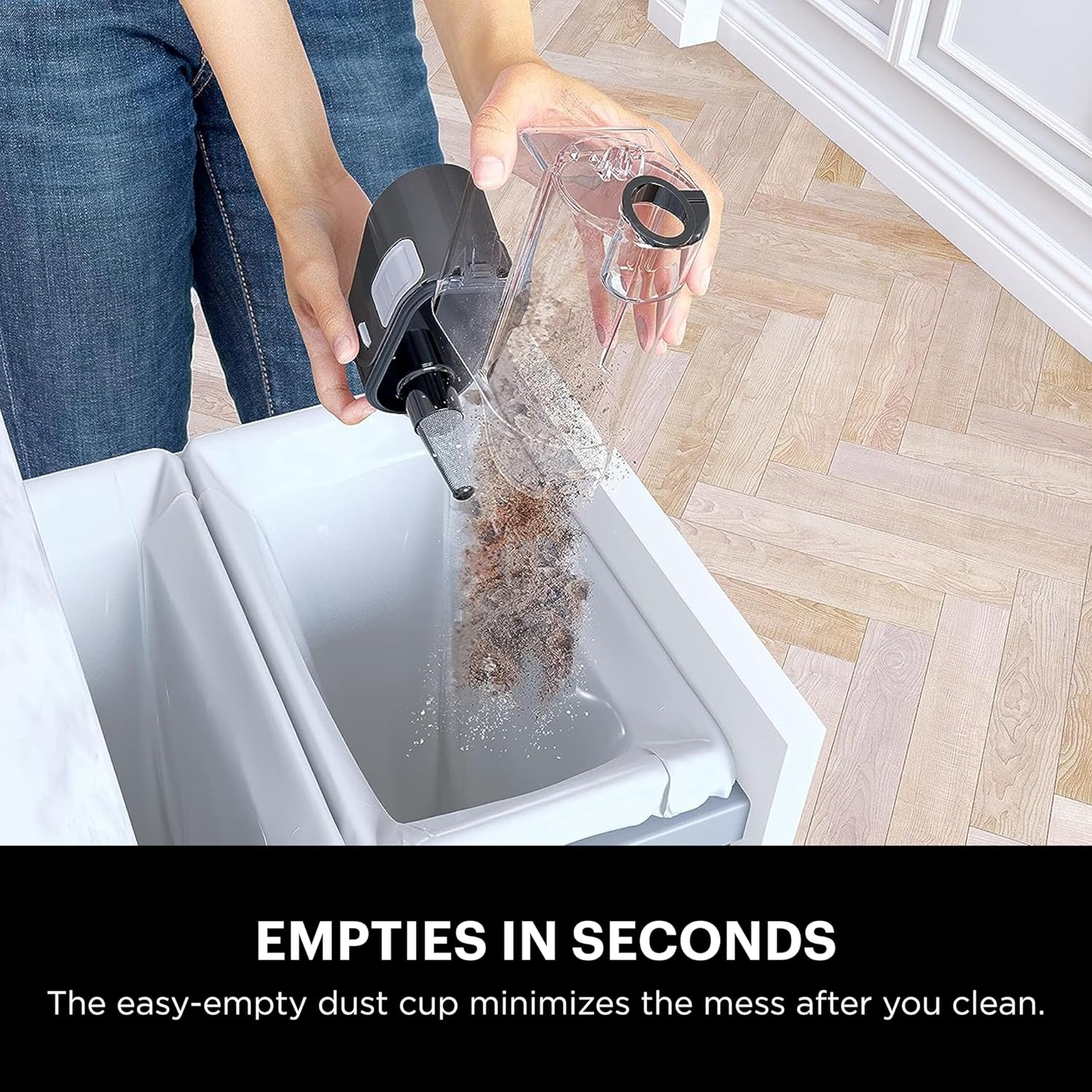
Image: A user is shown easily emptying the removable dust cup of the Shark HZ602 vacuum into a trash receptacle, demonstrating the quick and mess-free disposal process.
Cleaning the Filters
The vacuum uses Foam and Felt filters. Rinse filters with cold water only. Allow filters to air-dry completely for at least 24 hours before reinstalling to prevent liquid from being drawn into electric parts.
- Remove the dust cup.
- Pull the foam and felt filters out of the dust cup.
- Tap loose dirt off filters. Rinse thoroughly with cold water.
- Allow filters to air-dry completely before reinstalling.
Self-Cleaning Brushroll
The self-cleaning brushroll is designed to prevent hair wrap. Periodically check the brushroll for any debris or blockages and remove them if necessary.

Image: A visual comparison illustrating a standard brushroll tangled with hair versus the Shark self-cleaning brushroll, which remains clear of hair, highlighting its effectiveness for pet owners.
6. Troubleshooting
If your Shark HZ602 is not performing as expected, consult the following common issues and solutions:
- Vacuum not picking up debris or has no suction:
- Check dust cup: Ensure it is not full and is correctly installed.
- Check filters: Clean or replace foam and felt filters as described in the Maintenance section.
- Check for blockages: Inspect the nozzle, wand, and hose for any obstructions.
- Brushroll not spinning:
- Ensure the vacuum is plugged in and powered on.
- Check for obstructions: Remove any hair, string, or debris wrapped around the brushroll.
- Verify floor setting: Make sure the correct floor setting (e.g., Carpet) is selected for brushroll activation.
- Vacuum turns off on its own:
- Check for overheating: The motor may have overheated. Turn off the vacuum and unplug it. Empty the dust cup and clean filters. Allow the unit to cool for at least 45 minutes before restarting.
- Check for blockages: Clear any blockages in the nozzle, wand, or hose.
7. Specifications
| Brand | Shark |
| Model Name | Shark HZ602 |
| Item Model Number | HZ602 |
| Color | Comet Red |
| Product Dimensions | 10.24"L x 8.46"W x 48.43"H |
| Item Weight | 8.05 pounds |
| Power Source | AC adapter (Corded) |
| Wattage | 680 watts |
| Capacity | 0.35 Quarts |
| Filter Type | Foam and Felt |
| Special Feature | Corded, PowerFins, Self-Cleaning Brushroll |
| Included Components | Crevice Tool, Onboard Storage Clip, Pet Power Brush, UltraLight Pet Pro Corded Stick Vacuum, Upholstery Tool |
| Recommended Uses | Carpet, Ceramic tile, Hardwoods, Laminate, Upholstery |
| Noise Level | 80 Decibels |
8. Warranty and Support
Warranty Information
The Shark HZ602 Ultralight Pet Pro Corded Stick Vacuum comes with a 5-year limited warranty. Please refer to the warranty card included with your product for full terms and conditions.
Customer Support
For any questions, assistance, or to register your product, please visit the official Shark website or contact their customer service department. Keep your purchase receipt as proof of purchase for warranty claims.