
1. Introduction
Thank you for choosing the TRONICMASTER UV Light Sanitizer Box. This device utilizes UV-C light technology to help sanitize various personal items, reducing bacteria, germs, and viruses. Please read this manual thoroughly before operating the device to ensure safe and effective use. Keep this manual for future reference.
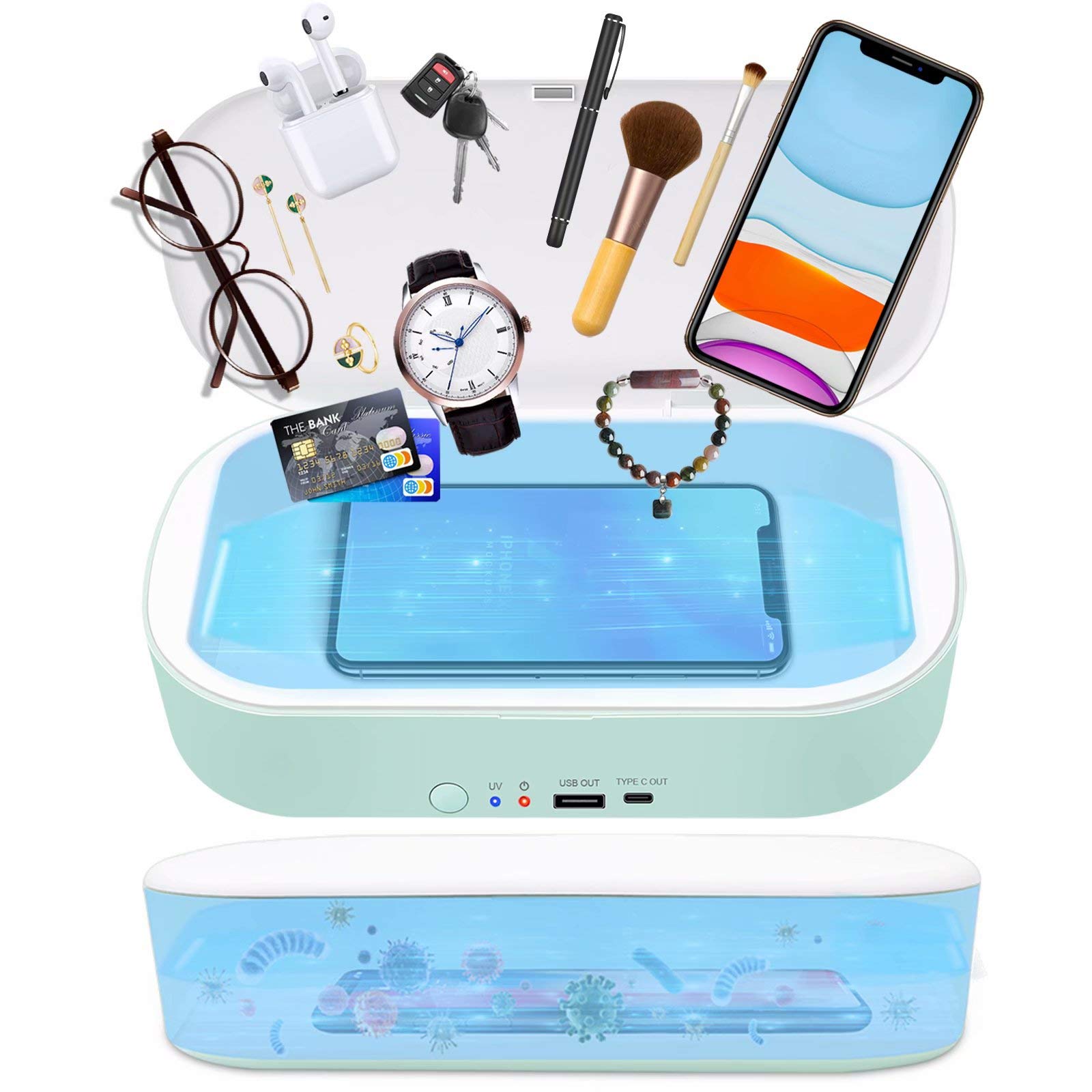
Image 1.1: TRONICMASTER UV Light Sanitizer Box in operation, showing its ability to kill 99.99% of bacteria, germs, and viruses using two UVC bulbs. The image also displays a UV spectrum chart highlighting the effective UV-C wavelength.
2. Important Safety Information
To ensure safe operation and prevent damage to the device or injury, please observe the following safety precautions:
- Do not expose skin or eyes to UV-C light. Direct exposure can cause harm. The device is designed to operate only when the lid is closed.
- Keep the device away from water or other liquids. Do not operate with wet hands.
- Do not attempt to open or repair the device yourself. Refer all servicing to qualified personnel.
- Use only the specified power adapter (DC5V 3A) to avoid damage or fire.
- Keep out of reach of children.
- Do not place flammable materials inside the sanitizer box.
- Ensure the lid is fully closed before starting the sterilization cycle.
3. Product Overview
3.1. Features
- Effective UV-C disinfection: Kills 99.99% of bacteria, germs, and viruses.
- Dual UVC bulbs: Located on both sides for comprehensive sterilization.
- Wide compatibility: Suitable for mobile phones (e.g., iPhone, Samsung Galaxy), MP4 players, Bluetooth headphones, toothbrushes, jewelry, thermometers, and other small objects thinner than 14mm.
- USB Output: Provides a convenient charging port for external devices.
- Type-C Output: Additional charging port for compatible devices.
- Compact and portable design.
3.2. Components

Image 3.1: Diagram of the TRONICMASTER UV Light Sanitizer Box with key components labeled.
- Power Button: Press to start/stop sterilization.
- Power Indicator: Lights up when the device is powered.
- UV Indicator: Lights up during the UV sterilization cycle.
- USB Output: Standard USB port for charging external devices.
- Type C Output 5V: USB Type-C port for charging external devices.
- Type-C Power Input: Port for connecting the power adapter to the sanitizer box.
- Magnet: Ensures the lid closes securely.
- Anti-Slip Pads: Located on the bottom for stability.
4. Setup
- Unpack the Device: Carefully remove the UV Light Sanitizer Box and all accessories from its packaging.
- Place on a Stable Surface: Position the sanitizer box on a flat, stable, and dry surface.
- Connect Power: Plug the provided USB power cable into the Type-C Power Input port on the back of the sanitizer box. Connect the other end of the cable to a compatible DC5V 3A power source (e.g., a wall adapter, computer USB port). The Power Indicator light should illuminate.
5. Operating Instructions
Follow these steps to sanitize your items:
- Place Items Inside: Open the lid of the sanitizer box and carefully place the items you wish to sanitize inside. Ensure items are not overlapping excessively to allow UV light to reach all surfaces. The box can accommodate most mobile phones, keys, wallets, earbuds, and other small objects.
- Close the Lid: Close the lid securely. The magnetic closure will help keep it shut. The device will not operate if the lid is open.
- Start Sterilization: Press the Power Button on the front of the device. The UV Indicator light will illuminate, indicating that the sterilization cycle has begun.
- Cycle Completion: The sterilization cycle typically lasts for a set duration (e.g., 5-10 minutes, refer to product specifications for exact timing if available). The UV Indicator light will turn off automatically once the cycle is complete.
- Remove Items: Open the lid and carefully remove your sanitized items.
5.1. Using USB Charging Ports
The TRONICMASTER UV Light Sanitizer Box features USB and Type-C output ports for charging other devices. These ports can be used independently of the sterilization function, as long as the sanitizer box is connected to a power source.
- Connect your device's charging cable to either the USB Output or Type C Output 5V port on the sanitizer box.
- Connect the other end of the cable to your smartphone, earbuds, or other compatible device to begin charging.

Image 5.1: Visual guide for operating the UV Light Sanitizer Box.

Image 5.2: Examples of items that can be sanitized in the box.
6. Maintenance
Regular cleaning will help maintain the performance and longevity of your sanitizer box.
- Cleaning the Exterior: Wipe the exterior of the device with a soft, dry, or slightly damp cloth. Do not use abrasive cleaners, alcohol, or harsh chemicals, as these may damage the surface.
- Cleaning the Interior: Gently wipe the interior surfaces, including the UV lamps, with a soft, dry cloth. Ensure the device is unplugged before cleaning.
- Storage: When not in use, store the device in a cool, dry place away from direct sunlight and extreme temperatures.
7. Troubleshooting
| Problem | Possible Cause | Solution |
|---|---|---|
| Device does not power on. | Not connected to power, or power source issue. | Ensure the power cable is securely plugged into both the device and a working power source. Verify the power source is active. |
| UV Indicator light does not turn on. | Lid is not fully closed, or power button not pressed. | Ensure the lid is completely closed. Press the Power Button firmly to start the cycle. |
| Items do not seem sanitized. | Items are overlapping, or cycle was interrupted. | Arrange items to ensure maximum exposure to UV light. Ensure the lid remains closed for the entire cycle. |
| USB/Type-C output ports are not charging. | Device not powered, or cable/device issue. | Ensure the sanitizer box is connected to a power source. Try a different charging cable or device to rule out external issues. |
8. Specifications
| Feature | Detail |
|---|---|
| Model | EPA Est No.: 97631-CHN-1 |
| Material | ABS Plastic |
| Outer Dimension | 9.01 x 5 x 1.97 inches (22.89 x 12.7 x 5.0 cm) |
| Inner Dimension | 7.76 x 4.2 x 1.34 inches (19.71 x 10.67 x 3.4 cm) |
| Net Weight | 10.01 oz (0.28 kg) |
| Standard Input | DC5V 3A |
| Max Power | 9W |
| USB / Type-C Output | Pass-through, Output 2W (MAX) |
| UPC | 791727314760, 791727314807, 791727314814, 791727314746, 791727314753 |

Image 8.1: Product packaging displaying additional specifications and manufacturer details.
9. Warranty and Support
For warranty information, technical support, or customer service inquiries, please refer to the manufacturer's official website or contact their customer support directly. Please have your model number (EPA Est No.: 97631-CHN-1) and purchase details ready when contacting support.
Manufacturer Address (from packaging):
SHENZHEN YINGJIE ELECTRONIC ENTERPRISE CO. LTD.
BUILDING 1, YINGJIE INDUSTRIAL PARK, XINAN ROAD, SHIYAN, BAO'AN, SHENZHEN, GUANGDONG, CHINA