
1. Introduction
This manual provides essential instructions for the safe and effective operation of your SOONWELL MT1 RGB LED Video Light Stick. Please read this manual thoroughly before use and retain it for future reference.
2. Package Contents
Verify that all items listed below are included in your package:
- 1 x Carrying Bag
- 1 x MT1 RGB Tube Light
- 1 x User Manual
- 1 x Safety Strap
- 1 x Tube Connector
- 1 x Mini Tripod
- 1 x Type-C USB Cable

Figure 2.1: Contents of the SOONWELL MT1 package, including the light stick, carrying bag, mini tripod, and cables.
3. Key Features
- HSI Mode: Offers full control over hue and saturation, providing 360 selectable colors. Dimmable from 0% to 100% for precise lighting adjustments.
- CCT Mode: Allows precise adjustment of color temperature from 1600K to 20000K. Features a high Color Rendering Index (CRI) of 96+ and Television Lighting Consistency Index (TLCI) of 97+ for cinematic lighting quality.
- Fx Light Effect Mode: Includes 20 built-in special effects for creative lighting scenarios in film and photography.
- Long-lasting Battery: Equipped with a built-in 3.6V/7650mAh lithium battery, providing approximately 2.8 hours of run time. Supports Type-C quick charging (QC3.0) for a full charge in about 2.5 hours.
- Durable and Versatile Design: IP68 waterproof level supports underwater shooting. Features a 1/4-inch screw hole connector for multi-lamp splicing and mounting. Portable, lightweight, and compact design with built-in magnets for easy attachment to metal surfaces.
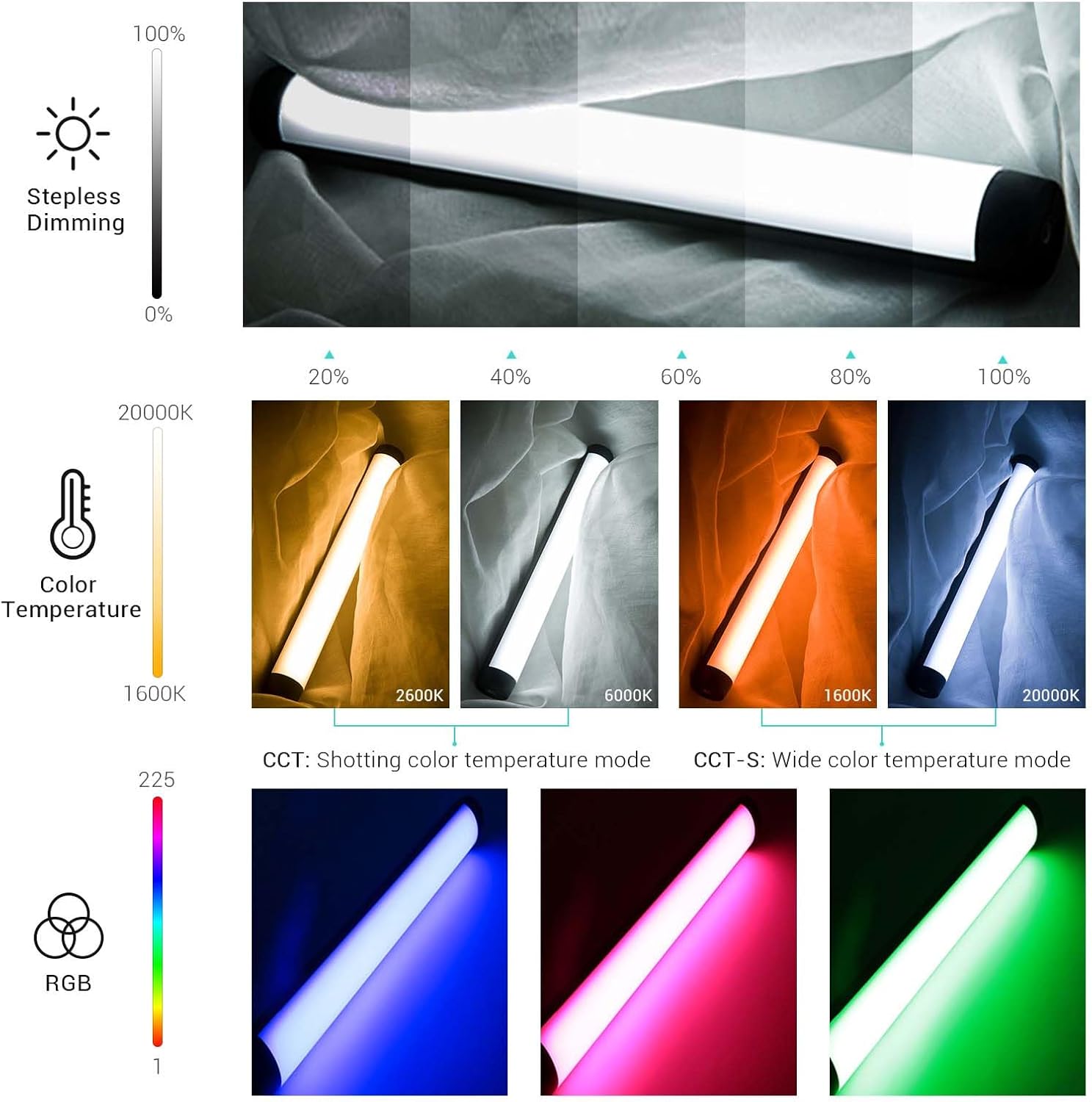
Figure 3.1: Visual representation of the MT1's stepless dimming, wide color temperature range, and RGB color capabilities.
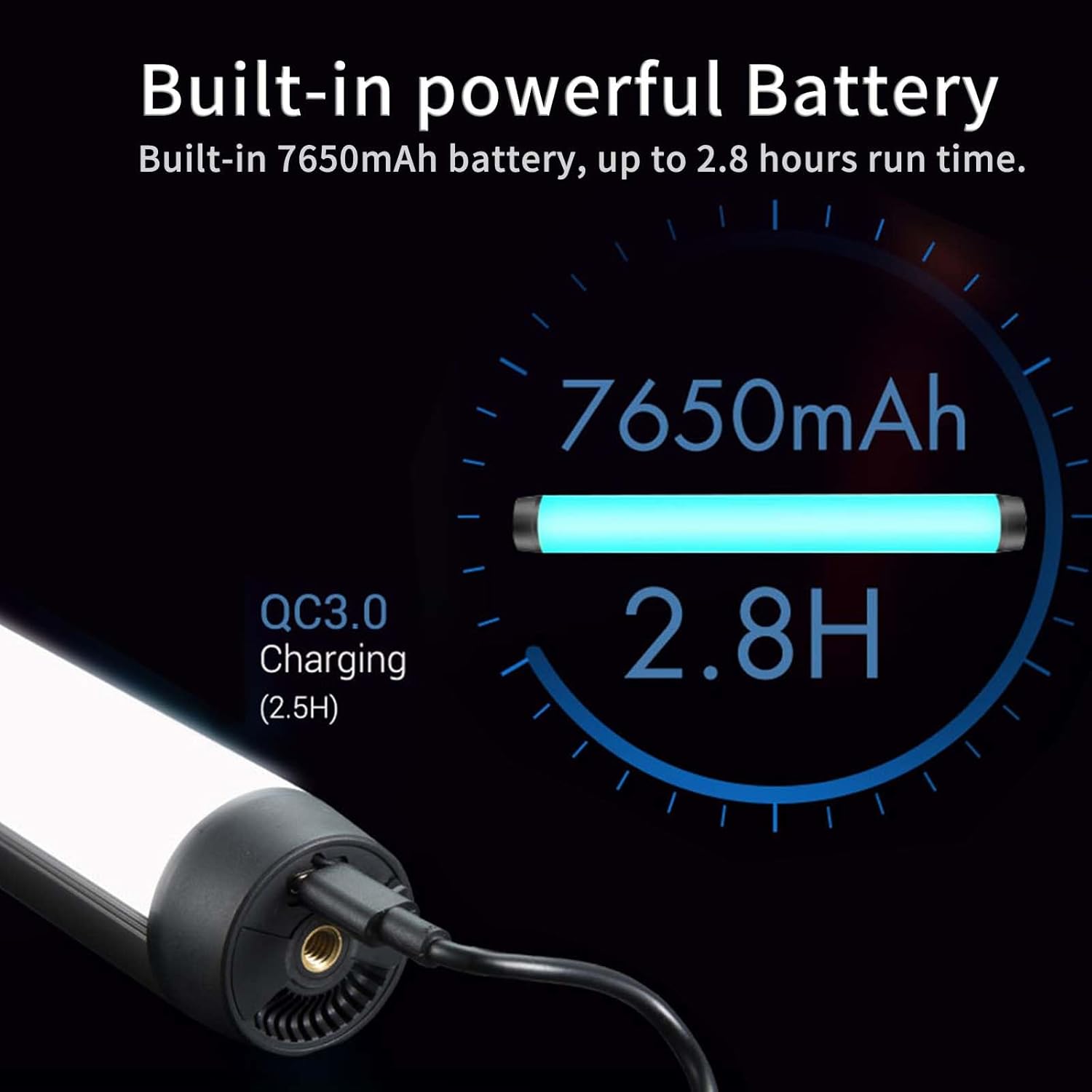
Figure 3.2: Information on the MT1's built-in 7650mAh battery, offering 2.8 hours of operation and supporting QC3.0 charging.
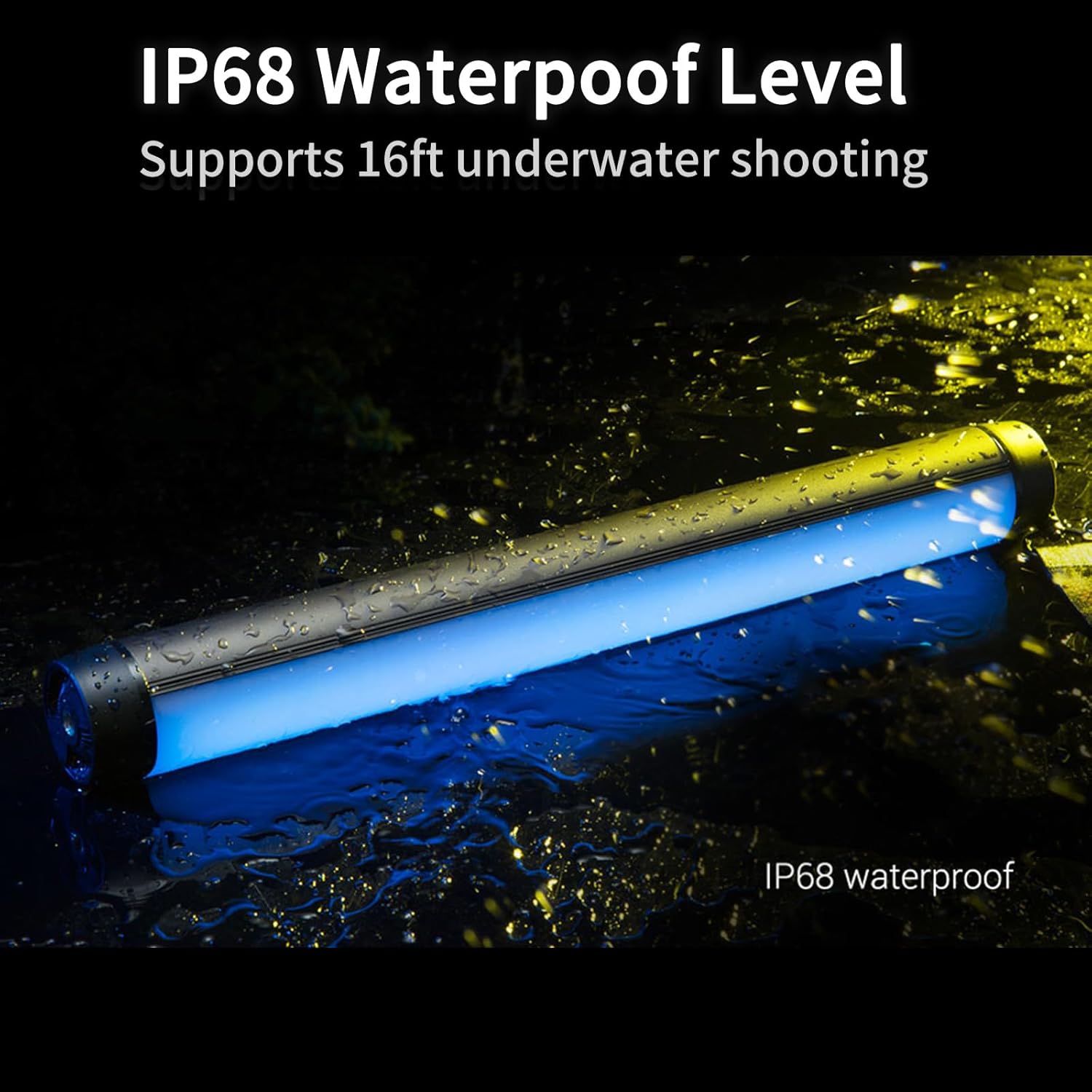
Figure 3.3: The MT1 light stick showcasing its IP68 waterproof rating, suitable for use in wet conditions and underwater photography.

Figure 3.4: The MT1's built-in magnet module allows for convenient attachment to various metal surfaces.
4. Setup
4.1 Charging the Device
Before first use, fully charge the MT1 light stick using the provided Type-C USB cable. Connect the cable to the Type-C USB Charging Port located at one end of the light stick and plug the other end into a compatible USB power adapter (not included). The device supports QC3.0 quick charging.
Video 4.1: An overview of the SOONWELL MT1 RGB LED Video Light, demonstrating its features and charging capabilities.
4.2 Mounting Options
- Mini Tripod: Attach the included mini tripod to the 1/4-inch screw mount at either end of the light stick for stable tabletop placement.
- Tube Connector: Use the tube connector to link multiple MT1 light sticks together, expanding your lighting setup.
- Magnetic Attachment: Utilize the built-in magnets to secure the light stick to any suitable metal surface.
- Safety Strap: Attach the safety strap to prevent accidental drops or for hanging the light stick.
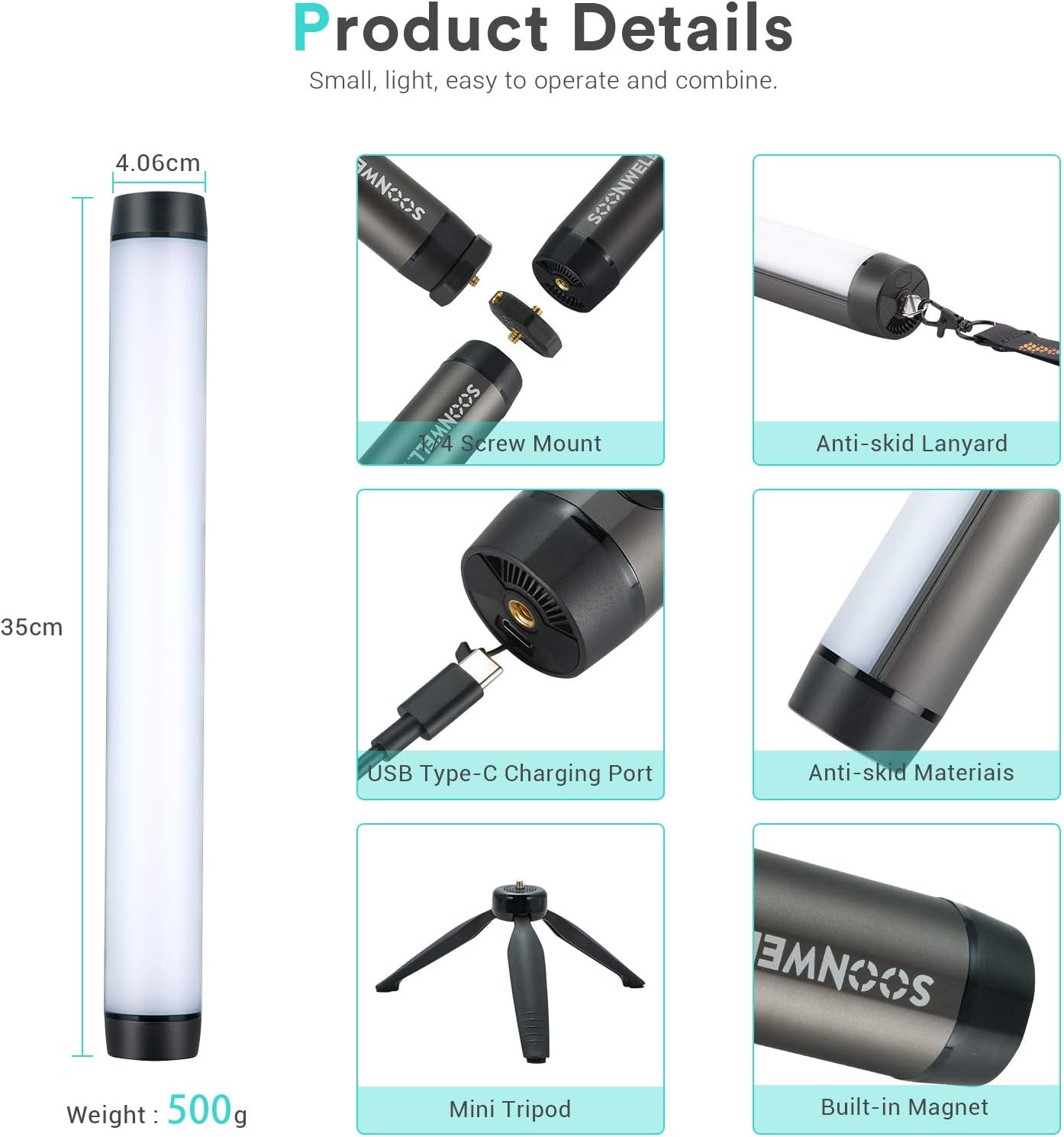
Figure 4.2: Detailed view of the MT1's physical features, including mounting points and charging port.
5. Operating Instructions
5.1 Power On/Off
Press and hold the power button (usually marked with a power symbol) for approximately 3 seconds to turn the light stick on or off. The display screen will illuminate upon power-on.
5.2 Navigating Modes and Settings
The MT1 features an intuitive control panel with navigation buttons and a display screen. Use the 'M' button to cycle through different modes (HSI, CCT, Fx Effects). Use the arrow buttons (< and >) to adjust parameters within each mode, such as hue, saturation, color temperature, or brightness. The up and down arrows (↑ and ↓) typically control dimming/brightness.
5.3 App Control
For enhanced control, download the official SOONWELL app (available for Android devices). The app allows for remote adjustment of all light settings, including modes, colors, effects, and brightness. Follow the app's instructions for pairing your device.
Video 5.1: A detailed review of the SOONWELL MT1 RGB LED Tube Light, demonstrating its controls and various lighting effects.
6. Maintenance
- Cleaning: Use a soft, dry cloth to clean the exterior of the light stick. Do not use abrasive cleaners or solvents.
- Waterproof Care: While IP68 rated, ensure the Type-C charging port cover is securely closed before exposing the device to water. After underwater use, rinse with fresh water and dry thoroughly.
- Battery Care: To prolong battery life, avoid fully discharging the battery frequently. Charge the device regularly, even when not in use, to maintain optimal battery health. Store in a cool, dry place.
7. Troubleshooting
- Light does not turn on: Ensure the battery is charged. Connect the Type-C USB cable and attempt to power on again.
- Light not responding to controls: Check the battery level. If using the app, ensure Bluetooth is enabled on your device and the light stick is properly paired.
- Inconsistent light output: Ensure the light stick is fully charged. If issues persist, contact customer support.
- Charging issues: Verify the Type-C cable is correctly inserted and the power adapter is functional.
8. Specifications
| Specification | Value |
|---|---|
| Brand | SOONWELL |
| Model Number | MT1 |
| Item Model Number | InDE-S-0603033 |
| Item Weight | 2.2 pounds |
| Package Dimensions | 21.5 x 3.4 x 2.9 inches |
| Batteries | 1 Lithium Ion batteries required (included) |
| Battery Life | 2.8 Hours |
| Connectivity Technology | USB |
| Hardware Interface | USB |
| UPC | 767311280599 |
| Date First Available | June 4, 2020 |
9. Warranty and Support
For warranty information or technical support, please refer to the official SOONWELL website or contact their customer service directly. Keep your purchase receipt as proof of purchase for warranty claims.