
Introduction
The OCTAGON SX889 HD H.265 IP HEVC Set-Top Box is designed to provide a comprehensive multimedia experience. Featuring a Hisilicon 32-bit dual-core processor (2 x 1200 MHz) and 3000 DMIPS, this device offers enhanced performance for IPTV streaming and Full HD 1080p resolution. It supports modern multimedia requirements including E2 Multiroom TV Client, media streaming, Video on Demand (VoD), digital channel playback, and access to OTT content like IPTV, YouTube, and Internet Radio+.
Key Features
- Operating System: Define Linux OS for a stable and versatile platform.
- Video Resolution: Supports H.265 HEVC HD and Full HD (1920 x 1080) resolutions.
- Processor: Hisilicon 2 x 1.2 GHz Dual Core CPU with a high-performance multi-core GPU.
- Connectivity: HDMI 1.4b with HDCP 1.4 and CEC support, 2x USB 2.0 ports, 10/100 Mbit Ethernet.
- Memory: 256 MB DDR3 RAM and 128 MB Flash memory.
- Multimedia Functions: VOD Video Club, ARD & ZDF Mediathèque, Internet Radio, YouTube, DLNA & Media Player.
- Recording: PVR (Personal Video Recorder) and TimeShift functionality via external hard drive or USB stick (optional).
- Applications: iOS & Android FB application support, Web browser.
- User Interface: Intuitive OSD surface, WebInterface (WebIF), EPG (Electronic Program Guide).
- Power Efficiency: 0.5 W standby power consumption.
Package Contents
Verify that all items listed below are included in your package:
- OCTAGON SX889 HD H.265 IP Set-Top Box
- Infrared (IR) Receiver
- Remote Control
- Batteries (2x AAA)
- HDMI Cable
- DC 12V Power Adapter
- User Manual
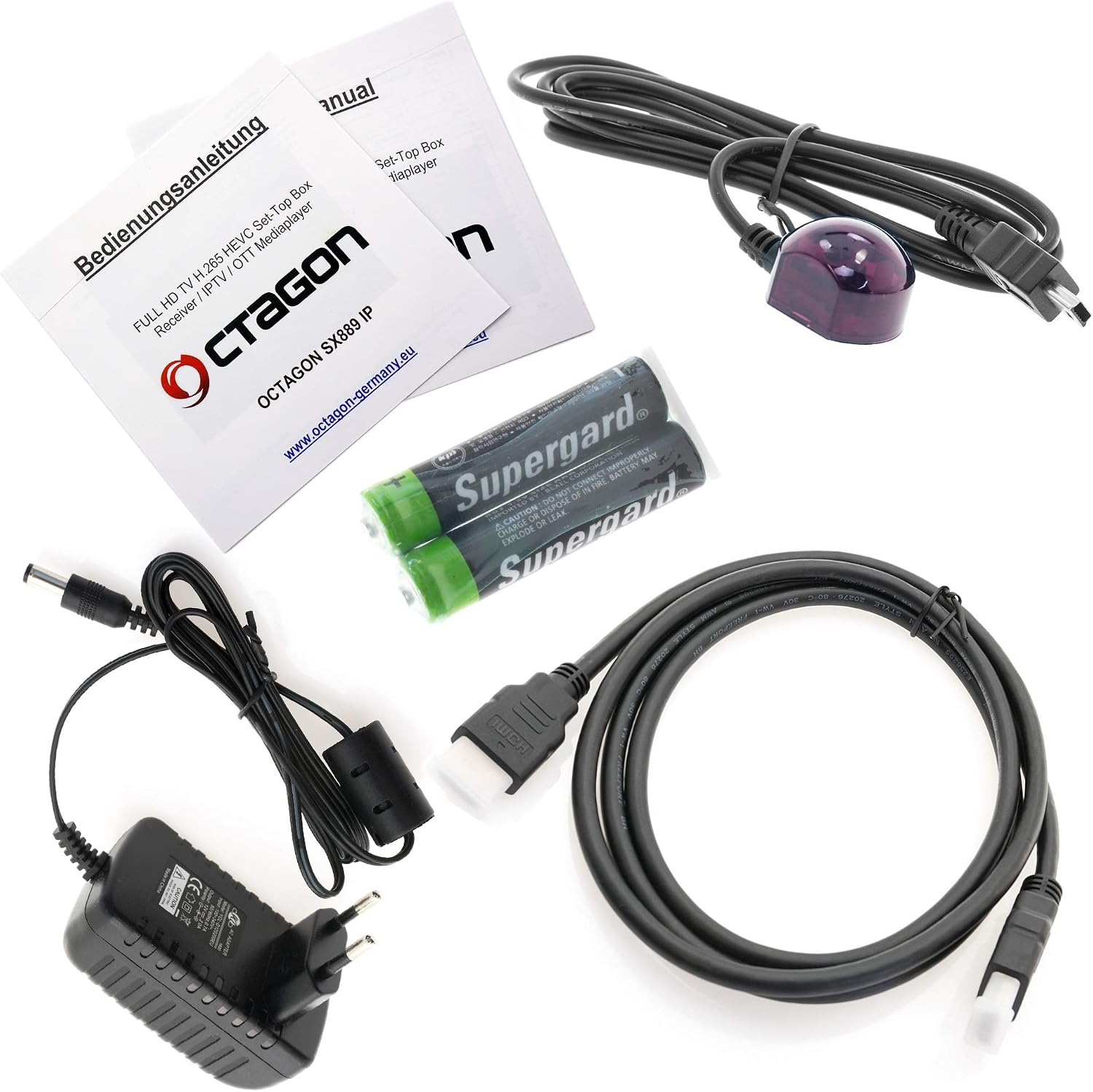
Image: Contents of the OCTAGON SX889 package, showing the receiver, remote control, IR receiver, HDMI cable, power adapter, batteries, and user manual.
Device Overview
Front Panel
The front panel features a 4-digit 7-segment display, an infrared sensor for the remote control, and an LED indicator. The "HEVC HD" and "OCTAGON SX889 FULL HD IP RECEIVER" logos are also visible.

Image: Front view of the OCTAGON SX889, displaying the 7-segment screen and brand logos.
Side Panels
The side panel includes two USB 2.0 ports for connecting external storage devices or optional WiFi/3G modems, and a connection port for the external IR receiver.

Image: Side view of the OCTAGON SX889, highlighting the USB 1, USB 2, and IR ports.

Image: Angled side view of the OCTAGON SX889, showing its compact design.
Rear Panel
The rear panel provides essential connection ports: HDMI 1.4b, a digital audio output (S/PDIF), an Audio Video (AV) female jack to RCA, a 10/100 Mbit Ethernet port, and the DC 12V power input.

Image: Rear view of the OCTAGON SX889, showing the HDMI, S/PDIF, AV, Ethernet, and DC IN ports.
Bottom Panel
The bottom panel features ventilation holes and the product label, which includes model information and serial number.

Image: Bottom view of the OCTAGON SX889, showing the product label with model and ID information.
Setup Instructions
- Connect the IR Receiver: Plug the external infrared (IR) receiver cable into the dedicated IR port on the side of the SX889. Position the IR receiver in a location where it has a clear line of sight to your remote control.
- Connect to TV: Use the provided HDMI cable to connect the HDMI OUT port on the SX889 to an HDMI IN port on your television.
- Connect to Network: For internet-based services like IPTV, YouTube, and software updates, connect an Ethernet cable from your router or network switch to the LAN port on the rear of the SX889. Alternatively, an optional USB WiFi adapter can be used in one of the USB ports.
- Connect Power: Plug the DC 12V power adapter into the DC IN port on the rear of the SX889, then plug the adapter into a power outlet.
- Insert Batteries into Remote: Open the battery compartment on the remote control and insert the two AAA batteries, ensuring correct polarity.
- Power On: Turn on your television and select the correct HDMI input source. The SX889 should power on automatically or can be turned on using the remote control.
- Initial Setup Wizard: Follow the on-screen instructions for initial setup, which may include language selection, network configuration, and time zone settings.
Operating Instructions
Basic Navigation
- Use the directional arrows on the remote control to navigate through menus and options.
- Press OK to confirm a selection or open an item.
- Press EXIT or BACK to return to the previous screen or exit a menu.
- The MENU button provides access to the main system settings and features.
- Use the Volume Up/Down buttons to adjust audio levels.
- Use the Channel Up/Down buttons to switch between channels or navigate lists.
IPTV and Media Playback
- IPTV: Access the IPTV section from the main menu. You can configure M3U lists or links for your IPTV services. Refer to your IPTV provider's instructions for specific setup details.
- Media Player: Connect a USB storage device (USB stick or external hard drive) to one of the USB ports. Navigate to the Media Player application to browse and play supported audio, video, and image files.
- PVR/TimeShift: With a connected USB storage device, you can record live TV programs (PVR) or pause and rewind live TV (TimeShift). Consult the on-screen menu for recording options.
- YouTube/Internet Radio: Dedicated buttons on the remote control or menu options allow direct access to YouTube and various internet radio stations.
Maintenance
- Cleaning: Use a soft, dry cloth to clean the exterior of the device. Do not use liquid cleaners or abrasive materials. Ensure the device is powered off and unplugged before cleaning.
- Ventilation: Ensure that the ventilation openings on the device are not blocked to prevent overheating. Do not place the device in an enclosed cabinet without adequate airflow.
- Software Updates: Periodically check for software updates through the system settings menu. Keeping the firmware updated ensures optimal performance and access to new features. Connect the device to the internet for updates.
- Storage: If storing the device for an extended period, disconnect it from power and store it in a cool, dry place.
Troubleshooting
| Problem | Possible Cause | Solution |
|---|---|---|
| No power | Power adapter not connected or faulty. | Ensure the power adapter is securely connected to the device and a working power outlet. Check if the power outlet is functional. |
| No picture on TV | Incorrect HDMI input selected on TV, loose HDMI cable, or device not powered on. | Verify your TV is set to the correct HDMI input. Check HDMI cable connections at both the SX889 and the TV. Ensure the SX889 is powered on. |
| Remote control not working | Dead batteries, IR receiver blocked, or IR receiver not connected. | Replace batteries in the remote control. Ensure there are no obstructions between the remote and the external IR receiver. Verify the IR receiver is properly connected to the device. |
| No internet connection | Ethernet cable disconnected, WiFi adapter not configured, or network issue. | Check the Ethernet cable connection to the device and router. If using WiFi, ensure the USB WiFi adapter is connected and configured correctly in the system settings. Restart your router. |
| IPTV channels not loading | Incorrect IPTV settings, internet connection issues, or service provider problem. | Verify your IPTV M3U list or link is correctly entered. Check your internet connection. Contact your IPTV service provider if the issue persists. |
Specifications
| Feature | Detail |
|---|---|
| Model Number | SX889 |
| Processor | Hisilicon 2 x 1.2 GHz Dual Core (32-bit, 3000 DMIPS) |
| GPU | High-performance multi-core GPU |
| RAM | 256 MB DDR3 |
| Flash Memory | 128 MB |
| Operating System | Define Linux OS |
| Video Resolution | H.265 HEVC HD, FHD (1920 x 1080) |
| HDMI | 1.4b (HDCP 1.4, CEC support) |
| USB Ports | 2 x USB 2.0 |
| Ethernet | 10/100 Mbit |
| Audio Output | Digital Audio (S/PDIF), Audio Video (AV) Jack to RCA |
| Power Supply | DC 12V |
| Standby Power | 0.5 W |
| Dimensions (L x D x H) | 142 x 93 x 24 mm |
| Supported Audio Formats | Dolby Digital, DTS, AAC, MP3, PCM |
Warranty Information
This product comes with a standard manufacturer's warranty. Please refer to the warranty card included in your package or contact your retailer for specific terms and conditions. Keep your proof of purchase for warranty claims.
Support
For technical assistance, troubleshooting beyond this manual, or general inquiries, please contact OCTAGON customer support. You may find contact information on the manufacturer's website or through your point of purchase. Ensure you have your product model number (SX889) and serial number ready when contacting support.
Online Resources: For the latest software updates, FAQs, and additional support, visit the official OCTAGON website: www.octagon-germany.eu


