
Jetson Highlight 2-Wheel Light-Up Kick Scooter User Manual
Model: Highlight (JHGLT-BLU)
1. Introduction
This manual provides essential information for the safe assembly, operation, and maintenance of your Jetson Highlight 2-Wheel Light-Up Kick Scooter. Please read this manual thoroughly before use and retain it for future reference. This scooter is designed for recreational use by children aged 6 and up, with a maximum weight limit of 165 pounds.
2. Safety Information
Always prioritize safety when operating the scooter. Failure to follow safety guidelines can result in serious injury.
- Always wear a helmet and appropriate safety gear, including knee and elbow pads.
- Ensure all clamps and fasteners are securely tightened before each ride.
- Ride on smooth, paved surfaces away from traffic. Avoid uneven terrain, loose debris, and wet conditions.
- Do not ride at night or in low-light conditions without adequate visibility. The scooter's lights enhance visibility but are not a substitute for proper lighting.
- Maintain a safe distance from other riders and pedestrians.
- Adult supervision is recommended for younger riders.
- Do not attempt stunts or tricks that exceed your skill level.
3. Setup and Assembly
The Jetson Highlight scooter requires partial assembly. Follow these steps to prepare your scooter for use.
3.1 Unfolding the Scooter
To unfold the scooter, locate the folding mechanism near the base of the handlebar stem. Release the latch and carefully unfold the stem until it locks securely into place. Ensure the mechanism is fully engaged before riding.

Image: The folding mechanism, showing how the scooter can be made compact for storage or transport.
3.2 Adjusting Handlebar Height
The handlebar height is adjustable to accommodate different rider heights. Loosen the clamp on the handlebar stem, adjust the handlebar to the desired height, ensuring the safety pin clicks into one of the adjustment holes. Then, securely tighten the clamp. The handlebar should be at hip level for optimal control.

Image: The adjustable handlebar stem, illustrating the mechanism for setting the correct height for the rider.
4. Operating the Scooter
Once assembled and adjusted, your Jetson Highlight scooter is ready for use.
4.1 Riding Technique
Place one foot firmly on the deck of the scooter. Use your other foot to push off the ground, generating momentum. Once moving, place both feet on the deck, one behind the other, and maintain balance. To turn, gently lean in the desired direction and steer the handlebars.

Image: A side profile of the scooter, demonstrating its structure for riding.
4.2 Activating LED Lights
The Jetson Highlight scooter features motion-activated LED lights on the wheels and deck. No batteries are required. The lights will illuminate automatically when the scooter is in motion, providing enhanced visibility and a dynamic visual effect.

Image: The front wheel of the scooter, showing the integrated LED lights in action.

Image: The scooter's deck, highlighting the LED light strips that activate with motion.
4.3 Braking
To slow down or stop, apply pressure to the rear foot brake located above the rear wheel. Press down firmly with your heel. Practice braking at low speeds to become familiar with its response.

Image: The rear of the scooter, illustrating the position of the foot brake for stopping.
5. Maintenance
Regular maintenance ensures the longevity and safe operation of your scooter.
- Cleaning: Wipe the scooter with a damp cloth after each use to remove dirt and debris. Avoid using harsh chemicals or abrasive cleaners.
- Wheel Inspection: Periodically check the wheels for wear and tear. Ensure they spin freely and are free from cracks or damage.
- Fastener Check: Regularly inspect all screws, bolts, and clamps to ensure they are tight. Tighten any loose fasteners.
- Storage: When not in use, store the scooter in a dry, cool place away from direct sunlight and moisture. The easy-folding mechanism allows for compact storage.
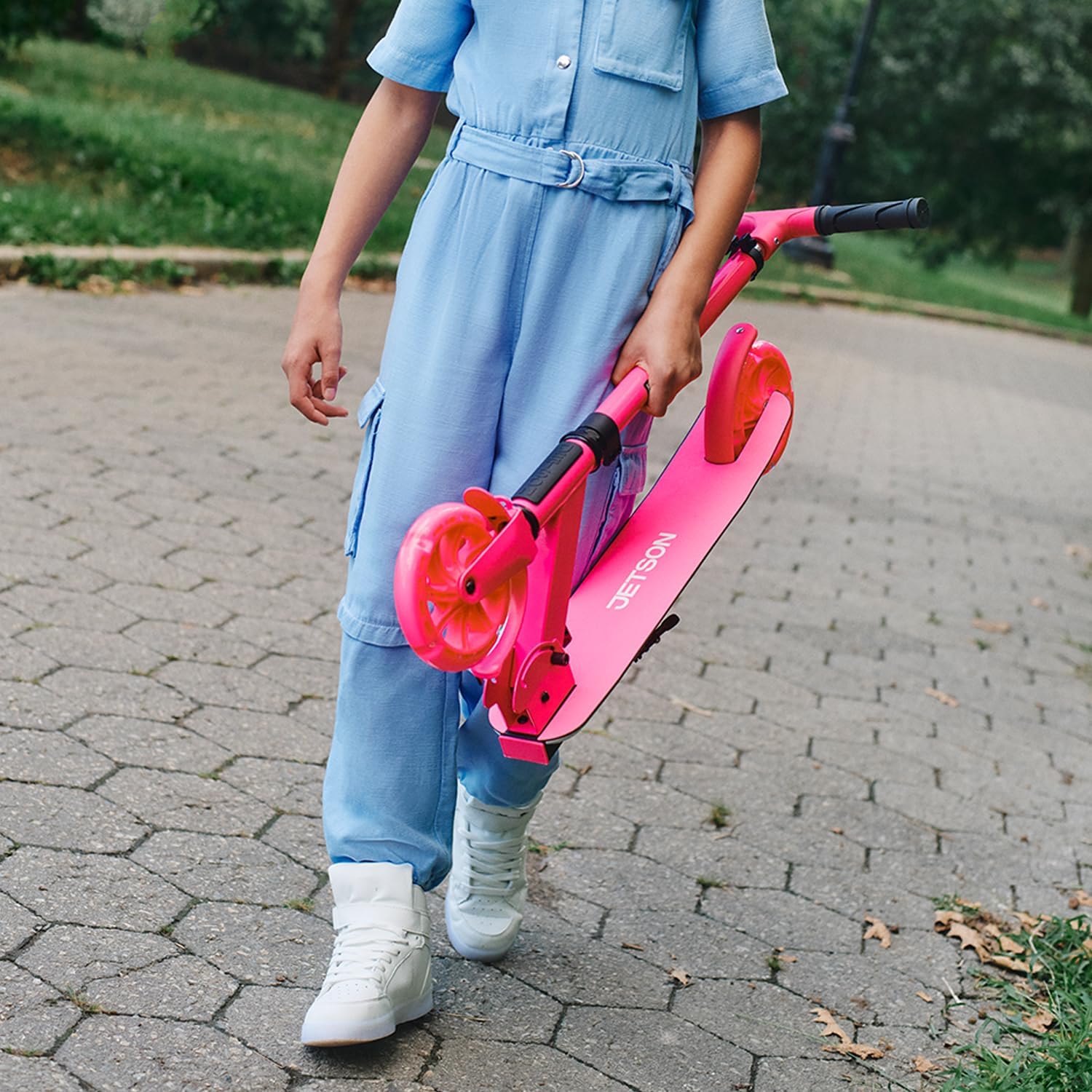
Image: The scooter folded, ready for compact storage or transport.
6. Troubleshooting
If you encounter issues with your scooter, refer to the following common troubleshooting tips:
- Lights Not Illuminating: Ensure the scooter is in motion. The LED lights are motion-activated and do not require batteries. If the scooter is moving and lights are still off, check for any obstructions or damage to the wheel or deck light mechanisms.
- Handlebar Feels Loose: Check the handlebar clamp and ensure it is securely tightened. If the handlebar still feels loose, verify that the safety pin is fully engaged in one of the adjustment holes.
- Folding Mechanism Stuck: Ensure no debris is obstructing the folding mechanism. Apply gentle pressure while releasing the latch. Do not force the mechanism.
7. Specifications
| Feature | Specification |
|---|---|
| Brand | Jetson |
| Model Name | Jetson 2-wheel Kick Scooter (Highlight) |
| Color | Highlight Blue |
| Age Range | 6+ |
| Weight Limit | 165 Pounds |
| Product Dimensions (L x W x H) | 32.4" x 14.1" x 33.1" |
| Number of Wheels | 2 |
| Wheel Material | Polyurethane |
| Frame Material | Aluminum |
| Item Weight | 10.4 Pounds |
| Handlebar Type | Adjustable |
| Wheel Size | 6 Inches |
| Brake Style | Rear Braking |
| Special Feature | Adjustable Handlebar Height, Foldable, Lights |
8. Warranty
The Jetson Highlight 2-Wheel Light-Up Kick Scooter comes with a limited warranty. For detailed information regarding warranty coverage, terms, and conditions, please refer to the manufacturer's official website or contact their customer support directly.
9. Support
For further assistance, technical support, or to purchase replacement parts, please visit the official Jetson website or contact their customer service department. You can also visit the Jetson Store on Amazon for product information and accessories.


