
SogesHome NSDCA-AGJJ-D03-120T
SogesHome NSDCA-AGJJ-D03-120T 47-inch Computer Desk Instruction Manual
1. Introduction
This manual provides detailed instructions for the assembly, use, and maintenance of your SogesHome NSDCA-AGJJ-D03-120T 47-inch Computer Desk. Please read this manual thoroughly before assembly and retain it for future reference.
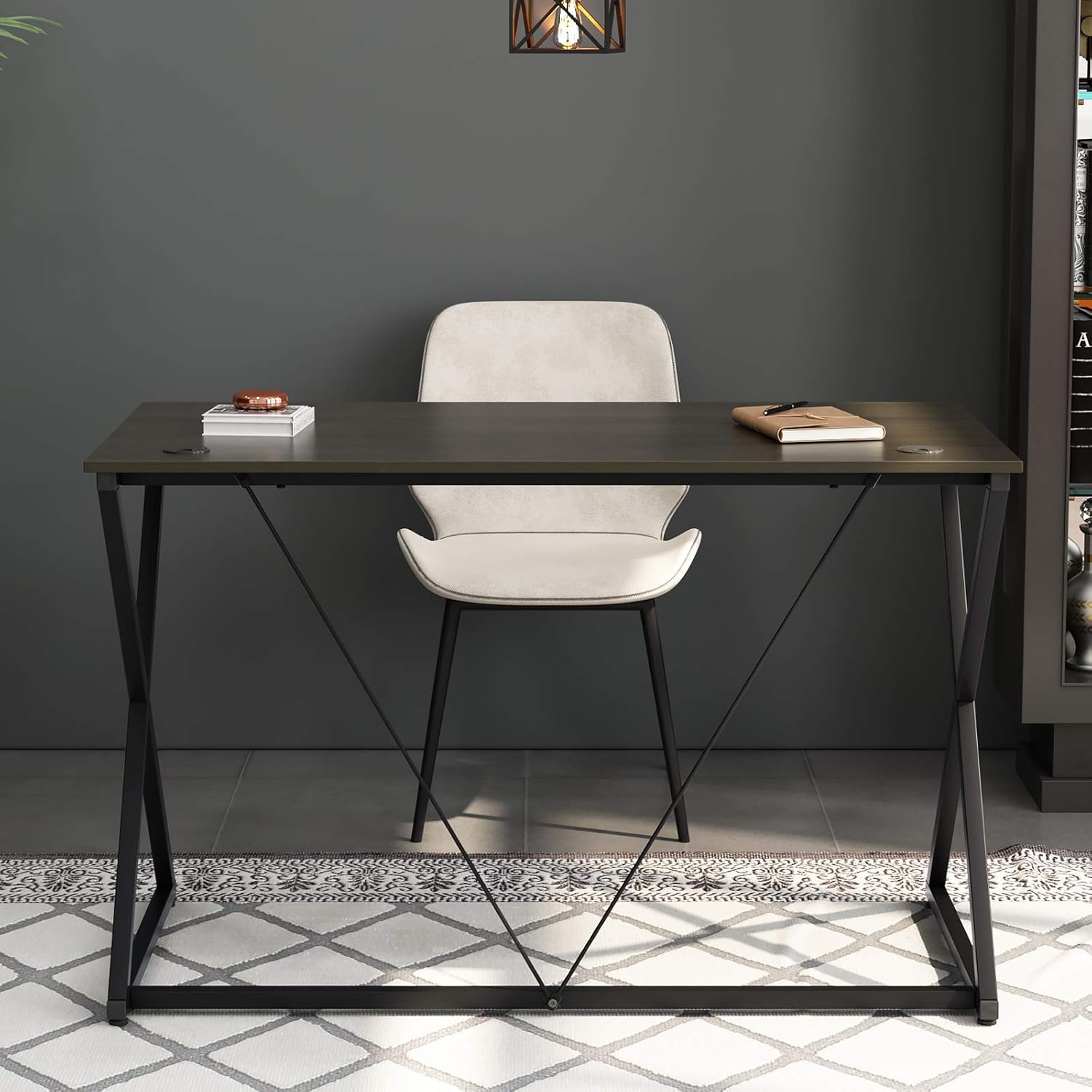
Image 1.1: The SogesHome 47-inch computer desk, designed for home office or study use.
2. Safety Information
- Ensure all components are present and undamaged before beginning assembly.
- Assemble the desk on a soft, clean surface to prevent scratches.
- Do not overtighten screws during assembly to avoid damaging the material.
- Keep small parts away from children to prevent choking hazards.
- Do not stand or sit on the desk.
- Place the desk on a level surface to ensure stability.
- Distribute weight evenly across the desktop.
3. Package Contents
Before assembly, verify that all parts listed below are included in your package. If any parts are missing or damaged, please contact customer support.
- Desktop Panel (1)
- Left Frame Assembly (1)
- Right Frame Assembly (1)
- Cross Braces (2)
- Adjustable Feet (4)
- Hardware Pack (Screws, Allen Wrench)
- Instruction Manual (1)
4. Setup and Assembly
Assembly is straightforward and requires minimal tools, which are included in the package. It is recommended to have two people for easier assembly.
- Unpack and Identify Parts: Carefully remove all components from the packaging. Lay them out on a clean, soft surface to prevent scratches. Refer to the parts list to ensure all items are present.
- Attach Adjustable Feet: Screw the four adjustable feet into the bottom of the left and right frame assemblies. These feet help stabilize the desk on uneven floors.
- Assemble Frame: Connect the left and right frame assemblies using the cross braces. Secure them with the provided screws and the Allen wrench. Do not fully tighten screws until all parts are aligned.
- Attach Desktop Panel: Carefully place the desktop panel onto the assembled frame. Align the pre-drilled holes on the desktop with the holes on the frame. Secure the desktop to the frame using the remaining screws.
- Final Tightening: Once all screws are in place and the desk is aligned, fully tighten all screws. Ensure the desk is stable and level.

Image 4.1: Detail of the sturdy metal frame with diagonal braces.
5. Operating (Usage)
The SogesHome computer desk is designed for versatile use in various settings, including home offices, study areas, and gaming setups.
- Work Surface: The spacious 47.2 x 23.6 inch (120 x 60 cm) desktop provides ample room for laptops, monitors, keyboards, and other office essentials.
- Cable Management: The desk features integrated grommets for organized cable routing, helping to keep your workspace tidy.
- Versatility: This desk can function as a computer desk, laptop desk, study desk, writing desk, or general office workstation.

Image 5.1: Integrated cable management grommet on the desktop.
6. Maintenance
Proper care will extend the life and appearance of your SogesHome desk.
- Cleaning: The desktop is waterproof and anti-scratch. Wipe surfaces with a soft, damp cloth. Avoid harsh chemicals or abrasive cleaners.
- Spills: Immediately wipe up any spills to prevent water damage, although the surface is designed to resist moisture.
- Inspection: Periodically check all screws and connections to ensure they remain tight. Retighten if necessary.
- Avoid Extreme Conditions: Do not expose the desk to direct sunlight for prolonged periods or extreme temperature changes, as this may affect the material.
7. Troubleshooting
If you encounter any issues with your desk, refer to the following common problems and solutions:
- Desk is Wobbly:
- Ensure all screws are fully tightened.
- Adjust the leveling feet on the bottom of the frame to compensate for uneven floors.
- Parts Missing or Damaged:
- Review the "Package Contents" section. If parts are genuinely missing or damaged, contact customer support for assistance.
- Difficulty Assembling:
- Re-read the "Setup and Assembly" instructions carefully.
- Ensure you are using the correct screws for each step.
- Do not overtighten screws until the entire frame is loosely assembled and aligned.
8. Specifications
| Attribute | Detail |
|---|---|
| Model Number | NSDCA-AGJJ-D03-120T |
| Dimensions (Imperial) | L 47.2 x W 23.6 x H 29.7 inches |
| Dimensions (Metric) | L 120 x W 60 x H 75.4 cm |
| Material | Environmental E1 standard particle wood (desktop), Metal (frame) |
| Color | Brown |
| Special Features | Waterproof, Anti-scratch desktop, Sturdy metal frame with diagonal braces, Cable management grommets |
| Assembly Required | Yes |

Image 8.1: Desk dimensions in inches.

Image 8.2: Desk dimensions in centimeters.
9. Warranty Information
SogesHome products are manufactured to high-quality standards. For specific warranty terms and conditions, please refer to the documentation included with your purchase or contact SogesHome customer support directly. Keep your proof of purchase for any warranty claims.
10. Customer Support
If you have any questions, require assistance with assembly, or need to report missing/damaged parts, please contact SogesHome customer service. Provide your model number (NSDCA-AGJJ-D03-120T) and purchase details for efficient service.
Contact information can typically be found on the product packaging, the retailer's website, or the official SogesHome website.
Ask a question about this manual
Ask about setup, troubleshooting, compatibility, parts, safety, or missing instructions. Manuals+ will review the question and use this page’s manual context to help answer it.