
1. Introduction
This manual provides detailed instructions for the installation, operation, and maintenance of the Sonew Door Touch Exit Release Button. This device is designed to provide a convenient and reliable exit solution for various access control systems, featuring a touch-sensitive panel with LED illumination for clear indication.

Figure 1: Sonew Door Touch Exit Release Button showing both blue (inactive) and green (active) illumination states.
2. Product Features
- Touch-Sensitive Operation: Provides a modern and hygienic method for door release.
- LED Illumination: Features clear blue and green LED indicators for status (blue for standby, green for activated).
- Durable Construction: Made from high-quality plastic with an elegant style, ensuring practical and long-lasting use.
- Wired Connectivity: Designed for reliable wired integration into existing access control systems.
- Compact Design: Slim and unobtrusive, suitable for various door frames and wall installations.
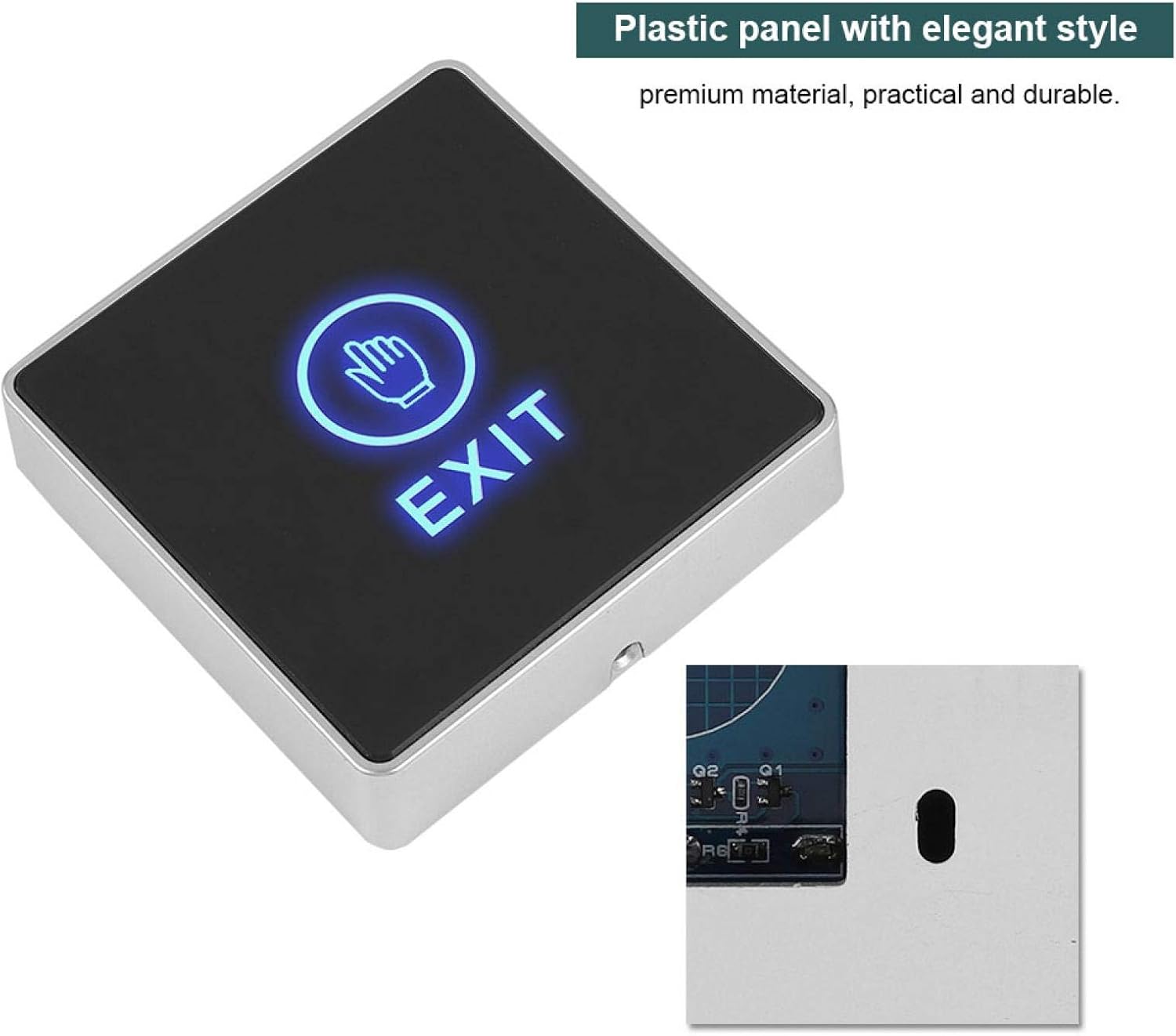
Figure 2: The touch exit button highlighting its elegant plastic panel construction.
3. Package Contents
Please verify that all items are present and in good condition upon opening the package:
- 1 x Sonew Door Touch Exit Release Button
- 1 x Set of Connection Wires
- 2 x Mounting Screws
- 2 x Wall Plugs

Figure 3: All components included in the product package.
4. Specifications
| Feature | Specification |
|---|---|
| Model Number | ca80a24f-d43c-4be1-ad83-1871dd4c0a4b |
| Brand | Sonew |
| Color | Silver |
| Material | Plastic |
| Power Source | Wired Electric |
| Installation Method | Professional Wired |
| Switch Type | Button |
| Connectivity Technology | Wired |
| Item Dimensions (LxWxH) | 10 x 10 x 10 mm (approximate, based on 1x1x1 cm) |
| Item Weight | 80 grams |
5. Setup and Installation
The Sonew Door Touch Exit Release Button requires professional wired installation. Please ensure power is disconnected from the access control system before proceeding with installation.
5.1 Wiring Diagram
Refer to the following diagram for proper wiring connections. The button integrates with your existing access control panel, electric lock (fail-secure or fail-safe), and power supply.

Figure 4: Detailed wiring diagram for system integration.
5.2 Connection Points
The back of the button features clearly labeled terminals. Match the wire colors to the corresponding functions:
- Red Wire: +12VDC (Power Input)
- Black Wire: GND (Ground)
- Yellow Wire: COM (Common)
- White Wire: NC (Normally Closed)
- Green Wire: NO (Normally Open)

Figure 5: Rear view of the button with terminal labels.
5.3 Installation Steps
- Prepare the Mounting Location: Choose a suitable location near the door, ensuring enough space for the button and wiring.
- Drill Holes: Use the button as a template to mark and drill holes for mounting screws and wiring.
- Connect Wiring: Carefully connect the wires from the access control system to the corresponding terminals on the back of the exit button, following the wiring diagram (Figure 4) and terminal labels (Figure 5). Ensure all connections are secure.
- Mount the Button: Secure the exit button to the wall or door frame using the provided screws and wall plugs.
- Test System: Once installation is complete, restore power to the access control system and test the functionality of the exit button.
6. Operating Instructions
The Sonew Door Touch Exit Release Button is designed for simple and intuitive operation:
- Standby Mode: When the button is not in use, the LED indicator will typically display a blue light, indicating it is ready for activation.
- Activation: To trigger the door release, gently touch the illuminated panel. The LED indicator will change to a green light, signaling that the button has been activated and the door lock has been disengaged.
- Door Release: The door will unlock for a preset duration, allowing passage. After the set time, the lock will re-engage, and the button's LED will return to blue.


Figure 6: The exit button in its standby state, illuminated with blue light.
7. Maintenance
To ensure the longevity and optimal performance of your Sonew Door Touch Exit Release Button, follow these simple maintenance guidelines:
- Cleaning: Wipe the surface with a soft, dry, or slightly damp cloth. Avoid using abrasive cleaners, solvents, or harsh chemicals, as these can damage the finish and electronic components.
- Inspection: Periodically check the wiring connections to ensure they are secure and free from corrosion.
- Environmental Conditions: Ensure the button is installed in an environment within its specified operating temperature and humidity ranges. Avoid direct exposure to excessive moisture or extreme temperatures.
8. Troubleshooting
If you encounter issues with your Sonew Door Touch Exit Release Button, refer to the following troubleshooting steps:
| Problem | Possible Cause | Solution |
|---|---|---|
| Button does not light up. | No power supply; Loose wiring connection; Faulty button. | Check power supply to the access control system. Verify all wiring connections are secure. If issues persist, contact support. |
| Button lights up but door does not unlock. | Incorrect wiring to the lock; Faulty lock; Access control system issue. | Review the wiring diagram (Figure 4) and ensure correct connections to the electric lock (NO/NC/COM). Test the electric lock independently. Consult your access control system manual. |
| Button is unresponsive to touch. | Contaminated surface; Internal sensor issue. | Clean the button surface with a soft, dry cloth. Ensure no foreign objects are obstructing the touch area. If the problem continues, the sensor may be faulty. |
9. Warranty and Support
For warranty information and technical support, please refer to the documentation provided with your purchase or contact Sonew customer service through the retailer where the product was purchased. Keep your purchase receipt as proof of purchase.
Sonew Store Link: Visit the Sonew Store on Amazon