
1. Introduction
The Monster Wall Tap Plug 6-Outlet Extender with Surge Protector is designed to expand your available power outlets and protect your electronic devices from power surges. Featuring Metal Oxide Varistor (MOV) technology for fire prevention and a 300 Joule energy rating, this ETL Listed device provides reliable power distribution and safety for various home, office, and travel applications.

Front view of the Monster Wall Tap Plug 6-Outlet Extender, showing six AC outlets and the 'PROTECTED' indicator light.
2. Setup Instructions
- Unpack the Device: Carefully remove the Monster Wall Tap Plug from its packaging.
- Identify a Standard Wall Outlet: Locate a standard, grounded 3-prong wall outlet where you intend to use the extender.
- Plug In: Insert the Monster Wall Tap Plug directly into the chosen wall outlet. Ensure it is firmly seated. The compact design allows it to fit snugly over the wall socket.
- Verify Protection: Once plugged in, observe the 'PROTECTED' LED indicator light on the top of the unit. A lit indicator confirms that the surge protection feature is active and your devices will be safeguarded. If the light is not illuminated, refer to the Troubleshooting section.

The Monster Wall Tap Plug installed over a standard wall socket, demonstrating its compact fit.

The wall tap in use, showing how it keeps cables organized and off the floor.
3. Operating Instructions
The Monster Wall Tap Plug provides six AC outlets for powering multiple devices simultaneously. Its operation is straightforward:
- Connecting Devices: Plug your electronic devices directly into any of the six available AC outlets on the wall tap.
- Surge Protection Indicator: The 'PROTECTED' LED indicator light on the unit confirms that the surge protection is active. As long as this light is illuminated, your connected devices are protected from power surges.
- Power Capacity: The unit is designed to handle a total power load suitable for various devices, including home appliances, computers, and smart phone chargers. Do not exceed the maximum current rating of 15 Amps.

The wall tap powering multiple devices in an entertainment center, including a TV and gaming console.

The wall tap integrated into an office desk setup, providing power to a computer and other accessories.
4. Maintenance
To ensure optimal performance and longevity of your Monster Wall Tap Plug, follow these simple maintenance guidelines:
- Cleaning: Disconnect the unit from the wall outlet before cleaning. Use a dry, soft cloth to wipe the exterior. Do not use liquid cleaners or abrasive materials.
- Environment: Keep the wall tap in a dry location, away from moisture, excessive heat, and direct sunlight.
- Inspection: Periodically inspect the unit for any signs of damage, such as cracks, frayed wires, or discoloration. If any damage is observed, discontinue use and contact customer support.
5. Troubleshooting
If you encounter issues with your Monster Wall Tap Plug, refer to the following common troubleshooting steps:
- 'PROTECTED' LED Indicator Not Lit:
- Ensure the wall tap is fully and securely plugged into a functioning, grounded 3-prong wall outlet.
- If the light remains off after confirming the connection, it may indicate that the surge protection components have been sacrificed to protect your equipment from a significant power surge. In this case, the unit will no longer provide surge protection, but the outlets may still function as a power extender. For continued surge protection, the unit should be replaced.
- No Power to Connected Devices:
- Check if the wall outlet itself is receiving power by plugging in another known working device directly into the wall.
- Ensure that the total power draw of all connected devices does not exceed the unit's maximum capacity (15 Amps). Overloading can cause the unit or the circuit breaker to trip.
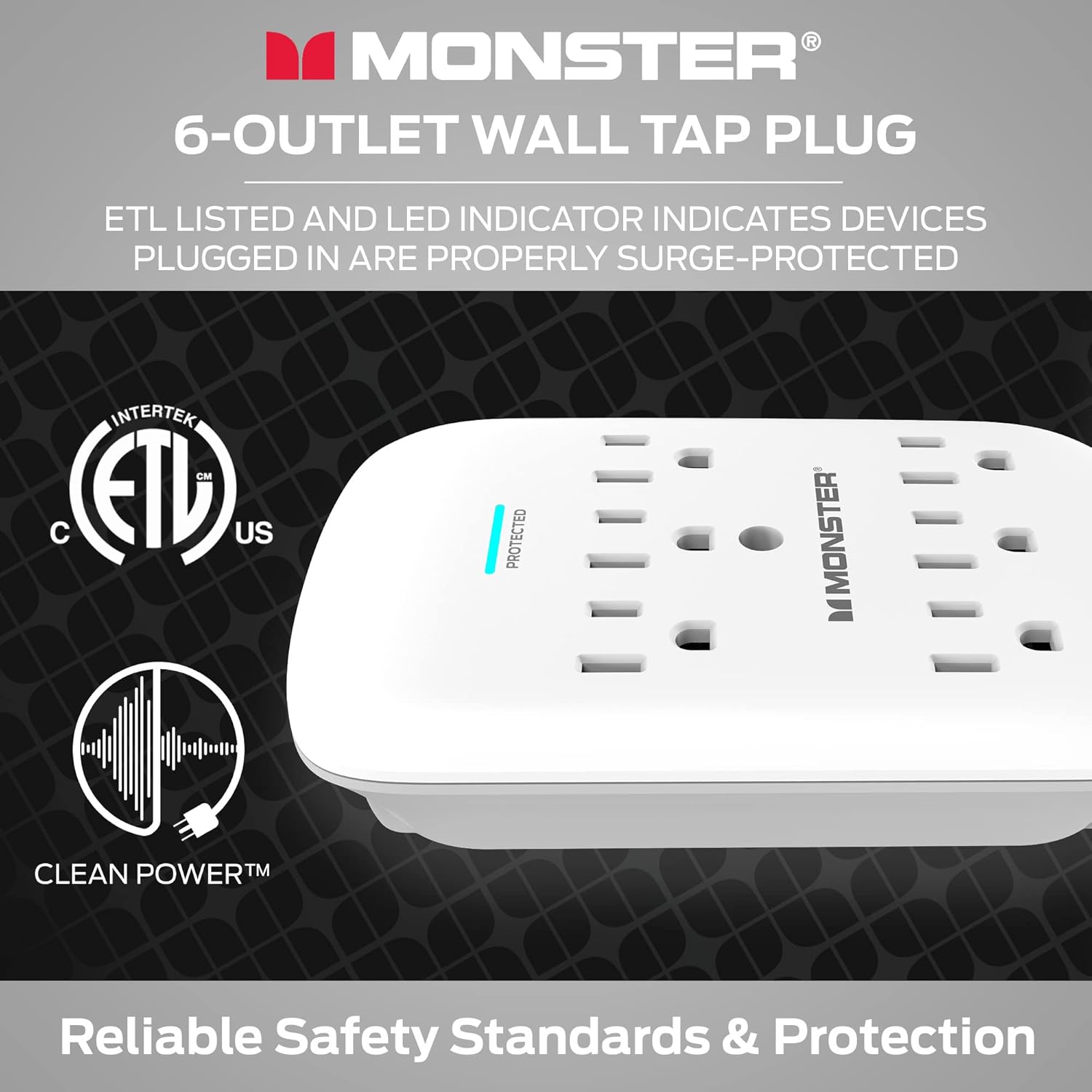
Close-up of the Monster Wall Tap Plug highlighting the 'PROTECTED' LED indicator and ETL certification.
6. Specifications
| Feature | Specification |
|---|---|
| Model Number | 5000W |
| Total Power Outlets | 6 AC Outlets |
| Surge Protection Rating | 300 Joules |
| Voltage | 120 Volts |
| Special Feature | Surge Protection, Fireproof MOV Technology |
| Certifications | ETL Listed |
| Item Weight | 7.7 ounces |
| Package Dimensions | 6.61 x 4.06 x 1.85 inches |
7. Warranty and Support
Monster stands behind the quality and protection offered by its products. This Wall Tap Plug includes a Connected Equipment Warranty:
- Connected Equipment Warranty: Monster will replace up to $100,000 worth of your equipment if it is damaged by a power surge or spike while properly connected to this surge protector. Please refer to the full warranty details provided with your product for terms and conditions.
For further assistance, technical support, or warranty claims, please visit the official Monster website or contact their customer service department.

An image illustrating the superior surge protection and connected equipment policy of the Monster Wall Tap.
8. Product Overview Video
An official video providing an overview of the Monster Power Surge Protector, highlighting its features and benefits.


