1. Introduction
Thank you for purchasing the Dolphin BoxParty 1600 Portable Bluetooth Party Speaker. This manual provides essential information for the safe and efficient operation of your speaker. Please read it thoroughly before use and retain it for future reference.
2. Safety Instructions
- Do not expose the unit to rain or moisture to prevent fire or electric shock.
- Do not open the speaker cabinet. There are no user-serviceable parts inside. Refer all servicing to qualified personnel.
- Place the speaker on a stable, flat surface to prevent it from falling.
- Keep the speaker away from heat sources such as radiators, heat registers, stoves, or other apparatus (including amplifiers) that produce heat.
- Protect the power cord from being walked on or pinched, particularly at plugs, convenience receptacles, and the point where they exit from the apparatus.
- Unplug the speaker during lightning storms or when unused for long periods.
- Ensure proper ventilation. Do not block any ventilation openings.
3. Package Contents
Carefully unpack your Dolphin BoxParty 1600 speaker and ensure all items are present:
- Dolphin BoxParty 1600 Speaker
- Wired Microphone
- Remote Control
- AC Charge Cable
- External Battery Cable
- Auxiliary Cable

4. Product Overview
The Dolphin BoxParty 1600 is a versatile portable speaker designed for various audio needs. It features a 15-inch subwoofer, LED lights, multiple input options, and a built-in rechargeable battery.
4.1. Control Panel and Ports
Familiarize yourself with the control panel and various input/output ports on your speaker.

- USB/SD/TF MP3 Port: For playing audio from USB drives, SD cards, or TF cards.
- Bluetooth: Wireless audio streaming.
- FM Radio & AUX: For radio reception and wired audio input.
- Mic Inputs (x2): Connect wired microphones.
- Guitar Input: Connect a guitar.
- Karaoke Controls: Adjust microphone volume, echo, bass, treble, and delay.
- Music Volume, Treble, Bass: Main audio adjustments.
- Power Switch: Turns the speaker on/off.
- Party Lights Switch: Controls the LED lights.
- Battery Indicator: Shows current battery level.
- 12V DC Input: For connecting an external 12V battery.
- Power Input (AC110V-240V): For charging and AC power.
5. Setup
5.1. Initial Charging
Before first use, fully charge the speaker for approximately 6-8 hours. Connect the AC charge cable to the speaker's power input and a standard wall outlet. The battery indicator will show charging status.
5.2. Placement
Place the speaker on a stable, flat surface. For optimal sound dispersion, position it in an open area. The speaker also features a tripod mount (1.5" diameter) for use with compatible speaker stands.
6. Operating Instructions
6.1. Power On/Off
To power on the speaker, toggle the 'POWER' switch to the 'ON' position. To power off, toggle the switch to 'OFF'.
6.2. Bluetooth Pairing
- Turn on the speaker. The display will indicate Bluetooth mode or you can select it using the mode button.
- Enable Bluetooth on your mobile device (smartphone, tablet, etc.).
- Search for available Bluetooth devices and select "Dolphin SP-1600RBT" from the list.
- Once paired, the speaker will emit a confirmation sound, and you can begin playing audio wirelessly.
6.3. AUX Input
Connect the included auxiliary cable from your audio source's headphone jack or line-out port to the 'AUX IN' port on the speaker. Select AUX mode on the speaker.
6.4. USB/SD/TF Playback
Insert a USB drive, SD card, or TF card containing MP3 audio files into the corresponding port. The speaker will automatically switch to USB/SD/TF mode and begin playback. Use the control panel or remote to navigate tracks.
6.5. Microphone and Guitar Inputs
Connect your wired microphone(s) to the 'MIC' input jacks and your guitar to the 'GUITAR' input jack. Adjust the individual 'MIC VOLUME' and 'GUITAR VOLUME' knobs. Use the 'MIC ECHO', 'MIC TREBLE', and 'MIC BASS' controls for vocal effects.
6.6. Wavesync Function (Wireless Pairing)
The Wavesync function allows you to wirelessly pair two Dolphin BoxParty 1600 speakers for a stereo sound experience.
- Ensure both speakers are powered on and in Bluetooth mode.
- On one speaker (this will be the primary speaker), press and hold the 'WAVESYNC' button. The speaker will enter pairing mode.
- On the second speaker, press the 'WAVESYNC' button briefly. It will search for the primary speaker.
- Once connected, both speakers will play audio simultaneously from your Bluetooth device.

6.7. LED Party Lights
The speaker features sound-activated LED lights that change color and pattern with the music. To activate or deactivate the lights, use the 'PARTY LIGHTS' switch on the control panel.

6.8. Expandable Battery Option
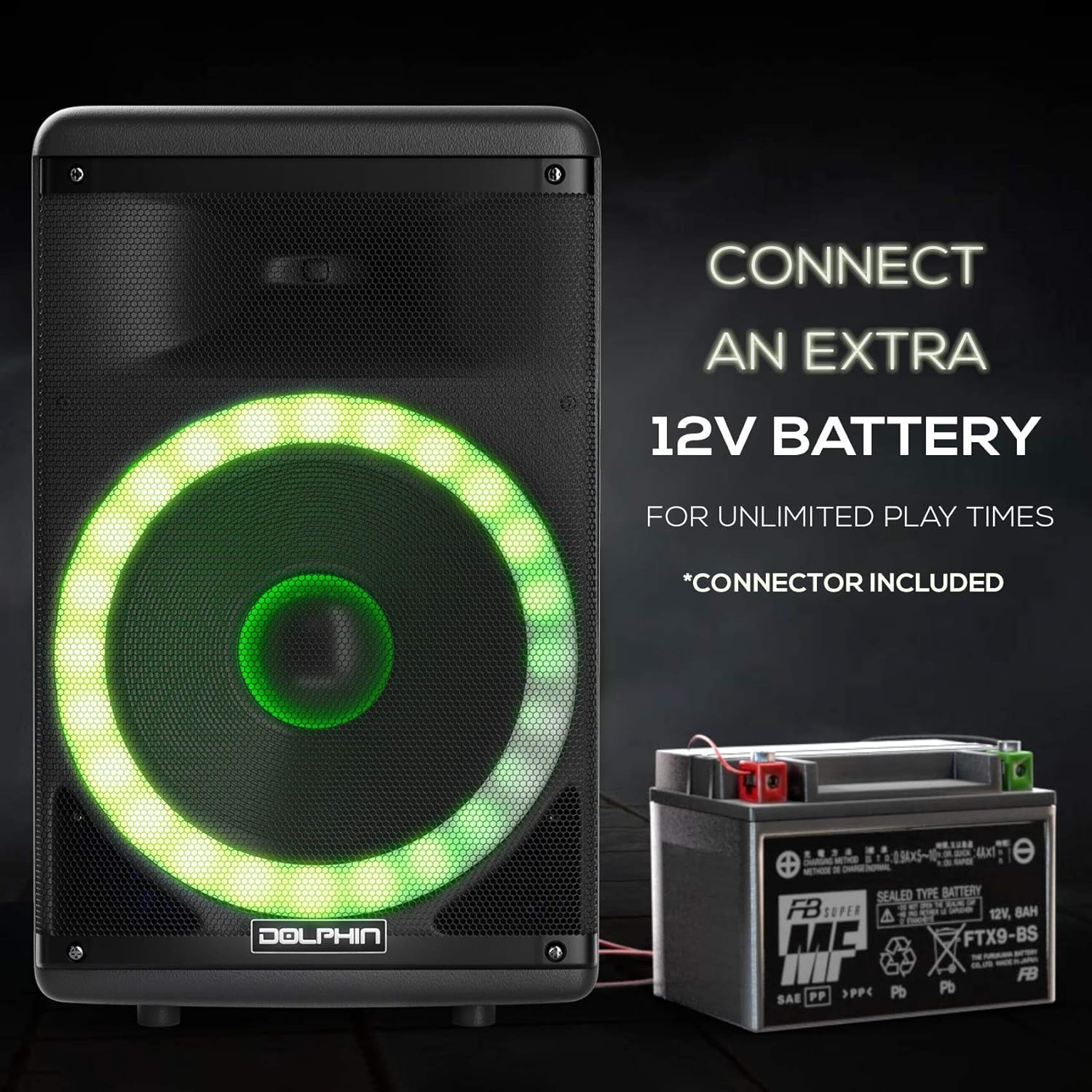
For extended playtime, the speaker can connect to an external 12V battery. Use the included external battery cable to clamp onto a compatible 12V power source (e.g., car battery). Connect the other end to the '12V DC' input on the speaker.
7. Maintenance
- Cleaning: Wipe the speaker's exterior with a soft, dry cloth. Do not use abrasive cleaners or solvents.
- Storage: When not in use, store the speaker in a cool, dry place, away from direct sunlight and extreme temperatures.
- Battery Care: For optimal battery life, avoid fully discharging the battery frequently. Recharge the speaker regularly, even if not in use, to maintain battery health.
8. Troubleshooting
| Problem | Possible Cause | Solution |
|---|---|---|
| No power | Battery drained, power cable disconnected. | Charge the speaker using the AC cable. Ensure the power cable is securely connected. |
| No sound | Volume too low, incorrect input mode, device not paired (Bluetooth). | Increase volume. Select the correct input mode (Bluetooth, AUX, USB/SD). Re-pair Bluetooth device. |
| Bluetooth not connecting | Speaker not in pairing mode, device too far, interference. | Ensure speaker is in Bluetooth mode. Move device closer to speaker. Turn off other Bluetooth devices. |
| Microphone not working | Microphone not connected, mic volume low. | Ensure microphone is securely plugged in. Increase 'MIC VOLUME' knob. |
| Wavesync not pairing | Incorrect pairing procedure, speakers too far apart. | Follow Wavesync pairing steps carefully. Ensure speakers are within close range. |
9. Specifications
| Feature | Specification |
|---|---|
| Model Name | SP-1600RBT |
| Speaker Type | Portable Bluetooth Party Speaker |
| Subwoofer Diameter | 15 Inches |
| Speaker Maximum Output Power | 3600 Watts |
| Connectivity Technology | Bluetooth |
| Wireless Communication Technology | Bluetooth |
| Power Source | Battery Powered |
| Input Voltage | 12 Volts (DC) |
| Impedance | 4 Ohm |
| Product Dimensions | 14"D x 18"W x 28"H |
| Item Weight | 38.6 pounds |
| Material | Acrylonitrile Butadiene Styrene (ABS) |
| Special Features | Expandable Battery, Trolley Handle and Wheels, LED Lights, Wavesync |
| UPC | 850006218905 |
10. Warranty Information
This product is covered by a manufacturer's warranty. Please refer to the warranty card included with your purchase or contact Dolphin customer support for detailed information regarding warranty terms and conditions. The provided information indicates a warranty type for the battery; for full product warranty details, consult the manufacturer directly.
11. Support
For technical assistance, troubleshooting, or general inquiries, please contact Dolphin customer support. Refer to the official Dolphin website or your product packaging for the most current contact information.


