
Rosewill PB360-RGB
Rosewill RGB CPU Liquid Cooler User Manual
Model: PB360-RGB
Brand: Rosewill
1. Product Overview
The Rosewill RGB CPU Liquid Cooler (Model PB360-RGB) is an advanced all-in-one (AIO) liquid cooling solution designed to efficiently dissipate heat from your CPU, ensuring optimal performance and stability. It features a closed-loop design, eliminating the need for maintenance or refilling. The integrated RGB lighting effects on the pump and fans are customizable, allowing for aesthetic synchronization with your system's theme.
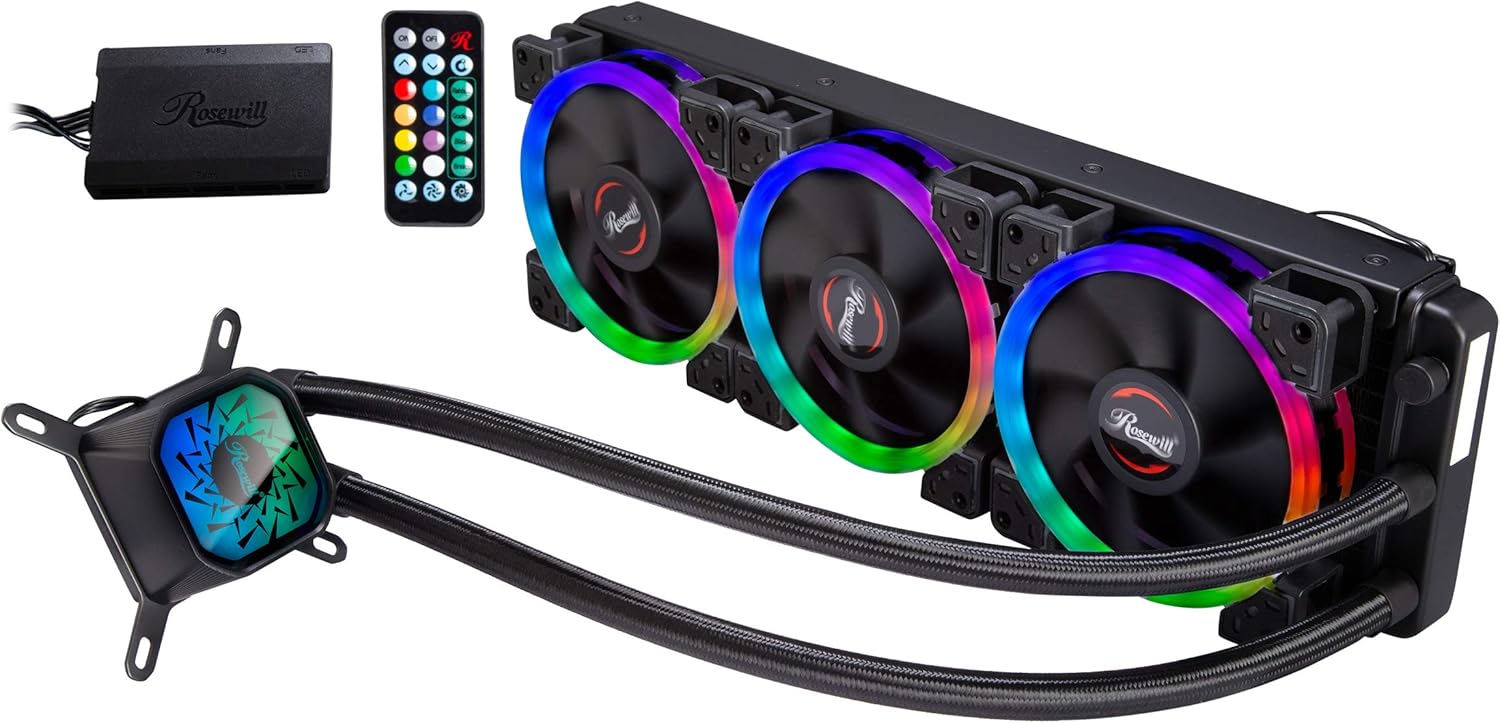
Figure 1.1: Rosewill RGB CPU Liquid Cooler (PB360-RGB) with included RGB controller and remote.
Key Features:
- Efficient Cooling: Closed-loop liquid cooling system for superior heat dissipation.
- Customizable RGB Lighting: Addressable RGB on pump and fans for personalized aesthetics.
- Three High-Performance Fans: Optimized for airflow and static pressure.
- Wide Compatibility: Supports various Intel and AMD CPU sockets.
- Durable Construction: Aluminum radiator and copper cold plate for longevity.
2. Package Contents
Please inspect the package contents to ensure all components are present and undamaged. If any items are missing or damaged, please contact Rosewill customer support.

Figure 2.1: Main components of the PB360-RGB cooler.
- Rosewill PB360-RGB Liquid Cooler (Radiator with 3 Fans and Pump/CPU Block)
- Mounting Hardware Kit (for Intel and AMD sockets)
- RGB Controller
- RGB Remote Control
- User Manual (this document)
3. Safety Information
Before installation and operation, please read and understand the following safety precautions to prevent injury or damage to your system components.
- Ensure your computer is powered off and unplugged from the wall outlet before beginning installation.
- Handle components with care to avoid static discharge. Consider using an anti-static wrist strap.
- Do not open the liquid cooler's closed-loop system. It is pre-filled and sealed.
- Keep the product away from direct sunlight, high temperatures, and humid environments.
- Do not attempt to repair or modify the cooler. Contact qualified personnel for service.
4. Installation Guide
This section provides general installation steps. Refer to your motherboard's manual for specific header locations and clearances.
4.1. Prepare Your System
- Power off your computer and disconnect the power cable.
- Open your computer case.
- Remove any existing CPU cooler. Clean the CPU surface of any old thermal paste using isopropyl alcohol.
4.2. Install the Radiator and Fans
Determine the best mounting location for the 360mm radiator in your case (typically top or front). Ensure adequate clearance for the radiator and fans.
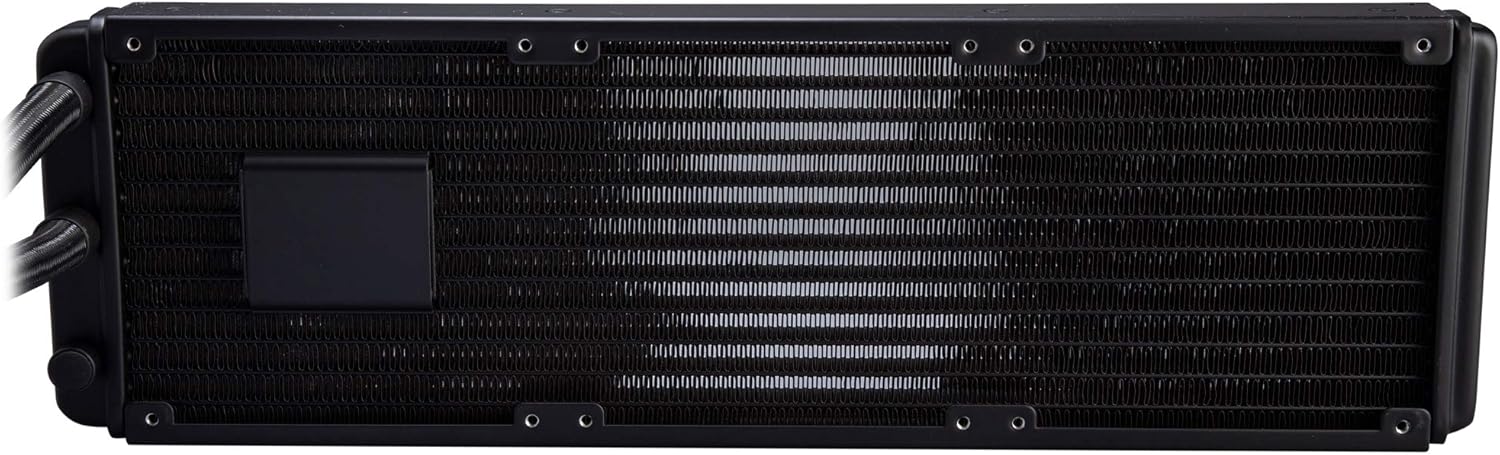
Figure 4.1: Radiator detail.
- Attach the three 120mm fans to the radiator using the provided long screws. Ensure the fan airflow direction is appropriate for your case's cooling strategy (intake or exhaust).
- Mount the radiator assembly to your chosen location in the PC case using the appropriate screws.
4.3. Install the CPU Water Block
Apply a thin, even layer of thermal paste to the center of your CPU's integrated heat spreader (IHS). The cooler may come with pre-applied thermal paste; if so, remove the protective film.

Figure 4.2: CPU water block with copper base.
- Select the correct mounting brackets and backplate for your CPU socket (Intel LGA 115X/1200/1700/2011/2066 or AMD AM4/AM5).
- Secure the backplate behind the motherboard (if required for your socket).
- Align the water block with the CPU and the mounting holes on the motherboard.
- Gently place the water block onto the CPU and secure it with the provided thumb screws or nuts, tightening them in a diagonal pattern until snug. Do not overtighten.
4.4. Cable Management and Connections
Properly connect all cables to the motherboard and RGB controller.

Figure 4.3: Installed cooler in a PC case.
- Connect the pump's 3-pin power cable to an available fan header on your motherboard (e.g., "AIO_PUMP" or "CPU_FAN"). Ensure it receives full power.
- Connect each fan's 4-pin PWM cable to the RGB controller.
- Connect the RGB cables from the fans and pump to the RGB controller.
- Connect the RGB controller to your power supply via a SATA power connector.
- If your motherboard supports RGB synchronization, connect the RGB controller's sync cable to the appropriate 3-pin 5V Addressable RGB header on your motherboard.
5. Operating Instructions
Once installed, the cooler will automatically regulate fan and pump speeds based on CPU temperature. The RGB lighting can be controlled via the included remote or motherboard software if synchronized.
5.1. RGB Lighting Control
The included remote control allows you to customize the RGB lighting effects without needing software.

Figure 5.1: RGB fans and remote control.
- ON/OFF: Power on or off the RGB lighting.
- Color Selection: Choose from various static colors.
- Mode Selection: Cycle through different dynamic lighting effects (e.g., Rainbow, Gradient, Breath).
- Speed/Brightness: Adjust the speed of dynamic effects or the brightness of static colors.
- Motherboard Sync: If connected to a compatible motherboard header, the lighting can be controlled via motherboard RGB software (e.g., ASUS Aura Sync, GIGABYTE RGB Fusion, MSI Mystic Light Sync). Ensure the remote is set to motherboard sync mode if applicable.
6. Maintenance
The Rosewill PB360-RGB is a closed-loop system and requires minimal maintenance. However, periodic cleaning can help maintain optimal performance.
- Dust Removal: Periodically use compressed air to clean dust from the radiator fins and fan blades. Ensure fans are not spinning rapidly during cleaning to prevent damage.
- Fan Inspection: Check fan blades for any obstructions or excessive dust buildup.
- Tubing and Connections: Visually inspect the tubing and connections for any signs of leaks or damage. While rare in closed-loop systems, it's good practice.
7. Troubleshooting
If you encounter issues with your Rosewill PB360-RGB cooler, refer to the following common problems and solutions.
| Problem | Possible Cause | Solution |
|---|---|---|
| High CPU Temperatures |
|
|
| RGB Lighting Not Working |
|
|
| Fans Not Spinning |
|
|
If the issue persists after attempting these solutions, please contact Rosewill customer support for further assistance.
8. Specifications
| Feature | Specification |
|---|---|
| Brand | Rosewill |
| Model Number | PB360-RGB |
| Cooling Method | Liquid (AIO), Fan |
| Fan Dimensions | 120 x 120 x 25 mm |
| Fan Speed | 800 - 1800 RPM +/- 10% |
| Air Flow Capacity | 41.2 CFM |
| Noise Level | 27.8 dB(A) |
| Radiator Material | Aluminum |
| Cold Plate Material | Copper |
| Power Connector Type | 3-Pin (Pump), 4-Pin PWM (Fans) |
| Voltage | 12 Volts |
| Compatible Devices | Desktop CPUs |
| Product Dimensions (LxWxH) | 18 x 8 x 5.5 inches (approximate, based on product info) |
| Item Weight | 4.55 pounds |
| UPC | 840951130469 |
9. Warranty and Support
Rosewill products are designed for reliability and performance. For warranty information and technical support, please visit the official Rosewill website or contact their customer service department.
- Official Website: www.rosewill.com
- Customer Support: Refer to the website for contact details (phone, email, support tickets).
Please retain your proof of purchase for warranty claims.
Ask a question about this manual
Ask about setup, troubleshooting, compatibility, parts, safety, or missing instructions. Manuals+ will review the question and use this page’s manual context to help answer it.