
Product Overview
The Nitecore FX3 is a compact, dual-slot USB-C battery charger designed for Fujifilm X-T4 camera NP-W235 batteries. It features Quick Charge (QC) capability, allowing for rapid charging of two batteries simultaneously. The integrated digital display provides real-time information on battery status, ensuring efficient and safe charging.

Figure 1: Nitecore FX3 charger, showing the main unit, included USB-C charging cable, and a NitecoreStore sticker.
Setup
- Unpacking: Carefully remove the Nitecore FX3 charger, USB-C charging cable, and any included accessories from the packaging.
- Power Connection: Connect the included USB-C charging cable to the USB-C input port on the charger.Connect the other end of the USB-C cable to a compatible USB power source (e.g., a QC power adapter, computer USB port, or power bank). For optimal charging speed, a QC power adapter is recommended.
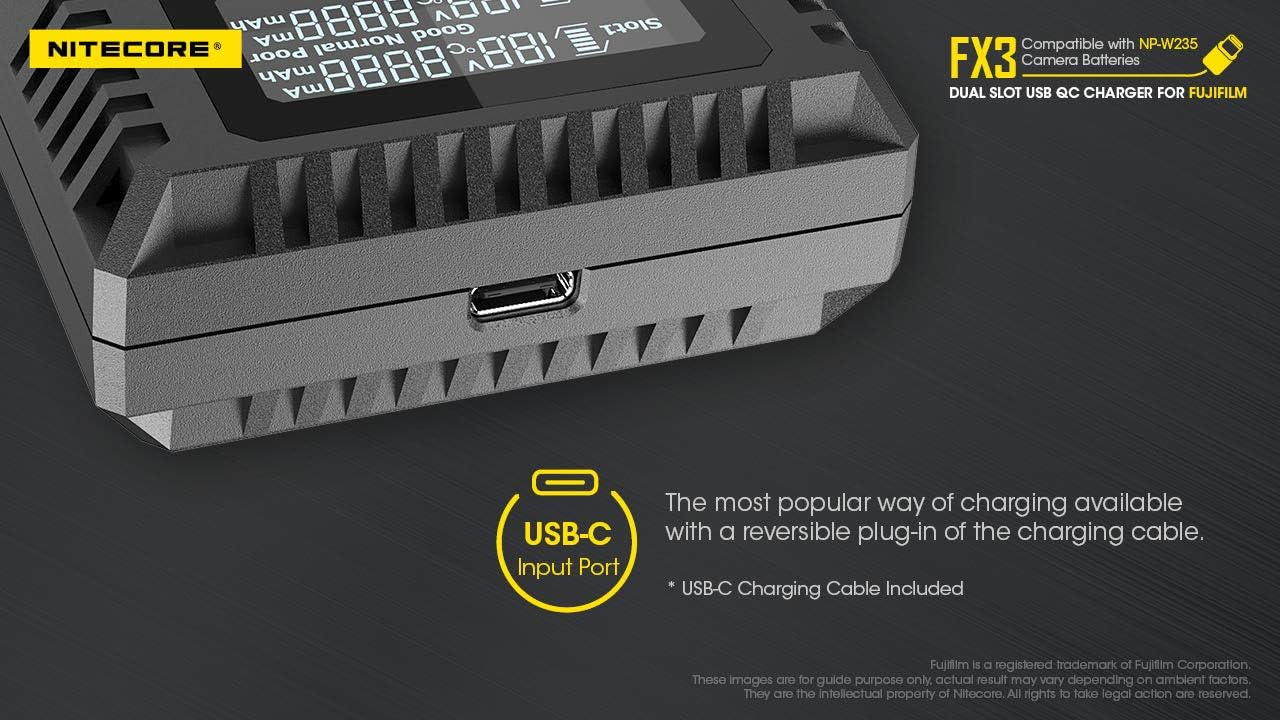
Figure 2: Close-up view of the USB-C input port on the Nitecore FX3 charger, located on the side.
- Battery Insertion: Insert one or two Fujifilm NP-W235 camera batteries into the designated charging slots. Ensure the battery contacts align correctly with the charger's pins. The charger is designed to accommodate one battery on the front and one on the back.
Operating Instructions
The Nitecore FX3 charger features a high-definition LCD display that provides real-time charging information. Once batteries are inserted and power is connected, the display will activate.
- Real-time Display: The LCD screen shows critical charging parameters for each slot, including:
- Battery level indicator
- Battery voltage (V)
- Charging current (mA)
- Battery temperature (°C)
- Charged volume (mAh)
- Battery health status (Good, Normal, Poor)

Figure 3: The high-definition LCD display of the Nitecore FX3, illustrating real-time data such as battery health, charged volume, temperature, charging current, and battery voltage for both slots.
- Simultaneous Charging: The FX3 can charge two batteries concurrently. In QC mode (with a 9V input voltage), it can deliver a maximum output current of 1,500mA to a single slot or 1,000mA to each slot when charging two batteries. This allows for approximately 80% charge of two batteries in 2 hours.
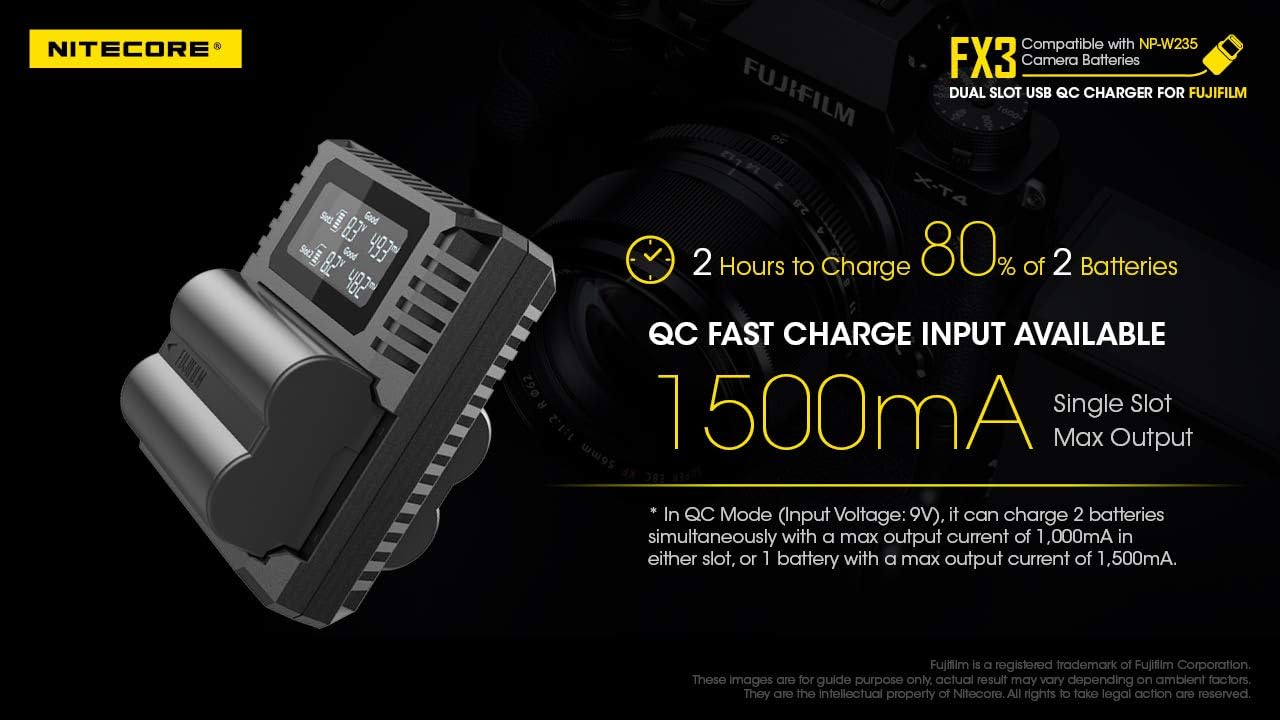
Figure 4: Visual representation of the Nitecore FX3 charging two batteries, highlighting the QC fast charge input and 1500mA single slot max output, capable of charging 80% of two batteries in 2 hours.
- Automatic Current Application: The charger automatically detects the battery type and applies the correct charging current. It also features protection against improperly inserted batteries.
Maintenance
- Cleaning: Use a soft, dry cloth to clean the charger's exterior. Do not use abrasive cleaners or solvents.
- Storage: Store the charger in a cool, dry place away from direct sunlight and extreme temperatures when not in use.
- Cable Care: Handle the USB-C cable carefully. Avoid sharp bends or excessive pulling that could damage the cable or connectors.
Troubleshooting
- Charger Not Powering On:
- Ensure the USB-C cable is securely connected to both the charger and the power source.
- Verify that the USB power source is active and providing sufficient power (e.g., wall adapter is plugged in, power bank is charged).
- Try a different USB-C cable or power source to rule out cable or adapter issues.
- Batteries Not Charging / Not Reaching Full Charge:
- Confirm that the batteries are correctly inserted into the charging slots with proper contact.
- Check the battery health status on the LCD display. If a battery is reported as "Poor," it may be at the end of its lifespan.
- Some users have reported that certain OEM (Original Equipment Manufacturer) batteries may not always indicate a "Full" charge on the display, even if they are sufficiently charged. If the battery performs as expected in the camera, this may not indicate a fault with the charger.
- Ensure you are using a QC-compatible power adapter for faster charging and to ensure the charger can deliver its maximum current.
- Display Not Showing Information:
- The display activates when a battery is inserted and power is supplied. Ensure both conditions are met.
- If the display remains blank, refer to "Charger Not Powering On" steps.
Specifications
| Brand | Nitecore |
| Model Number | FX3+KEY |
| Product Dimensions | 3.23 x 2.76 x 1.08 inches (82mm x 70mm x 27.5mm) |
| Item Weight | 2.47 ounces (70g) |
| Color | Black |
| Output Voltage | 8.4 Volts |
| Input | DC 5V/2A or 9V/2A |
| Output Current (QC Mode) | 1,500mA * 1 (MAX), 1,000mA * 2 (MAX) |
| Output Current (Standard Mode) | 1,000mA * 1 (MAX), 500mA * 2 (MAX) |
| Interface | Input: USB-C |
| Compatible Batteries | Fujifilm NP-W235 Camera Batteries |
| Compatible Camera Models | Fujifilm X-T4 (Please refer to battery compatibility for more compatible models) |

Figure 5: Detailed specifications of the Nitecore FX3 charger, including input/output, dimensions, and compatibility.
Warranty and Support
Nitecore products are manufactured to high quality standards. For specific warranty terms and conditions, please refer to the warranty card included with your product or visit the official Nitecore website. If you encounter any issues or require technical assistance, please contact Nitecore customer support through their official channels.
For more information and support, visit the Nitecore Store on Amazon.


