Introduction
Thank you for choosing the Prtukyt 8S Wireless Headphones. These headphones are designed to provide a high-fidelity audio experience with the convenience of wireless connectivity. This manual will guide you through the setup, operation, and maintenance of your new headphones.

Image: Prtukyt 8S Wireless Headphones in pink, showcasing the overall design and color.
Package Contents
- Prtukyt 8S Wireless Headphones
- 3.5mm Audio Cable
- USB Charging Cable (Micro USB)
- User Manual (this document)
Product Overview
Familiarize yourself with the various components and controls of your Prtukyt 8S headphones.

Image: Detailed view of the Prtukyt 8S headphones highlighting the control buttons and ports.
Key Features:
- Bluetooth 5.0: For stable and efficient wireless connection.
- 57mm Stereo Drivers: Deliver high-fidelity audio with deep bass.
- Built-in Microphone: For hands-free calling.
- Multi-functional Controls: Play/pause, volume, track skip, call management, EQ, and mode change.
- Foldable Design: For easy portability and storage.
- Comfortable Ear Pads: Ultra-soft foam earpads and adjustable headband for extended wear.
- Multiple Playback Modes: Bluetooth, 3.5mm audio cable, FM radio, Micro SD/TF card playback.
- Long Battery Life: Up to 50 hours of playback.
Setup
Charging the Headphones:
- Locate the Micro USB charging port on the headphones.
- Connect the provided USB charging cable to the headphones and a USB power source (e.g., computer USB port, wall adapter).
- The LED indicator will show charging status (e.g., red for charging, blue for fully charged).
- A full charge takes approximately 2 hours and provides up to 50 hours of playback.

Image: Illustration of the headphone's battery life, indicating 50 hours of play time and 2 hours of charging time.
Adjusting for Comfort:
The headphones feature an adjustable headband and soft earpads for a comfortable fit.
- Gently extend or retract the headband slides to fit your head size.
- Ensure the earpads fully cover your ears for optimal sound and comfort.

Image: Close-up of the headphone's ergonomic design, highlighting soft foam earpads, adjustable headband, and comfortable headrest.
Operating Instructions
Power On/Off:
- To power on, press and hold the Power button until the LED indicator lights up.
- To power off, press and hold the Power button until the LED indicator turns off.
Bluetooth Pairing:
- Ensure the headphones are powered off.
- Press and hold the Power button for approximately 5-7 seconds until the LED indicator flashes red and blue alternately, indicating pairing mode.
- On your device (smartphone, tablet, PC), enable Bluetooth and search for available devices.
- Select "8S" or "Prtukyt 8S" from the list of found devices.
- Once paired, the LED indicator will flash blue slowly.
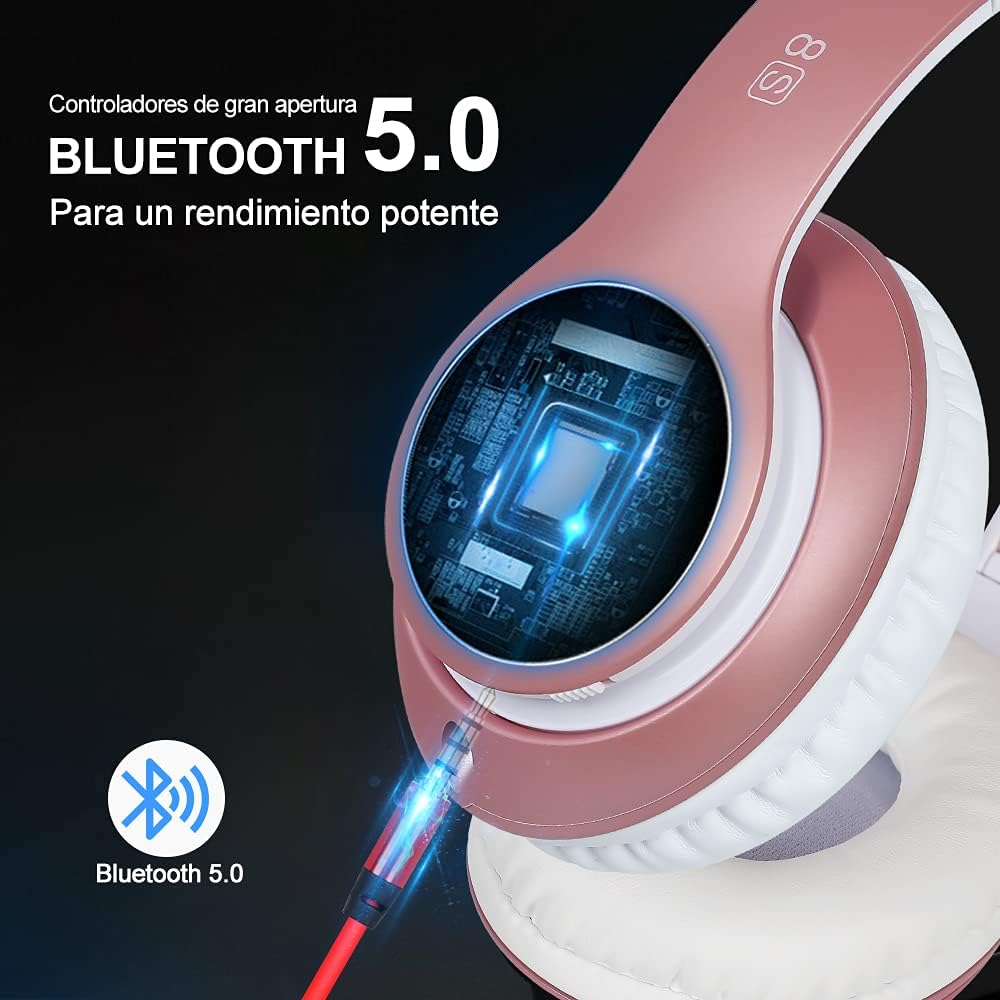
Image: Visual representation of Bluetooth 5.0 connectivity with the headphones.
Music Playback Controls:
- Play/Pause: Press the Play/Pause button (center button).
- Next Track: Press the Volume+ button briefly.
- Previous Track: Press the Volume- button briefly.
- Volume Up: Press and hold the Volume+ button.
- Volume Down: Press and hold the Volume- button.
- EQ Mode: Press the EQ button to cycle through equalizer presets.
Call Management:
- Answer Call: Press the Play/Pause button once.
- End Call: Press the Play/Pause button once during a call.
- Reject Call: Press and hold the Play/Pause button for 2 seconds.
- Redial Last Number: Double-press the Play/Pause button.

Image: Diagram illustrating the various control buttons on the headphone for music playback and call management.
Using FM Radio:
- Turn on the headphones.
- Press the "M" (Mode) button to switch to FM Radio mode.
- Press the Play/Pause button to auto-scan and save available FM stations.
- Use the Volume+/Next Track and Volume-/Previous Track buttons to switch between saved stations.
Micro SD/TF Card Playback:
- Insert a Micro SD/TF card (with MP3 files) into the designated slot on the headphones.
- The headphones will automatically switch to Micro SD/TF card playback mode. If not, press the "M" (Mode) button to select it.
- Use the music playback controls (Play/Pause, Volume+/-, Next/Previous Track) to manage your audio.
Wired Mode (3.5mm Audio Cable):
- Connect one end of the provided 3.5mm audio cable to the headphone's audio jack.
- Connect the other end to your audio source (e.g., phone, PC, MP3 player).
- In wired mode, the headphone's battery is not used, and some controls on the headphones may be inactive. Audio is controlled directly from your connected device.
Maintenance
- Cleaning: Use a soft, dry cloth to clean the headphones. Do not use abrasive cleaners or solvents.
- Storage: When not in use, store the headphones in a cool, dry place, away from direct sunlight and extreme temperatures. The foldable design allows for compact storage.
- Battery Care: To prolong battery life, charge the headphones regularly, even if not used frequently. Avoid fully discharging the battery for extended periods.
- Water Resistance: The product is listed as "Waterproof" in specifications, but generally, for headphones, this means splash-proof or sweat-resistant, not submersible. Avoid exposing the headphones to excessive moisture or submerging them in water.
Troubleshooting
| Problem | Possible Cause | Solution |
|---|---|---|
| Headphones do not power on. | Low battery. | Charge the headphones fully. |
| Cannot pair via Bluetooth. | Headphones not in pairing mode; Device Bluetooth off; Too far from device. | Ensure headphones are in pairing mode (flashing red/blue). Turn on device Bluetooth. Move headphones closer to device (within 10 meters). |
| No sound or low volume. | Volume too low on headphones or device; Not properly connected (Bluetooth or wired). | Increase volume on both headphones and connected device. Re-pair Bluetooth or re-insert 3.5mm cable. |
| FM radio not working. | Poor signal; Not in FM mode. | Move to an area with better signal. Ensure headphones are in FM mode. Perform auto-scan for stations. |
| Micro SD card not recognized. | Card not inserted correctly; Incompatible format; Corrupted files. | Re-insert the card. Ensure files are in MP3 format. Try a different Micro SD card. |
Specifications
| Model Name: | 8S |
| Item Model Number: | 1088-a |
| Connectivity Technology: | Wireless (Bluetooth 5.1), Wired (3.5mm Jack) |
| Driver Size: | 57mm Stereo Drivers |
| Battery Type: | Lithium Polymer |
| Play Time: | Up to 50 hours |
| Charge Time: | Approximately 2 hours |
| Weight: | 330 g (0.33 Kilograms) |
| Dimensions: | 16 x 12 x 8 cm |
| Material: | Leather (earpads) |
| Noise Control: | Sound Isolation |
| Water Resistance Level: | Waterproof (Note: Typically means splash/sweat resistant for headphones) |
Warranty and Support
Prtukyt is committed to providing a great customer experience. If you encounter any quality problems with the product, please contact the seller or manufacturer immediately for assistance.
For further support or warranty claims, please refer to your purchase documentation or contact Prtukyt customer service through the platform where the product was purchased.


