
1. Important Safety Instructions
Please read all instructions carefully before using the MalTec Air Purifier EX-Series 9. Keep this manual for future reference.
- Ensure the power supply voltage matches the specifications of the air purifier.
- Do not operate the unit with a damaged cord or plug. If the cord or plug is damaged, contact customer support.
- Do not block air inlets or outlets. Maintain at least 20 cm clearance from walls and furniture.
- Do not use the appliance near water or in damp environments.
- Always unplug the air purifier before cleaning, maintenance, or moving it.
- This appliance is not intended for use by persons (including children) with reduced physical, sensory, or mental capabilities, or lack of experience and knowledge, unless they have been given supervision or instruction concerning use of the appliance by a person responsible for their safety.
- Do not insert fingers or foreign objects into the air inlets or outlets.
- Do not use the air purifier in environments with flammable or explosive gases.
- Only use original MalTec replacement filters.
2. Product Overview
The MalTec Air Purifier EX-Series 9 is designed to improve indoor air quality by filtering out various pollutants. It features a multi-stage filtration system, Wi-Fi connectivity for app control, and a remote control for convenience.
2.1 Package Contents
- MalTec Air Purifier EX-Series 9 Unit
- Remote Control
- HEPA Filter
- Activated Carbon Filter
- Pre-filter
- Instruction Manual
2.2 Product Components

The air purifier consists of the main unit, a multi-layer filter system, and a control panel on top. A remote control is also included for convenient operation.

The control panel features buttons for Power, Speed, Sleep Mode, Timer, and Auto Mode, along with a digital display for air quality information.
3. Setup
3.1 Unpacking
- Carefully remove the air purifier from its packaging.
- Remove all plastic bags and protective materials.
- Check for any damage during transit. If damaged, do not operate and contact customer support.
3.2 Filter Installation
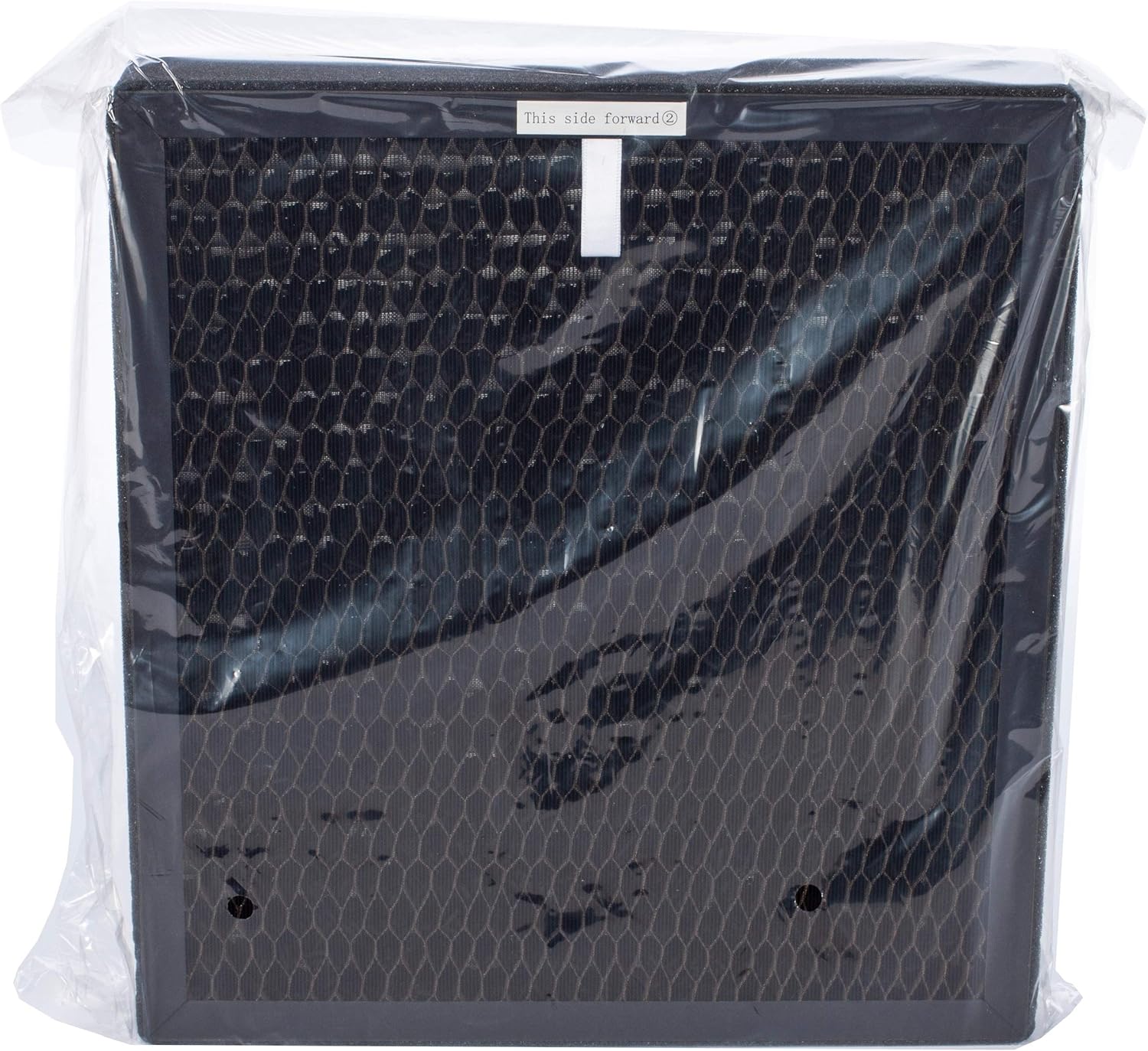
The air purifier comes with a multi-stage filter system that includes a pre-filter, an activated carbon filter, and a HEPA filter. These filters are typically packaged in plastic and must be unwrapped before use.
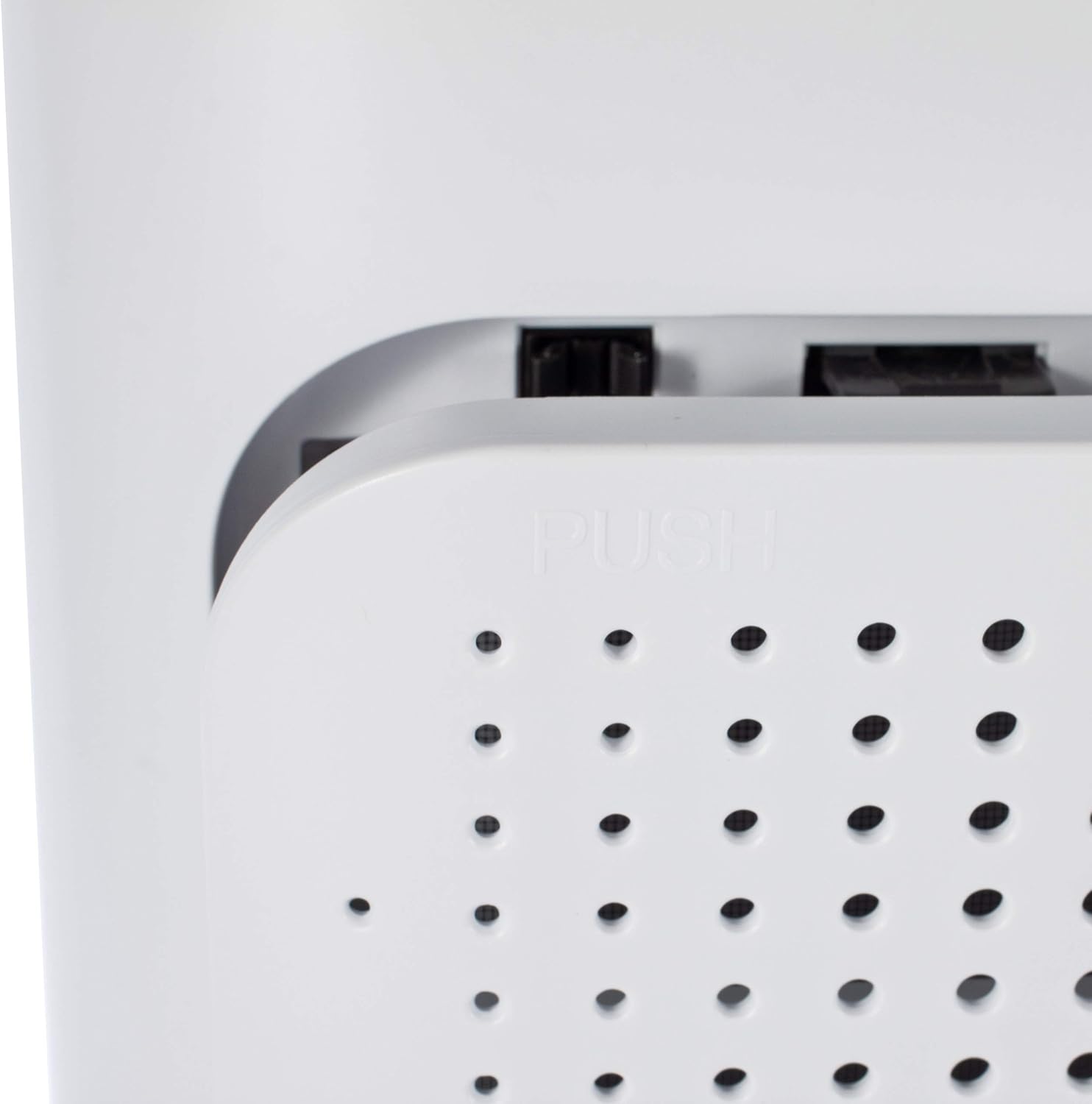
- Locate the filter compartment cover on the back of the unit.
- Press the release tabs or pull the cover to open the compartment.
- Remove any existing filters (if pre-installed) and unwrap them from their protective plastic packaging.
- Insert the filters in the correct order. Typically, the pre-filter goes in first, followed by the activated carbon filter, and then the HEPA filter. Refer to the markings on the filters for correct orientation (e.g., "This side forward").
- Once all filters are correctly installed, close the filter compartment cover securely.

3.3 Placement
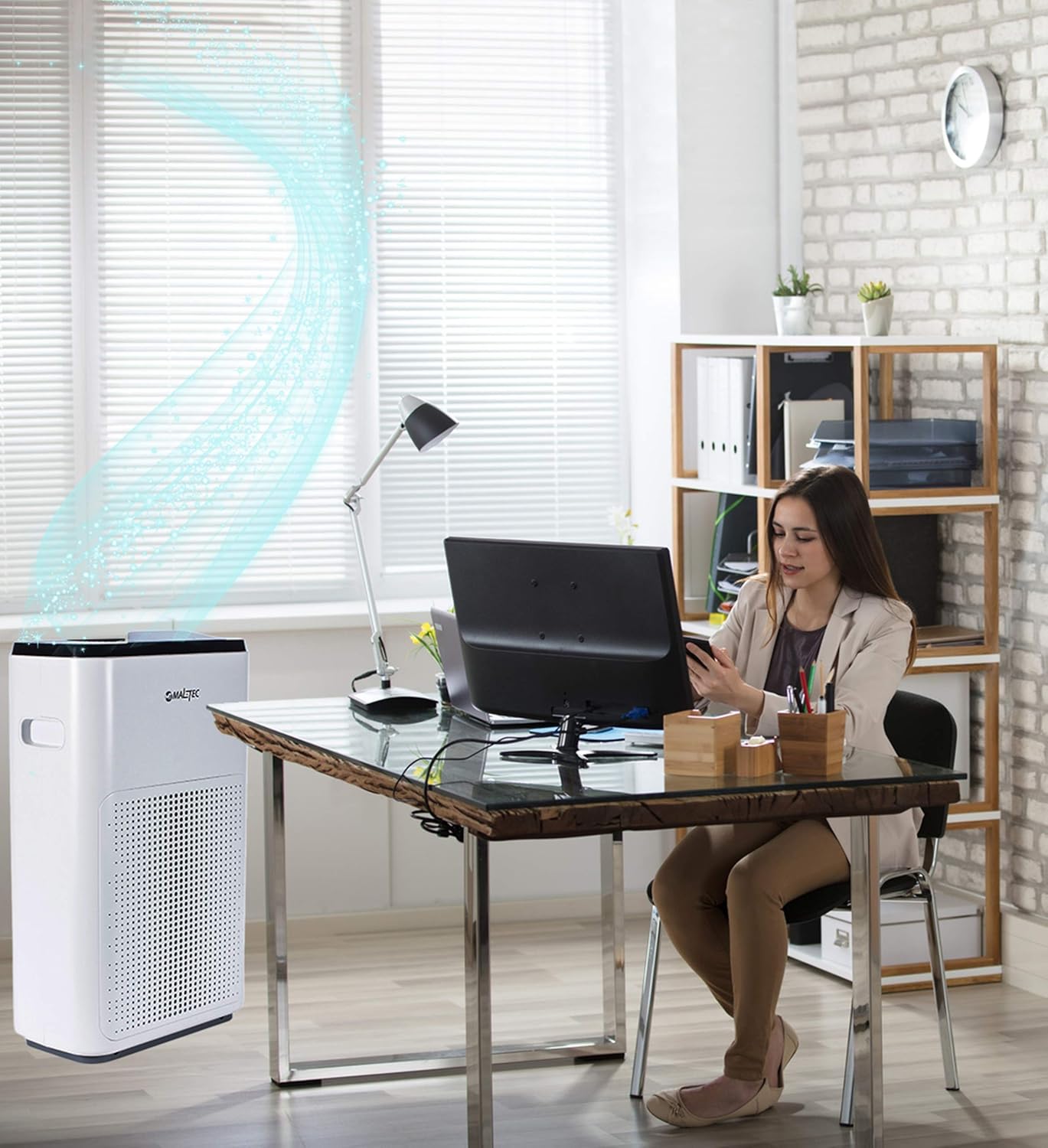
Place the air purifier on a firm, level surface. Ensure there is adequate space around the unit for proper air circulation (at least 20 cm from walls or furniture). Avoid placing it directly next to heat sources or in direct sunlight.
3.4 Power Connection
Plug the power cord into a standard electrical outlet (220-240V, 50/60Hz).
4. Operating Instructions
4.1 Power On/Off
Press the Power button on the control panel or remote control to turn the unit on or off.
4.2 Control Panel Functions
- Power Button: Turns the unit on or off.
- Speed Button: Adjusts fan speed (Low, Medium, High).
- Auto Mode: Automatically adjusts fan speed based on detected air quality.
- Sleep Mode: Operates at the lowest fan speed with dimmed lights for quiet operation.
- Timer Button: Sets the operating time (e.g., 1, 2, 4, 8 hours).
- Ionizer Button: Activates or deactivates the ionizer function.
- Display: Shows current PM2.5 levels and other status indicators.
4.3 Remote Control Functions
The remote control duplicates most functions available on the control panel, allowing for convenient operation from a distance.
4.4 Wi-Fi App Control (Smart Life App)
The MalTec Air Purifier EX-Series 9 can be controlled via the "Smart Life" app, available for Android and iOS devices. This allows for remote control and advanced features.
- Download the "Smart Life" app from your device's app store.
- Register or log in to your account.
- Follow the in-app instructions to add your MalTec Air Purifier EX-Series 9. This typically involves putting the device into pairing mode (refer to the app or device manual for specific steps).
- Once connected, you can:
- Monitor real-time air quality.
- Adjust all settings (fan speed, modes, timer).
- Create custom operating schedules.
- View outdoor air quality, temperature, and weather data based on your location.
5. Maintenance
Regular maintenance ensures optimal performance and extends the lifespan of your air purifier.
5.1 Cleaning the Unit
- Always unplug the unit before cleaning.
- Wipe the exterior of the air purifier with a soft, damp cloth. Do not use abrasive cleaners or solvents.
- Clean the air inlet and outlet grilles with a soft brush or vacuum cleaner to remove dust.
5.2 Filter Replacement
The filters have a limited lifespan and need to be replaced periodically. The unit may have an indicator light to signal filter replacement. The pre-filter can be cleaned, while the HEPA and activated carbon filters must be replaced.


- Turn off and unplug the air purifier.
- Open the filter compartment cover as described in the Setup section.
- Remove the old filters.
- For the pre-filter, gently clean it with a soft brush or vacuum cleaner. If heavily soiled, rinse with water and ensure it is completely dry before re-inserting.
- Replace the activated carbon and HEPA filters with new, genuine MalTec replacement filters.
- Insert the filters in the correct order and orientation.
- Close the filter compartment cover.
- Plug in the unit and reset the filter replacement indicator (if applicable, refer to the control panel or app instructions).
5.3 Cleaning the Air Quality Sensor
The air quality sensor is located on the side of the unit. A dirty sensor can lead to inaccurate readings.

- Turn off and unplug the air purifier.
- Gently wipe the sensor lens with a dry cotton swab or soft cloth. Do not use liquids.
- Ensure the sensor opening is clear of dust and debris.
6. Troubleshooting
If you encounter issues with your MalTec Air Purifier EX-Series 9, refer to the following table for common problems and solutions.
| Problem | Possible Cause | Solution |
|---|---|---|
| Unit does not turn on. | No power supply. | Check if the power cord is securely plugged into the outlet and the unit. Test the outlet with another device. |
| Poor air purification performance. | Filters are dirty or incorrectly installed. | Check and clean/replace filters. Ensure they are unwrapped and installed correctly. |
| Unusual noise during operation. | Obstruction in fan or loose filter. | Turn off and unplug the unit. Check for any foreign objects near the fan or ensure filters are seated properly. |
| Wi-Fi connection issues. | Incorrect pairing process or network issues. | Ensure your Wi-Fi network is 2.4GHz. Follow the app's pairing instructions carefully. Restart the air purifier and your router. |
| Inaccurate air quality readings. | Air quality sensor is dirty. | Clean the air quality sensor as described in the Maintenance section. |
If the problem persists after trying these solutions, please contact MalTec customer support.
7. Specifications
Technical specifications for the MalTec Air Purifier EX-Series 9:

| Feature | Specification |
|---|---|
| Model | EX-Series 9 |
| Manufacturer | MalTec |
| Power Supply | 220-240 V, 50/60 Hz |
| Rated Power | 43 W |
| CADR (Solids) | 200 m³/h |
| Noise Level | 57 dB(A) |
| Target Area | Up to 24 m² |
| Dimensions (L x W x H) | 17.2 x 32.5 x 51.0 cm |
| Weight | 6 kg |
| Filter Type | Pre-filter, HEPA, Activated Carbon |
| Connectivity | Wi-Fi (Smart Life App) |
8. Warranty and Support
MalTec products are manufactured to high-quality standards. For information regarding warranty terms and conditions, please refer to the warranty card included with your product or visit the official MalTec website. For technical support or service inquiries, please contact MalTec customer service through the contact information provided on their website or in your product documentation.
