
1. Introduction
Thank you for choosing the SAMVIX SMARTBASS 4.0 MP3 Player. This device is designed for portable audio playback and includes features such as a full touch screen, voice recorder, and e-book reader. This manual provides detailed instructions to help you set up, operate, and maintain your device.
Key features include:
- 16GB built-in memory, expandable up to 128GB via external memory card.
- Full touch screen interface.
- Support for various audio formats: MP3, WMA, OGG, APE, FLAC, WAV, AAC-LC, ACELP.
- Voice recording functionality.
- E-book reading capability.
- Built-in speaker.
- Option to transfer files from memory card to player.
- Integrated flashlight.
2. Package Contents
Please check the package for the following items:
- SAMVIX SMARTBASS 4.0 MP3 Player
- USB Cable
- Earphones
- User Manual (this document)
3. Product Overview

Figure 3.1: Front view of the SAMVIX SMARTBASS 4.0 MP3 Player with music playing on the touch screen.
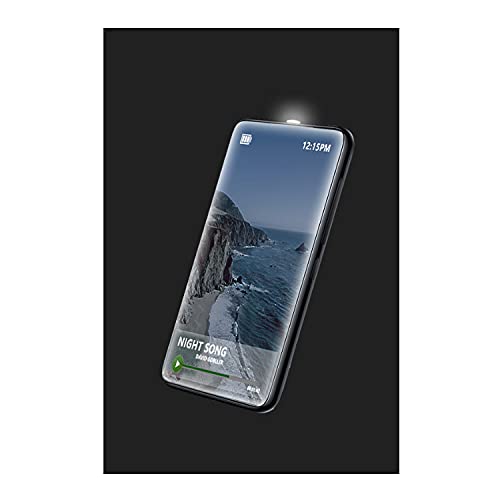
Figure 3.2: The MP3 player showcasing its integrated flashlight feature.

Figure 3.3: Side view of the MP3 player, highlighting the headphone jack and USB-C charging/data port.

Figure 3.4: Connecting the included earphones to the MP3 player's audio jack.

Figure 3.5: Connecting the USB-C cable for charging or data transfer.

Figure 3.6: Front view of the MP3 player with the screen off.

Figure 3.7: Back view of the MP3 player, displaying SAMVIX SmartBass 4.0 branding and certification logos.

Figure 3.8: The USB-A to USB-C cable included for charging and data transfer.
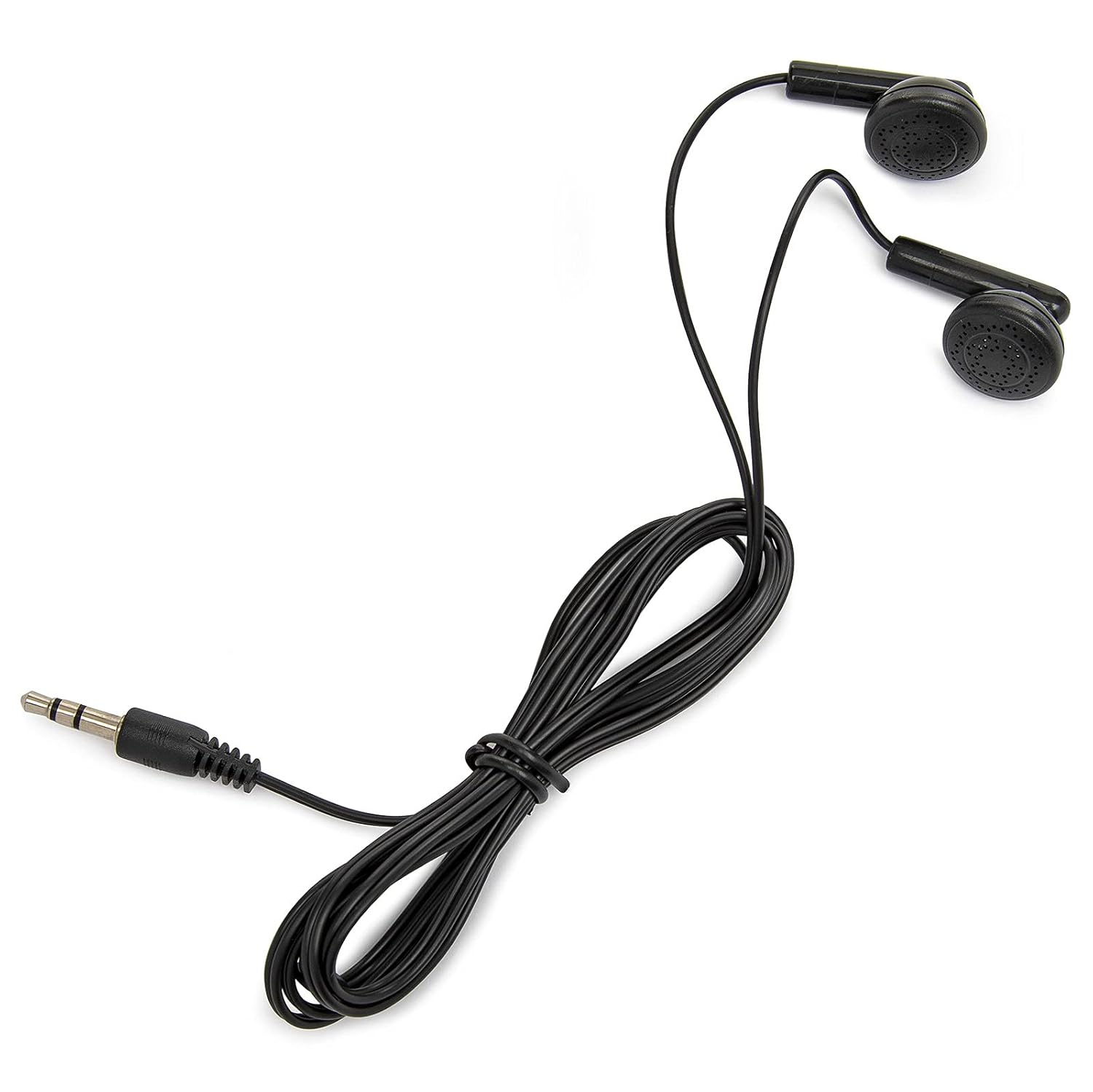
Figure 3.9: The wired earphones provided with the MP3 player.
4. Setup
4.1 Charging the Device
Before first use, fully charge the MP3 player. Connect the provided USB cable to the device's USB-C port and the other end to a USB power adapter (not included) or a computer's USB port. The charging indicator will show the charging status.
4.2 Powering On/Off
- To Power On: Press and hold the Power button (usually on the side) until the screen illuminates.
- To Power Off: Press and hold the Power button until a power-off option appears on the screen, then confirm.
4.3 Initial Setup
Upon first power-on, you may be prompted to select a language. The device supports 15 languages. Follow the on-screen instructions to complete the initial setup.
4.4 Connecting Headphones
Insert the 3.5mm jack of your earphones into the headphone port on the device. Ensure the connection is secure for optimal audio output.
5. Operating Instructions
5.1 Navigating the Interface
The SAMVIX SMARTBASS 4.0 features a full touch screen. Swipe left/right or up/down to navigate through menus and tap icons to select options.
5.2 Transferring Music and Files
To transfer files from a computer:
- Connect the MP3 player to your computer using the provided USB cable.
- The device will appear as a removable disk drive on your computer.
- Drag and drop your desired audio files (MP3, WMA, OGG, APE, FLAC, WAV, AAC-LC, ACELP) or e-book files into the appropriate folders on the device.
- Safely eject the device from your computer before disconnecting the USB cable.
Transfer from Card to Player: The device supports transferring files directly from an inserted memory card to the player's internal storage. Navigate to the 'File Browse' or 'Settings' menu on the device to find this option.
5.3 Playing Music
- From the main menu, tap the 'Music' icon.
- Browse your music by artist, album, genre, or all songs. You can also use the 'File Browse' system to locate specific files.
- Tap on a song to begin playback.
- Use the on-screen controls for play/pause, skip track, and volume adjustment.
5.4 Voice Recorder
To use the voice recorder:
- Tap the 'Voice Recorder' icon from the main menu.
- Tap the 'Record' button to start recording.
- Tap 'Stop' to end the recording.
- Recordings are saved and can be played back from the recorder menu.
5.5 E-Book Reader
To read e-books:
- Transfer compatible e-book files to the device (refer to section 5.2).
- Tap the 'E-Book' icon from the main menu.
- Select the desired e-book to open and read.
5.6 Stopwatch Timer
Access the 'Stopwatch' function from the main menu to use the integrated timer for various activities.
5.7 Flashlight
The device includes a powerful flashlight. Locate the 'Flashlight' icon or option in the menu to activate and deactivate it.
6. Maintenance
6.1 Cleaning the Device
Wipe the device with a soft, dry, lint-free cloth. Do not use liquid cleaners or abrasive materials, as they may damage the screen or casing.
6.2 Battery Care
The device has a battery life of up to 20 hours. To prolong battery life:
- Avoid exposing the device to extreme temperatures.
- Charge the device regularly, but avoid leaving it fully discharged for extended periods.
- If storing the device for a long time, charge it to about 50% before storage.
6.3 Storage
Store the MP3 player in a cool, dry place away from direct sunlight and moisture when not in use.
7. Troubleshooting
7.1 Device Not Turning On
- Ensure the device is sufficiently charged. Connect it to a power source and try again after a few minutes.
- Press and hold the Power button for at least 10 seconds to perform a hard reset.
7.2 No Sound Output
- Check if the volume is turned up.
- Ensure headphones are properly connected.
- Test with a different pair of headphones to rule out faulty earphones.
- Verify that the audio files are not corrupted and are in a supported format.
7.3 Files Not Transferring
- Ensure the USB cable is securely connected to both the device and the computer.
- Try a different USB port on your computer or a different USB cable.
- Verify that the device is recognized by your computer as a removable disk.
- Check available storage space on the device.
7.4 Touch Screen Unresponsive
- Restart the device.
- Ensure the screen is clean and free of debris or moisture.
8. Specifications
| Feature | Specification |
|---|---|
| Brand | SAMVIX |
| Model Name | SMARTBASS 4.0 |
| Internal Memory | 16 GB |
| Expandable Memory | Up to 128 GB (via external memory card) |
| Display Type | LCD |
| Screen Size | 1.44 inches |
| Supported Audio Formats | MP3, WMA, OGG, APE, FLAC, WAV, AAC-LC, ACELP |
| Connectivity | USB, Bluetooth |
| Power Source | Battery Powered |
| Battery Average Life | Up to 20 Hours |
| Product Dimensions | 23.11 x 23.11 x 23.11 cm |
| Item Weight | 295 g |
| Special Features | E-Book Reader, Touch Screen, Voice Recorder, Built-in Speaker, Flashlight |
9. Warranty and Support
For warranty information and customer support, please refer to the warranty card included with your product or visit the official SAMVIX website. Keep your purchase receipt as proof of purchase for any warranty claims.

