
Acekool KF-1877
Acekool Desk Fan Table ND1 Air Circulator User Manual
Brand: Acekool | Model: KF-1877
1. Introduction
Thank you for choosing the Acekool Desk Fan Table ND1 Air Circulator. This manual provides important information regarding the safe operation, installation, maintenance, and troubleshooting of your new fan. Please read it thoroughly before use and retain it for future reference.
The Acekool ND1 is an 8-inch desk fan designed for efficient air circulation in your home or office. It features advanced turbocharger technology, 3D multi-directional oscillation, and a quiet operation, ensuring comfortable airflow distribution.
Key Features:
- 3D Multi-Directional Oscillation: 80° left & right and 90° up & down oscillation for comprehensive air distribution.
- Smart Remote Control & 12 Speed Settings: Conveniently adjust settings from a distance with 12 independent fan speeds.
- Quieter Design & ECO Function: Operates at a low noise level (35dB) and includes an energy-saving ECO mode.
- Convenient 12h Timer & Memory Function: Set the fan to automatically turn off and recall previous settings.
- LED Display & Touch Control Panel: Intuitive interface for easy operation.
2. Safety Instructions
To reduce the risk of fire, electric shock, or injury, always follow these basic safety precautions:
- Read all instructions before using this fan.
- Do not operate any fan with a damaged cord or plug. Discard fan or return to an authorized service facility for examination and/or repair.
- Do not run cord under carpeting. Do not cover cord with throw rugs, runners, or similar coverings. Do not route cord under furniture or appliances. Arrange cord away from traffic area and where it will not be tripped over.
- Always unplug the fan from the power outlet when not in use, when moving the fan from one location to another, and before cleaning.
- Do not immerse the fan in water or other liquids.
- Do not allow children to play with the fan. Close supervision is necessary when any appliance is used by or near children.
- Do not insert fingers or any other objects through the grille when the fan is operating.
- Ensure the fan is placed on a stable, flat surface to prevent it from tipping over.
- This fan is for indoor use only. Do not use outdoors or in wet locations.
3. Package Contents
Upon opening the package, please ensure all items are present and in good condition:
- Acekool Desk Fan Table ND1 Air Circulator
- Remote Control
- User Manual (this document)
4. Product Overview
Familiarize yourself with the components of your Acekool ND1 fan:

Figure 4.1: Front view of the Acekool ND1 fan with its remote control, illustrating airflow.

Figure 4.2: Side view showing the portable artificial leather handle and product dimensions (32.5cm height, 24cm width, 20cm depth).

Figure 4.3: Diagram of the control panel icons: ECO mode, temperature display, oscillation, timer, power, and fan speed.
5. Setup
The Acekool ND1 fan comes pre-assembled and ready for use. Follow these simple steps to set it up:
- Place the fan on a firm, level surface.
- Ensure the power cord is not obstructed or tangled.
- Plug the power cord into a standard electrical outlet.
6. Operating Instructions
Your Acekool ND1 fan can be operated using either the touch control panel on the base or the included remote control.
6.1 Power On/Off
- Press the Power button (
 ) on the touch panel or remote control to turn the fan on or off.
6.2 Speed Adjustment (12 Speeds)
The fan offers 12 speed settings to customize your comfort level, from a gentle breeze to a strong wind.
- Press the Speed button () on the touch panel or remote control to cycle through the speed levels.

Figure 6.1: Speed recommendations for various users: 1-3 for pregnant women, children, elderly; 4-8 for young people; 9-12 for general family use requiring strong wind.
6.3 Oscillation (3D Multi-Directional)
The fan features 3D oscillation for wide air distribution.
- Press the Oscillation button () on the touch panel or remote control to activate/deactivate horizontal (80°) and vertical (90°) oscillation.

Figure 6.2: Illustration of the fan's oscillation capabilities: 40° left/right and 2° to 62° up/down.
6.4 Timer Function
Set the fan to automatically turn off after a specified period (up to 12 hours).
- Press the Timer button () to set the desired auto-off time. Each press increases the timer by one hour.
6.5 ECO Function
The ECO function helps save energy by automatically adjusting the fan speed based on the ambient temperature.
- Press the ECO button () to activate or deactivate ECO mode.
6.6 Memory Function
The fan will remember your last used settings (speed, oscillation, mode) when turned off and resume them upon next power-on.
6.7 Quiet Operation
Designed with ultra-quiet technology, the fan operates at a low noise level of 35dB, suitable for use during sleep or work.
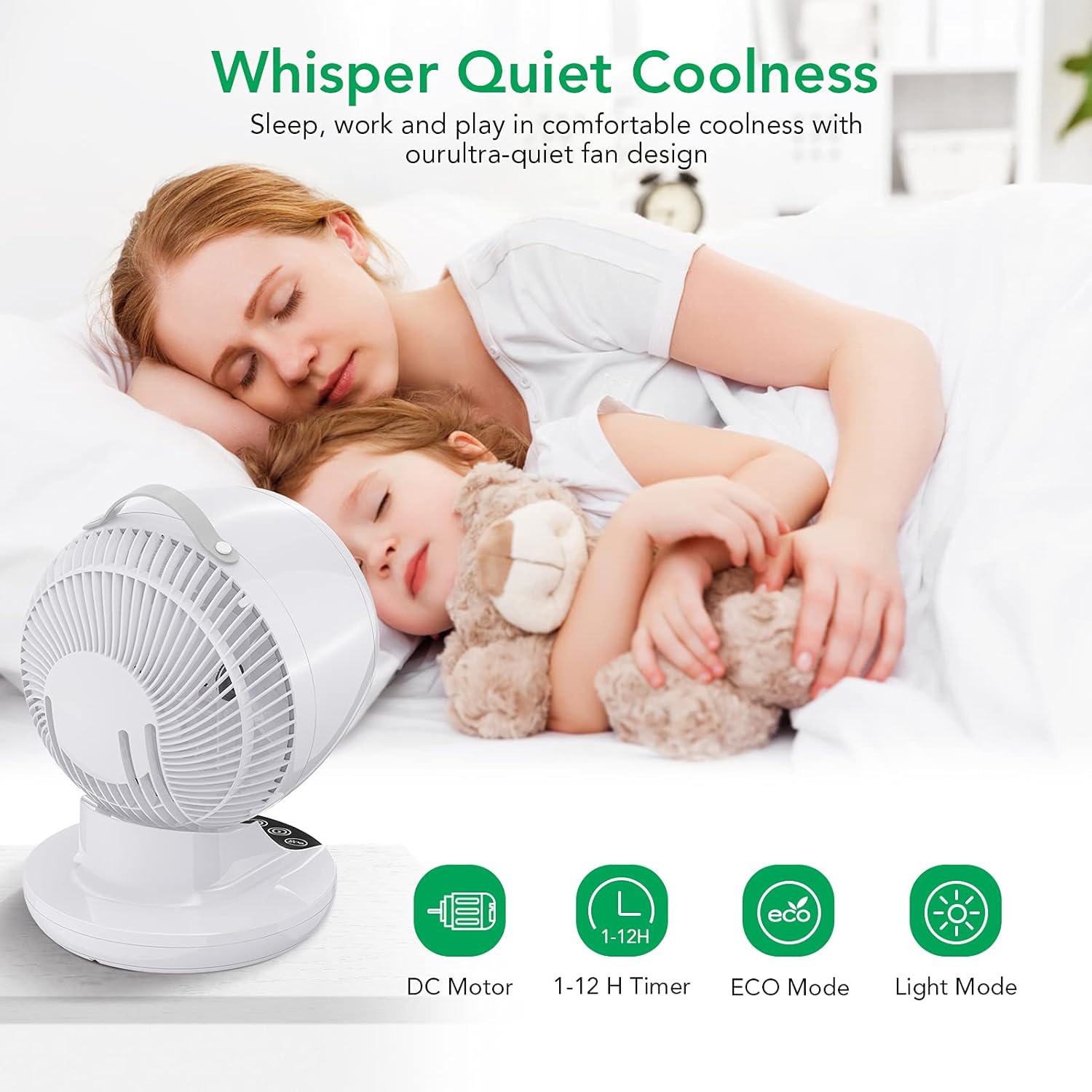
Figure 6.3: The fan's quiet operation ensures comfortable sleep and work environments.
6.8 Air Circulation Technology
The Acekool ND1 utilizes advanced air circulation technology to distribute air evenly throughout the room, enhancing comfort and efficiency, especially when used with air conditioning.

Figure 6.4: The 3D multi-directional oscillation ensures cool air reaches every corner of the room.

Figure 6.5: A circulating fan effectively distributes cool air from an air conditioner, unlike a normal fan which creates uneven temperatures.
7. Maintenance
Regular cleaning will help maintain your fan's performance and extend its lifespan.
- Always unplug the fan before cleaning.
- Use a soft, damp cloth to wipe the exterior surfaces of the fan. Do not use abrasive cleaners or solvents.
- For dust accumulation on the fan blades or inside the grille, use a vacuum cleaner with a brush attachment or compressed air to gently remove dust.
- Do not immerse the fan in water or allow water to drip into the motor housing.
- Store the fan in a cool, dry place when not in use.
8. Troubleshooting
If you encounter issues with your Acekool ND1 fan, please refer to the following common problems and solutions:
| Problem | Possible Cause | Solution |
|---|---|---|
| Fan does not turn on. | No power supply; Power button not pressed. | Ensure the fan is plugged into a working outlet. Press the Power button. |
| Weak airflow. | Low speed setting; Dust accumulation. | Increase the fan speed. Clean the fan grille and blades. |
| Fan is noisy. | Fan is on a high speed; Obstruction in fan blades. | Reduce the fan speed. Check for and remove any obstructions. |
| Oscillation not working. | Oscillation function is off. | Press the Oscillation button to activate. |
| Remote control not working. | Batteries are dead or incorrectly inserted; Obstruction between remote and fan. | Replace batteries. Ensure clear line of sight to the fan's sensor. |
If the problem persists after trying these solutions, please contact Acekool customer support.
9. Specifications
| Feature | Specification |
|---|---|
| Brand | Acekool |
| Model Number | KF-1877 |
| Colour | White |
| Product Dimensions | 29.5 x 39 x 27 cm |
| Item Weight | 3.18 kg |
| Power / Wattage | 28 watts |
| Noise Level | 35 dB |
| Special Features | Oscillating, ECO Mode, Timer, Remote Control |
| Number of Speeds | 12 |
| Oscillation | 3D (80° horizontal, 90° vertical) |
10. Warranty and Support
Acekool products are manufactured to the highest quality standards. For warranty information or technical support, please refer to the contact details provided on the product packaging or visit the official Acekool website. Please retain your proof of purchase for warranty claims.
Ask a question about this manual
Ask about setup, troubleshooting, compatibility, parts, safety, or missing instructions. Manuals+ will review the question and use this page’s manual context to help answer it.