
1. Introduction
This manual provides essential instructions for the safe and efficient use of your LSC Smart Connect LED Strip 5 Meter. Please read this manual thoroughly before installation and operation, and retain it for future reference.
The LSC Smart Connect LED Strip offers versatile lighting with both white light and a full spectrum of RGB colors. It can be controlled conveniently via a smartphone application, allowing adjustments to brightness, color temperature, and color to create a desired ambiance.
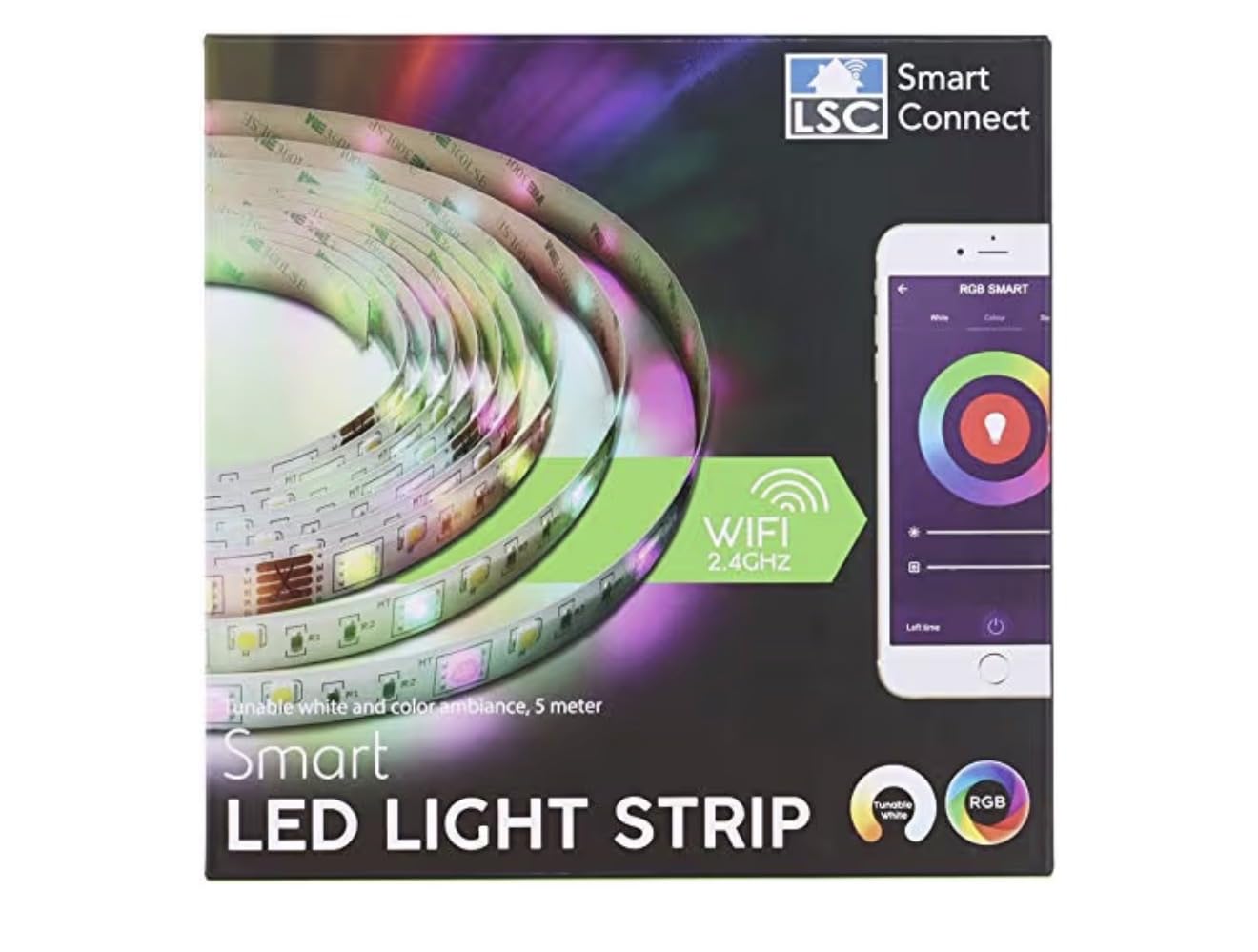
Image 1: LSC Smart Connect LED Strip 5 Meter. This image shows the coiled LED strip with its power adapter and remote control.
2. Package Contents
Verify that all components are present and undamaged upon unpacking:
- LSC Smart Connect LED Strip (5 meters)
- Power Adapter
- Remote Control
- User Manual (this document)
3. Safety Instructions
WARNING: Failure to follow these safety instructions may result in fire, electric shock, or other injury or damage.
- This product is designed for indoor use only. Do not expose to water or high humidity.
- Ensure the power supply voltage matches the product's requirements before connecting.
- Do not cut, modify, or attempt to repair the LED strip or power adapter. This will void the warranty and may cause damage.
- Keep out of reach of children.
- Avoid direct eye exposure to the LED light for extended periods.
- Do not cover the LED strip with flammable materials when in operation.
- Disconnect power before cleaning or maintenance.
4. Setup
Follow these steps to set up your LSC Smart Connect LED Strip:
- Prepare the Surface: Choose a clean, dry, and smooth surface for installation. Ensure the surface is free from dust, oil, or moisture.
- Unroll the LED Strip: Carefully unroll the 5-meter LED strip. Avoid bending it sharply or twisting it.
- Connect the Power Adapter: Connect the LED strip to the provided power adapter. Ensure the connection is secure.
- Mount the LED Strip: The LED strip typically has an adhesive backing. Peel off the protective film from the adhesive and firmly press the strip onto the desired surface. Apply even pressure along the entire length.
- Plug In: Plug the power adapter into a standard electrical outlet. The LED strip should illuminate.
- Download the App: For smart control, download the "LSC Smart Connect" app from your smartphone's app store (iOS or Android).
- Pair with App: Follow the in-app instructions to pair your LED strip with your smartphone. This usually involves creating an account, adding a device, and connecting to your Wi-Fi network.
Image 2: Illustrative diagram of LED strip installation, showing the strip being adhered to a surface and connected to the power adapter.
5. Operating the LED Strip
Your LSC Smart Connect LED Strip can be operated using the included remote control or the LSC Smart Connect smartphone application.
5.1. Using the Remote Control
The remote control allows basic functions:
- Power On/Off: Press the ON/OFF button.
- Brightness Adjustment: Use the BRIGHTNESS UP/DOWN buttons.
- Color Selection: Select preset colors using the dedicated color buttons (e.g., RED, GREEN, BLUE).
- Mode Selection: Cycle through various dynamic lighting modes (e.g., flash, fade, strobe) using the MODE button.
Note: The remote control requires line-of-sight to the LED strip's receiver.
5.2. Using the LSC Smart Connect App
The smartphone app provides advanced control features:
- Power Control: Turn the LED strip on or off.
- Brightness Control: Adjust brightness levels with a slider.
- Color Selection: Choose from a wide spectrum of RGB colors using a color wheel or predefined palettes.
- Color Temperature: Adjust the white light from warm to cool tones.
- Dynamic Modes: Access a variety of pre-programmed dynamic lighting effects.
- Scheduling: Set timers for the LED strip to turn on or off automatically.
- Scene Creation: Create custom lighting scenes for different moods or activities.
- Voice Control Integration: Integrate with smart home assistants like Amazon Alexa for voice commands (if configured).
For detailed instructions on app features, refer to the in-app help section or the LSC Smart Connect website.
6. Maintenance
Proper maintenance ensures the longevity and optimal performance of your LED strip.
- Cleaning: Disconnect the power before cleaning. Use a soft, dry cloth to gently wipe the LED strip. Do not use liquid cleaners, abrasive materials, or solvents.
- Storage: If storing the LED strip for an extended period, ensure it is clean, dry, and coiled loosely. Store in a cool, dry place away from direct sunlight.
- Inspection: Periodically inspect the LED strip and power cable for any signs of damage, such as cuts, fraying, or exposed wires. If damage is found, discontinue use immediately and contact support.
7. Troubleshooting
If you encounter issues with your LSC Smart Connect LED Strip, refer to the following common problems and solutions:
| Problem | Possible Cause | Solution |
|---|---|---|
| LED strip does not light up. | No power, loose connection, faulty power adapter. |
|
| Remote control not working. | Battery depleted, no line-of-sight, remote not paired. |
|
| App cannot connect to the LED strip. | Wi-Fi issues, incorrect pairing, app glitch. |
|
| Colors are incorrect or inconsistent. | Loose connection, faulty segment, app setting. |
|
8. Specifications
| Feature | Detail |
|---|---|
| Brand | LSC |
| Model Number | B08Q8DJ4WF |
| Product Type | Smart Connect LED Strip |
| Length | 5 Meters (500 cm) |
| Dimensions (L x W x H) | 500 x 3 x 1 cm |
| Light Color | RGB, White Light (adjustable color temperature) |
| Bulb Type | LED |
| Wattage | 60 Watts |
| Power Source | Mains Powered |
| Control Methods | Remote Control, Smartphone App (LSC Smart Connect) |
| Special Features | Remote Controlled, App Controlled, Dimmable, Color Changing, Color Temperature Adjustment, Voice Control Compatible (via app integration) |
| Material | Plastic |
| Indoor/Outdoor Use | Indoor Use Only |
9. Warranty Information
LSC products are manufactured to high-quality standards. This product comes with a standard manufacturer's warranty against defects in materials and workmanship from the date of purchase. The warranty period is typically [Insert Warranty Period, e.g., 1 year]. Please retain your proof of purchase for warranty claims.
The warranty does not cover:
- Damage caused by improper installation, misuse, abuse, or neglect.
- Damage caused by unauthorized repairs or modifications.
- Normal wear and tear.
- Damage caused by external factors such as power surges or natural disasters.
For specific warranty terms and conditions, please refer to the warranty card included with your product or visit the official LSC website.
10. Customer Support
If you require assistance with your LSC Smart Connect LED Strip, please contact our customer support team. Before contacting support, please have your product model number (B08Q8DJ4WF) and a description of the issue ready.
Contact Information:
- Website: www.lsc.com (Example, replace with actual if available)
- Email: support@lsc.com (Example, replace with actual if available)
- Phone: [Insert Phone Number, if available]
Our support team is available to help with technical issues, warranty claims, and general inquiries.


