
Introduction
Thank you for purchasing the Pro Breeze Evaporative Air Cooler. This 3-in-1 appliance functions as an air cooler, a cooling fan, and a humidifier, providing versatile climate control for your home. Please read this manual thoroughly before use to ensure proper operation, maintenance, and safety.

Important Safety Instructions
Always follow basic safety precautions when using electrical appliances to reduce the risk of fire, electric shock, and injury.
- Read all instructions before using the appliance.
- Ensure the power supply matches the voltage shown on the rating label.
- Do not operate the appliance with a damaged cord or plug.
- Do not immerse the appliance, cord, or plug in water or other liquids.
- Supervise children when the appliance is in use.
- Unplug from the outlet when not in use or before cleaning.
- Do not block air inlets or outlets.
- Use only on a flat, stable surface.
- This appliance is for residential use only.
- Do not use outdoors.
- Do not use in bathrooms or wet environments.
- Do not use near heat sources or open flames.
- Only use attachments recommended by the manufacturer.
- Do not attempt to repair or disassemble the unit yourself. Contact qualified service personnel.
Package Contents
- Pro Breeze Evaporative Air Cooler
- Remote Control
- Ice Packs (x2)
- User Manual
Product Diagram & Components
Familiarize yourself with the different parts of your evaporative air cooler.

- Air Outlet Louvers
- Control Panel
- Water Tank (6 Quarts capacity)
- Caster Wheels (x4)
- Honeycomb Filter
- Dust Filter
- Remote Control Receiver
- Power Cord


Setup
- Unpacking: Carefully remove the air cooler from its packaging. Retain packaging for future storage or transport.
- Placement: Place the air cooler on a flat, stable surface. Ensure there is adequate space around the unit for proper airflow (at least 20cm from walls or furniture).
- Filling the Water Tank:
- Pull out the water tank from the rear of the unit.
- Fill the tank with clean, cool water. Do not exceed the "MAX" fill line.
- For enhanced cooling, place the two included ice packs (after freezing them) into the water tank.
- Slide the water tank back into the unit until it clicks securely into place.
- Power Connection: Plug the power cord into a standard electrical outlet.
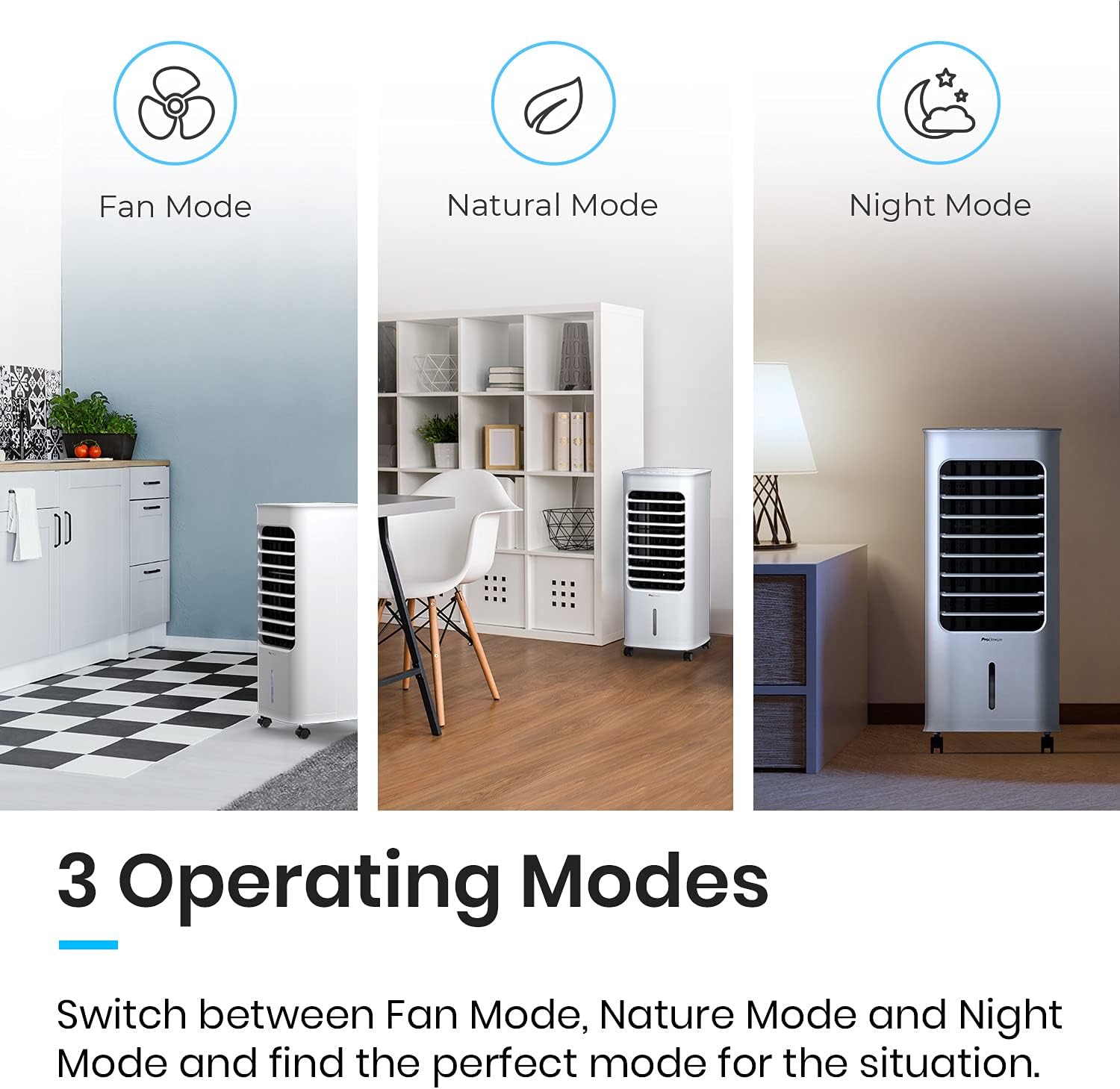
Operating Instructions
The air cooler can be operated using the control panel on top of the unit or the included remote control.

Control Panel & Remote Control Functions:
| Button/Function | Description |
|---|---|
| Power (On/Off) | Turns the unit on or off. |
| Speed (1, 2, 3) | Adjusts fan speed: Low, Medium, High. |
| Mode (Normal, Natural, Sleep) | Cycles through operating modes: Normal (constant speed), Natural (simulates natural breeze), Sleep (gradually reduces speed for quiet operation). |
| Cooling/Humidifier | Activates or deactivates the evaporative cooling/humidifying function. |
| Oscillation | Activates or deactivates the 70° automatic oscillation of the vertical louvers. |
| Timer (1-7 hours) | Sets the automatic shut-off timer for up to 7 hours. |

Maintenance
Regular cleaning and maintenance will ensure optimal performance and extend the lifespan of your air cooler.
Cleaning the Exterior:
Wipe the exterior surfaces with a soft, damp cloth. Do not use abrasive cleaners or solvents.
Cleaning the Water Tank:
- Unplug the unit from the power outlet.
- Pull out the water tank.
- Empty any remaining water.
- Clean the tank with mild soap and water. Rinse thoroughly.
- Dry the tank completely before reinserting.
- Clean the water tank regularly, especially if using the humidifying function frequently, to prevent mold or mildew buildup.
Cleaning the Filters (Honeycomb & Dust Filter):
The unit is equipped with a honeycomb evaporative filter and a dust filter. These should be cleaned periodically.
- Unplug the unit.
- Remove the rear filter frame.
- Carefully remove the honeycomb filter and dust filter.
- Rinse both filters under running water to remove dust and debris. For stubborn dirt, use a soft brush.
- Allow filters to air dry completely before reinserting them into the unit.
- Reassemble the filters and filter frame.
Troubleshooting
| Problem | Possible Cause | Solution |
|---|---|---|
| Unit does not turn on. | No power supply; Power cord not plugged in; Power button not pressed. | Check power outlet; Ensure power cord is securely plugged in; Press the Power button. |
| No cool air/Weak cooling. | Water tank empty; Cooling function not activated; Filters are dirty; High humidity in the room. | Fill water tank; Activate cooling mode; Clean honeycomb and dust filters; Evaporative coolers are less effective in high humidity (above 60%). |
| Unusual noise. | Unit not on a flat surface; Water pump issue (low water level); Obstruction in fan. | Place on a flat surface; Check water level; Unplug and check for obstructions. |
| Remote control not working. | Batteries dead/incorrectly inserted; Obstruction between remote and unit. | Replace batteries (AAA); Ensure clear line of sight to the unit's receiver. |
Specifications
| Feature | Detail |
|---|---|
| Model | B08Q6KBYB9 |
| Brand | Pro Breeze |
| Type | 3-in-1 Evaporative Air Cooler, Fan, Humidifier |
| Power Consumption | 65 Watts |
| Water Tank Capacity | 6 Quarts |
| Coverage Area | Up to 200 sq ft |
| Fan Speeds | 3 (Low, Medium, High) |
| Oscillation | 70° Automatic Oscillation |
| Timer | Up to 7 hours |
| Noise Level | As low as 45dB |
| Dimensions (D x W x H) | 11.4"D x 11.9"W x 26"H |
| Item Weight | 13 pounds |
| Included Accessories | Remote Control, 2 Ice Packs |

Warranty & Support
Pro Breeze products are manufactured to the highest standards. For any questions, technical support, or warranty claims, please contact Pro Breeze customer service.
Please refer to the official Pro Breeze website or your purchase documentation for specific warranty terms and contact information.
Note: Keep your proof of purchase for warranty purposes.

