
1. Introduction
The LVYUAN 4000W/8000W Power Inverter is designed to convert 12V DC power from a battery into 220V-230V AC power, suitable for operating various electronic devices and appliances. It provides 4000W of continuous power and a peak power of 8000W. This inverter is ideal for use in trucks, yachts, recreational vehicles (RVs), caravans, solar power systems, off-grid 12V systems, and as an emergency backup power source.
This manual provides essential information for the safe and efficient operation of your power inverter. Please read it thoroughly before use and retain it for future reference.
2. Safety Information
Please observe the following safety precautions to prevent injury and damage to the inverter or connected devices:
- Do not connect the inverter directly to an AC power grid.
- Do not reverse the positive and negative polarity connections. Incorrect polarity can cause severe damage to the inverter and battery.
- Use only the standard battery cables supplied with the inverter. Using inadequate cables may prevent the inverter from delivering its full power.
- Replacement fuses in the package are only for use if the original fuses blow accidentally.
- Do not overload the inverter. Ensure the continuous power output of the inverter meets the requirements of your appliances. For inductive loads (e.g., refrigerators, drills, washing machines, water pumps, microwaves, vacuum cleaners with motors), choose pure sine wave inverters, and ensure the continuous output power is 3 to 7 times the appliance's power.
- The inverter features multiple protections: over-voltage, under-voltage, short-circuit, reverse polarity, overload, and high-temperature protection.
- Ensure adequate ventilation around the inverter to prevent overheating.
- Keep the inverter away from water, moisture, and flammable materials.

Image: Inverter safety protection icons illustrating various protective features.
3. Package Contents
Upon unpacking, please verify that all items listed below are present and in good condition:
- 1 x LVYUAN Power Inverter (4000W/8000W)
- 2 x Connection Cables (for battery connection)
- 1 x Wireless Remote Control
- 1 x User Manual
Note: The white wireless remote control does not include a battery. A 12V 23A battery must be prepared separately.
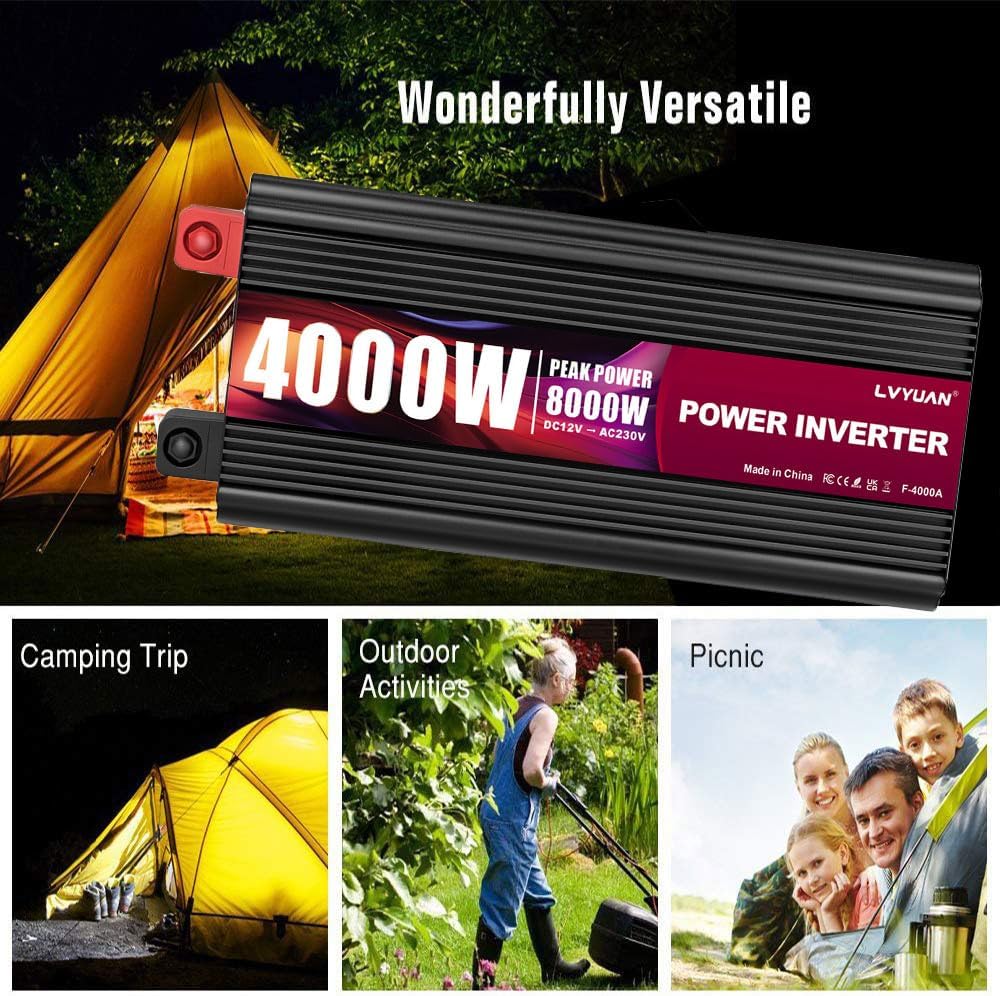
Image: The power inverter, its power cables, and the wireless remote control.
4. Product Features
The LVYUAN Power Inverter offers a range of features designed for convenience and safety:
- High Power Output: Provides 4000W continuous power and 8000W peak power.
- LCD Display: Shows battery voltage, output voltage, remaining battery capacity, inverter load percentage, and error codes.
- Wireless Remote Control: Allows easy ON/OFF control of the inverter from a distance.
- Dual EU Outlets: Two 220-230V AC outlets for powering various appliances.
- USB Ports: Two 2.1A/5V USB ports for charging mobile phones, tablets, and gaming consoles.
- Comprehensive Safety Protections: Includes protection against over-voltage, under-voltage, short-circuit, reverse polarity, overload, and high temperature.
- Low No-Load Current Consumption: Less than 1A.
- Versatile Applications: Suitable for powering tools in vehicles, electrical appliances during camping, and electronics during boating trips.

Image: Front panel of the inverter with outlets, USB ports, and LCD display.
5. Setup
Follow these steps to set up your LVYUAN Power Inverter:
- Prepare the Battery: Ensure your 12V battery is fully charged and in good condition.
- Connect Cables: Connect the supplied red cable to the positive (+) terminal of the inverter and the positive (+) terminal of the 12V battery. Connect the supplied black cable to the negative (-) terminal of the inverter and the negative (-) terminal of the 12V battery. Ensure connections are secure and tight.
- Install Remote Control Battery: If using the wireless remote control, insert a 12V 23A battery (not included) into the remote.
- Mounting (Optional): The inverter features standard mounting ports for easy installation in vehicles or home setups. Secure the inverter in a well-ventilated area, away from direct sunlight, heat sources, and moisture.
- Initial Power On: After connecting the battery, switch on the inverter using the main power switch. The LCD display should illuminate.
6. Operating Instructions
Operating the inverter is straightforward:
6.1 Powering Appliances
- Ensure the inverter is connected to a 12V battery and powered on.
- Plug your AC appliances (within the 4000W continuous power limit) into the dual EU outlets.
- Plug your USB-powered devices into the 2.1A/5V USB ports for charging.
- Monitor the LCD display for real-time information on battery status and load.
6.2 LCD Display Functions
The LCD display provides critical operational data:
- Battery Capacity: Indicates the remaining charge level of the connected battery.
- Battery Voltage: Displays the current voltage of the 12V input battery.
- Output Frequency: Shows the AC output frequency (typically 50 Hz).
- Output Voltage: Displays the AC output voltage (typically 220V-230V).
- Load Capacity: Shows the percentage of the inverter's capacity currently being used by connected appliances.
- Error Codes: In case of a fault, an error code will be displayed to help diagnose the issue.

Image: Explanation of the LCD display indicators.
6.3 Wireless Remote Control
The wireless remote control allows you to turn the inverter ON or OFF conveniently, especially when the inverter is installed in a hard-to-reach location.
7. Compatibility and Usage Scenarios
The inverter's dual EU sockets (220-230V) can power a wide range of AC appliances within its power rating, such as:
- Compressors
- Hair dryers
- Electric kettles
- Fans
- Toasters
- LED lights
The USB ports (2.1A/5V) are suitable for charging:
- Mobile phones
- Tablets
- Gaming consoles
Common usage scenarios include:
- Powering tools in a vehicle
- Using electrical appliances while camping
- Operating electronics during boating trips
- Emergency backup power during outages
- Fieldwork and outdoor activities

Image: Examples of versatile applications for the power inverter.
8. Maintenance
To ensure the longevity and optimal performance of your inverter:
- Keep the inverter clean and free from dust and debris. Use a dry cloth for cleaning.
- Ensure all connections are tight and free from corrosion. Periodically check and tighten terminals if necessary.
- Store the inverter in a cool, dry place when not in use.
- Do not block the ventilation openings.
9. Troubleshooting
If you encounter issues with your inverter, refer to the LCD display for error codes and consult the following table:
| Problem | Possible Cause | Solution |
|---|---|---|
| No output power / Inverter not turning on | Loose battery connections; Low battery voltage; Blown fuse; Inverter switch off. | Check and tighten battery cables; Recharge or replace battery; Replace fuse (if applicable); Turn on inverter switch. |
| Low output power / Appliance not working correctly | Overload; Low battery voltage; Incompatible appliance type (e.g., inductive load with modified sine wave). | Reduce connected load; Recharge battery; Ensure appliance is compatible with modified sine wave inverter. |
| Overheat warning / Inverter shuts down | Blocked ventilation; Excessive ambient temperature; Overload. | Ensure clear airflow around inverter; Move inverter to a cooler environment; Reduce connected load. |
| Error code displayed on LCD | Specific fault detected (e.g., over-voltage, under-voltage, short circuit). | Refer to the specific error code in the full manual (if available) or contact support. Address the underlying issue (e.g., correct voltage, remove short). |
10. Specifications
| Feature | Specification |
|---|---|
| Model Number | 4000W-12V |
| Continuous Power | 4000 W |
| Peak Power | 8000 W |
| Input Voltage | 12 V DC |
| Output Voltage | 220-230 V AC |
| Output Waveform | Modified Sine Wave |
| Output Frequency | 50 Hz |
| USB Output | 2 x 2.1A / 5V |
| Total AC Outlets | 2 (EU type) |
| No-Load Current Consumption | <1 A |
| Product Dimensions (L x W x H) | 38.5 x 18 x 14 cm (15.16 x 7.09 x 5.51 inches) |
| Product Weight | 6 Grams (Note: This weight seems incorrect based on product type, likely a data entry error in source. Actual weight would be significantly higher.) |
| Operating Temperature Range | Up to 45 Degrees Celsius |
11. Warranty and Support
For warranty information and technical support, please refer to the documentation included with your purchase or contact LVYUAN customer service through the retailer where the product was purchased. Keep your purchase receipt as proof of purchase.


