
1. Introduction
This manual provides essential information for the safe and effective operation of your DEXTER 20V Cordless Impact Drill. Please read it thoroughly before first use and keep it for future reference.
The DEXTER cordless impact drill is designed for regular home use, enabling precise drilling and screwdriving, especially in hard materials. It comes equipped with two durable 2.5Ah batteries and a 3AMP charger for convenience.
2. Safety Instructions
WARNING: Read all safety warnings, instructions, illustrations, and specifications provided with this power tool. Failure to follow all instructions listed below may result in electric shock, fire, and/or serious injury.
- Always wear appropriate personal protective equipment (PPE) such as safety glasses, hearing protection, and gloves when operating the tool.
- Ensure the work area is well-lit and free from obstructions.
- Keep children and bystanders away while operating a power tool.
- Do not operate power tools in explosive atmospheres, such as in the presence of flammable liquids, gases, or dust.
- Always disconnect the battery pack from the tool before making any adjustments, changing accessories, or storing the tool.
- Use only DEXTER recommended battery packs and chargers.
- Do not expose battery packs or tools to fire or excessive temperature.
- For more detailed safety information, refer to the general power tool safety guidelines provided with the product packaging.
3. Package Contents
Your DEXTER 20V Cordless Impact Drill package includes:
- 1 x DEXTER 20V Cordless Impact Drill
- 2 x Lithium-ion 2.5Ah Batteries
- 1 x Battery Charger (3AMP)
- 1 x Double-ended Bit (50 mm)
- 1 x Plastic Storage Case
Note: Drill bits are not included and must be purchased separately.

4. Product Overview
Familiarize yourself with the main components of your DEXTER impact drill for optimal use and safety.

5. Setup
5.1. Charging the Battery
The battery pack is not fully charged upon purchase. It is recommended to fully charge the battery before first use.
- Connect the charger to a suitable power outlet.
- Slide the battery pack onto the charger until it clicks into place.
- The charging indicator on the charger will show the charging status. A full charge typically takes 30 minutes for a 2.5Ah battery.
- Once fully charged, remove the battery from the charger.
5.2. Installing/Removing the Battery
- To install: Align the battery pack with the base of the drill handle and slide it in until it locks securely.
- To remove: Press the battery release button (located on the battery pack) and slide the battery pack out.
5.3. Installing Drill Bits or Screwdriver Bits
- Ensure the drill is switched off and the battery is removed for safety.
- Rotate the chuck counter-clockwise to open the jaws.
- Insert the desired drill bit or screwdriver bit into the chuck.
- Rotate the chuck clockwise to tighten the jaws securely around the bit. Ensure the bit is centered and firmly held.
6. Operating Instructions
6.1. Selecting Operating Mode (Drilling/Screwdriving/Impact)
The DEXTER impact drill features multiple modes for various applications. The torque collar allows you to select the appropriate mode:
- Screwdriving Mode: Rotate the torque collar to the desired torque setting (1-21). Lower numbers are for smaller screws or softer materials, higher numbers for larger screws or harder materials. The clutch will disengage once the set torque is reached, preventing overtightening.
- Drilling Mode: Rotate the torque collar to the drill symbol. This mode provides maximum torque without clutch disengagement, suitable for drilling into wood or metal.
- Impact Drilling Mode: Rotate the torque collar to the hammer symbol. This mode activates the impact mechanism, providing additional force for drilling into masonry or other hard materials.
6.2. Speed Selection
Use the speed selector switch (typically located on top of the drill housing) to choose between two speed ranges:
- Low Speed (Gear 1): 0-450 rpm. Ideal for high torque applications like screwdriving or drilling large diameter holes.
- High Speed (Gear 2): 0-1700 rpm. Suitable for faster drilling in softer materials or smaller diameter holes.
6.3. Forward/Reverse Rotation
The forward/reverse switch, located above the trigger, controls the direction of rotation:
- Push left for forward rotation (for drilling and tightening screws).
- Push right for reverse rotation (for removing screws or freeing jammed bits).
- Center position locks the trigger for safety during storage or bit changes.
6.4. Operating the Drill
- Hold the drill firmly with both hands if possible, especially during impact drilling or high torque applications. The ergonomic handle provides comfort and control.
- Position the bit on the workpiece.
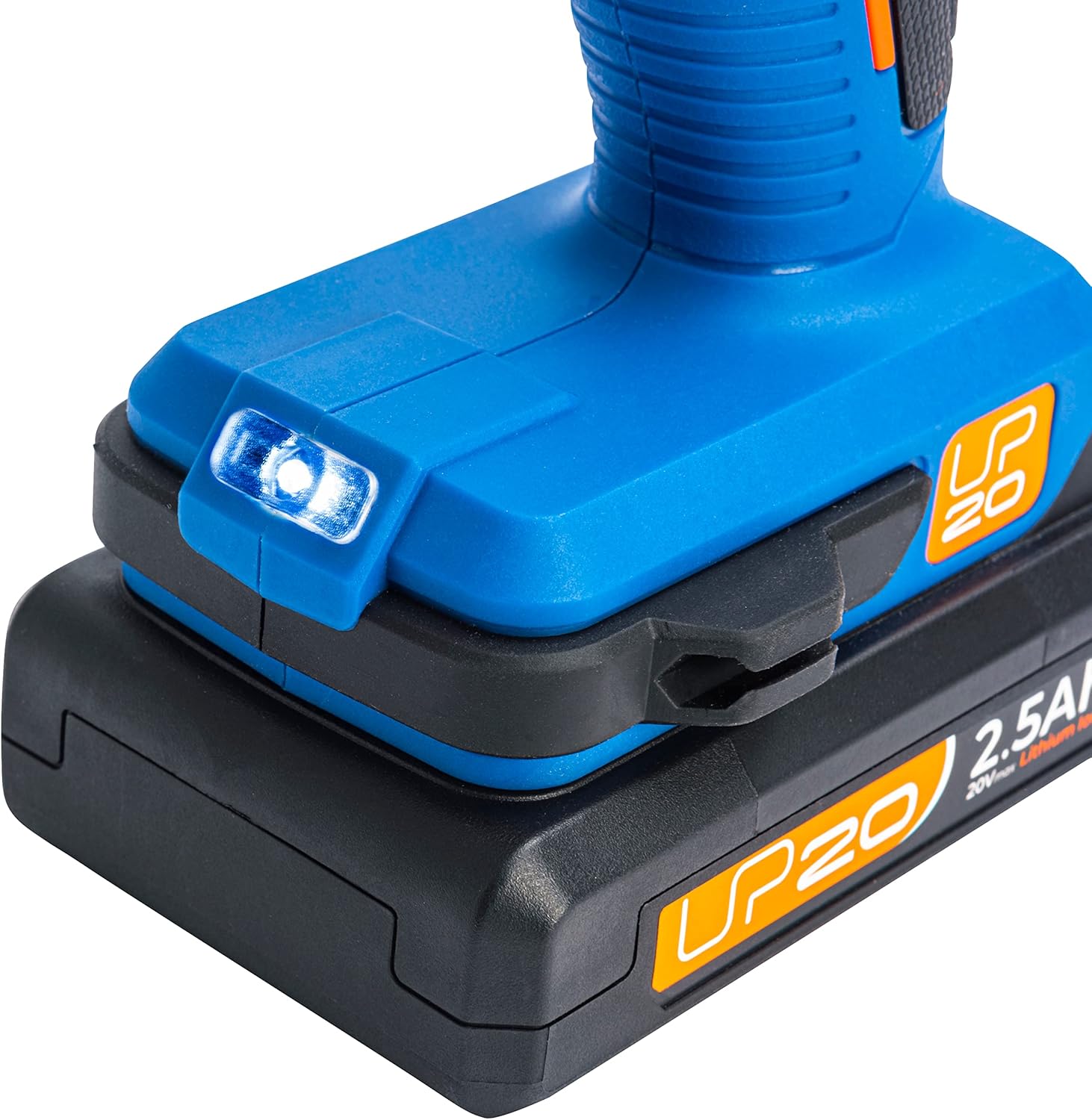
- Gently press the trigger to start the drill. The integrated LED light will illuminate the work area.
- Increase pressure on the trigger for higher speed.
- Maintain steady pressure and allow the tool to do the work. Avoid excessive force.


7. Maintenance
7.1. Cleaning
- Regularly clean the ventilation slots of the tool to prevent overheating. Use a soft brush or compressed air.
- Wipe the tool housing with a damp cloth. Do not use harsh chemicals or abrasive cleaners.
- Keep the chuck jaws clean and free of debris for optimal bit gripping.
7.2. Battery Care
- Store batteries in a cool, dry place, away from direct sunlight and extreme temperatures.
- Do not store fully discharged batteries for extended periods. Charge them periodically if not in use to maintain battery health.
- If a battery pack is damaged, do not use it. Dispose of it properly according to local regulations.
7.3. Storage
- Store the tool and its accessories in the provided plastic storage case when not in use to protect them from dust and damage.
- Keep out of reach of children and unauthorized users.

8. Troubleshooting
This section addresses common issues you might encounter. For problems not listed here, please contact customer support.
Problem: Drill does not start.
- Possible Cause: Battery not charged. Solution: Charge the battery fully.
- Possible Cause: Battery not properly inserted. Solution: Reinsert the battery until it clicks into place.
- Possible Cause: Forward/reverse switch in center (locked) position. Solution: Move the switch to forward or reverse.
Problem: Reduced power or performance.
- Possible Cause: Battery low. Solution: Recharge the battery.
- Possible Cause: Incorrect mode or speed setting for the task. Solution: Adjust torque collar and speed selector to suit the application.
Problem: Bit slips in chuck.
- Possible Cause: Chuck not tightened sufficiently. Solution: Tighten the chuck firmly by hand.
- Possible Cause: Bit shank is dirty or damaged. Solution: Clean or replace the bit.
9. Technical Specifications
| Feature | Specification |
|---|---|
| Brand | DEXTER |
| Model Number | 3276000713401 |
| Power Source | Battery Powered |
| Voltage | 20 Volts (Max) |
| Battery Capacity | 2.5 Ampere-hours (per battery) |
| Max Power | 650 Watts |
| No-Load Speed (Gear 1) | 0-450 rpm |
| No-Load Speed (Gear 2) | 0-1700 rpm |
| Impact Rate | 22100 bpm (beats per minute) |
| Max Chuck Size | 13 mm |
| Max Drilling Diameter (Metal) | 6.0 mm |
| Max Drilling Diameter (Wood) | 22.0 mm |
| Net Weight (Machine) | 1.3 kg |
| Dimensions (L x W x H) | 34.6 x 10.9 x 35 cm |
| Material | Metal |
10. Warranty and Support
This DEXTER impact drill comes with a 3-year warranty from the date of purchase. Please retain your proof of purchase for all warranty claims.
For technical support, spare parts, or warranty inquiries, please contact your retailer or visit the official DEXTER website. DEXTER is committed to providing quality tools that are efficient, ergonomic, and practical, ensuring maximum comfort, convenience, and safety for your work.


