
1. Introduction
Thank you for choosing the August MB225 Portable DAB/FM Radio. This manual provides essential information for setting up, operating, and maintaining your device. The MB225 is a compact and versatile digital radio offering DAB/DAB+ and FM reception, dual alarm functionality, and a built-in rechargeable battery for portable use.

Image: The August MB225 Portable DAB/FM Radio in blue, showcasing its compact design.
Key Features:
- DAB/DAB+ and FM Radio Tuner
- 40 Station Presets (20 DAB, 20 FM)
- Dual Alarm Clock Functionality
- Integrated Rechargeable Lithium-Ion Battery (up to 20 hours playtime)
- LCD Display with Blue Backlight and 3 Brightness Levels
- Headphone Jack for Private Listening
- Compact and Portable Design
2. Safety Instructions
Please read and understand these safety instructions before using the device. Keep this manual for future reference.
- Do not expose the device to rain, moisture, or extreme temperatures.
- Avoid dropping or subjecting the device to strong impacts.
- Do not attempt to disassemble or modify the device. Refer all servicing to qualified personnel.
- Keep the device away from heat sources such as radiators, stoves, or other heat-producing appliances.
- Use only the provided USB cable for charging.
- Do not use the device near water or in excessively humid environments.
- Ensure proper ventilation around the device during operation.
3. Package Contents
Verify that all items are present in the package:
- August MB225 Portable DAB/FM Radio
- USB Charging Cable
- User Manual (this document)
- Built-in Lithium-Ion Battery

Image: Visual representation of key features including DAB, FM, presets, external antenna, USB charging, audio settings, quick access presets, alarm, backlight, and multi-language support.
4. Product Overview
Familiarize yourself with the controls and ports of your August MB225 radio.

Image: A detailed diagram showing the numbered controls and ports on the August MB225 radio.
- Antenna: Extend for optimal radio reception.
- Favorite Channel 1-4: Dedicated buttons for quick access to saved stations.
- Power: Turns the radio on/off.
- Earphone Jack: 3.5mm port for connecting headphones.
- Reset: Button to reset the device to factory settings.
- Power Port: Micro USB port for charging.
- Scan: Initiates an automatic scan for radio stations.
- Preset: Accesses and saves preset stations.
- Info/Snooze: Displays station information or activates snooze during an alarm.
- Mode: Switches between DAB and FM radio modes.
- Menu: Accesses the radio's settings menu.
- Select: Confirms selections in menus.
- Volume +/- / Previous / Next: Adjusts volume, navigates through stations or menu options.
5. Setup
5.1 Charging the Battery
The MB225 has a built-in rechargeable Lithium-Ion battery. Before first use, fully charge the radio. Connect the supplied USB charging cable to the Power Port (9) on the radio and the other end to a USB power adapter (not included) or a computer's USB port. The battery indicator on the LCD will show charging status. A full charge provides up to 20 hours of playback.

Image: The August MB225 radio shown outdoors, emphasizing its long battery life of over 20 hours from a 2000 mAh battery.
5.2 Antenna
For optimal radio reception, fully extend the telescopic antenna (1) before operating the radio. Adjust its position for the best signal quality.
5.3 Initial Power On and Auto Scan
- Press and hold the Power button (6) to turn on the radio.
- Upon first use, the radio will automatically perform a full scan for DAB stations. This process may take a few minutes.
- Once the scan is complete, the radio will tune to the first available station.
- To perform an auto scan in FM mode, switch to FM mode using the Mode button (13), then press the Scan button (10).
6. Operating Instructions
6.1 Power On/Off
Press and hold the Power button (6) to turn the radio on or off.
6.2 Mode Selection (DAB/FM)
Press the Mode button (13) to switch between DAB and FM radio modes. The display will indicate the current mode.

Image: The radio display showing "Standby Time Mode" where other buttons are locked, and "Radio Mode" where all buttons are available.
6.3 Tuning Stations
- Automatic Scan: In either DAB or FM mode, press the Scan button (10) to search for available stations.
- Manual Tuning (FM only): In FM mode, use the Volume +/- / Previous / Next buttons (16) to manually tune to a specific frequency.
- Station Navigation: After a scan, use the Volume +/- / Previous / Next buttons (16) to cycle through available stations.
6.4 Saving and Accessing Presets
The MB225 allows you to save up to 40 stations (20 DAB, 20 FM) and provides 4 quick access preset buttons.
- To Save a Preset:
- Tune to the desired station.
- Press and hold the Preset button (11) until "Preset Store" appears on the display.
- Use the Volume +/- / Previous / Next buttons (16) to select a preset number (1-20 for DAB, 1-20 for FM).
- Press the Select button (15) to confirm.
- To Save to Quick Access Buttons (1-4):
- Tune to the desired station.
- Press and hold one of the Favorite Channel 1-4 buttons (2-5) until the display confirms the station is saved.
- To Recall a Preset:
- Press the Preset button (11) briefly.
- Use the Volume +/- / Previous / Next buttons (16) to select the desired preset number.
- Press the Select button (15) to tune to the station.
- To Recall from Quick Access Buttons: Briefly press one of the Favorite Channel 1-4 buttons (2-5).
6.5 Volume Control
Use the Volume +/- / Previous / Next buttons (16) to adjust the listening volume.
6.6 Alarm Clock Functionality
The MB225 supports dual alarms. Access alarm settings via the Menu button (14) and navigate to the "Alarm" option. Follow the on-screen prompts to set alarm times, sources (buzzer or radio station), and recurrence.
6.7 Sleep Timer
The sleep timer allows the radio to turn off automatically after a set period. Access this feature via the Menu button (14). Available durations typically include 15, 30, 45, 60, and 90 minutes.
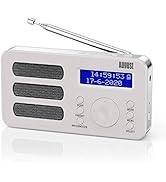
Image: The August MB225 radio displaying sleep timer options, allowing users to set automatic power-off after 15, 30, 45, 60, or 90 minutes.
6.8 Display Brightness
Adjust the LCD display brightness to your preference. This setting is usually found within the Menu options. There are typically 3 levels of brightness.

Image: The August MB225 radio demonstrating three distinct levels of display brightness for user comfort.
6.9 Headphone Use
Connect standard 3.5mm headphones to the Earphone Jack (7) for private listening. The internal speaker will automatically mute when headphones are connected.

Image: The August MB225 radio with earphones connected, illustrating the headphone jack functionality for private listening.
7. Maintenance
7.1 Cleaning
Wipe the radio with a soft, dry cloth. Do not use abrasive cleaners, waxes, or solvents as they may damage the surface. Avoid getting moisture into any openings.
7.2 Battery Care
- To prolong battery life, avoid fully discharging the battery frequently.
- If the radio will not be used for an extended period, charge it periodically to maintain battery health.
- Do not expose the battery to extreme heat or cold.
8. Troubleshooting
| Problem | Possible Cause | Solution |
|---|---|---|
| No power / Radio does not turn on | Battery is discharged. | Connect the radio to a USB power source using the provided cable and allow it to charge. |
| Poor reception / No stations found | Antenna not extended or poor signal area. | Fully extend the antenna and try repositioning the radio. Perform another auto scan. |
| Sound distortion or static | Weak signal or interference. | Adjust antenna position. Move the radio away from other electronic devices that may cause interference. |
| Alarm does not sound | Alarm not set correctly or volume too low. | Check alarm settings in the menu. Ensure alarm volume is audible. |
| Radio is unresponsive | Temporary software glitch. | Press the Reset button (8) using a thin, pointed object (e.g., a paperclip). This will restart the radio without losing presets. |
9. Specifications
| Feature | Specification |
|---|---|
| Model | MB225 |
| Tuner Type | DAB/DAB+, FM |
| DAB Frequency Range | 174 - 240 MHz |
| FM Frequency Range | 87.5 - 108 MHz |
| Presets | 40 (20 DAB, 20 FM) |
| Power Source | Built-in Rechargeable Lithium-Ion Battery, USB 5V |
| Battery Capacity | 2000 mAh |
| Battery Life | Up to 20 hours |
| Connectivity | Micro USB (charging), 3.5mm Headphone Jack |
| Display | LCD with Blue Backlight (3 brightness levels) |
| Dimensions (L x W x H) | 15.2 x 15.2 x 3.2 cm |
| Weight | 251 Grams |
| Material | PVC |

Image: The August MB225 radio with its physical dimensions labeled: 13.59cm length, 7.19cm height, and 3.2cm width.

Image: The August MB225 radio showing its supported radio frequencies: DAB 174-240MHz and FM 87.5-108MHz.
10. Warranty and Support
For warranty information or technical support, please refer to the warranty card included with your product or visit the official August website. You may also contact your retailer for assistance.
Manufacturer: August
Model Number: MB225


