
Introduction
The mafiti RK201 is a full-size 104-key wired USB keyboard designed for office and home use. It features a comfortable, low-profile key design for efficient typing, soft white backlighting for use in various lighting conditions, and 12 multimedia shortcut keys for quick access to common functions. This manual provides instructions for setting up, operating, maintaining, and troubleshooting your keyboard.
Package Contents
- 1 x mafiti RK201 Wired Backlit USB Keyboard
- 1 x USB Cable (integrated)

Image: The mafiti RK201 keyboard shown alongside its retail packaging, illustrating the product as it appears when unboxed.
Setup Instructions
- Unpack the Keyboard: Carefully remove the keyboard from its packaging.
- Connect to Computer: Plug the integrated USB cable of the keyboard into an available USB port on your computer (PC, laptop, or desktop).
- Driver Installation: The keyboard is plug-and-play. Your operating system (Windows, Mac OS, Linux) will automatically detect and install the necessary drivers. No additional software installation is required.
- Adjust Keyboard Angle: Extend the foldable stands located on the underside of the keyboard to adjust the typing angle for improved comfort.

Image: A top-down view of the mafiti RK201 keyboard, clearly showing the attached USB cable ready for connection to a computer.
Operating Instructions
Backlight Control
The RK201 keyboard features soft white backlighting. You can control the backlight settings using the following key combinations:
- Turn Backlight On/Off: Press the FN key + Light Bulb icon key (usually located near the right Ctrl key) to toggle the backlight on or off.
- Increase Brightness: Press FN + PGUP (Page Up) to increase the backlight brightness.
- Decrease Brightness: Press FN + PGDN (Page Down) to decrease the backlight brightness.

Image: A detailed view of the mafiti RK201 keyboard's lower right section, highlighting the FN key and the backlight control key (light bulb icon) for adjusting illumination.
Multimedia Shortcut Keys
The keyboard includes 12 multimedia shortcut keys (F1-F12) that can be accessed by holding down the FN key and pressing the corresponding F-key.
- FN + F1: Music Player
- FN + F2: Volume Down
- FN + F3: Volume Up
- FN + F4: Mute
- FN + F5: Stop Playback
- FN + F6: Previous Track
- FN + F7: Play/Pause
- FN + F8: Next Track
- FN + F9: Email
- FN + F10: Internet Browser
- FN + F11: Lock Screen
- FN + F12: Calculator

Image: A diagram illustrating the multimedia functions assigned to the F1-F12 keys when combined with the FN key on the mafiti RK201 keyboard.
Maintenance
To ensure the longevity and optimal performance of your mafiti RK201 keyboard, follow these maintenance guidelines:
- Cleaning:
- Disconnect the keyboard from your computer before cleaning.
- Use a soft, lint-free cloth slightly dampened with water or a mild cleaning solution to wipe the keycaps and surface.
- Avoid using harsh chemicals, abrasive cleaners, or solvents.
- Use compressed air to remove dust and debris from between the keys.
- Storage: Store the keyboard in a dry environment, away from extreme temperatures and direct sunlight.
- Handling: Avoid dropping the keyboard or exposing it to excessive force, which can damage internal components.
- Liquid Exposure: The keyboard is not water-resistant. Avoid spilling liquids on it. If a spill occurs, immediately disconnect the keyboard and allow it to dry completely before reconnecting.
Troubleshooting
| Problem | Possible Cause | Solution |
|---|---|---|
| Keyboard is not responding. |
|
|
| Backlight is not working. |
|
|
| Multimedia keys are not functioning. |
|
|
Specifications
| Model Name | RK201 |
| Brand | mafiti |
| Connectivity Technology | Wired USB |
| Number of Keys | 104 (Full-size) |
| Multimedia Keys | 12 (FN + F1-F12) |
| Backlight | White LED, Adjustable Brightness |
| Switch Type | Membrane |
| Keyboard Layout | QWERTY (Spanish Layout) |
| Compatible Operating Systems | Windows XP/7/8/10/Vista, Mac OS, Linux |
| Material | Polycarbonate |
| Dimensions (L x W x H) | 44 x 16.3 x 3.3 cm (17.32 x 6.41 x 1.29 inches) |
| Weight | 680 g |
| Cable Length | Approximately 1.39 meters (1390 mm) |
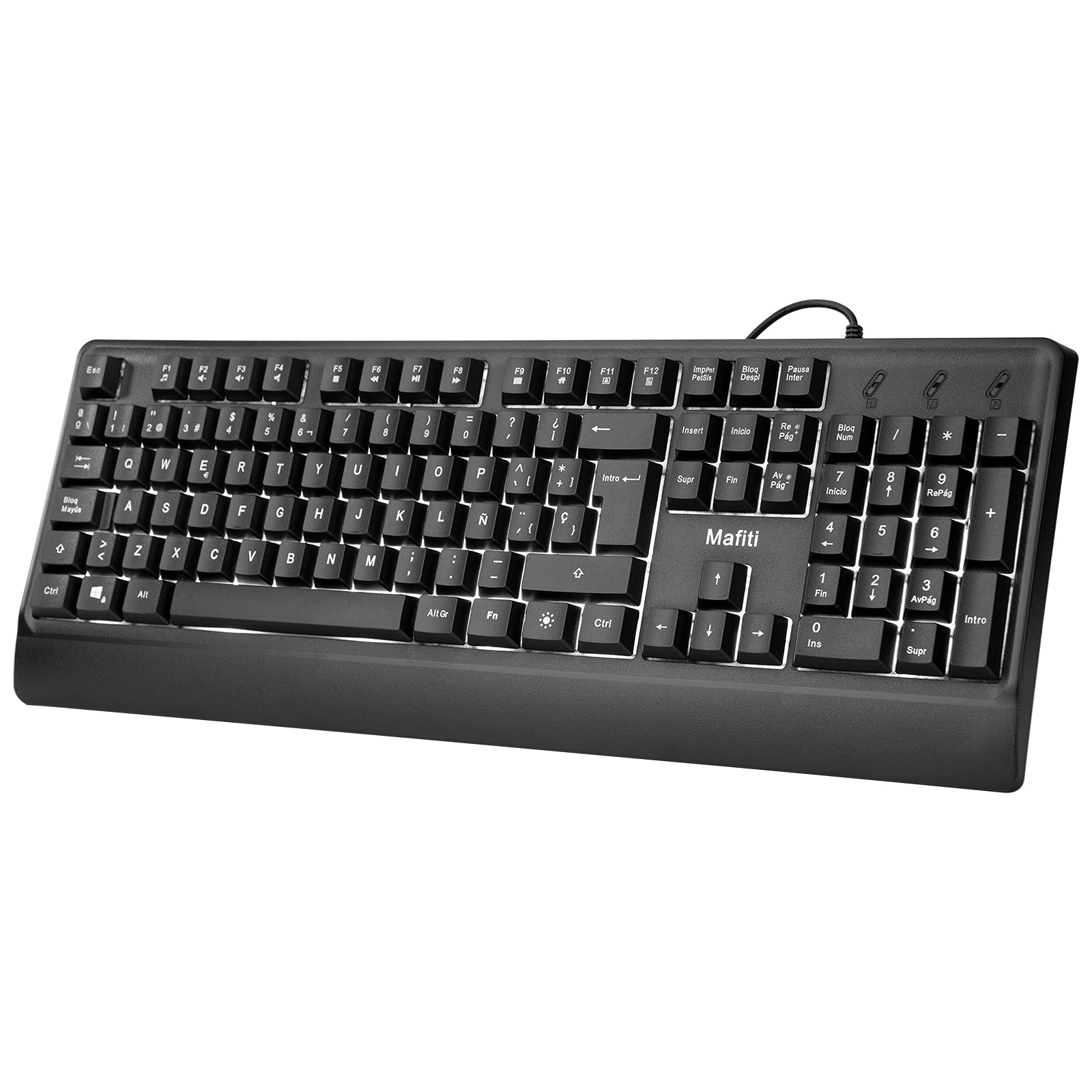
Image: A technical diagram showing the precise dimensions of the mafiti RK201 keyboard in both inches and millimeters.
Warranty and Support
For warranty information or technical support, please refer to the documentation provided with your purchase or contact mafiti customer service through their official website or the retailer where the product was purchased. Please have your model number (RK201) and purchase details ready when contacting support.