
Introduction
The PAC APSUB-FD21 AmpPRO SUB Advanced Amplifier Interface is designed to seamlessly integrate with the databus of select Ford vehicles. This interface allows for the addition of aftermarket amplifiers, providing full control and optimized sound from the factory radio. It is specifically engineered for 2011 to 2019 Ford models equipped with Sony audio systems and 8.4-inch radios.
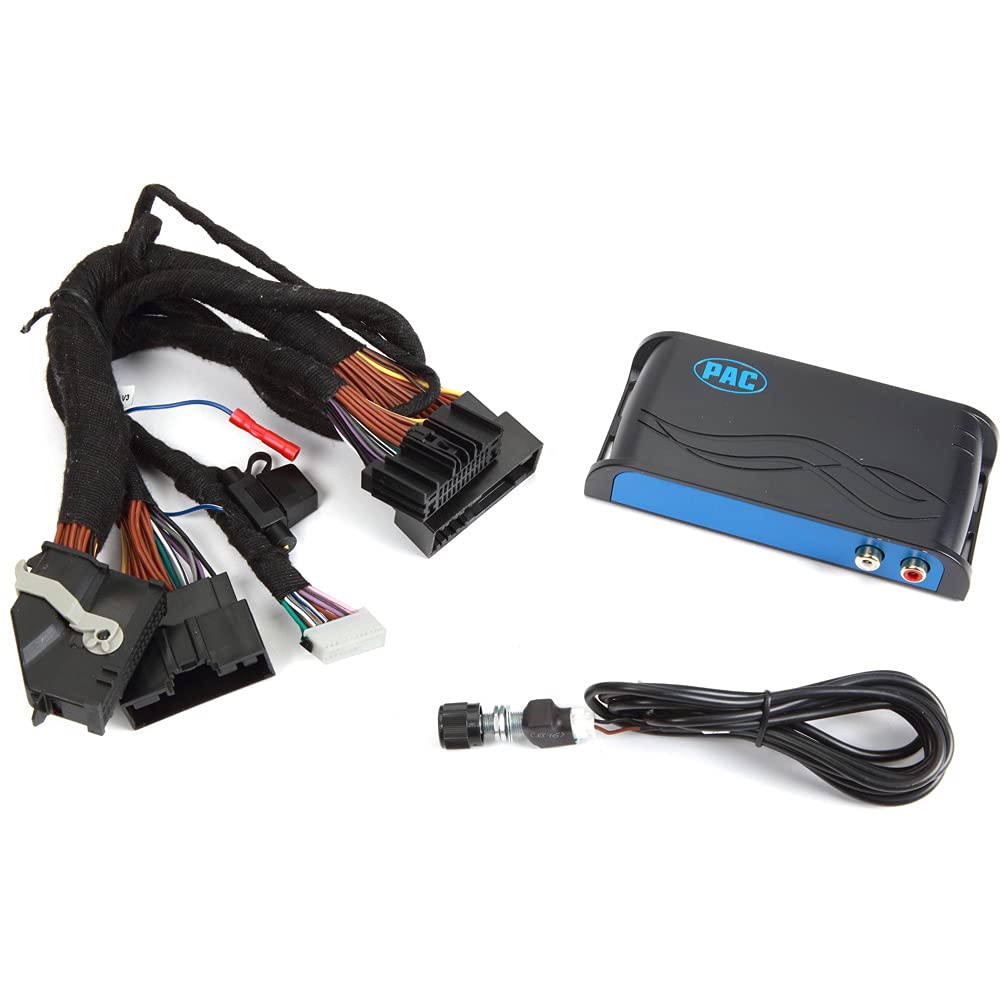
A general view of the PAC APSUB-FD21 AmpPRO SUB Advanced Amplifier Interface, showcasing its compact design and primary connections.
Compatibility
This interface is compatible with the following Ford vehicles equipped with Sony systems and 8.4-inch radios:
- Ford Edge: 2015 to 2017
- Ford Escape: 2016
- Ford Expedition: 2015 to 2017
- Ford Explorer: 2011 to 2018
- Ford F-150: 2013 to 2017
- Ford F-250/350/450/550: 2013 to 2019
- Ford Focus: 2012 to 2017
- Ford Fusion: 2013 to 2016
- Ford Mustang: 2019 to 2020
- Ford Taurus: 2013 to 2015
Package Contents
The product package includes the following items:
- PAC APSUB-FD21 Interface Unit
- Instruction Manual
Setup and Installation
Proper installation is crucial for optimal performance. If you are unsure about any steps, consult a professional installer.
1. Safety Precautions
- Before beginning installation, disconnect the vehicle's negative battery terminal to prevent electrical shorts.
- Ensure the vehicle is turned off and the ignition key is removed.
2. Accessing the Factory Radio
- Carefully remove the necessary trim panels and fasteners to gain access to the factory radio. Refer to your vehicle's service manual for specific instructions on radio removal.
3. Connecting the APSUB-FD21 Interface
The APSUB-FD21 connects in-line with the factory radio harness.
- Disconnect the factory harness from the back of the radio.
- Connect the vehicle-specific harness from the APSUB-FD21 to the factory radio.
- Connect the remaining end of the vehicle-specific harness to the APSUB-FD21 unit's 'Vehicle Harness' port.
- Connect your aftermarket amplifier's RCA input cables to the RCA output jacks on the APSUB-FD21.

This image displays the top panel of the APSUB-FD21 unit, highlighting the Vehicle Harness, Expansion Port, DIP Switches, Button, Bass Knob port, and USB port for configuration and connectivity.

A side view of the APSUB-FD21 interface, clearly showing the RCA output jacks for connecting to an aftermarket amplifier.
4. DIP Switch Configuration
The APSUB-FD21 features DIP switches for specific vehicle and audio system configurations. Refer to the detailed wiring diagram or the product's full installation guide for the correct DIP switch settings for your specific vehicle model and desired audio output.

This image illustrates another side of the APSUB-FD21 unit, featuring the vehicle harness connectors and the DIP switches, which are used for specific configuration settings.
5. Power Up and Testing
- Once all connections are secure and DIP switches are set, reconnect the vehicle's negative battery terminal.
- Turn on the vehicle's ignition and test the audio system to ensure proper functionality and sound output from the aftermarket amplifier.
6. Reassembly
- Carefully reassemble all removed trim panels and secure the factory radio.
Operating Instructions
The APSUB-FD21 operates in conjunction with your factory radio and aftermarket amplifier.
- Power On/Off: The interface powers on and off automatically with the vehicle's ignition.
- Volume Control: Use the factory radio's volume controls to adjust the overall system volume.
- Bass Control: If an optional external bass knob is connected to the 'Bass Knob' port on the APSUB-FD21, it can be used to adjust the subwoofer output level independently.
Maintenance
The PAC APSUB-FD21 is designed for reliable operation with minimal maintenance.
- Keep the unit dry and free from dust and debris.
- Avoid exposing the unit to extreme temperatures or direct sunlight for prolonged periods.
- Periodically check all connections to ensure they remain secure.
Troubleshooting
If you encounter issues with your APSUB-FD21, refer to the following common troubleshooting steps:
- No Sound from Aftermarket Amplifier:
- Verify all power and ground connections to the APSUB-FD21 and the aftermarket amplifier.
- Check the RCA connections between the APSUB-FD21 and the amplifier.
- Ensure the factory radio is powered on and producing sound.
- Confirm the amplifier is receiving a remote turn-on signal.
- Distorted Sound:
- Check the gain settings on your aftermarket amplifier.
- Ensure all wiring is properly shielded and not running near power cables that could induce noise.
- No Bass Output:
- If using an external bass knob, ensure it is connected and adjusted correctly.
- Verify the subwoofer is properly connected to the amplifier.
- Check amplifier settings for low-pass filters or bass boost.
- Unit Not Powering On:
- Recheck the vehicle harness connection to the APSUB-FD21 and the factory radio.
- Inspect the vehicle's fuse for the radio or accessory power.
For persistent issues, it is recommended to consult a qualified car audio technician or contact PAC technical support.
Specifications
| Model Number | APSUB-FD21 |
| Brand | PAC |
| Manufacturer | AAMP OF AMERICA |
| Item Dimensions (L x W x H) | 4 x 1.5 x 6 inches |
| Item Weight | 1.2 pounds |
| Mounting Type | Surface Mount |
| Number of Channels | 4 |
| UPC | 609098834179 |
Warranty Information
The PAC APSUB-FD21 AmpPRO SUB Advanced Amplifier Interface comes with a 1-year limited warranty from the date of purchase. This warranty covers defects in materials and workmanship under normal use. Please retain your proof of purchase for warranty claims. The warranty does not cover damage resulting from improper installation, accident, misuse, abuse, neglect, or unauthorized modification.
Support
For technical assistance, product inquiries, or warranty service, please contact PAC customer support. Visit the official PAC website for the most current contact information, FAQs, and additional resources.
Website: www.pac-audio.com (Example link, please verify official support website)