
1. Introduction
Welcome to your Apple iPhone 12 Pro Max. This manual provides essential information for setting up, operating, maintaining, and troubleshooting your device. The iPhone 12 Pro Max is a powerful smartphone featuring a 6.7-inch Super Retina XDR OLED display, A14 Bionic chip, and an advanced triple-camera system. This particular device is a renewed unit, thoroughly inspected to ensure full functionality and a minimum battery capacity of 80%.
2. Product Overview
Familiarize yourself with the physical components and controls of your iPhone 12 Pro Max.
2.1 Front View

Image: Front view of the iPhone 12 Pro Max, highlighting the Super Retina XDR display and the TrueDepth camera system within the notch.
2.2 Rear View

Image: Rear view of the iPhone 12 Pro Max in Pacific Blue, featuring the prominent triple-lens camera module and the iconic Apple logo.
2.3 Side Views and Ports

Image: Side profile of the iPhone 12 Pro Max, illustrating the placement of the volume up/down buttons, the Ring/Silent switch, and the Side button.

Image: Detailed view of the top edge of the iPhone 12 Pro Max, showing the earpiece speaker and microphone.
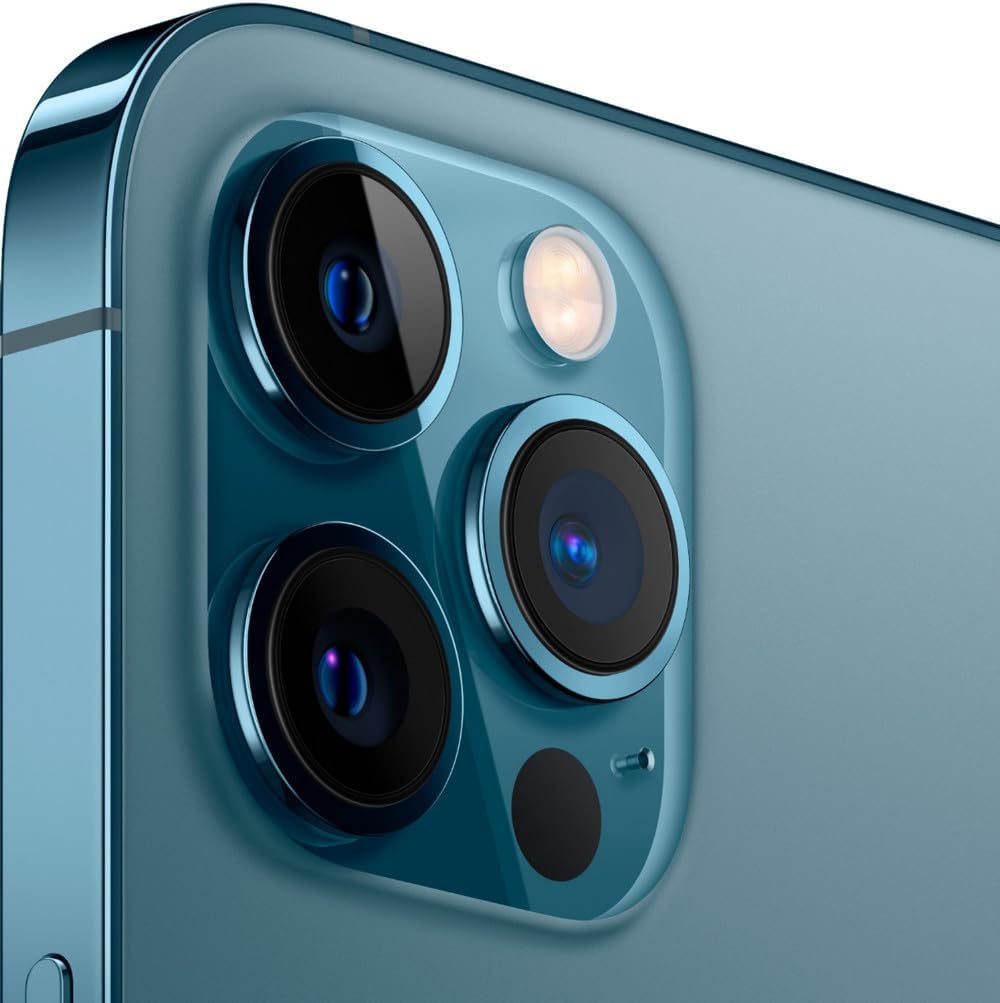
Image: Detailed view of the bottom edge of the iPhone 12 Pro Max, featuring the Lightning connector, microphone, and speaker grilles.
3. Setup
Follow these steps to set up your iPhone 12 Pro Max for the first time.
- Power On: Press and hold the Side button on the right side of the device until the Apple logo appears.
- Initial Configuration: Follow the on-screen instructions to select your language, region, and connect to a Wi-Fi network.
- Data Transfer (Optional): If you have an existing iPhone, you can transfer your data during setup using Quick Start or iCloud backup.
- Face ID & Passcode: Set up Face ID for secure unlocking and authentication, and create a strong passcode.
- Apple ID: Sign in with your Apple ID or create a new one to access App Store, iCloud, and other Apple services.
- Software Updates: Ensure your device is running the latest iOS version for optimal performance and security. Navigate to Settings > General > Software Update.
4. Operating Instructions
This section covers basic operations and gestures for navigating your iPhone 12 Pro Max.
- Home Screen: Swipe up from the bottom edge of the screen to go to the Home Screen.
- App Switcher: Swipe up from the bottom edge and pause in the middle of the screen to view open apps.
- Control Center: Swipe down from the top-right corner of the screen to access Control Center for quick settings.
- Notification Center: Swipe down from the top-left corner or center of the screen to view notifications.
- Siri: Say "Hey Siri" or press and hold the Side button to activate Siri.
- Volume Control: Use the Volume Up and Volume Down buttons on the left side of the device.
- Ring/Silent Switch: Use the switch above the volume buttons to quickly toggle between Ring and Silent modes.
5. Camera Features
The iPhone 12 Pro Max features an advanced triple-camera system for high-quality photography and videography.
- Triple 12MP Camera System: Includes a Wide (f/1.6), Ultra Wide (f/2.4), and Telephoto (f/2.2 with 2.5x optical zoom) lens.
- LiDAR Scanner: Enhances autofocus in low light and enables next-level AR experiences.
- Night Mode: Automatically activates in low-light conditions for brighter, more detailed photos.
- Deep Fusion: Improves detail and reduces noise in medium to low-light scenes.
- Smart HDR 3: Balances elements in a shot for more natural-looking images.
- Dolby Vision HDR Video Recording: Capture cinematic-quality video at up to 4K at 60fps.
Camera Overview Video
Video: A detailed review of the Apple iPhone 12 Pro Max, including a comprehensive look at its camera capabilities and features.
6. Battery and Charging
The iPhone 12 Pro Max is equipped with a 3687 mAh Lithium-Ion battery, offering up to 18 hours of average use. This renewed device is guaranteed to have a minimum battery capacity of 80%.
- Charging: Use the provided USB cable and a compatible power adapter to charge your device.
- Fast Charging: Supports fast charging, allowing you to reach up to 50% charge in approximately 30 minutes with a 20W or higher power adapter (sold separately).
- MagSafe: Compatible with MagSafe wireless charging accessories for convenient and efficient charging.
- Battery Health: Monitor your battery's health and optimize its performance by going to Settings > Battery > Battery Health & Charging.
7. Maintenance
Proper maintenance ensures the longevity and optimal performance of your iPhone.
- Cleaning: Use a soft, lint-free cloth to clean your iPhone. Avoid abrasive materials or harsh chemicals.
- Software Updates: Regularly update iOS to the latest version to receive security patches and new features.
- Storage Management: Periodically check and manage your device storage via Settings > General > iPhone Storage to ensure smooth operation.
- Backup: Regularly back up your iPhone data to iCloud or a computer to prevent data loss.
- Avoid Extreme Temperatures: Do not expose your iPhone to extreme heat or cold, as this can affect battery life and performance.
8. Troubleshooting
This section addresses common issues and their solutions.
- Device Unresponsive: If your iPhone is unresponsive, perform a force restart: Press and quickly release the Volume Up button, then press and quickly release the Volume Down button, then press and hold the Side button until the Apple logo appears.
- Connectivity Issues: For Wi-Fi or cellular problems, try toggling Airplane Mode on and off, or reset network settings (Settings > General > Transfer or Reset iPhone > Reset > Reset Network Settings).
- App Crashing: Close and reopen the app. If the issue persists, delete and reinstall the app.
- Battery Drain: Check Settings > Battery to identify apps consuming the most power. Adjust settings or restrict background activity as needed.
- Screen Issues (Renewed Device): As a renewed device, minimal cosmetic damage not noticeable at arm's length is expected. If screen issues significantly impact functionality, refer to warranty information.
Renewed Condition Overview Video
Video: An unboxing and review of a renewed Apple iPhone 12 Pro Max, detailing the condition of the device and included accessories.
9. Specifications
| Brand | Apple |
| Model Name | iPhone 12 Pro Max |
| Operating System | iOS 16 |
| CPU Model | Apple A14 Bionic |
| RAM Memory | 6 GB |
| Memory Storage Capacity | 256 GB |
| Screen Size | 6.7 Inches |
| Resolution | 2778 x 1284 Pixels |
| Cellular Technology | 5G |
| Wireless Provider | Unlocked for All Carriers |
| Battery Capacity | 3687 mAh (typical) |
| Battery Average Life | 18 Hours |
| Item Weight | 0.41 Pounds |
| Color | Pacific Blue |
10. What's in the Box
Your Apple iPhone 12 Pro Max package includes:
- Apple iPhone 12 Pro Max (Renewed)
- USB Cable (compatible, may not be original Apple)
- SIM Ejector Tool (if applicable)
Note: Accessories may not be original Apple but are guaranteed to be compatible and fully functional. Product may come in a generic box.
11. Warranty and Support
Your renewed Apple iPhone 12 Pro Max comes with a 90-day warranty. For any issues or support needs, please contact the seller or refer to the Amazon Renewed program details for assistance.
For additional support, visit the Official Apple iPhone Support Page.


