
1. Overview
The Instant Pot Omni Plus 19QT/18L Toaster Oven Air Fryer is a versatile 10-in-1 countertop appliance designed to simplify your cooking. It combines the functionalities of an air fryer, toaster oven, and more, offering efficient and convenient meal preparation.

Figure 1.1: Instant Pot Omni Plus 19QT/18L Toaster Oven Air Fryer.
2. Safety Information
Always read all instructions before using the appliance. Basic safety precautions should always be followed to reduce the risk of fire, electric shock, personal injury, and property damage.
- Do not touch hot surfaces. Use handles or knobs.
- To protect against electrical shock, do not immerse cord, plugs, or the appliance in water or other liquid.
- Close supervision is necessary when any appliance is used by or near children.
- Unplug from outlet when not in use and before cleaning. Allow to cool before putting on or taking off parts.
- Do not operate any appliance with a damaged cord or plug, or after the appliance malfunctions or has been damaged in any manner.
- The use of accessory attachments not recommended by the appliance manufacturer may cause injuries.
- Do not use outdoors.
- Do not let cord hang over edge of table or counter, or touch hot surfaces.
- Do not place on or near a hot gas or electric burner, or in a heated oven.
- Extreme caution must be used when moving an appliance containing hot oil or other hot liquids.
- Do not use appliance for other than intended use.
- Oversized foods or metal utensils must not be inserted in a toaster oven as they may create a fire or risk of electric shock.
- A fire may occur if the toaster oven is covered or touching flammable material, including curtains, draperies, walls, and the like, when in operation.
- Do not place any materials on top of the appliance when in operation.
- Do not clean with metal scouring pads. Pieces can break off the pad and touch electrical parts, creating a risk of electric shock.
- Extreme caution should be exercised when using containers constructed of other than metal or glass.
- Do not store any materials, other than manufacturer's recommended accessories, in this oven when not in use.
- Do not place any of the following materials in the oven: paper, cardboard, plastic, or any materials not specifically designed for oven use.
- Do not cover crumb tray or any part of the oven with metal foil. This will cause overheating of the oven.
- To disconnect, turn any control to "off", then remove plug from wall outlet.
3. What's Included
The Instant Pot Omni Plus comes with the following accessories:
- Enamel Baking Tray
- Stainless-Steel Oven Rack
- Air Frying Basket
- BBQ-Style Rotisserie Spit
- Rotisserie Lift

Figure 3.1: Included accessories for the Omni Plus.
4. Setup
Before first use, ensure all packaging materials are removed. Clean all accessories with warm, soapy water and dry thoroughly. Place the appliance on a stable, heat-resistant surface with adequate clearance from walls and other appliances (recommended 5 inches clearance above).
The appliance features a removable crumb tray at the bottom for easy cleaning. Ensure it is properly inserted before operation.

Figure 4.1: Interior of the Omni Plus, showing the ease of cleaning.
5. Operating Instructions
The Instant Pot Omni Plus offers 10 cooking functions. The control panel features a central dial and touch-sensitive buttons for mode selection, temperature, and time adjustment.
Figure 5.1: Control panel of the Omni Plus.
5.1. Air Fry
The EvenCrisp Technology ensures a perfect crunch with 95% less oil. Place food in the air frying basket on the oven rack. Select 'Air Fry' mode, adjust temperature and time as needed, then press Start.

Figure 5.1.1: Air frying french fries in the Omni Plus.
5.2. Roast
For roasting, place food on the oven rack or in the enamel baking tray. Select 'Roast' mode, set desired temperature and time, then press Start. The Golden Quartz Infrared heating elements ensure even cooking.

Figure 5.2.1: Roasting a whole chicken and vegetables in the Omni Plus.
5.3. Broil
Use the 'Broil' function for quick browning. Place food on the oven rack in the highest position. Select 'Broil' mode, set time, and press Start. Monitor food closely to prevent burning.
5.4. Bake
The 'Bake' function is ideal for cakes, cookies, and casseroles. Place bakeware on the oven rack. Select 'Bake' mode, set temperature and time, then press Start.
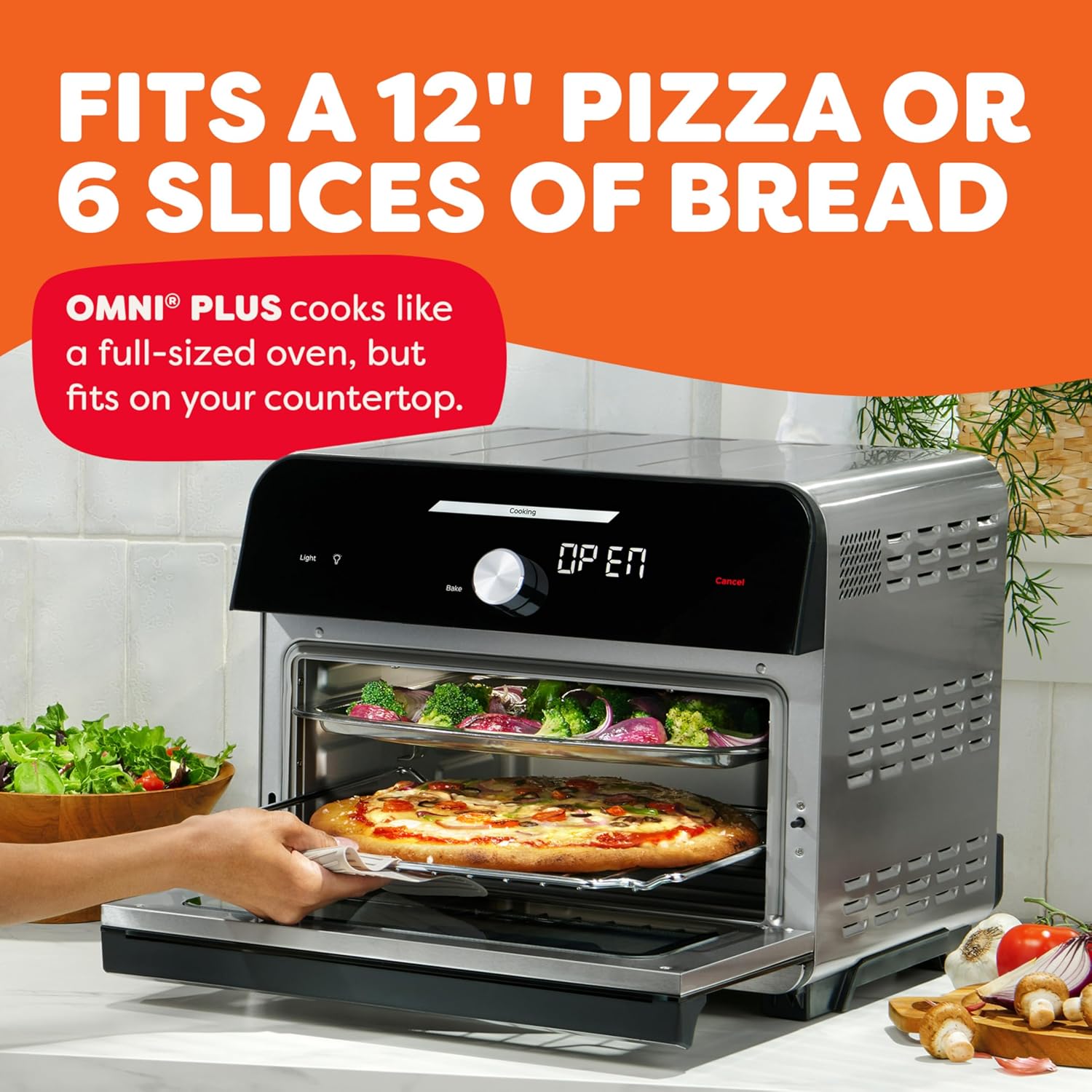
Figure 5.4.1: The Omni Plus can accommodate a 12-inch pizza or 6 slices of bread.
5.5. Warm
To keep food warm without further cooking, select 'Warm' mode. Adjust time as needed and press Start.
5.6. Reheat
The 'Reheat' function is perfect for warming up leftovers. Place food in an oven-safe dish. Select 'Reheat' mode, set temperature and time, then press Start.
5.7. Toast
For perfect toast, place bread or bagels directly on the oven rack. Select 'Toast' mode, choose your desired toast level (light to dark), and press Start.
Video 5.7.1: Official Instant Pot video demonstrating the Toast function.
5.8. Dehydrate
The 'Dehydrate' function allows you to make dried fruits, vegetables, or jerky. Place thinly sliced food on the air frying basket. Select 'Dehydrate' mode, set temperature and time (typically longer durations), then press Start.
5.9. Rotisserie
The rotisserie function is perfect for whole chickens or roasts up to 4 lbs. Secure the food onto the rotisserie spit using the forks. Insert the spit into the appliance's rotisserie drive. Select 'Rotisserie' mode, set temperature and time, then press Start. Use the rotisserie lift to safely remove hot food.
Video 5.9.1: Customer video demonstrating the rotisserie function with a whole chicken.
6. Cleaning and Maintenance
Regular cleaning ensures optimal performance and longevity of your appliance. Always unplug the appliance and allow it to cool completely before cleaning.
- Interior: Wipe the interior with a damp cloth and mild detergent. For stubborn stains, use a non-abrasive cleaner.
- Exterior: Clean the exterior with a soft, damp cloth. Do not use abrasive cleaners or scouring pads.
- Accessories: The enamel baking tray, stainless-steel oven rack, and air frying basket are dishwasher-safe for easy cleanup.
- Crumb Tray: The removable crumb tray should be emptied and cleaned regularly to prevent grease buildup and potential fire hazards.
7. Troubleshooting
| Problem | Possible Cause | Solution |
|---|---|---|
| Appliance does not turn on. | Not plugged in; power outlet issue. | Ensure appliance is securely plugged into a working outlet. Check circuit breaker. |
| Food not cooking evenly. | Overcrowding; incorrect rack position; uneven food placement. | Do not overcrowd the basket/tray. Use recommended rack positions. Arrange food in a single layer for best results. |
| Excessive smoke during cooking. | Grease buildup; fatty foods; food touching heating elements. | Clean the appliance and accessories thoroughly. Use the drip tray for fatty foods. Ensure food does not touch heating elements. |
| Rotisserie not rotating. | Spit not properly inserted; food too heavy or unbalanced. | Ensure rotisserie spit is correctly engaged in the drive. Balance food evenly on the spit. Do not exceed 4 lbs. |
8. Specifications
- Brand: Instant Pot
- Model: 140-4002-01
- Capacity: 19QT / 18L
- Functions: 10-in-1 (Air fry, bake, broil, dehydrate, toast, reheat, roast, warm, convection, rotisserie)
- Power: 1800 Watts
- Voltage: 120V/60Hz
- Dimensions: 12"D x 12"W x 13.89"H
- Weight: 29.3 Pounds
- Material: Stainless Steel (finish), Plastic (some components)
- Special Feature: Programmable
- Dishwasher Safe: Yes (accessories)
9. Warranty and Support
This product comes with a manufacturer's warranty. For detailed warranty information, please refer to the official Instant Pot website or the warranty card included with your purchase. For customer support, product registration, and access to additional recipes, visit the Instant Pot Store on Amazon or download the Instant Pot app.
An official User Manual (PDF) is also available for download: User Manual (PDF).
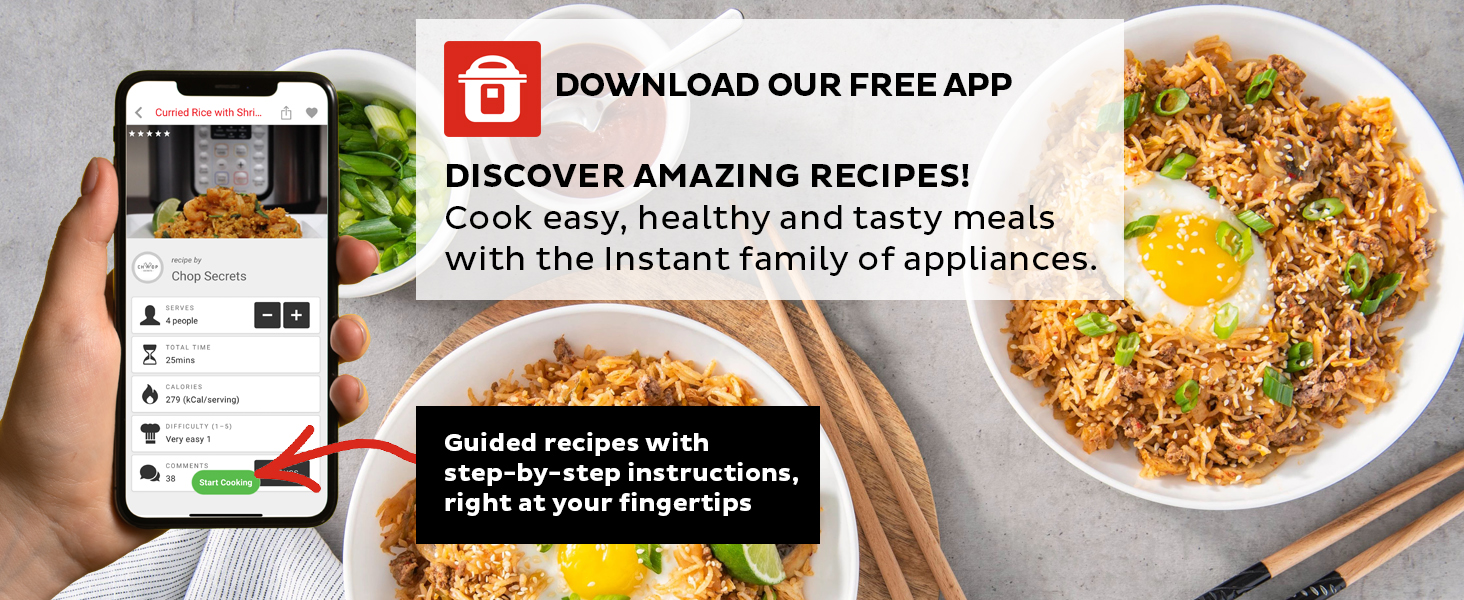
Figure 9.1: Download the Instant Pot app for guided recipes and support.


