
1. Introduction
This manual provides essential information for the safe and efficient operation, maintenance, and troubleshooting of your Retevis RT48 Waterproof Walkie Talkies. Please read this manual thoroughly before using the product.
2. Product Overview
The Retevis RT48 is a heavy-duty, rugged two-way radio designed for professional and business use, featuring IP67 dustproof and waterproof capabilities. It offers reliable communication in various challenging environments.
2.1 Key Features
- IP67 Waterproof and Dustproof: Completely protected against dust ingress and immersion in water up to 1 meter for 30 minutes.
- Durable Construction: Housing made of ABS material with a flexible rubber antenna, designed to withstand drops and harsh conditions.
- Extended Battery Life: Equipped with a 1200mAh Li-ion battery, providing up to 60 hours standby time and 12 hours working time.
- Clear Audio: Features powerful squelch function and adjustable volume for clear communication, minimizing static.
- 16 Channels with CTCSS/DCS: Allows for efficient communication management and interference avoidance.
- VOX Function: Enables hands-free operation.
- Emergency Alarm: Quick alert function for urgent situations.
- License-Free Operation: FRS radio, saving communication costs.
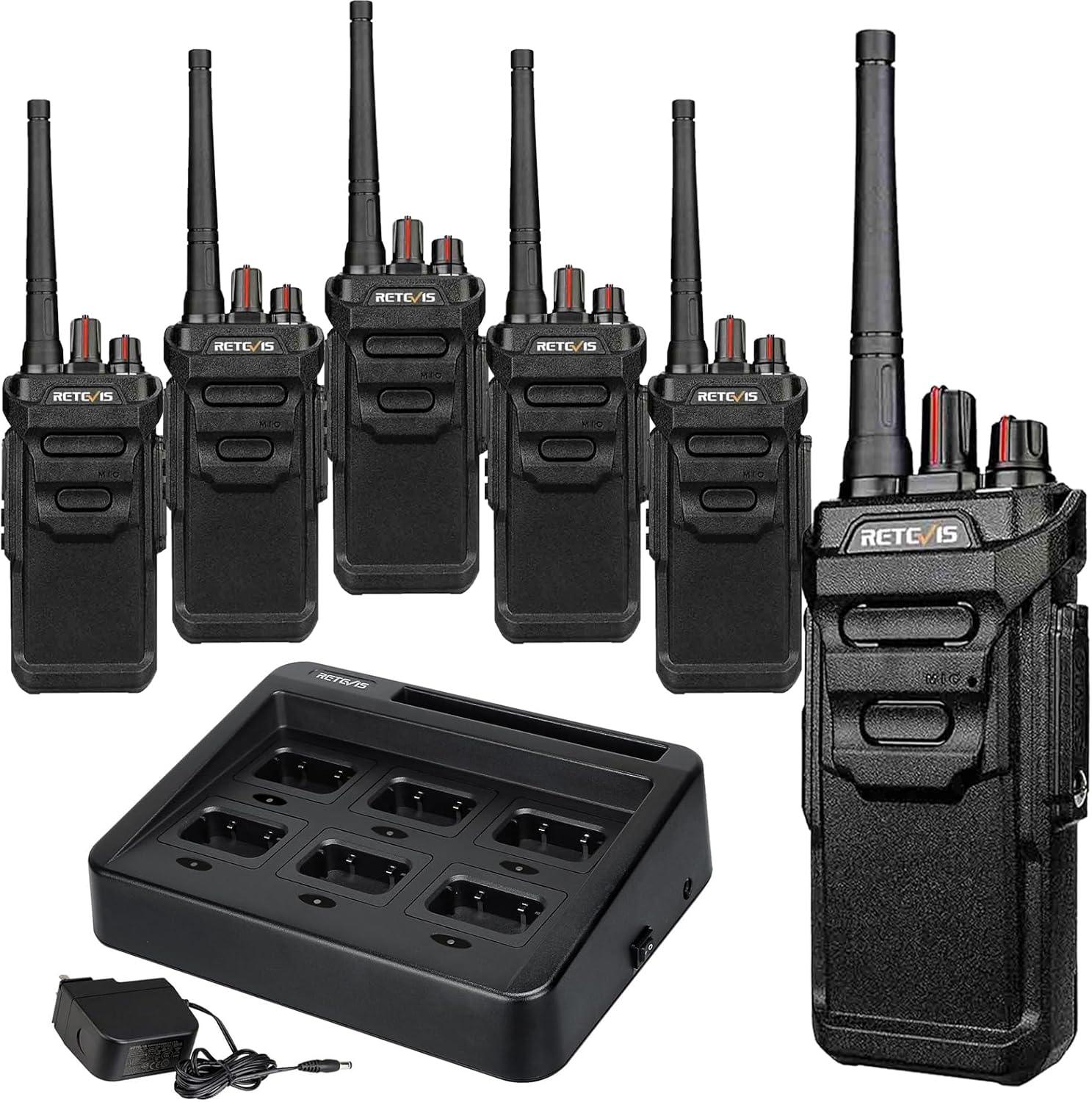
Figure 1: Retevis RT48 Walkie Talkies with 6-way charger.
3. Package Contents
Verify that all items are present in your package:
- 6 x Retevis RT48 Walkie Talkies
- 6 x 1200mAh (Li-ion) Batteries
- 6 x Belt Clips
- 6 x Lanyards
- 1 x Six-Way Charger
- 1 x Power Adapter for Charger
- 6 x User Manuals

Figure 2: Contents included in the RT48 package.
4. Setup
4.1 Charging the Battery
Before first use, fully charge the battery. The included six-way charger allows simultaneous charging of multiple radios or batteries.
- Connect the power adapter to the six-way charger and plug it into a power outlet.
- Place the walkie talkie with the battery attached, or just the battery, into a charging slot.
- The indicator light on the charger will show charging status (typically red for charging, green for fully charged).

Figure 3: Six-way charger in use.
4.2 Attaching Accessories
- Battery: Align the battery with the grooves on the back of the radio and slide it up until it clicks into place.
- Belt Clip: Attach the belt clip to the designated screw holes on the back of the radio using a screwdriver.
- Lanyard: Thread the lanyard through the loop on the top of the radio for easy carrying.

Figure 4: Rear view of the RT48 showing battery compartment.
5. Operating Instructions
5.1 Power On/Off and Volume Control
Rotate the power/volume knob (top-left knob) clockwise to turn the radio on. Continue rotating to increase the volume. Rotate counter-clockwise to decrease volume and turn off the radio.
5.2 Channel Selection
Rotate the channel selector knob (top-right knob) to choose one of the 16 available channels. Ensure all radios in your group are set to the same channel for communication.
5.3 Push-to-Talk (PTT) Button
Press and hold the large PTT button on the side of the radio to transmit your voice. Release the button to receive. Speak clearly into the microphone located below the PTT button.
5.4 VOX Function (Voice Operated Transmission)
The VOX function allows for hands-free transmission. When activated, the radio will automatically transmit when it detects your voice. Refer to the detailed user manual for activation and sensitivity adjustment.
5.5 Emergency Alarm
In an emergency, press the dedicated emergency alarm button (if available and configured) to send an alert signal to other radios on the same channel. This feature is crucial for rapid response in critical situations.
5.6 Communication Range
The effective communication range of the RT48 varies based on environmental conditions:
- Inside Buildings: Approximately 300,000 square feet or up to 25 floors.
- Urban/Obstructed Environments: 0.5-1.5 miles.
- Suburban Areas: 1.5-2 miles.
- Flat Open Terrain: Greater than 2 miles.
Video 1: Understanding Two-Way Radio Range. This video explains factors affecting radio range, such as terrain and atmospheric conditions.
Video 2: The Best Waterproof Walkie Talkie! This video demonstrates the durability and range capabilities of the RT48.
6. Maintenance
6.1 Cleaning
Regularly clean the radio's exterior with a soft, damp cloth. Do not use harsh chemicals or abrasive cleaners. Ensure the battery contacts are clean and dry.
6.2 Battery Care
To prolong battery life, avoid overcharging or completely draining the battery. Store batteries in a cool, dry place when not in use. If the radio will not be used for an extended period, remove the battery.
6.3 IP67 Waterproof Care
While the RT48 is IP67 rated, proper care is essential to maintain its waterproof integrity. Ensure the battery cover is securely fastened and all port covers are tightly sealed before exposing the radio to water or dust.

Figure 5: RT48's IP67 protection against dust and water.
Video 3: Demonstrating the IP67 waterproof function of Retevis RT48. The video shows the radio being submerged in water.
Video 4: RT48 IP67 waterproof walkie talkie. A short demonstration of the radio's water resistance.
7. Troubleshooting
If you encounter issues with your Retevis RT48, refer to the common problems and solutions below:
| Problem | Possible Cause | Solution |
|---|---|---|
| No Power | Battery is low or not installed correctly. | Charge the battery fully. Reinstall the battery securely. |
| Cannot Transmit or Receive | Different channels or CTCSS/DCS codes. Out of range. | Ensure all radios are on the same channel and have matching CTCSS/DCS settings. Move closer to the other radio. |
| Sound is Unclear or Static | Low battery. Obstructions. Interference. | Charge the battery. Move to an open area. Adjust squelch level. |
| Limited Range | Terrain, buildings, or other obstructions. | Move to higher ground or an open area. Avoid dense obstructions. |
8. Specifications
- Model: RT48
- Item Weight: 8.27 pounds (for 6-pack)
- Product Dimensions: 9.4 x 2.5 x 1.4 inches
- Battery: 1200mAh Li-ion (DC 3.7V)
- Water Resistance Level: IP67 (Waterproof and Dustproof)
- Number of Channels: 16
- Frequency Range: FRS
- Talking Range Maximum: 2 Miles (terrain dependent)
- Color: Black
- Country of Origin: China
9. Warranty and Support
Retevis provides comprehensive customer support for the RT48 walkie talkies:
- Radio Body Warranty: 2 years
- Accessories Warranty: 1 year
- Return Policy: 30 days no-reason return
- Post-Warranty Service: Maintenance service available; buyers are responsible for associated costs.
For any inquiries or support needs, please contact Retevis customer service via Amazon. Responses are typically provided within 12 hours.


