
1. Product Overview
The VOTRONIC D+ Simulator PRO 3067 is an electronic device designed to simulate a D+ signal in vehicles equipped with internal combustion engines, such as motorhomes or other special vehicles. This simulation is particularly useful for modern vehicles, including Euro 6 models, where a direct D+ signal might not be readily available or consistent. The device ensures proper functioning of auxiliary equipment that relies on a D+ signal for activation.
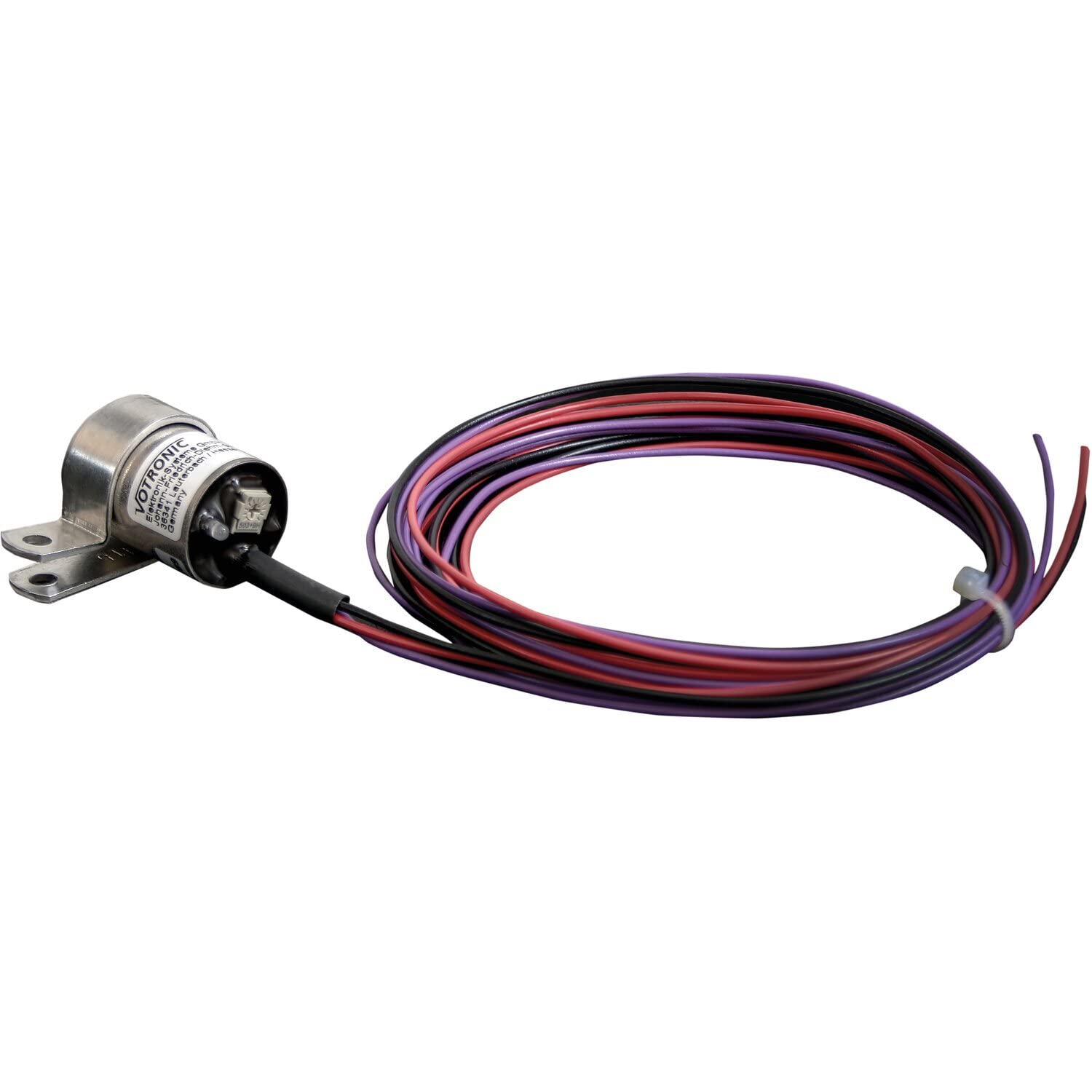
Image: The compact VOTRONIC D+ Simulator PRO 3067 unit, a small blue rectangular device with wiring.
2. Safety Instructions
- Always disconnect the vehicle's battery before beginning any installation work to prevent electrical shock or damage.
- Installation should only be performed by qualified personnel with experience in vehicle electrical systems.
- Ensure all connections are secure and properly insulated to prevent short circuits.
- Do not expose the device to extreme moisture or direct water spray.
- Verify correct polarity before connecting the device to the power supply. Incorrect polarity can damage the unit.
- Use appropriate tools for installation.
3. Package Contents
Please check that all items are present in the package:
- VOTRONIC D+ Simulator PRO 3067 unit
- Mounting clip
- Instruction manual
4. Setup and Installation
The D+ Simulator PRO 3067 is designed for straightforward installation. However, due to the nature of vehicle electrical systems, professional installation is recommended.
4.1 General Connection Overview
The device features pre-wired connections for ease of installation. It includes red and black wires, typically with ring terminals for secure attachment to battery posts or distribution blocks, and an inline fuse holder for protection.
Video: This video demonstrates the physical handling of the VOTRONIC D+ Simulator PRO 3067, showing how to connect its red and black wires, which are equipped with ring terminals and an inline fuse holder. The device is a small blue rectangular unit.
4.2 Wiring Steps
- Identify Connection Points: Locate suitable positive (+) and negative (-) power sources in your vehicle's electrical system.
- Connect Negative Terminal: Attach the black wire (negative) of the D+ Simulator to a reliable ground point or the negative terminal of the vehicle's battery.
- Connect Positive Terminal: Attach the red wire (positive) of the D+ Simulator to a switched positive power source that is active when the engine is running. Ensure the inline fuse is correctly installed.
- Connect D+ Output: The D+ output from the simulator should be connected to the auxiliary equipment that requires a D+ signal. Refer to the specific wiring diagram for your vehicle and auxiliary equipment.
- Secure the Device: Use the provided mounting clip to securely fasten the D+ Simulator in a dry, protected location away from excessive heat or vibration.
The device is designed to be suitable for all vehicles with internal combustion engines, including Euro 6 vehicles, providing a reliable D+ signal where needed.
5. Operating Instructions
The VOTRONIC D+ Simulator PRO 3067 operates automatically once correctly installed and connected to a switched power source.
- Automatic Activation: The simulator detects when the vehicle's engine is running and automatically generates a D+ signal.
- Signal Output: The switching output provides a maximum of 0.3 A and is protected against overload and short circuits.
- Adjustable Voltage Monitoring: The device features adjustable, additional voltage monitoring to ensure optimal performance and protection.
- Deactivation: When the engine is turned off, the D+ signal is automatically deactivated, preventing unnecessary power drain from the vehicle's battery.
6. Maintenance
The VOTRONIC D+ Simulator PRO 3067 is designed for maintenance-free operation. To ensure its longevity and reliable performance, consider the following:
- Regular Inspection: Periodically check all wiring connections for tightness and signs of corrosion or damage.
- Cleanliness: Keep the device free from dust, dirt, and moisture. Use a dry, soft cloth for cleaning if necessary.
- Fuse Check: If the device or connected auxiliary equipment fails to operate, check the inline fuse and replace it with a fuse of the same rating if blown.
- Environmental Conditions: Ensure the device remains within its specified operating temperature range (-40 to +105 °C).
7. Troubleshooting
If you encounter issues with your D+ Simulator, refer to the following troubleshooting guide:
| Problem | Possible Cause | Solution |
|---|---|---|
| No D+ signal output. |
|
|
| Auxiliary equipment not activating. |
|
|
| Device not powering on. |
|
|
If the problem persists after following these steps, please contact VOTRONIC customer support.
8. Technical Specifications
| Brand | VOTRONIC |
| Model | 3067 |
| Part Number | 3067 |
| System Voltage DC | 12 V / 24 V (Voltage range 10 – 32 V) |
| Switching Output | Max. 0.3 A (+ switching, overload and short-circuit protected) |
| Operating Temperature Range | -40 to +105 °C |
| Dimensions (without cables) | 43 x 25 mm, cylindrical |
| Item Weight | 110 grams |
| Assembly Required | No |
| First Available Date | December 2, 2020 |
9. Warranty and Support
VOTRONIC products are manufactured to high-quality standards. For information regarding warranty terms and conditions, please refer to the documentation provided with your purchase or visit the official VOTRONIC website.
For technical support, troubleshooting assistance beyond this manual, or spare parts inquiries, please contact VOTRONIC customer service directly. Contact details can typically be found on the manufacturer's website or in your product packaging.


